Create React App 

[!CAUTION]
Deprecated
Create React App was one of the key tools for getting a React project up-and-running in 2017-2021, it is now in long-term stasis and we recommend that you migrate to one of React frameworks documented on Start a New React Project.
If you are following a tutorial to learn React, there is still value in continuing your tutorial, but we do not recommend starting production apps based on Create React App.
Create React apps with no build configuration.
Create React App works on macOS, Windows, and Linux.
If something doesn’t work, please file an issue.
If you have questions or need help, please ask in GitHub Discussions.
Quick Overview
npx create-react-app my-app
cd my-app
npm start
If you've previously installed create-react-app globally via npm install -g create-react-app, we recommend you uninstall the package using npm uninstall -g create-react-app or yarn global remove create-react-app to ensure that npx always uses the latest version.
(npx comes with npm 5.2+ and higher, see instructions for older npm versions)
Then open http://localhost:3000/ to see your app.
When you’re ready to deploy to production, create a minified bundle with npm run build.
You don’t need to install or configure tools like webpack or Babel.
They are preconfigured and hidden so that you can focus on the code.
Create a project, and you’re good to go.
Creating an App
You’ll need to have Node 14.0.0 or later version on your local development machine (but it’s not required on the server). We recommend using the latest LTS version. You can use nvm (macOS/Linux) or nvm-windows to switch Node versions between different projects.
To create a new app, you may choose one of the following methods:
npx
npx create-react-app my-app
(npx is a package runner tool that comes with npm 5.2+ and higher, see instructions for older npm versions)
npm
npm init react-app my-app
npm init <initializer> is available in npm 6+
Yarn
yarn create react-app my-app
yarn create <starter-kit-package> is available in Yarn 0.25+
It will create a directory called my-app inside the current folder.
Inside that directory, it will generate the initial project structure and install the transitive dependencies:
my-app
├── README.md
├── node_modules
├── package.json
├── .gitignore
├── public
│   ├── favicon.ico
│   ├── index.html
│   └── manifest.json
└── src
    ├── App.css
    ├── App.js
    ├── App.test.js
    ├── index.css
    ├── index.js
    ├── logo.svg
    └── serviceWorker.js
    └── setupTests.js
No configuration or complicated folder structures, only the files you need to build your app.
Once the installation is done, you can open your project folder:
cd my-app
Inside the newly created project, you can run some built-in commands:
npm start or yarn start
Runs the app in development mode.
Open http://localhost:3000 to view it in the browser.
The page will automatically reload if you make changes to the code.
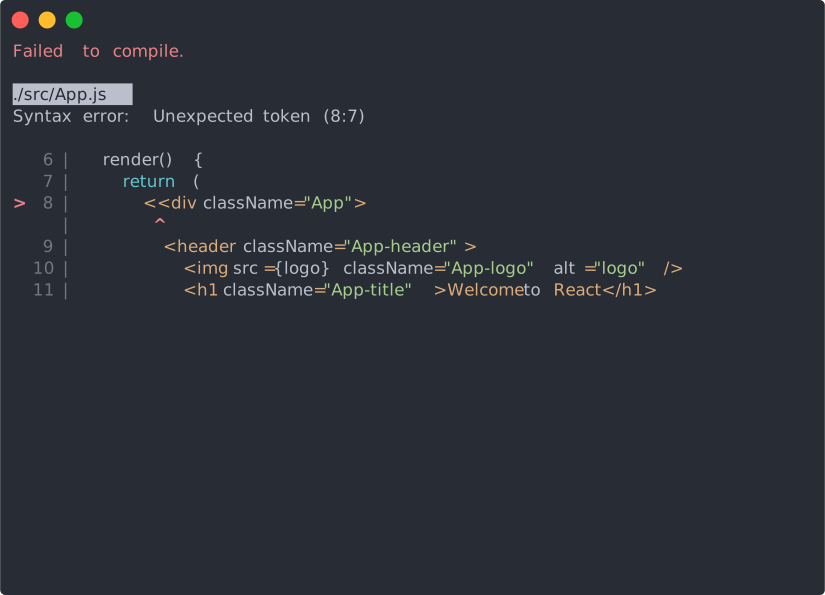
You will see the build errors and lint warnings in the console.
npm test or yarn test
Runs the test watcher in an interactive mode.
By default, runs tests related to files changed since the last commit.
Read more about testing.
npm run build or yarn build
Builds the app for production to the build folder.
It correctly bundles React in production mode and optimizes the build for the best performance.
The build is minified and the filenames include the hashes.
Your app is ready to be deployed.
User Guide
You can find detailed instructions on using Create React App and many tips in its documentation.
How to Update to New Versions?
Please refer to the User Guide for this and other information.
Philosophy
One Dependency: There is only one build dependency. It uses webpack, Babel, ESLint, and other amazing projects, but provides a cohesive curated experience on top of them.
No Configuration Required: You don't need to configure anything. A reasonably good configuration of both development and production builds is handled for you so you can focus on writing code.
No Lock-In: You can “eject” to a custom setup at any time. Run a single command, and all the configuration and build dependencies will be moved directly into your project, so you can pick up right where you left off.
What’s Included?
Your environment will have everything you need to build a modern single-page React app:
- React, JSX, ES6, TypeScript and Flow syntax support.
- Language extras beyond ES6 like the object spread operator.
- Autoprefixed CSS, so you don’t need
-webkit- or other prefixes.
- A fast interactive unit test runner with built-in support for coverage reporting.
- A live development server that warns about common mistakes.
- A build script to bundle JS, CSS, and images for production, with hashes and sourcemaps.
- An offline-first service worker and a web app manifest, meeting all the Progressive Web App criteria. (Note: Using the service worker is opt-in as of
[email protected] and higher)
- Hassle-free updates for the above tools with a single dependency.
Check out this guide for an overview of how these tools fit together.
The tradeoff is that these tools are preconfigured to work in a specific way. If your project needs more customization, you can "eject" and customize it, but then you will need to maintain this configuration.
Popular Alternatives
Create React App is a great fit for:
- Learning React in a comfortable and feature-rich development environment.
- Starting new single-page React applications.
- Creating examples with React for your libraries and components.
Here are a few common cases where you might want to try something else:
If you want to try React without hundreds of transitive build tool dependencies, consider using a single HTML file or an online sandbox instead.
If you need to integrate React code with a server-side template framework like Rails, Django or Symfony, or if you’re not building a single-page app, consider using nwb, or Neutrino which are more flexible. For Rails specifically, you can use Rails Webpacker. For Symfony, try Symfony's webpack Encore.
If you need to publish a React component, nwb can also do this, as well as Neutrino's react-components preset.
If you want to do server rendering with React and Node.js, check out Next.js or Razzle. Create React App is agnostic of the backend, and only produces static HTML/JS/CSS bundles.
If your website is mostly static (for example, a portfolio or a blog), consider using Gatsby or Next.js. Unlike Create React App, Gatsby pre-renders the website into HTML at build time. Next.js supports both server rendering and pre-rendering.
Finally, if you need more customization, check out Neutrino and its React preset.
All of the above tools can work with little to no configuration.
If you prefer configuring the build yourself, follow this guide.
React Native
Looking for something similar, but for React Native?
Check out Expo CLI.
Contributing
We'd love to have your helping hand on create-react-app! See CONTRIBUTING.md for more information on what we're looking for and how to get started.
Supporting Create React App
Create React App is a community maintained project and all contributors are volunteers. If you'd like to support the future development of Create React App then please consider donating to our Open Collective.
Credits
This project exists thanks to all the people who contribute.
Thanks to Netlify for hosting our documentation.
Acknowledgements
We are grateful to the authors of existing related projects for their ideas and collaboration:
License
Create React App is open source software licensed as MIT. The Create React App logo is licensed under a Creative Commons Attribution 4.0 International license.

 Create React App 是一个命令行工具,可以搭建新的 React 单页应用,无需任何构建配置,并已为你预先配置好 webpack、Babel、ESLint 和测试运行器。