

Prowler is the Open Cloud Security Platform trusted by thousands to automate security and compliance in any cloud environment. With thousands of ready-to-use checks and compliance frameworks, Prowler delivers real-time, customizable monitoring and seamless integrations, making cloud security simple, scalable, and cost-effective for organizations of any size.
The Agentic Cloud Defender
Try Prowler Cloud

Join our Prowler community!















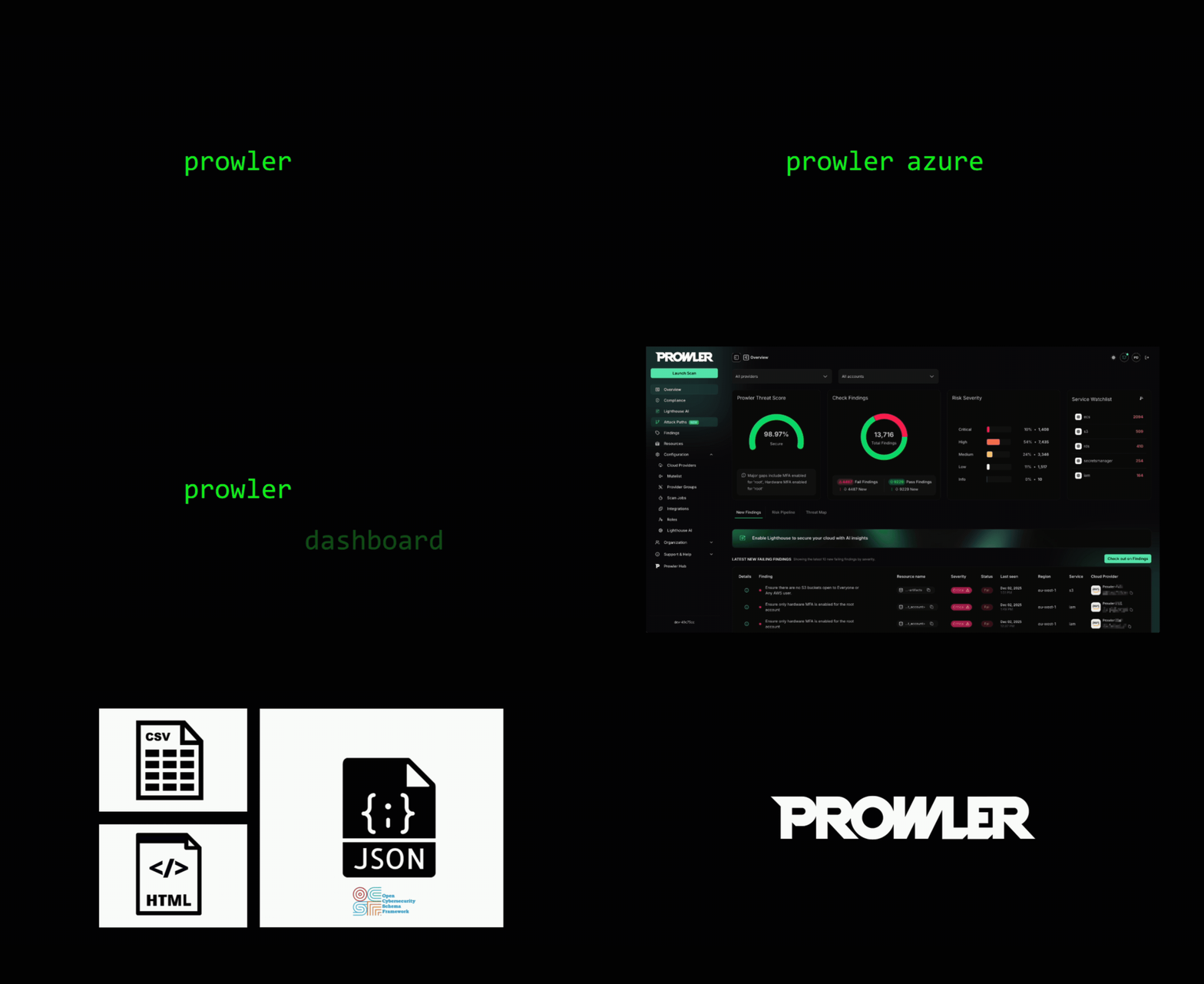
Description
Prowler is the world’s most widely used Open-Source Cloud Security Platform that automates security and compliance across any cloud environment. With thousands of ready-to-use security checks, remediation guidance, and compliance frameworks, Prowler is built to “Secure ANY Cloud at AI Speed”. Prowler delivers AI-driven, customizable, and easy-to-use assessments, dashboards, reports, and integrations, making cloud security simple, scalable, and cost-effective for organizations of any size.
Prowler includes hundreds of built-in controls to ensure compliance with standards and frameworks, including:
- Prowler ThreatScore: Weighted risk prioritization scoring that helps you focus on the most critical security findings first
- Industry Standards: CIS, NIST 800, NIST CSF, CISA, and MITRE ATT&CK
- Regulatory Compliance and Governance: RBI, FedRAMP, PCI-DSS, and NIS2
- Frameworks for Sensitive Data and Privacy: GDPR, HIPAA, and FFIEC
- Frameworks for Organizational Governance and Quality Control: SOC2, GXP, and ISO 27001
- Cloud-Specific Frameworks: AWS Foundational Technical Review (FTR), AWS Well-Architected Framework, and BSI C5
- National Security Standards: ENS (Spanish National Security Scheme) and KISA ISMS-P (Korean)
- Custom Security Frameworks: Tailored to your needs
Prowler Cloud & Prowler Local Server
Prowler Cloud and Prowler Local Server, its self-hosted open-source version, are web applications that simplify running Prowler across your cloud provider accounts. They provide a user-friendly interface to visualize the results and streamline your security assessments.
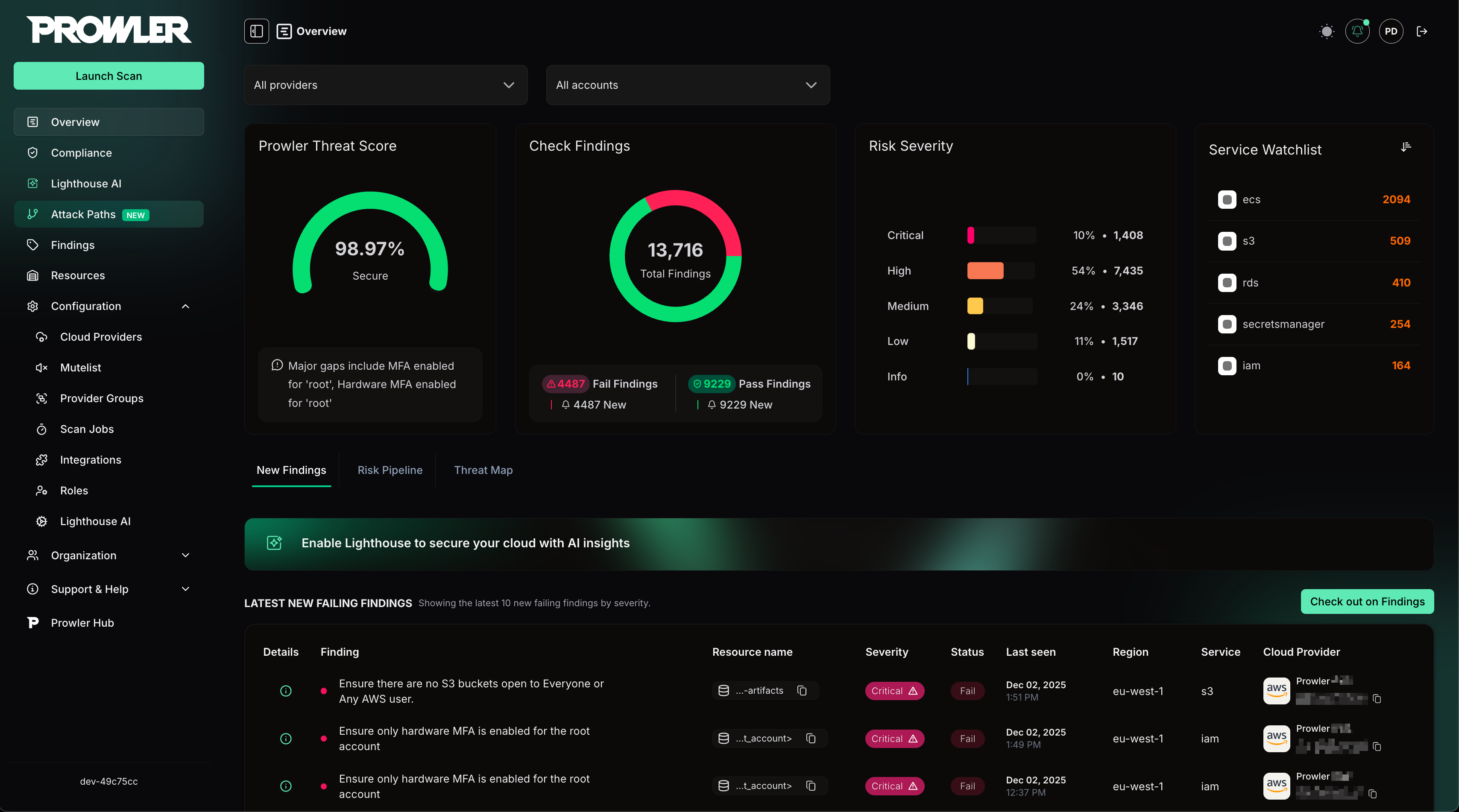
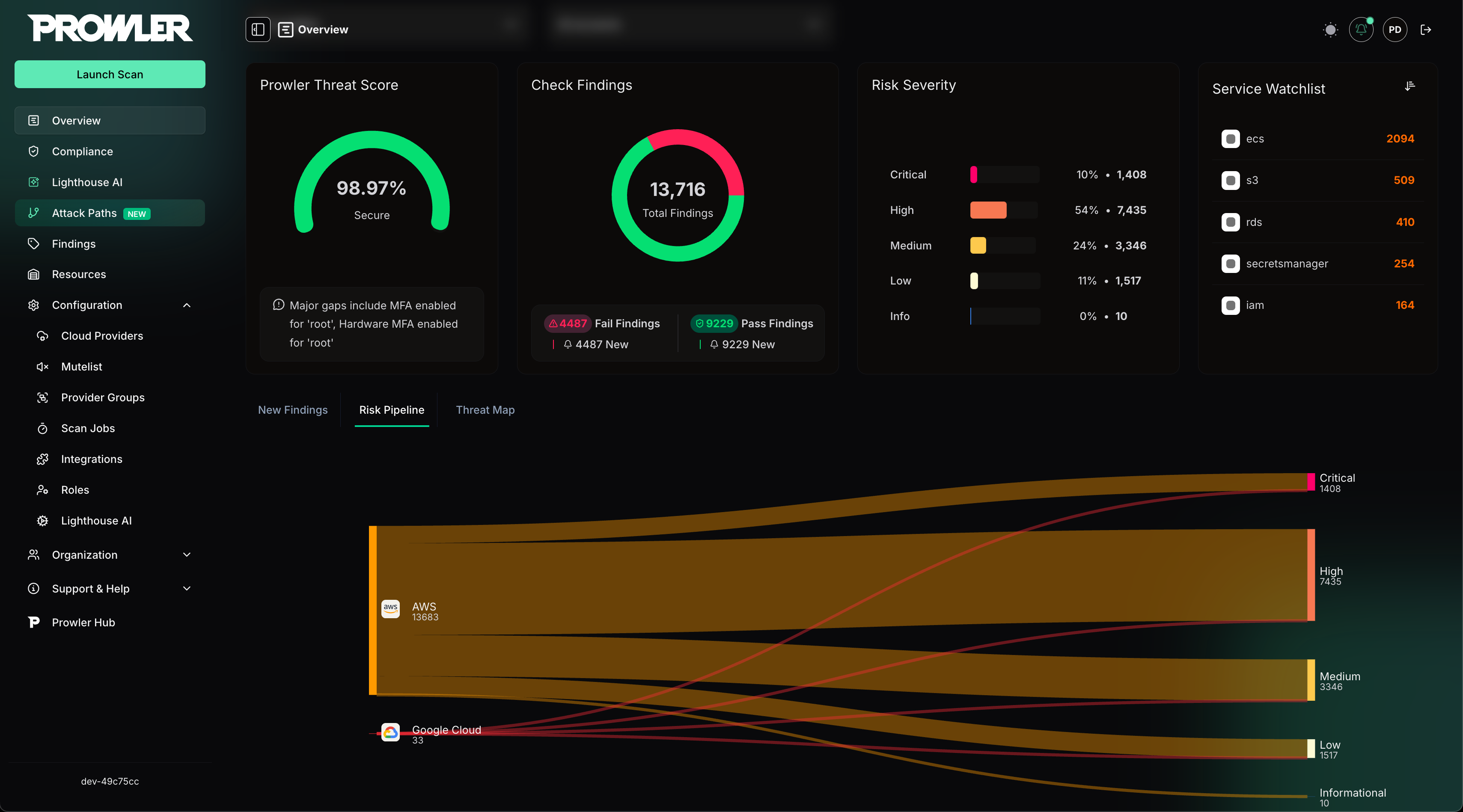
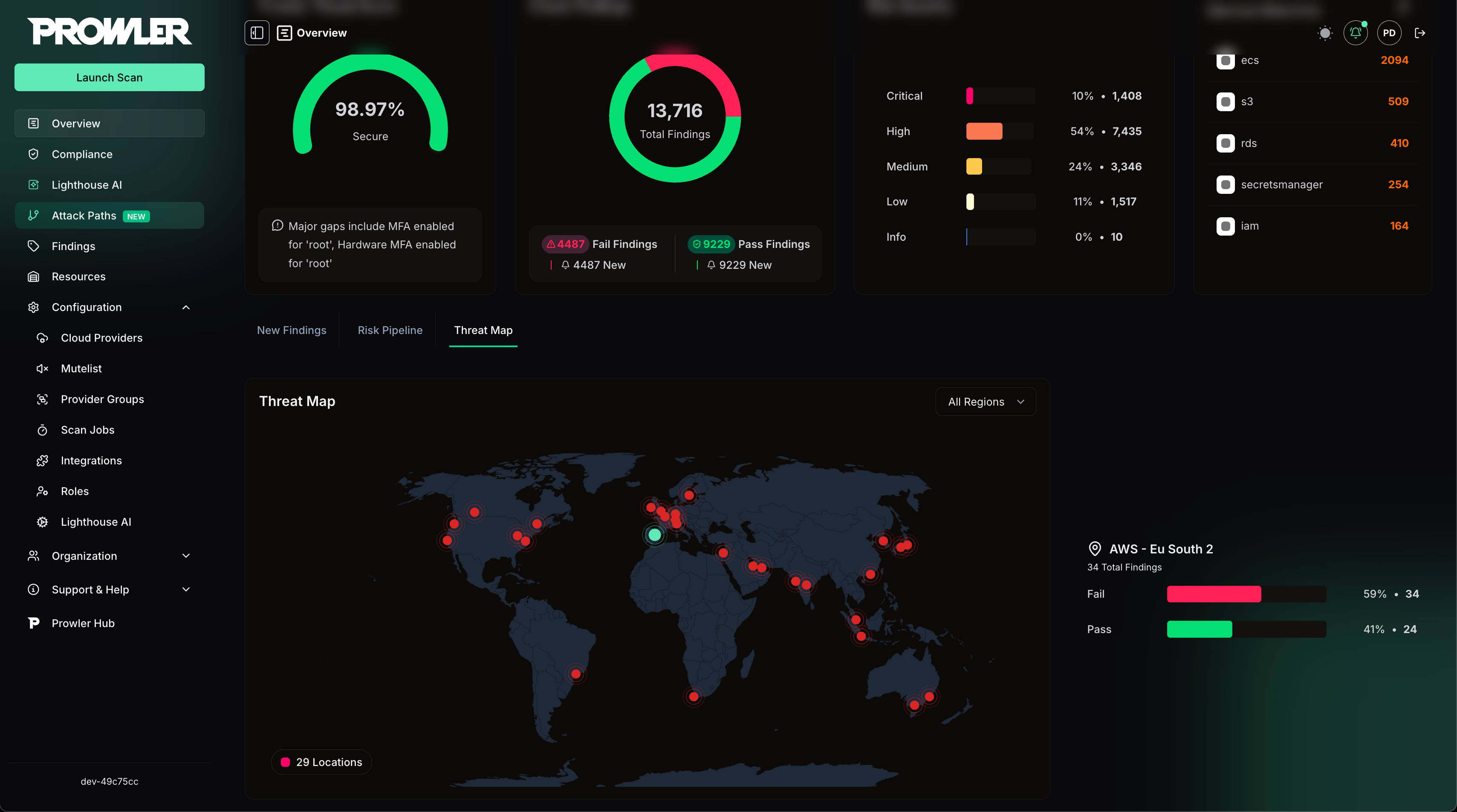
For more details, refer to the Prowler Local Server documentation
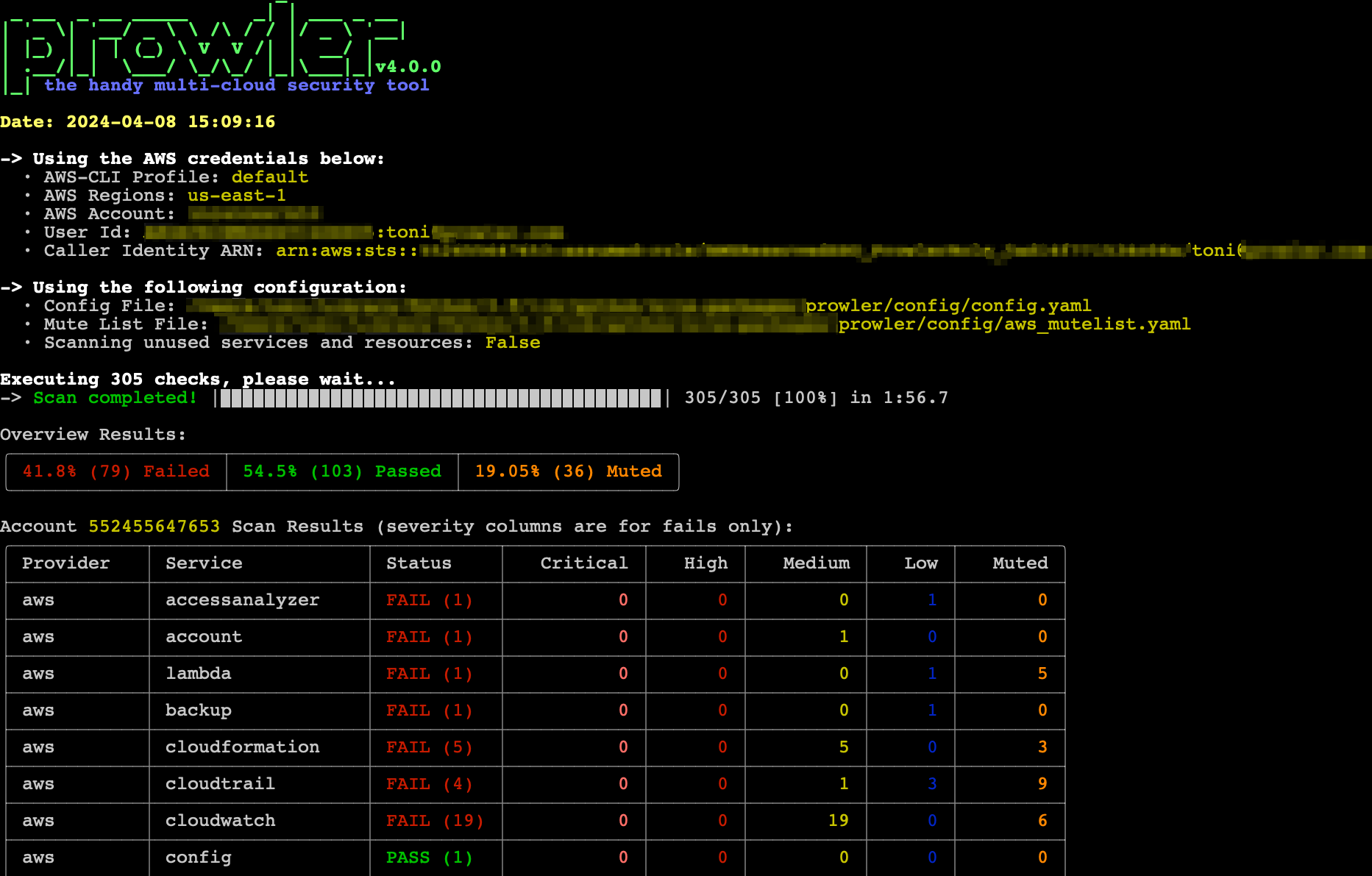
Prowler CLI
prowler <provider>
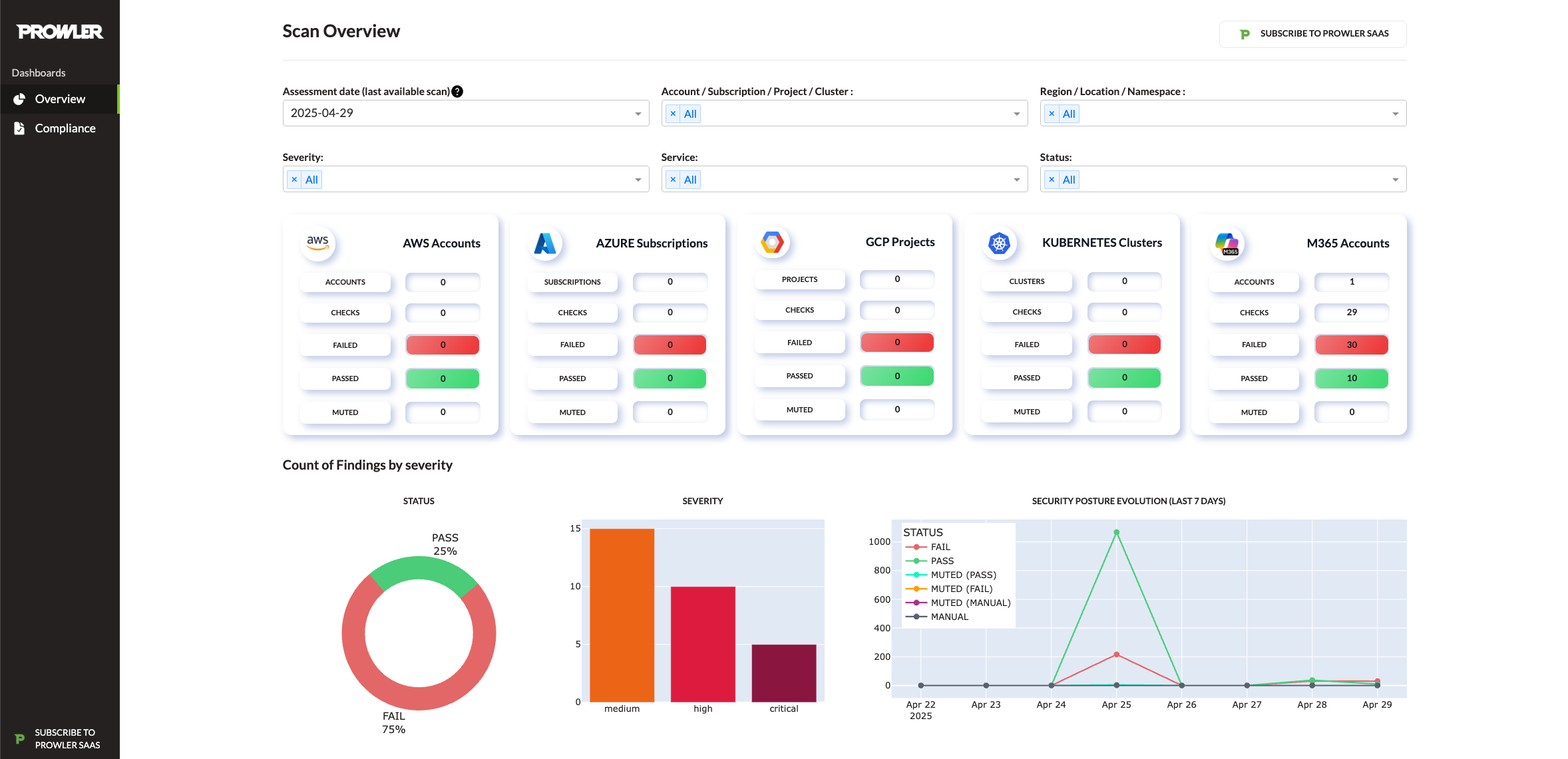
Prowler Local Dashboard
prowler dashboard
Attack Paths
Attack Paths automatically extends every completed AWS scan with a graph that combines Cartography's cloud inventory with Prowler findings. The feature runs in the API worker after each scan.
Two graph backends are supported as the long-lived sink:
- Neo4j (default; the Docker Compose files already ship a
neo4j service).
- Amazon Neptune (cloud-managed; opt-in).
Select the sink with ATTACK_PATHS_SINK_DATABASE (neo4j or neptune; default neo4j).
Note: Cartography ingestion always uses a temporary Neo4j database, regardless of the configured sink. The NEO4J_* variables below must remain set even when ATTACK_PATHS_SINK_DATABASE=neptune.
Neo4j sink
| Variable |
Description |
Default |
NEO4J_HOST |
Hostname used by the API containers. |
neo4j |
NEO4J_PORT |
Bolt port exposed by Neo4j. |
7687 |
NEO4J_USER / NEO4J_PASSWORD |
Credentials with rights to create per-tenant databases. |
neo4j / neo4j_password |
Neptune sink
| Variable |
Description |
Default |
NEPTUNE_WRITER_ENDPOINT |
Bolt host for the Neptune writer instance. Required when sink is neptune. |
empty |
NEPTUNE_READER_ENDPOINT |
Optional reader endpoint for read-only queries. Falls back to the writer when unset. |
empty |
NEPTUNE_PORT |
Bolt port exposed by Neptune. |
8182 |
AWS_REGION |
Region the Neptune cluster lives in. Required when sink is neptune. |
empty |
Neptune authenticates with SigV4 using the standard boto3 credential chain. The worker's IAM role (or AWS_ACCESS_KEY_ID / AWS_SECRET_ACCESS_KEY) supplies the credentials. There is no Neptune password variable.
Every AWS provider scan will enqueue an Attack Paths ingestion job automatically. Other cloud providers will be added in future iterations.
Prowler at a Glance
[!Tip]
For the most accurate and up-to-date information about checks, services, frameworks, and categories, visit Prowler Hub.
| Provider |
Checks |
Services |
Compliance Frameworks |
Categories |
Support |
Interface |
| AWS |
639 |
86 |
47 |
19 |
Official |
UI, API, CLI |
| Azure |
191 |
22 |
21 |
16 |
Official |
UI, API, CLI |
| GCP |
109 |
20 |
19 |
12 |
Official |
UI, API, CLI |
| Kubernetes |
92 |
7 |
8 |
11 |
Official |
UI, API, CLI |
| GitHub |
24 |
3 |
2 |
5 |
Official |
UI, API, CLI |
| M365 |
143 |
10 |
6 |
10 |
Official |
UI, API, CLI |
| OCI |
52 |
14 |
5 |
10 |
Official |
UI, API, CLI |
| Alibaba Cloud |
63 |
9 |
6 |
9 |
Official |
UI, API, CLI |
| Cloudflare |
29 |
3 |
2 |
5 |
Official |
UI, API, CLI |
| IaC |
See trivy docs. |
N/A |
N/A |
N/A |
Official |
UI, API, CLI |
| MongoDB Atlas |
10 |
3 |
1 |
8 |
Official |
UI, API, CLI |
| LLM |
See promptfoo docs. |
N/A |
N/A |
N/A |
Official |
CLI |
| Image |
N/A |
N/A |
N/A |
N/A |
Official |
UI, API, CLI |
| Google Workspace |
65 |
11 |
4 |
6 |
Official |
UI, API, CLI |
| OpenStack |
34 |
5 |
1 |
9 |
Official |
UI, API, CLI |
| Vercel |
26 |
6 |
1 |
8 |
Official |
UI, API, CLI |
| Okta |
29 |
8 |
2 |
2 |
Official |
UI, API, CLI |
| Linode Contact us |
10 |
3 |
1 |
4 |
Unofficial |
CLI |
| Huawei Cloud Contact us |
25 |
10 |
1 |
6 |
Unofficial |
CLI |
| E2E Networks Contact us |
27 |
6 |
0 |
2 |
Unofficial |
CLI |
| Scaleway Contact us |
1 |
1 |
1 |
1 |
Unofficial |
CLI |
| StackIT Contact us |
8 |
2 |
1 |
3 |
Unofficial |
CLI |
| NHN |
6 |
2 |
2 |
0 |
Unofficial |
CLI |
[!Note]
The numbers in the table are updated periodically.
[!Note]
Use the following commands to list Prowler's available checks, services, compliance frameworks, and categories:
prowler <provider> --list-checksprowler <provider> --list-servicesprowler <provider> --list-complianceprowler <provider> --list-categories
💻 Installation
Prowler Local Server
Prowler Local Server offers flexible installation methods tailored to various environments:
For detailed instructions on using Prowler Local Server, refer to the usage guide.
Docker Compose
Requirements
Commands
macOS/Linux:
VERSION=$(curl -s https://api.github.com/repos/prowler-cloud/prowler/releases/latest | jq -r .tag_name)
curl -sLO "https://raw.githubusercontent.com/prowler-cloud/prowler/refs/tags/${VERSION}/docker-compose.yml"
# Environment variables can be customized in the .env file. Using default values in production environments is not recommended.
curl -sLO "https://raw.githubusercontent.com/prowler-cloud/prowler/refs/tags/${VERSION}/.env"
docker compose up -d
Windows PowerShell:
$VERSION = (Invoke-RestMethod -Uri "https://api.github.com/repos/prowler-cloud/prowler/releases/latest").tag_name
Invoke-WebRequest -Uri "https://raw.githubusercontent.com/prowler-cloud/prowler/refs/tags/$VERSION/docker-compose.yml" -OutFile "docker-compose.yml"
# Environment variables can be customized in the .env file. Using default values in production environments is not recommended.
Invoke-WebRequest -Uri "https://raw.githubusercontent.com/prowler-cloud/prowler/refs/tags/$VERSION/.env" -OutFile ".env"
docker compose up -d
[!WARNING]
🔒 For a secure setup, the API auto-generates a unique key pair, DJANGO_TOKEN_SIGNING_KEY and DJANGO_TOKEN_VERIFYING_KEY, and stores it in ~/.config/prowler-api (non-container) or the bound Docker volume in _data/api (container). Never commit or reuse static/default keys. To rotate keys, delete the stored key files and restart the API.
Once configured, access Prowler Local Server at http://localhost:3000. Sign up using your email and password to get started.
Common Issues with Docker Pull Installation
[!Note]
If you want to use AWS role assumption (e.g., with the "Connect assuming IAM Role" option), you may need to mount your local .aws directory into the container as a volume (e.g., - "${HOME}/.aws:/home/prowler/.aws:ro"). There are several ways to configure credentials for Docker containers. See the Troubleshooting section for more details and examples.
You can find more information in the Troubleshooting section.
From GitHub
Requirements
Commands to run the API
git clone https://github.com/prowler-cloud/prowler
cd prowler/api
uv sync
source .venv/bin/activate
set -a
source .env
docker compose up postgres valkey -d
cd src/backend
python manage.py migrate --database admin
gunicorn -c config/guniconf.py config.wsgi:application
After completing the setup, access the API documentation at http://localhost:8080/api/v1/docs.
Commands to run the API Worker
git clone https://github.com/prowler-cloud/prowler
cd prowler/api
uv sync
source .venv/bin/activate
set -a
source .env
cd src/backend
python -m celery -A config.celery worker -l info -E
Commands to run the API Scheduler
git clone https://github.com/prowler-cloud/prowler
cd prowler/api
uv sync
source .venv/bin/activate
set -a
source .env
cd src/backend
python -m celery -A config.celery beat -l info --scheduler django_celery_beat.schedulers:DatabaseScheduler
Commands to run the UI
git clone https://github.com/prowler-cloud/prowler
cd prowler/ui
pnpm install
pnpm run build
pnpm start
Once configured, access Prowler Local Server at http://localhost:3000. Sign up using your email and password to get started.
Pre-commit Hooks Setup
Some pre-commit hooks require tools installed on your system:
Install TruffleHog (secret scanning) — see the official installation options.
Install Hadolint (Dockerfile linting) — see the official installation options.
Prowler CLI
Pip package
Prowler CLI is available as a project in PyPI. Consequently, it can be installed using pip with Python >=3.10, <3.13:
pip install prowler
prowler -v
For further guidance, refer to https://docs.prowler.com
Containers
Available Versions of Prowler CLI
The following versions of Prowler CLI are available, depending on your requirements:
latest: Synchronizes with the master branch. Note that this version is not stable.v4-latest: Synchronizes with the v4 branch. Note that this version is not stable.v3-latest: Synchronizes with the v3 branch. Note that this version is not stable.<x.y.z> (release): Stable releases corresponding to specific versions. See the complete list of Prowler releases.stable: Always points to the latest release.v4-stable: Always points to the latest release for v4.v3-stable: Always points to the latest release for v3.
The container images are available here:
- Prowler CLI:
- Prowler Local Server:
From GitHub
Python >=3.10, <3.13 is required with uv:
git clone https://github.com/prowler-cloud/prowler
cd prowler
uv sync
source .venv/bin/activate
python prowler-cli.py -v
[!IMPORTANT]
To clone Prowler on Windows, configure Git to support long file paths by running the following command: git config core.longpaths true.
🛡️ GitHub Action
The official Prowler GitHub Action runs Prowler scans in your GitHub workflows using the official prowlercloud/prowler Docker image. Scans run on any supported provider, with optional --push-to-cloud to send findings to Prowler Cloud and optional SARIF upload so findings show up in the repo's Security → Code scanning tab and as inline PR annotations.
name: Prowler IaC Scan
on:
  pull_request:

permissions:
  contents: read
  security-events: write
  actions: read

jobs:
  prowler:
    runs-on: ubuntu-latest
    steps:
      - uses: actions/checkout@v4

      - uses: prowler-cloud/[email protected]
        with:
          provider: iac
          output-formats: sarif json-ocsf
          upload-sarif: true
          flags: --severity critical high
Full configuration, per-provider authentication, and SARIF examples: Prowler GitHub Action tutorial. Marketplace listing: Prowler Security Scan.
✏️ High level architecture
Prowler Local Server
Prowler Local Server is composed of four key components:
- Prowler UI: A web-based interface, built with Next.js, providing a user-friendly experience for executing Prowler scans and visualizing results.
- Prowler API: A backend service, developed with Django REST Framework, responsible for running Prowler scans and storing the generated results.
- Prowler SDK: A Python SDK designed to extend the functionality of the Prowler CLI for advanced capabilities.
- Prowler MCP Server: A Model Context Protocol server that provides AI tools for Lighthouse, the AI-powered security assistant. This is a critical dependency for Lighthouse functionality.
flowchart TB
    user([User / Security Team])
    cli([Prowler CLI])

    subgraph APP["Prowler Local Server"]
        ui["Prowler UI<br/>(Next.js)"]
        api["Prowler API<br/>(Django REST Framework)"]
        worker["API Worker<br/>(Celery)"]
        beat["API Scheduler<br/>(Celery Beat)"]
        mcp["Prowler MCP Server<br/>(Lighthouse AI tools)"]
    end

    sdk["Prowler SDK<br/>(Python)"]

    subgraph DATA["Data Layer"]
        pg[("PostgreSQL")]
        valkey[("Valkey / Redis")]
        neo4j[("Neo4j")]
    end

    providers["Providers"]

    user --> ui
    user --> cli
    ui -->|REST| api
    ui -->|MCP HTTP| mcp
    mcp -->|REST| api
    api --> pg
    api --> valkey
    beat -->|enqueue jobs| valkey
    valkey -->|dispatch| worker
    worker --> pg
    worker -->|Attack Paths| neo4j
    worker -->|invokes| sdk
    cli --> sdk

    sdk --> providers
Prowler CLI
Running Prowler
Prowler can be executed across various environments, offering flexibility to meet your needs. It can be run from:

 Prowler is an open-source cloud security platform that automates security and compliance checks across AWS, Azure, GCP, Kubernetes, M365, GitHub, and many other providers.