



playport README

README проекта с github.com/playportdev/playport. Одним файлом markdown: README.md.

Playport

Playport

PC games on your iPhone. Natively, no streaming.

Website · Download · Game compatibility · Architecture · ❤️ Support on Ko-fi

Support Playport on Ko-fi

Checks Licence: GPL-3.0-or-later iOS 26+ No jailbreak Builds on Linux Swift 6

Playport runs Windows games, 64-bit and 32-bit, on a stock, non-jailbroken iPhone. Install a game from Steam, GOG, Epic Games or Battle.net, or bring your own, pick up a controller or play with on-screen touch controls, and press Play. The game runs on the phone's own CPU and GPU: no PC, no cloud, no stream.

New in 0.5: World of Warcraft, Red Dead Redemption 2, The Witcher 3: Wild Hunt – Remastered and touch controls. Install World of Warcraft from Battle.net, play with nothing but the phone using on-screen controls and their layout editor, and find every store in the redesigned Library. See the release notes.

[!TIP] ❤️ Playport is free, and it stays free. If it put a PC game in your pocket, please consider supporting it on Ko-fi. Every donation buys time for the next release: more games and more fixes. See Support Playport.

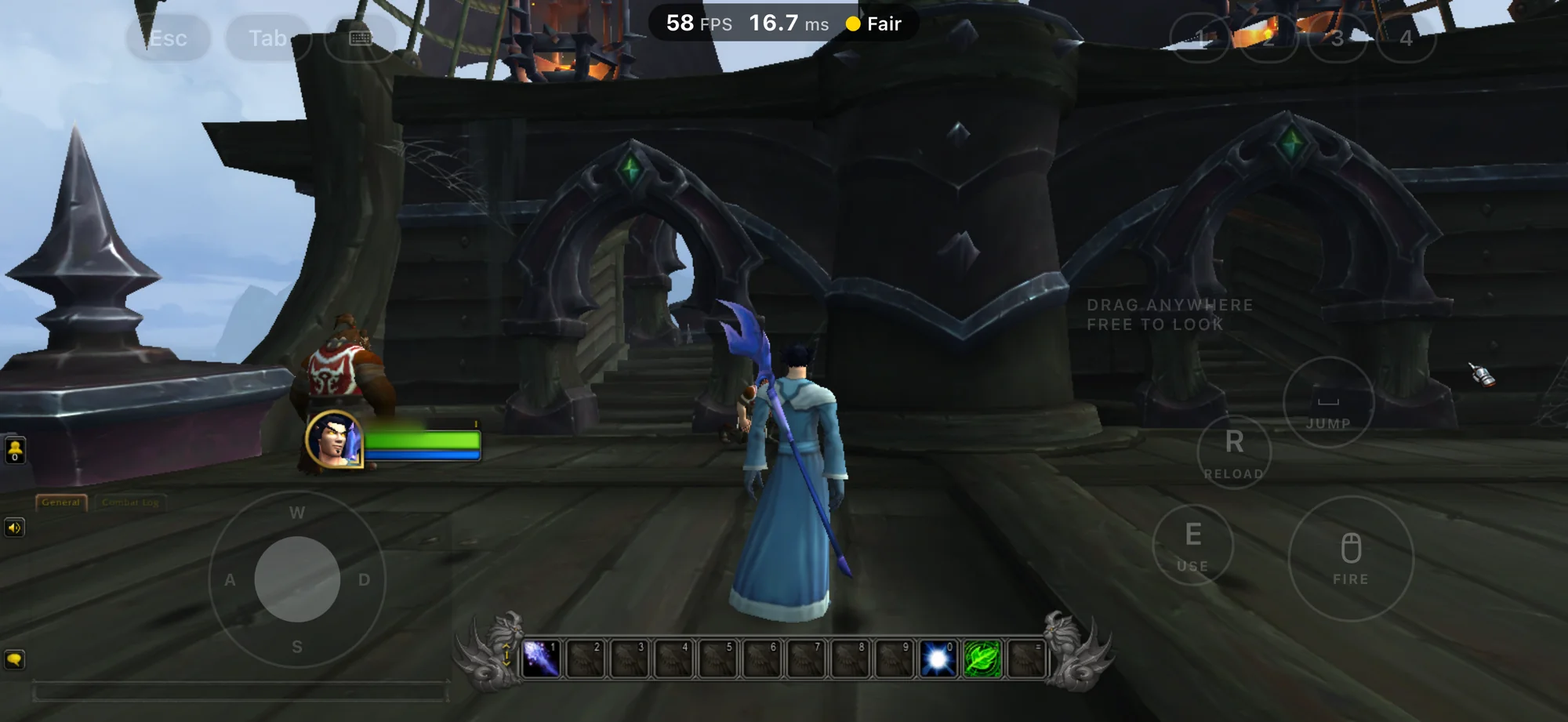
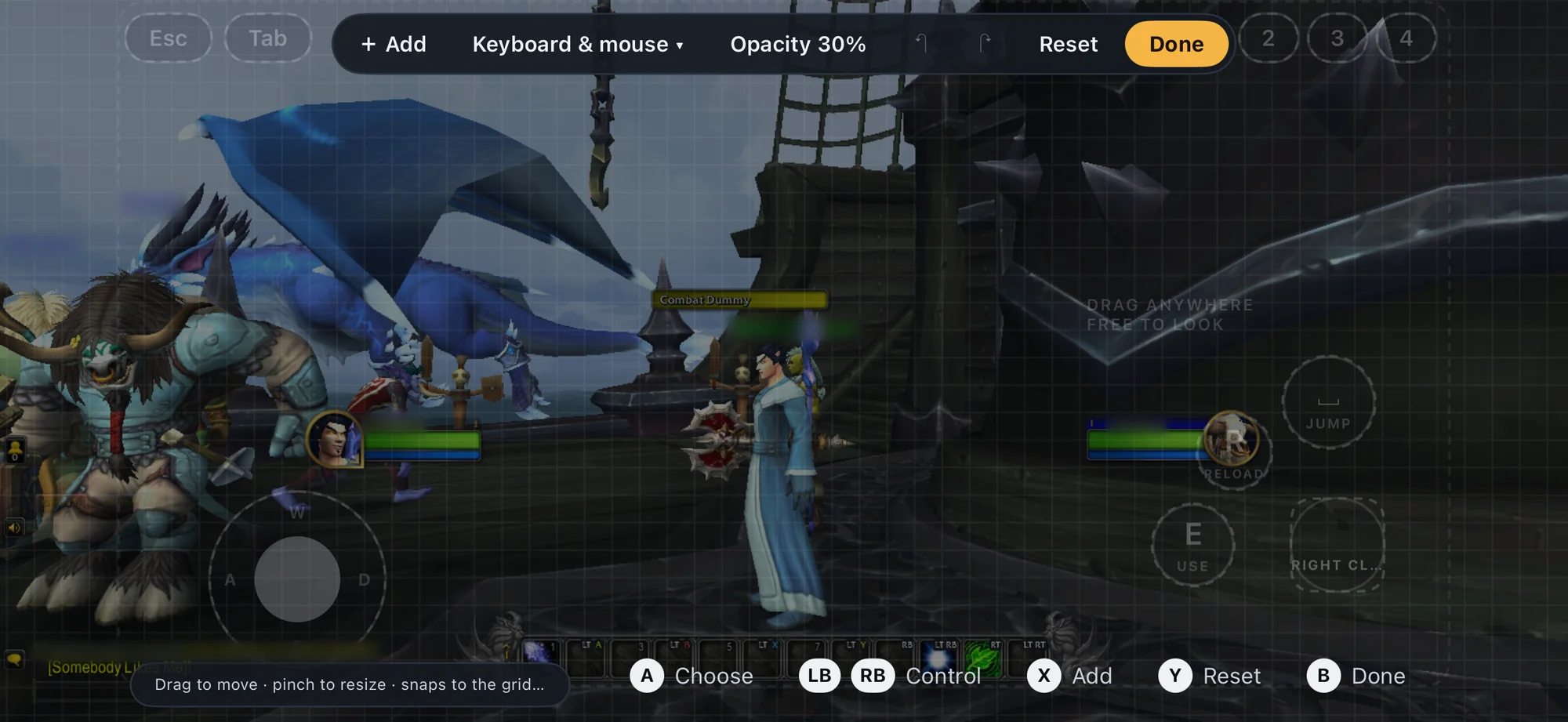
World of Warcraft on an iPhone in Playport: a mage in a blue robe on a ship's deck, with on-screen Esc, Tab, number, Jump, Reload, Use and Fire buttons and a movement stick
World of Warcraft from Battle.net, played with Playport's on-screen keyboard and mouse controls.

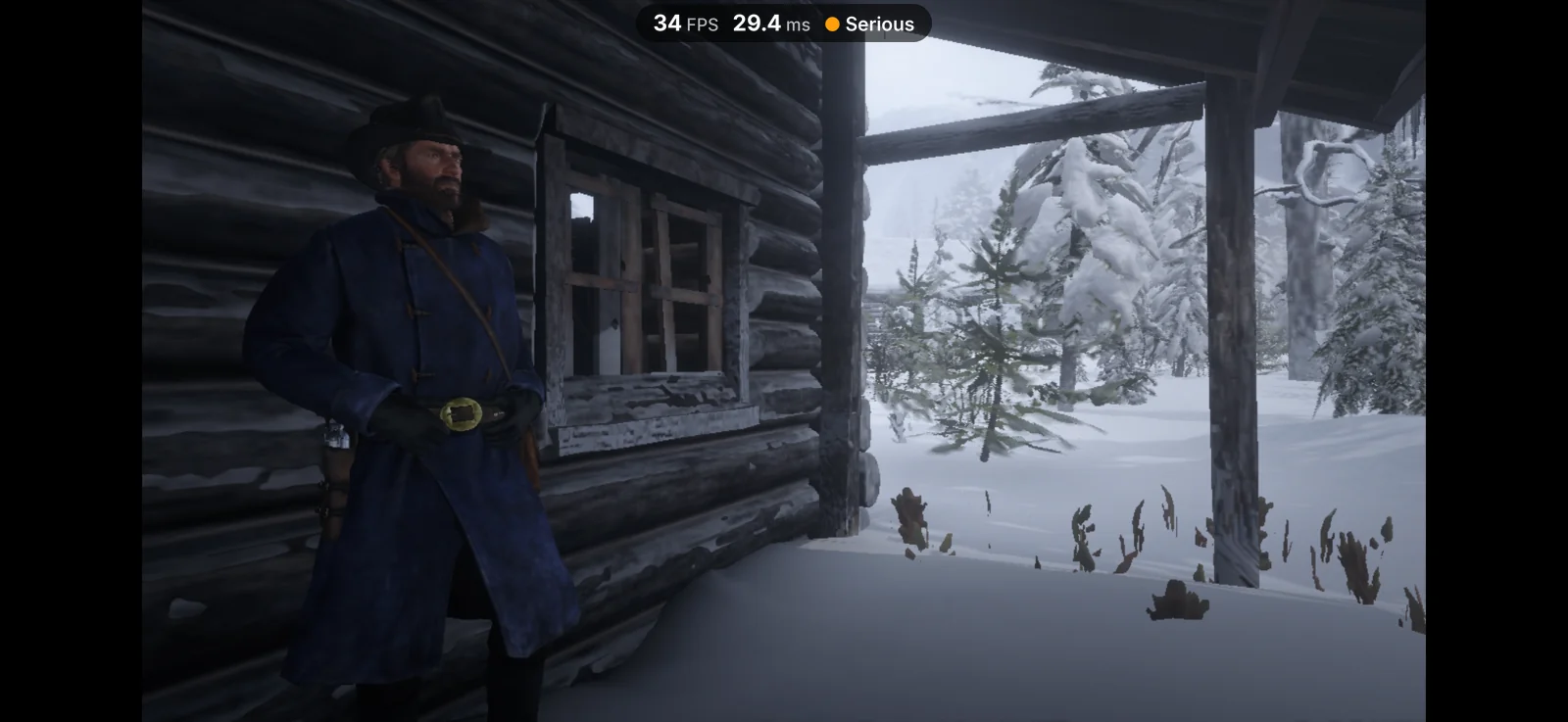
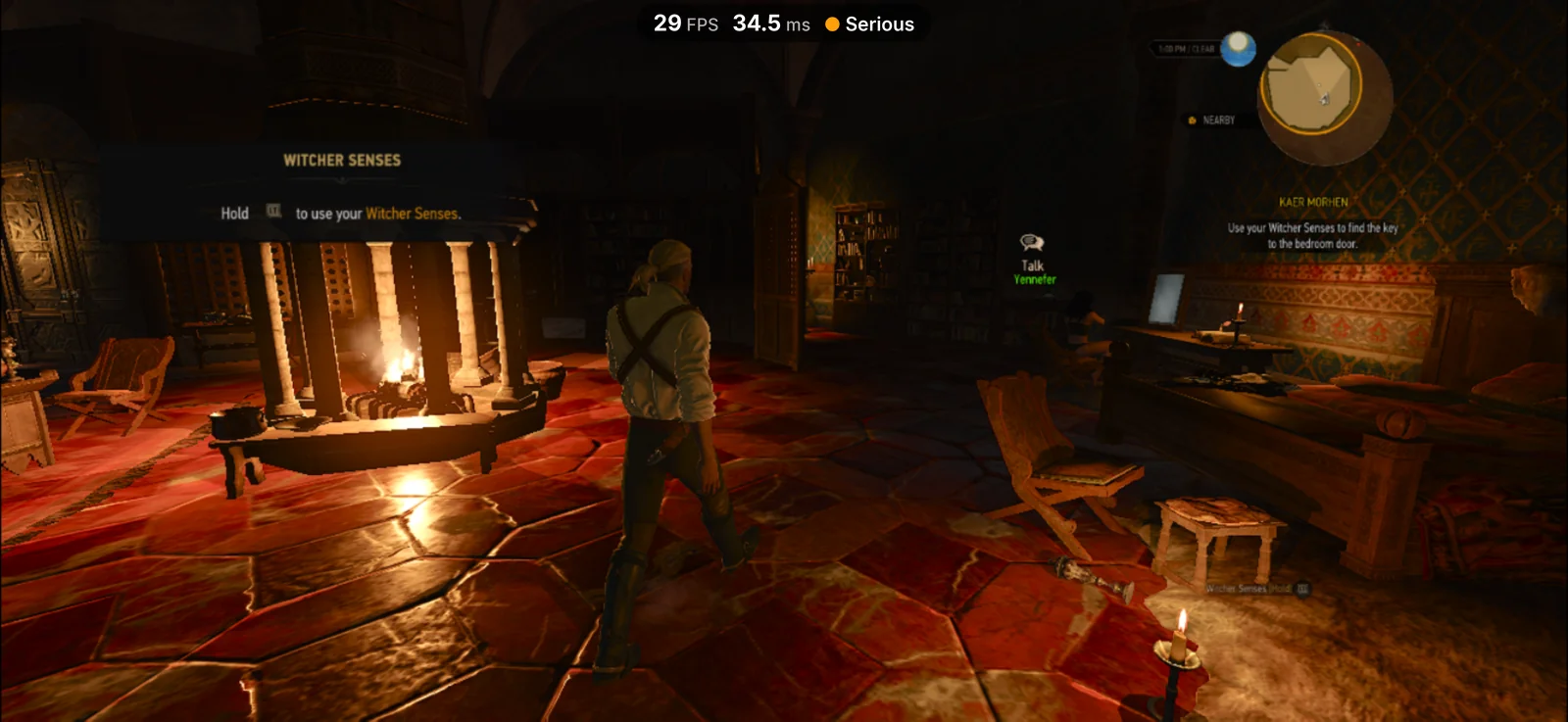
Red Dead Redemption 2 on an iPhone in Playport: Arthur Morgan in a winter coat on a snowy cabin porch The Witcher 3 on an iPhone in Playport: Geralt walking through a hall in Kaer Morhen past a lit fireplace
Red Dead Redemption 2: Story mode, signed in through Rockstar's own launcher (new in 0.5) The Witcher 3: Wild Hunt – Remastered: the current version, in Kaer Morhen (new in 0.5)
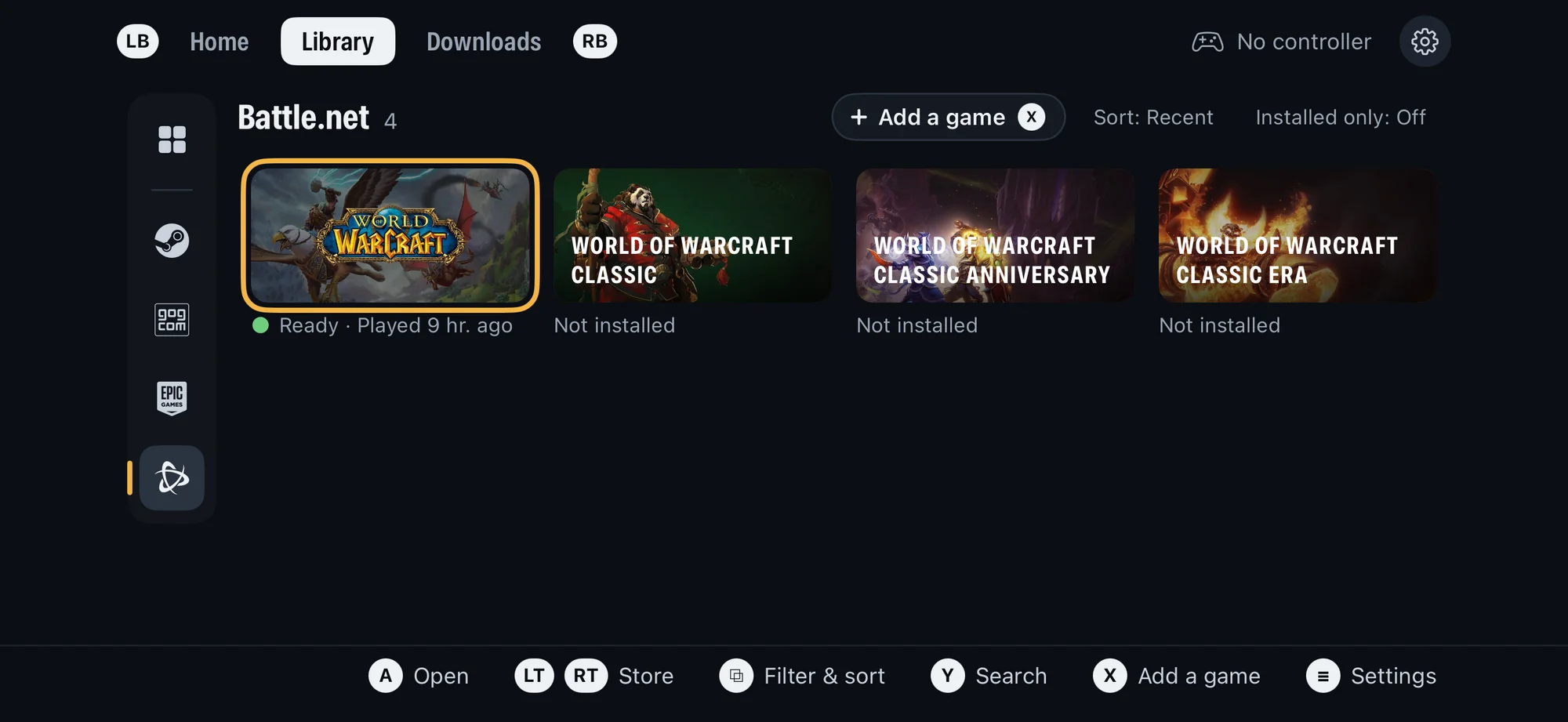
Playport's Library with the Battle.net store selected: World of Warcraft ready to play, and World of Warcraft Classic, Classic Anniversary and Classic Era not installed The touch layout editor over World of Warcraft: Add, Keyboard & mouse, Opacity 30%, Reset and Done above a grid, with the buttons outlined to move and resize
Battle.net: World of Warcraft and its Classic editions in the same Library (new in 0.5) Layout editor: move, resize and add touch buttons (new in 0.5)
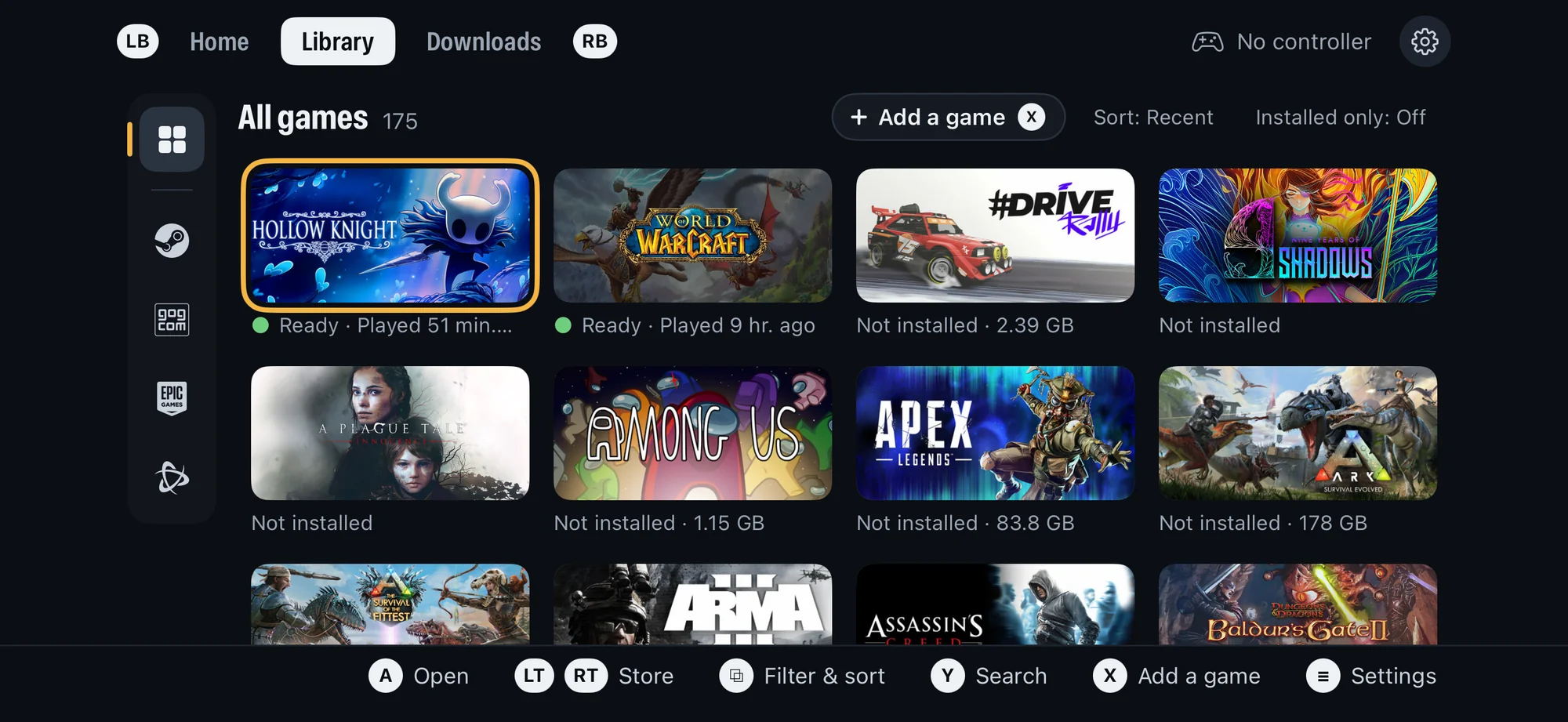
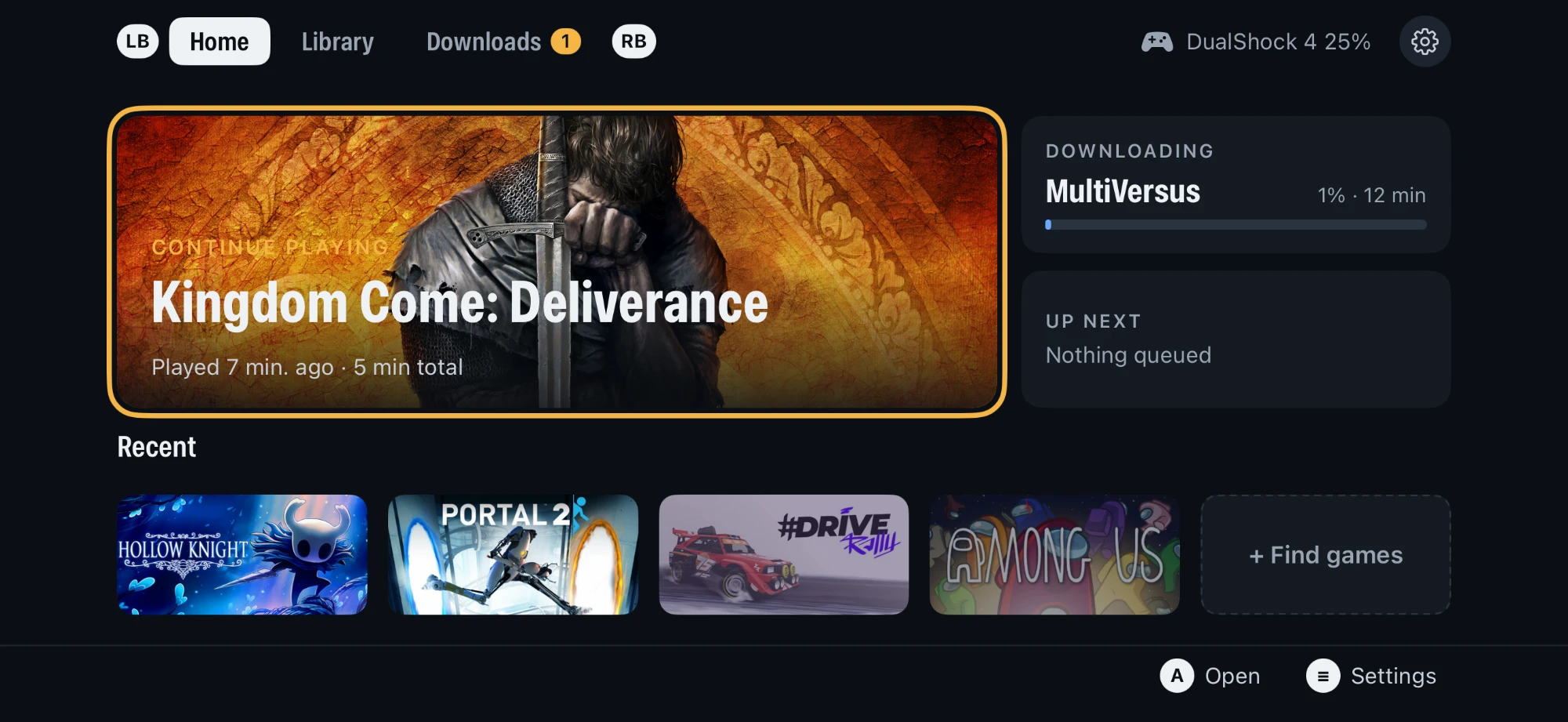
Playport's Library: All games, 175, with Steam, GOG, Epic Games and Battle.net in a column of store icons, Hollow Knight and World of Warcraft ready to play Playport's Home page: Continue playing Kingdom Come: Deliverance, a download, recent games
Library: everything you own on Steam, GOG, Epic Games and Battle.net, installed or not Home: pick up where you left off

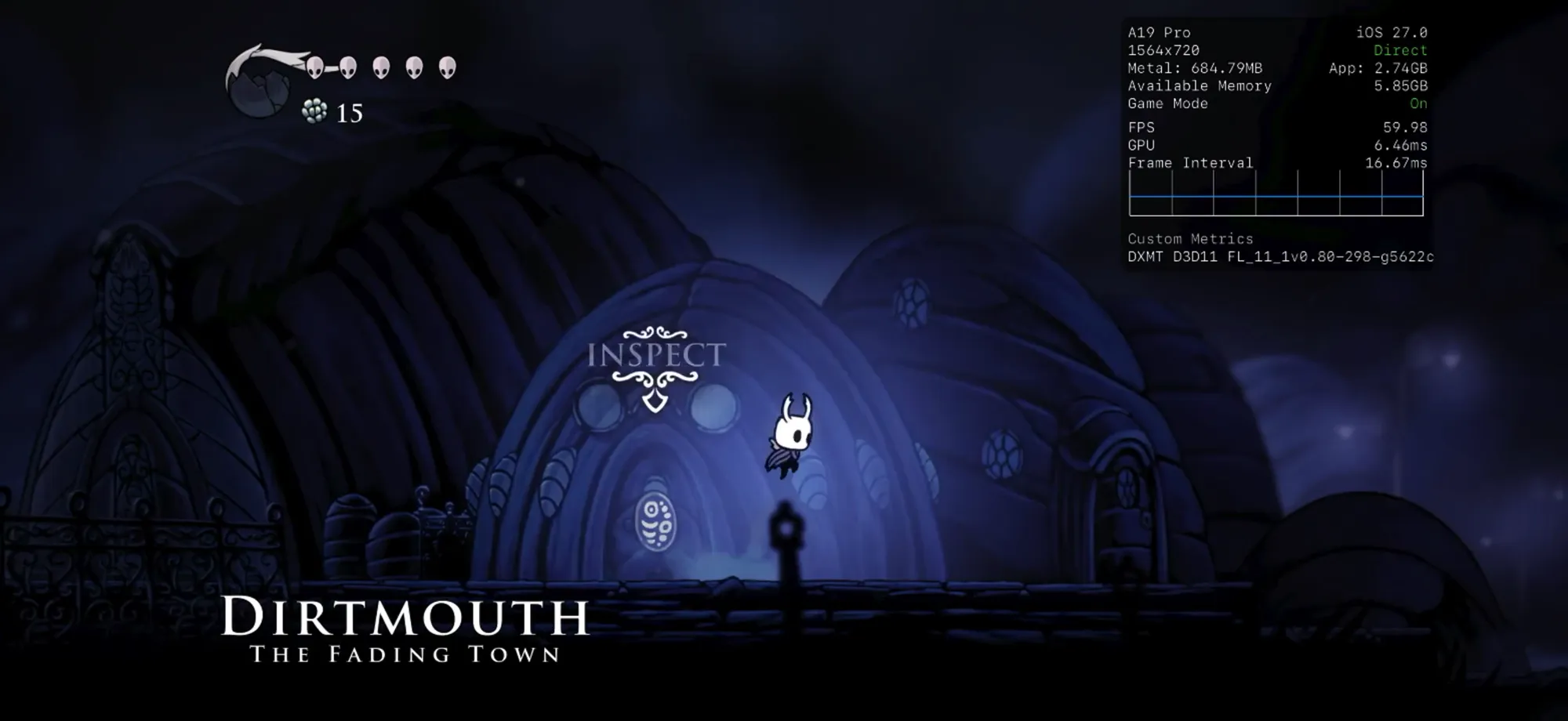
Screen recording: Hollow Knight in Playport, from the Library to gameplay and back. Click to watch on playport.dev
Watch the uncut recording: Library to Play to Hollow Knight at 60 fps, then Quit back to Home (MP4).

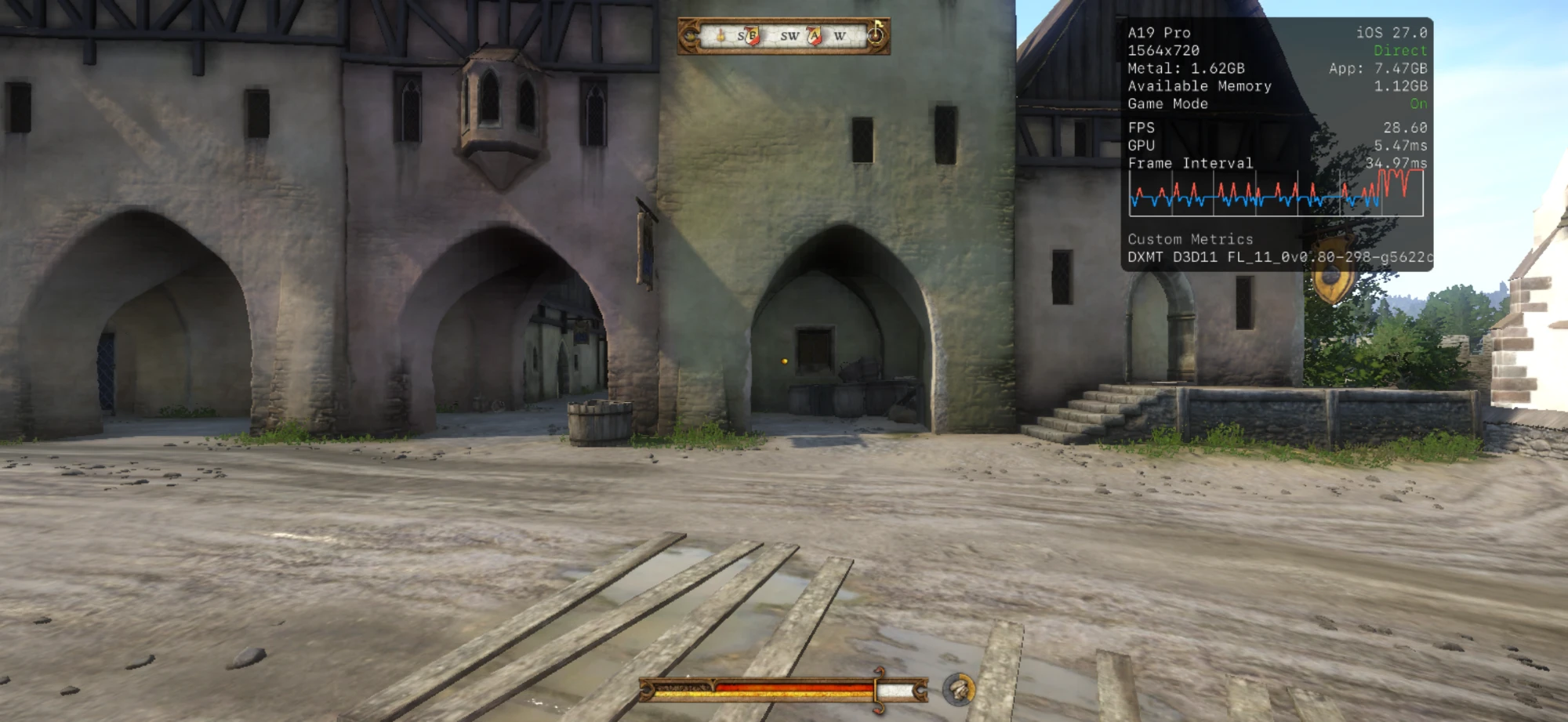
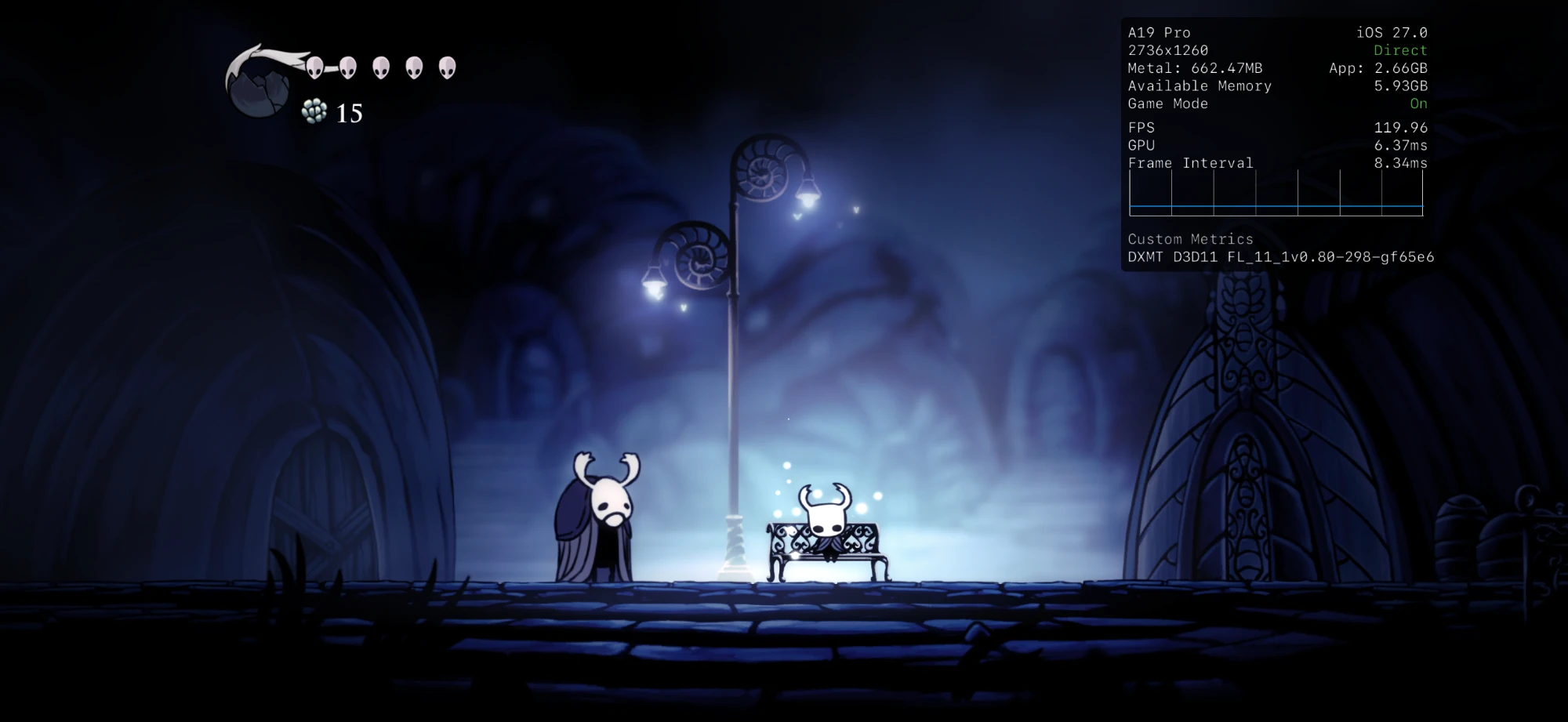
Kingdom Come: Deliverance running on an iPhone in Playport, walking Rattay at about 29 fps through DXMT's Direct3D 11 Hollow Knight at 2736x1260 and 120 fps
Kingdom Come: Deliverance: Rattay through DXMT's Direct3D 11, about 29 fps at 720 rows Hollow Knight: the full 2736×1260, up to 120 fps

On an A19 Pro iPhone, iOS 27.0.

Features

More than a repackage. Over 200 of our own patches on Wine, FEX, DXMT, KosmicKrisp, vkd3d-proton, DXVK and the Steam API emulator: the 32-bit runtime, performance work (faster FEX translation for Unity games, x87 math at native precision, lossless texture compression kept on in DXMT and KosmicKrisp, geometry shaders in KosmicKrisp), dozens of bug fixes, and the diagnostics behind them. Each one is a reviewable patch with the evidence for it.

Install

Playport is not on the App Store: you sideload the .ipa yourself, with your own Apple ID (a free one works).

  1. Download the .ipa from Releases. It is signed ad hoc (no certificate) and asks for Increased Memory Limit; your sideloader signs it for your iPhone.
  2. Sideload it with a tool that keeps Increased Memory Limit (below). If the tool asks whether to keep app extensions, keep them: Playport's JIT helper is one.
  3. Turn on Developer Mode (Settings › Privacy & Security), and install LocalDevVPN from the App Store for JIT.
  4. Open Playport and follow its first-run checklist: pairing, LocalDevVPN, Memory and Accounts. Memory has a green tick when the signature kept Increased Memory Limit.

Already enable JIT with StikDebug, or run apps in LiveContainer? Settings › Setup check › JIT method (or X on the checklist's first step) takes JIT from StikDebug or from another app instead, with StikDebug's universal.js script. Inside LiveContainer, launch Playport with JIT from LiveContainer.

A free Apple ID signs the app for seven days, so re-sign it once a week; your games and saves stay on the phone.

Why pairing, JIT and LocalDevVPN

Playport translates a game's x86 code to ARM while it runs, which needs JIT, and iOS allows JIT only in an app a debugger has attached to. Pairing makes Playport's built-in JIT helper that debugger: on iOS 27 you pair once, with a code in Settings › Privacy & Security › Developer Mode, and LocalDevVPN carries the connection on the phone itself, so no computer is involved after the install. On iOS 26, import a pairing file in Settings › Setup check instead.

Do I need a computer?

To install, yes, once: every sideloader that signs with a free Apple ID starts from a computer. After that it depends on the tool. SideStore re-signs on the phone every week, AltStore re-signs through AltServer on your computer, and Impactor, Sideloadly and Xcode re-install from the computer. Playport itself, pairing included, then needs no computer.

Your first game

The checklist's Accounts step signs in to Steam, GOG or Epic Games (more accounts are in Settings › Accounts, and Add a game takes a DRM-free game's folder or .zip from Files). Pick a game in the library, Install it (it downloads to the phone), then Play. Connect a controller before you press Play, and keep Playport in front while the game starts. A game page's Report a problem shares its log when something goes wrong (below).

Which sideloaders keep the memory limit

iOS closes an app that uses more memory than its limit, and Playport's JIT memory, the runtime and the game all share that one limit. With Increased Memory Limit our 12 GB test iPhone gives Playport 6 to 8 GB; without it an 8 GB iPhone gives about 3.3 GB, and Playport will not start a game known to need more. The .ipa asks for it, but iOS grants it only when the sideloader also turns the capability on for the app's App ID at Apple, and not every sideloader does.

Sideloader Keeps Increased Memory Limit
AltStore Classic 2.2 or later yes
Impactor, from a computer yes
Xcode with a Personal Team yes
SideStore 0.7.0, free Apple ID no: do the one-time fix below
Sideloadly and others check the Memory step

Whatever you use, Playport tells you: the first-run checklist's Memory step has a green tick, and Settings › Setup check shows Increased Memory Limit On. If it is Off, the step's How to fix shows what to do; Not now puts it off, and smaller games still play.

SideStore: when Memory has no tick

SideStore asks for Increased Memory Limit but does not turn it on for a free Apple ID (SideStore#1616), so Playport's App ID gets it once with GetMoreRam:

  1. Install Playport with SideStore as usual, so its App ID exists.
  2. Sideload GetMoreRam and, in its Settings, sign in with the same Apple ID SideStore uses.
  3. On its App IDs page tap Refresh, tap Playport's App ID, then Add Increased Memory Limit.
  4. Reinstall Playport from SideStore. It upgrades in place: your games and saves stay.
  5. Open Playport: the Memory step has its tick, and Settings › Setup check shows Increased Memory Limit On.

The capability stays on the App ID, so SideStore's weekly refresh keeps it. If the tick ever goes away, repeat steps 3 and 4. GetMoreRam takes one of a free Apple ID's three app slots; delete it afterwards to free the slot.

Support Playport

Playport is free and open source. Getting World of Warcraft, Red Dead Redemption 2 or The Witcher 3 running on a phone takes a lot of work, game by game. If Playport is worth something to you, please consider a donation: it is what keeps new releases coming.

Support Playport on Ko-fi

A donation is a gift: it buys no licence, no extra rights and no different build, and everyone may keep sharing Playport under its licence.

Game compatibility

Which games run, and how well: the compatibility list has every game we have played and every one players have reported, with its status, searchable and filtered by first letter or status (its data is site/compatibility/games.json). Played a game, working or not? Report it and it goes on the list.

Reporting a problem

Open a GitHub issue and attach the log; that is the one place we read them all. On the game's page, Report a problem shares the logs as one .zip: save it to Files, then drag it into the issue (GitHub takes files up to 25 MB, so it fits where Pastebin does not). Before 0.4.0 it shares the bare log: long-press it in Files and choose Compress first. The form asks for your device, iOS and Playport versions, sideloader and JIT method.

Release status and support

This is a development project, not a supported general-purpose Windows compatibility layer or an approved public IPA distribution route. Hollow Knight is the reference phone-test title; AGENTS.md and docs/evidence/ describe the checks. Games, Steam accounts and pairing material are not supplied. Support is best-effort: redact account, device, pairing and session data before sharing logs.

Public CI checks source and host tests only; it does not build, sign, install, test on a phone or upload IPAs. A green check is not release approval. The recipient source-bundle build and public signing workflow remain untested; DISTRIBUTION.md is the release procedure. The Linux pipeline uses Apple's SDK and ld64: a working build or Personal Team signature does not settle Apple's SDK, provisioning, JIT or delivery terms.

Good to know

Local development

Start with ./pp test --quick (Python and available host C tests, no Apple account or phone) and ./pp --help. For an app build, obtain the toolchains in BUILDING.md, run ./pp setup, then ./pp build. ./pp install upgrades the paired phone in place; phone setup is in DEVICE.md. A source checkout alone is not sufficient. These are technical instructions, not permission to distribute: giving an IPA to even one tester requires the source and notices in DISTRIBUTION.md and LICENSING.md. AGENTS.md is the contributor guide.

Credits

Every component keeps its own licence; see LICENSING.md and NOTICES.md.

Licence

GNU General Public License, version 3 or (at your option) any later version (LICENSE), with an additional permission under section 7 for Playport's own code (LICENSE-EXCEPTION.md).

Copyright (C) 2026 The Playport authors.

playport (playportdev/playport)

Ищем в базе…

Что это такое?Playport запускает игры для Windows, включая 32-битные и 64-битные, напрямую на обычном iPhone без джейлбрейка, используя собственный процессор и графику телефона. ПК, облако или стриминг не задействованы.
Это эмулятор или стриминговый клиент?Ни то, ни другое: это приложение для iOS, установленное через sideload, которое содержит Wine, транслятор FEX с x86 на ARM и слои трансляции графики (DXMT, DXVK, vkd3d-proton, KosmicKrisp), чтобы настоящий исполняемый файл игры работал на железе телефона.
Как установить это на iPhone?Скачайте .ipa из Releases, установите его через инструмент, который сохраняет право Increased Memory Limit, включите Режим разработчика, установите LocalDevVPN для JIT, затем пройдите контрольный список приложения при первом запуске: сопряжение, VPN, память и вход в аккаунт.
Нужен ли компьютер или аккаунт Apple Developer?Компьютер нужен один раз, с любым бесплатным Apple ID, чтобы выполнить первоначальную установку через sideload. Потом, в зависимости от инструмента для sideload (например, SideStore), Playport может переподписываться раз в неделю прямо на телефоне, без компьютера.
Насколько это стабильно и надёжно сейчас?Это ранний проект, который работает по принципу «как получится». Он протестирован только на одной модели: iPhone 17 Pro с чипом A19 Pro и iOS 27.0. Поддержка 32-битных игр и бэкенд Vulkan KosmicKrisp пока экспериментальные. Подписи бесплатного Apple ID истекают через семь дней, поэтому их нужно переподписывать каждую неделю.
Работает ли это и на джейлбрейкнутых телефонах?Джейлбрейк не нужен и не используется: всё работает на обычном iPhone через sideload и разрешения Apple для JIT и отладчика.
Какие устройства и версии iOS поддерживаются?Поддерживаются устройства на iOS, но пока проверено только на iPhone с чипом A19 Pro под управлением iOS 27.0. Также указаны отдельные шаги настройки для iOS 26.
Из каких игровых магазинов можно использовать свою библиотеку?Можно войти в аккаунты Steam, GOG и Epic Games, а игры без DRM можно добавить вручную из Файлов как локальные игры.
Зачем приложению JIT и VPN-помощник?Перевод кода игр с x86 на ARM во время работы требует JIT, а iOS разрешает его только при подключённом отладчике. Встроенный помощник JIT в Playport выступает в роли этого отладчика через однократное сопряжение, а затем LocalDevVPN обеспечивает соединение прямо на устройстве.
Насколько быстро реально работают игры?Производительность зависит от игры и бэкенда: Hollow Knight выдаёт до 120 fps, The Witcher 3 работает примерно на 36 fps через DXMT, а 32-битная Portal 2 идёт примерно на 60 fps в разрешении 720p через DXVK и экспериментальный бэкенд Vulkan KosmicKrisp.
Что делать, если игра не запускается?На странице каждой игры есть кнопка «Сообщить о проблеме», которая упаковывает её логи в один zip-архив. Его можно прикрепить к issue на GitHub. Также есть список совместимости с поиском, где видно, какие игры работают.
Какие есть похожие проекты?Madeira, Proton, d2r-mobile, nxnative, kartpad, bgfx, MacNativeGames, LinuxRunner
В каких он темах?directx, sideloading, compatibility-layer, jit, x86, arm, cpu, steam, ios-app, metal, vulkan, native
Автор
playportdev
Размер
33.7 MB
Звёзды
835
Возраст
1 мес
Коммиты · 90 дней