An AI coding agent designed for large tasks and real world projects.
💻 Plandex is a terminal-based AI development tool that can plan and execute large coding tasks that span many steps and touch dozens of files. It can handle up to 2M tokens of context directly (~100k per file), and can index directories with 20M tokens or more using tree-sitter project maps.
🔬 A cumulative diff review sandbox keeps AI-generated changes separate from your project files until they are ready to go. Command execution is controlled so you can easily roll back and debug. Plandex helps you get the most out of AI without leaving behind a mess in your project.
🧠 Combine the best models from Anthropic, OpenAI, Google, and open source providers to build entire features and apps with a robust terminal-based workflow.
🚀 Plandex is capable of full autonomy—it can load relevant files, plan and implement changes, execute commands, and automatically debug—but it's also highly flexible and configurable, giving developers fine-grained control and a step-by-step review process when needed.
💪 Plandex is designed to be resilient to large projects and files. If you've found that others tools struggle once your project gets past a certain size or the changes are too complex, give Plandex a shot.
Smart context management that works in big projects
🐘 2M token effective context window with default model pack. Plandex loads only what's needed for each step.
🗄️ Reliable in large projects and files. Easily generate, review, revise, and apply changes spanning dozens of files.
🗺️ Fast project map generation and syntax validation with tree-sitter. Supports 30+ languages.
💰 Context caching is used across the board for OpenAI, Anthropic, and Google models, reducing costs and latency.
Tight control or full autonomy—it's up to you
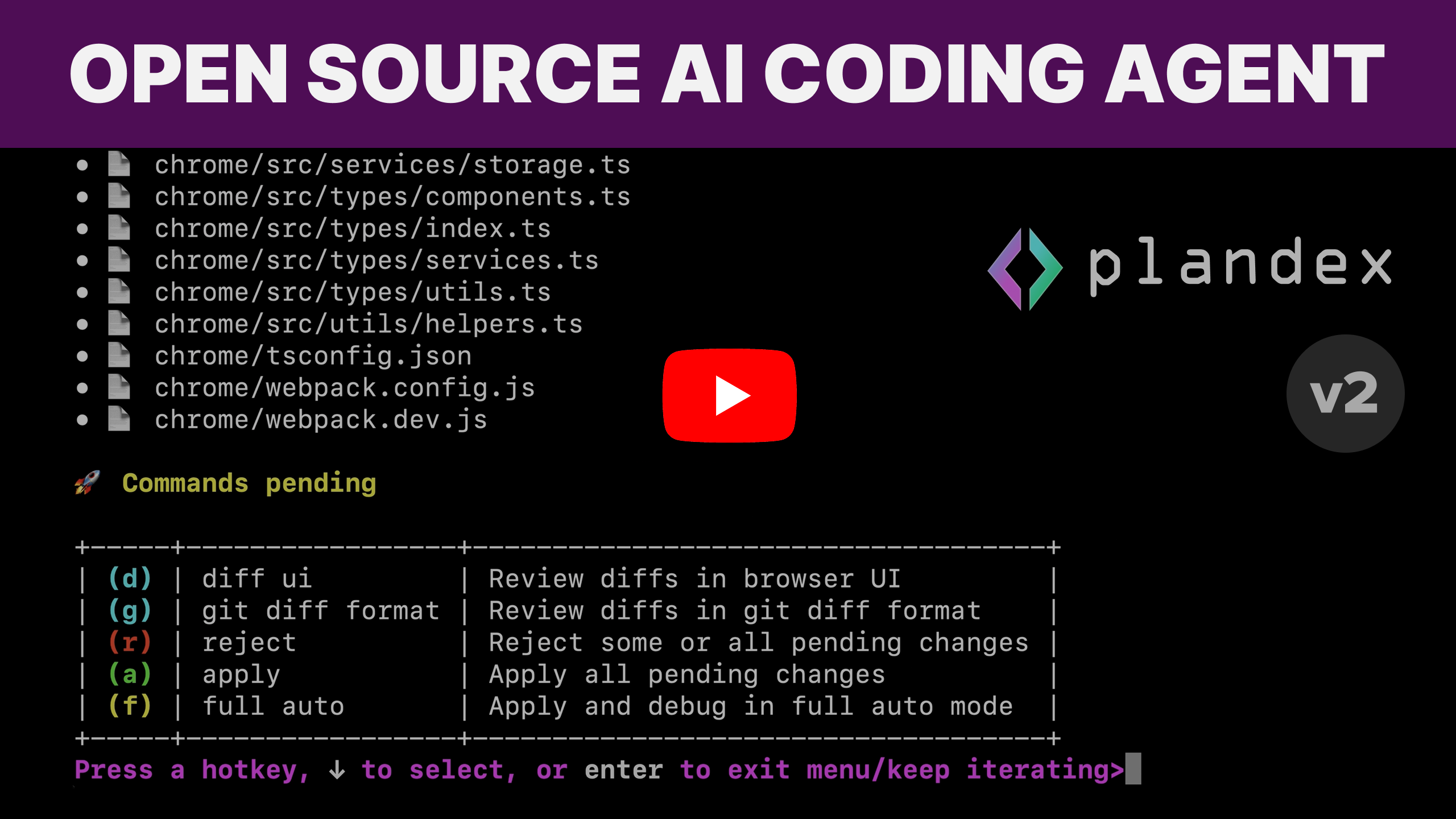
🚦 Configurable autonomy: go from full auto mode to fine-grained control depending on the task.
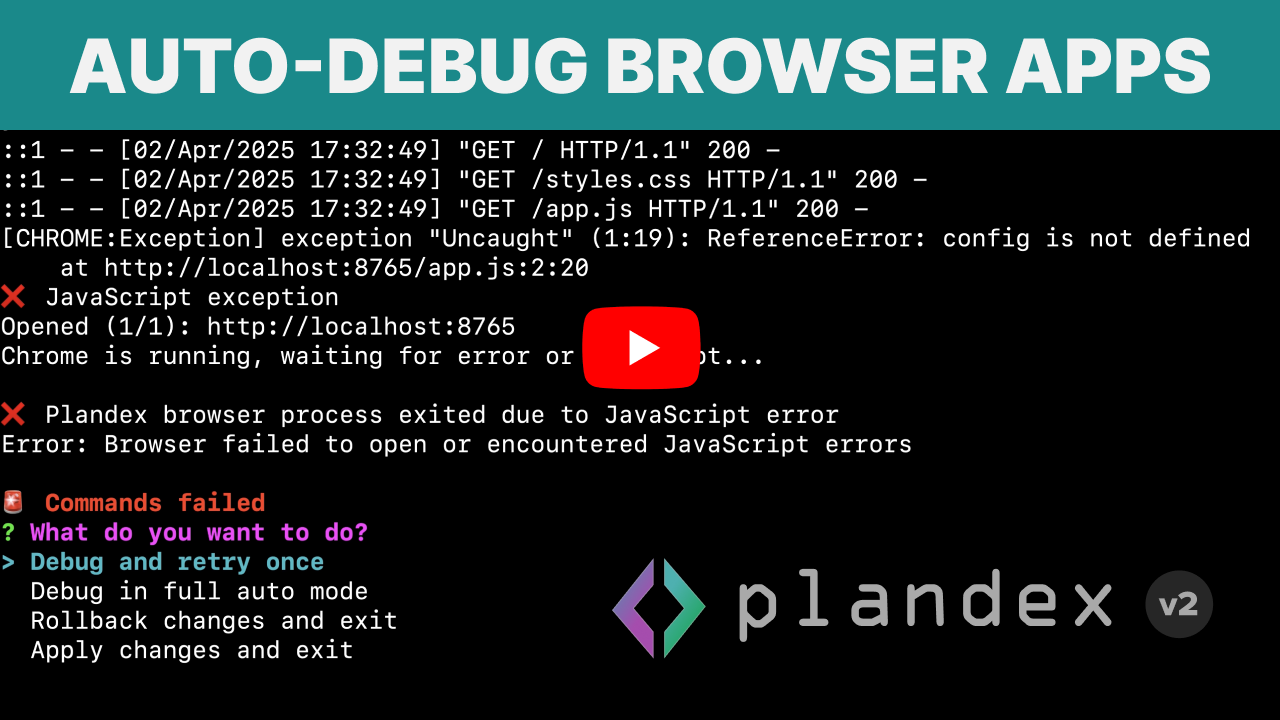
🐞 Automated debugging of terminal commands (like builds, linters, tests, deployments, and scripts). If you have Chrome installed, you can also automatically debug browser applications.
Tools that help you get production-ready results
💬 A project-aware chat mode that helps you flesh out ideas before moving to implementation. Also great for asking questions and learning about a codebase.
🧠 Easily try + combine models from multiple providers. Curated model packs offer different tradeoffs of capability, cost, and speed, as well as open source and provider-specific packs.
🛡️ Reliable file edits that prioritize correctness. While most edits are quick and cheap, Plandex validates both syntax and logic as needed, with multiple fallback layers when there are problems.
🔀 Full-fledged version control for every update to the plan, including branches for exploring multiple paths or comparing different models.
📂 Git integration with commit message generation and optional automatic commits.
Dev-friendly, easy to install
🧑💻 REPL mode with fuzzy auto-complete for commands and file loading. Just run plandex in any project to get started.
🛠️ CLI interface for scripting or piping data into context.
📦 One-line, zero dependency CLI install. Dockerized local mode for easily self-hosting the server. Cloud-hosting options for extra reliability and convenience.
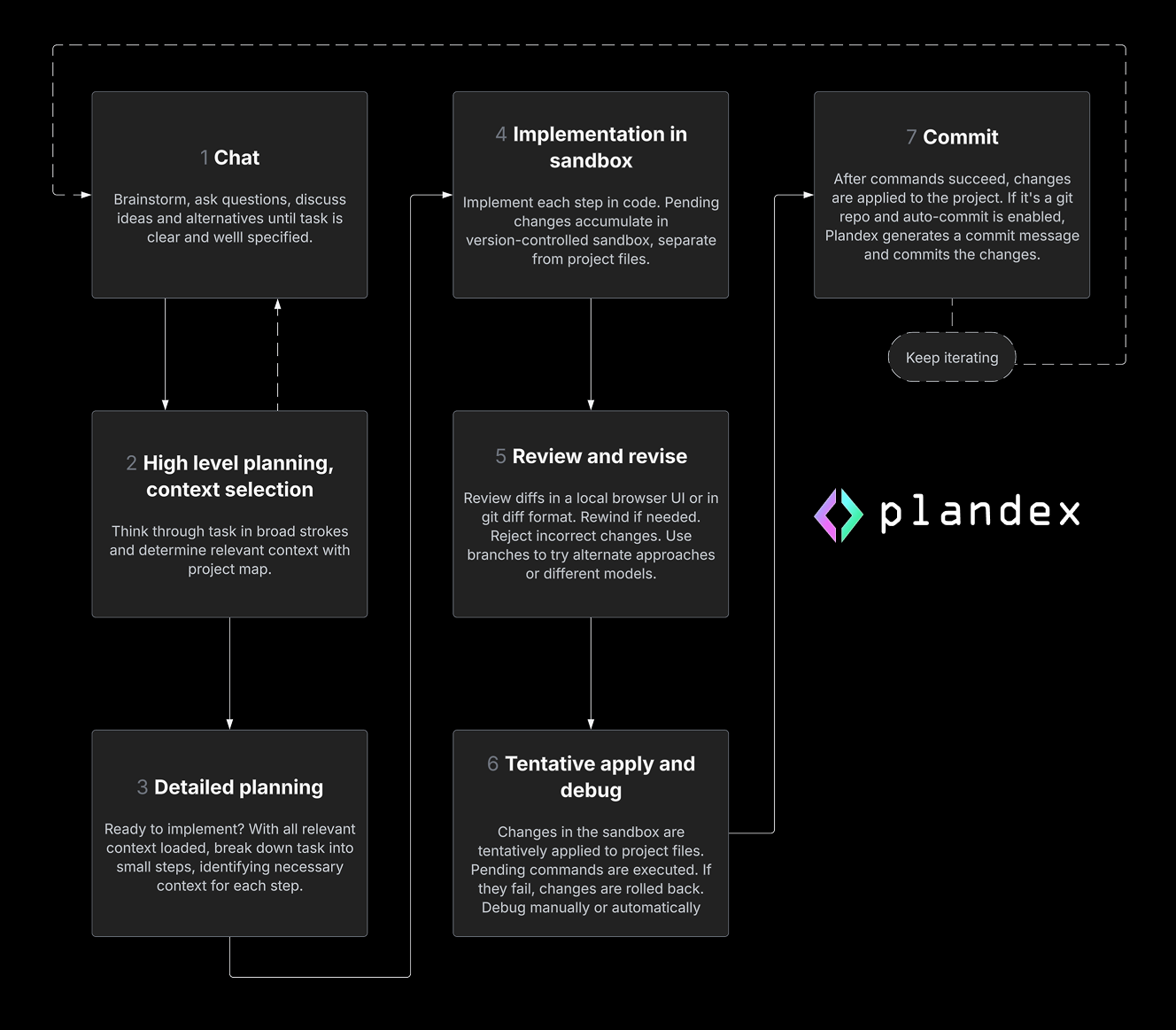
Workflow 🔄
Examples 🎥
Install 📥
curl -sL https://plandex.ai/install.sh | bash
Note: Windows is supported via WSL. Plandex only works correctly on Windows in the WSL shell. It doesn't work in the Windows CMD prompt or PowerShell.
export OPENROUTER_API_KEY=... # if using OpenRouter.ai
Claude Pro/Max subscription 🖇️
If you have a Claude Pro or Max subscription, Plandex can use it when calling Anthropic models. You'll be asked if you want to connect a subscription the first time you run Plandex.
Get started 🚀
First, cd into a project directory where you want to get something done or chat about the project. Make a new directory first with mkdir your-project-dir if you're starting on a new project.
cd your-project-dir
For a new project, you might also want to initialize a git repo. Plandex doesn't require that your project is in a git repo, but it does integrate well with git if you use it.







 Plandex 是一个在终端里运行的开源 AI 编程助手。它能够规划并执行跨多个步骤、涉及数十个文件的大型编码任务,专为真实项目打造。