


What is this?
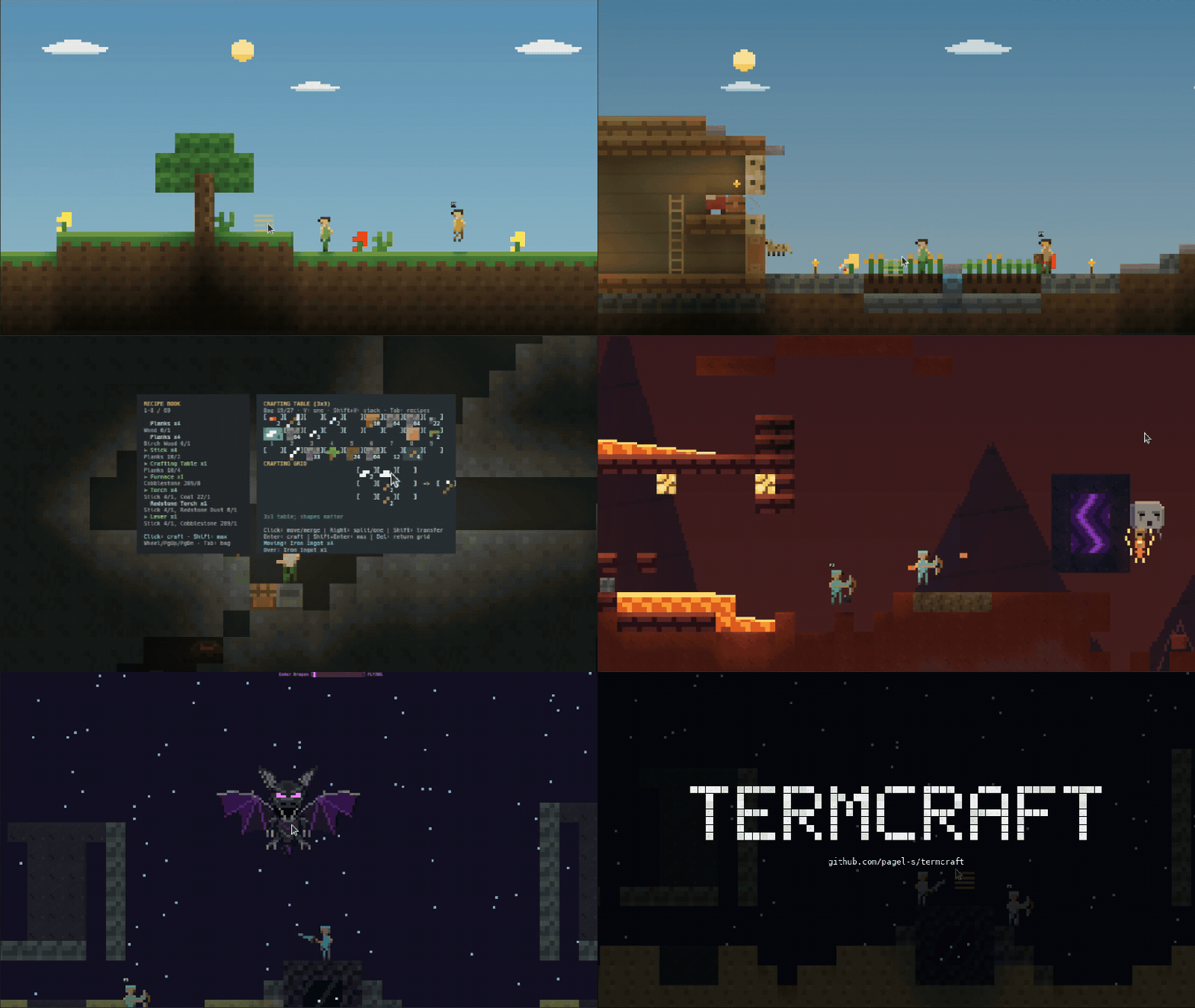
 Termcraft is a terminal-based 2D sandbox survival game inspired by Minecraft: you mine, craft, farm and build across a procedural Overworld, Nether and End, fight through dungeons and fortresses, and can take on the Ender Dragon.
Termcraft is a terminal-based 2D sandbox survival game inspired by Minecraft: you mine, craft, farm and build across a procedural Overworld, Nether and End, fight through dungeons and fortresses, and can take on the Ender Dragon.How do I get it running?Download the 0.2.0 archive for your OS from Releases, extract it, and run ./play.sh (Linux/macOS) or .\PLAY.cmd (Windows) to start the default Lantern Run mode, or run ./termcraft for classic survival. It's also available via brew install pagel-s/termcraft/termcraft or cargo install termcraft --locked.
Download the 0.2.0 archive for your OS from Releases, extract it, and run ./play.sh (Linux/macOS) or .\PLAY.cmd (Windows) to start the default Lantern Run mode, or run ./termcraft for classic survival. It's also available via brew install pagel-s/termcraft/termcraft or cargo install termcraft --locked.Do I need Rust installed to play?No — pre-built archives cover Linux, Windows and macOS (Intel and Apple Silicon), so Rust is only needed if you install via cargo or build from source (Rust 1.88+). You do need a true-color terminal with a monospace font, a window of at least 120x40, and ideally mouse support.
No — pre-built archives cover Linux, Windows and macOS (Intel and Apple Silicon), so Rust is only needed if you install via cargo or build from source (Rust 1.88+). You do need a true-color terminal with a monospace font, a window of at least 120x40, and ideally mouse support.Any pitfalls before I dive in?It's still a beta (0.2.0), macOS archives are unsigned, and saves aren't forward-compatible — older builds can't open saves from newer versions, so back up your save directory before upgrading.
It's still a beta (0.2.0), macOS archives are unsigned, and saves aren't forward-compatible — older builds can't open saves from newer versions, so back up your save directory before upgrading.Can I play with friends over the network or SSH?Yes, up to eight players can join one world. The host starts a server and joins automatically, friends on the same network connect with './termcraft client ADDRESS --player name', and remote players can join over SSH or by following the safe-hosting guide.
Yes, up to eight players can join one world. The host starts a server and joins automatically, friends on the same network connect with './termcraft client ADDRESS --player name', and remote players can join over SSH or by following the safe-hosting guide.What is Lantern Run?Lantern Run is the mode the play scripts launch by default — a shorter, separate combat, traversal and building route, distinct from the open-ended classic survival mode you get by running ./termcraft directly.
Lantern Run is the mode the play scripts launch by default — a shorter, separate combat, traversal and building route, distinct from the open-ended classic survival mode you get by running ./termcraft directly.Is this an official Minecraft game?No, it's explicitly an unofficial fan project and is not affiliated with Mojang or Microsoft, even though its progression closely mirrors Minecraft's survival loop.
No, it's explicitly an unofficial fan project and is not affiliated with Mojang or Microsoft, even though its progression closely mirrors Minecraft's survival loop.What are similar projects?claw-code, clash-verge-rev, cc-switch, hello-algo, codex, rustdesk, rust, tauri
claw-code, clash-verge-rev, cc-switch, hello-algo, codex, rustdesk, rust, tauriWhich topics is it in?rust
rust