
这是什么?
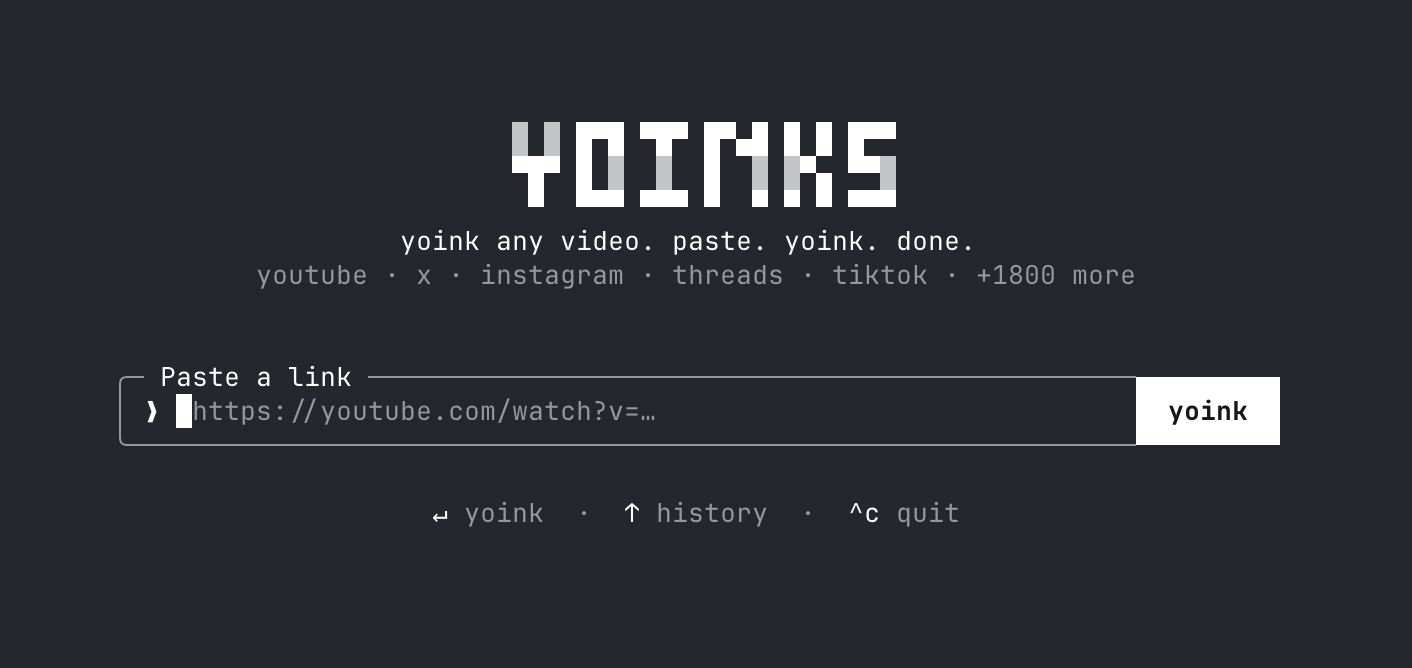
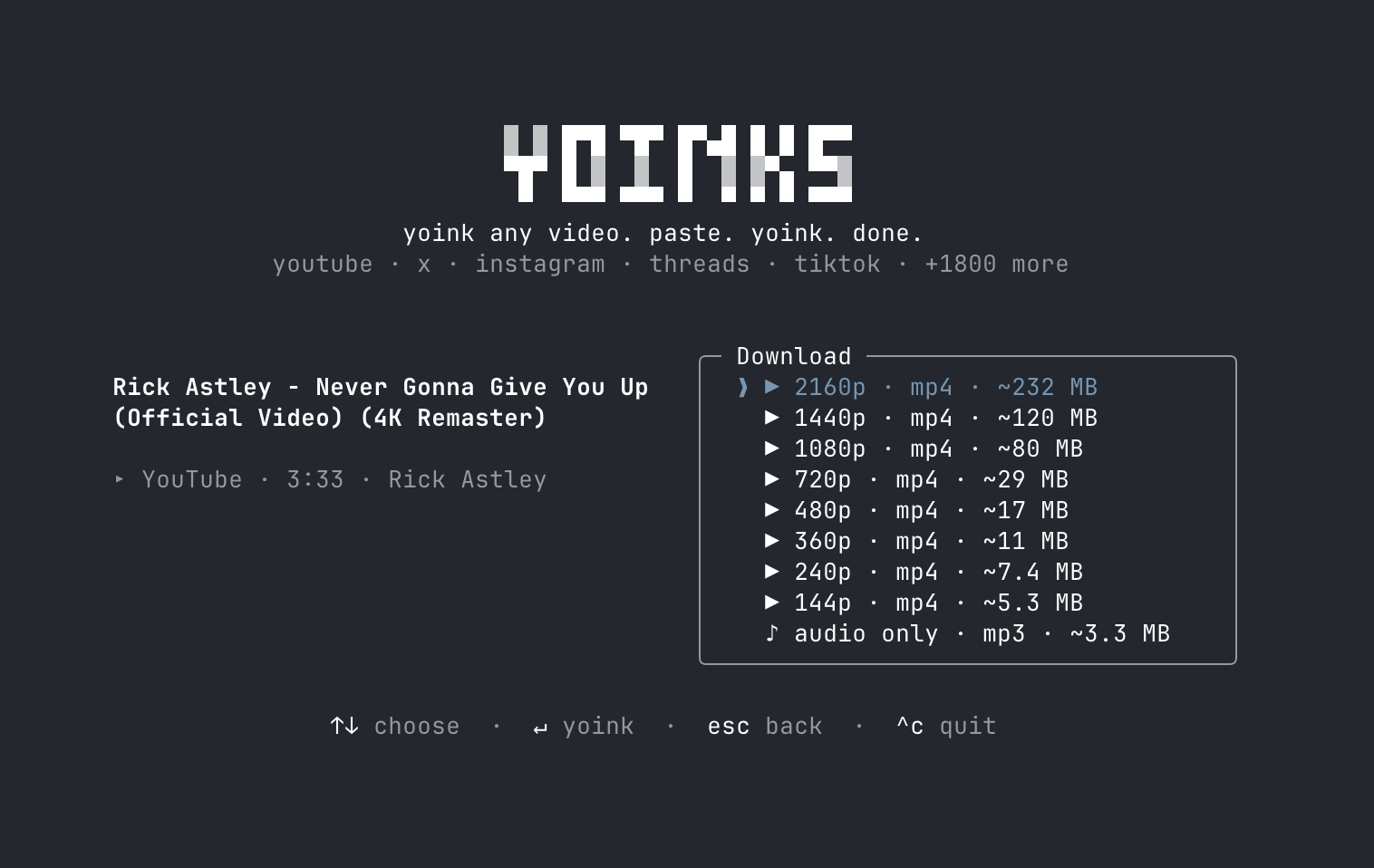
 yoinks 是一个终端工具,可以从 YouTube、X/Twitter、Instagram、Threads、TikTok 等 1800 多个网站下载视频——只需粘贴链接,然后选择分辨率或纯音频 mp3。
yoinks 是一个终端工具,可以从 YouTube、X/Twitter、Instagram、Threads、TikTok 等 1800 多个网站下载视频——只需粘贴链接,然后选择分辨率或纯音频 mp3。这是命令行脚本,还是有界面?它是用 Ink(面向终端的 React)构建的全屏终端界面(TUI)——可以用方向键、j/k、数字键或鼠标来操作。
它是用 Ink(面向终端的 React)构建的全屏终端界面(TUI)——可以用方向键、j/k、数字键或鼠标来操作。怎么安装和运行?用 npm i -g yoinks 全局安装后运行 yoinks,或者用 npx yoinks 即时试用——除了 Node 之外无需任何配置。
用 npm i -g yoinks 全局安装后运行 yoinks,或者用 npx yoinks 即时试用——除了 Node 之外无需任何配置。需要先装好 Python 或 ffmpeg 吗?只需要 Node 18+;yt-dlp 和 ffmpeg 会在首次运行时自动获取或内置,不需要 Python。
只需要 Node 18+;yt-dlp 和 ffmpeg 会在首次运行时自动获取或内置,不需要 Python。现在支持批量下载或播放列表吗?还不支持——播放列表和多视频推文串支持、可脚本化的 --best/--mp3 参数以及 curl 安装器都还在路线图上,属于未完成项。
还不支持——播放列表和多视频推文串支持、可脚本化的 --best/--mp3 参数以及 curl 安装器都还在路线图上,属于未完成项。下载的文件保存在哪里?文件会保存到本地的 ~/Downloads 文件夹,完成后路径会打印在终端里。
文件会保存到本地的 ~/Downloads 文件夹,完成后路径会打印在终端里。使用它有什么法律上的注意事项吗?它采用 MIT 许可证,但作者把它定位为个人存档工具,并警告下载内容可能违反平台的服务条款。
它采用 MIT 许可证,但作者把它定位为个人存档工具,并警告下载内容可能违反平台的服务条款。可以自选主题吗,还是跟随终端配色?默认会自动检测终端的前景/背景颜色;可以用 ^t 在 auto/light/dark 之间切换,也可以用 --theme auto/light/dark 设置初始主题。
默认会自动检测终端的前景/背景颜色;可以用 ^t 在 auto/light/dark 之间切换,也可以用 --theme auto/light/dark 设置初始主题。yt-dlp 这个二进制是怎么装上的?首次运行时,yoinks 会把独立的 yt-dlp 二进制下载到 ~/.yoinks/bin(无需 Python);如果你已经装了 yt-dlp,它会直接用你自己的。
首次运行时,yoinks 会把独立的 yt-dlp 二进制下载到 ~/.yoinks/bin(无需 Python);如果你已经装了 yt-dlp,它会直接用你自己的。不安装任何东西能试用吗?可以——运行 npx yoinks 即可试用,无需永久全局安装。
可以——运行 npx yoinks 即可试用,无需永久全局安装。What are similar projects?cobalt, pytube, lux, TikTokDownloader, downvid, youtube-dl, YoutubeDownloader, N_m3u8DL-CLI
cobalt, pytube, lux, TikTokDownloader, downvid, youtube-dl, YoutubeDownloader, N_m3u8DL-CLIWhich topics is it in?media-downloader, instagram, youtube-downloader, tiktok, twitter, video-downloader, download, npm-package, downloader, video-processing, ffmpeg, tui
media-downloader, instagram, youtube-downloader, tiktok, twitter, video-downloader, download, npm-package, downloader, video-processing, ffmpeg, tui