
Nashi
Your files, a little sweeter. · Dosyaların için tatlı bir kolaylık.
English guide · Türkçe · Latest release · Security
Nashi is an independent, open-source file conversion and editing app inspired by Tangerine's drag-and-wheel interaction. It adds public web-media downloads, QR reading, refined crop/annotation workflows, keyboard media editing, live progress and signed automatic updates. Nashi is not affiliated with Tangerine or LEAP STUDIO and includes no proprietary reference-app binaries or artwork.
Try the interactive browser playground: drag sample files, use the wheel and shortcuts, and explore all 27 tools. Supported image/PDF/audio exports are real; desktop-only operations are labeled previews.
See Nashi in action

Watch the 95-second screen recording · Türkçe demo · MP4
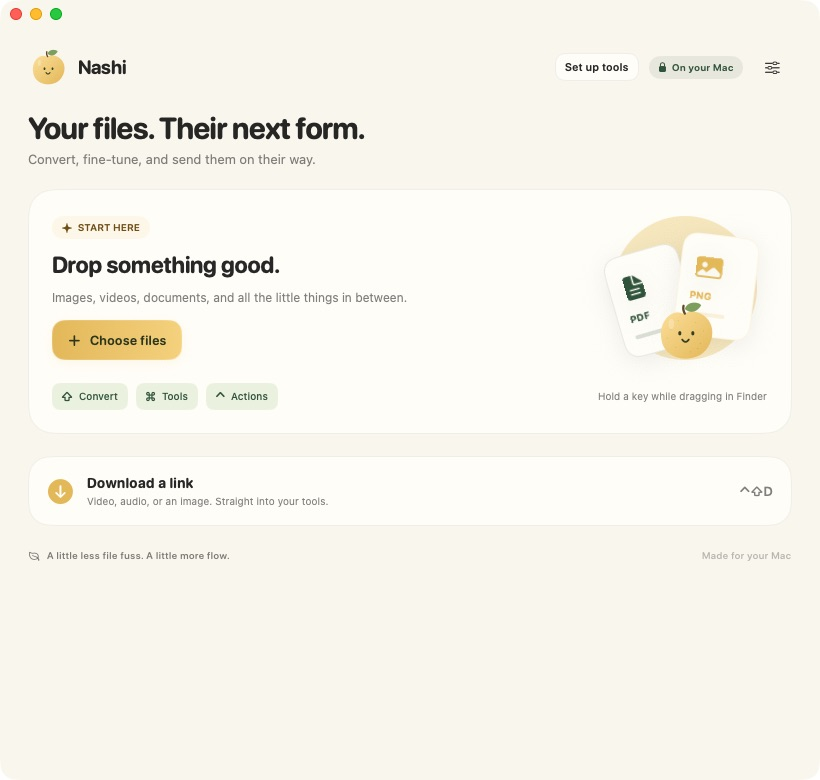
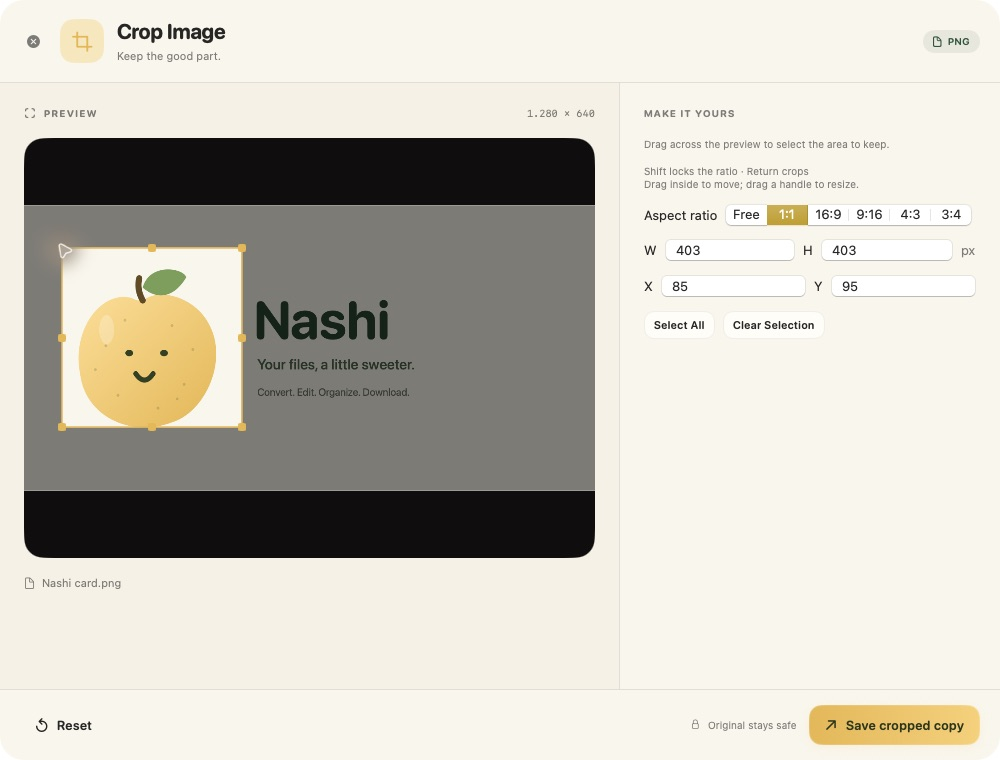
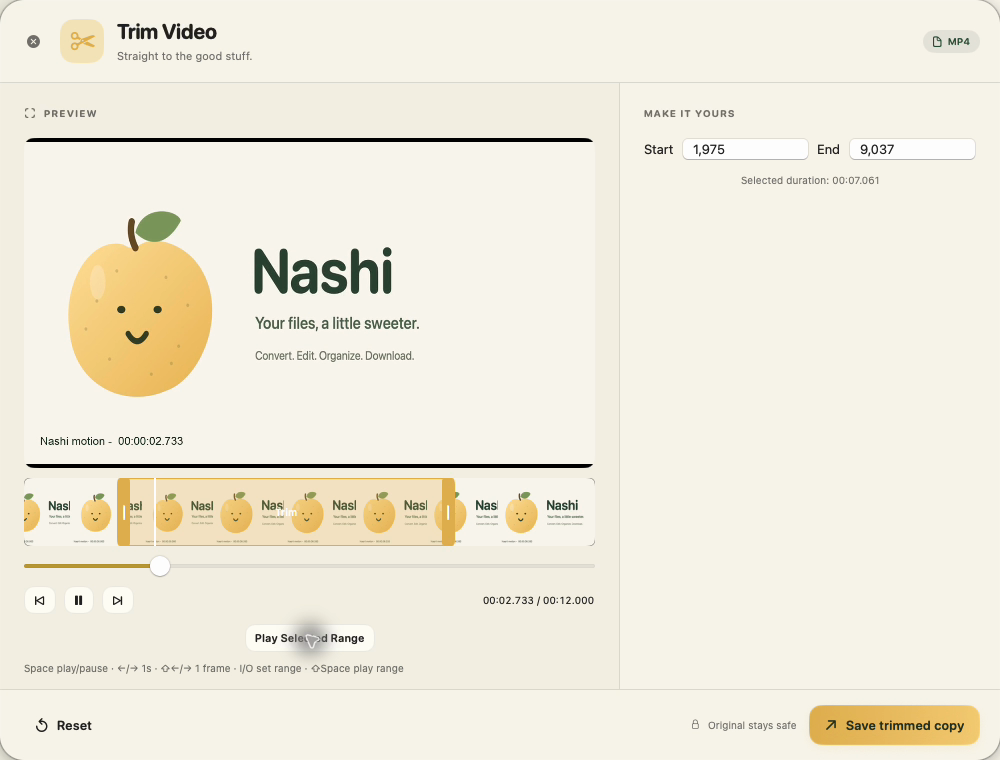
A real macOS 0.7.3 screen recording: drag files in Finder, use the wheel to convert to JPG, crop an image and trim a video with In/Out handles. Pauses and longer previews are shortened; retained actions play at normal speed. English and Turkish captions are available in the video player.
| macOS · Home |
macOS · Crop image |
 |
 |
| macOS · Video trim |
Windows · 0.7.5 |
 |
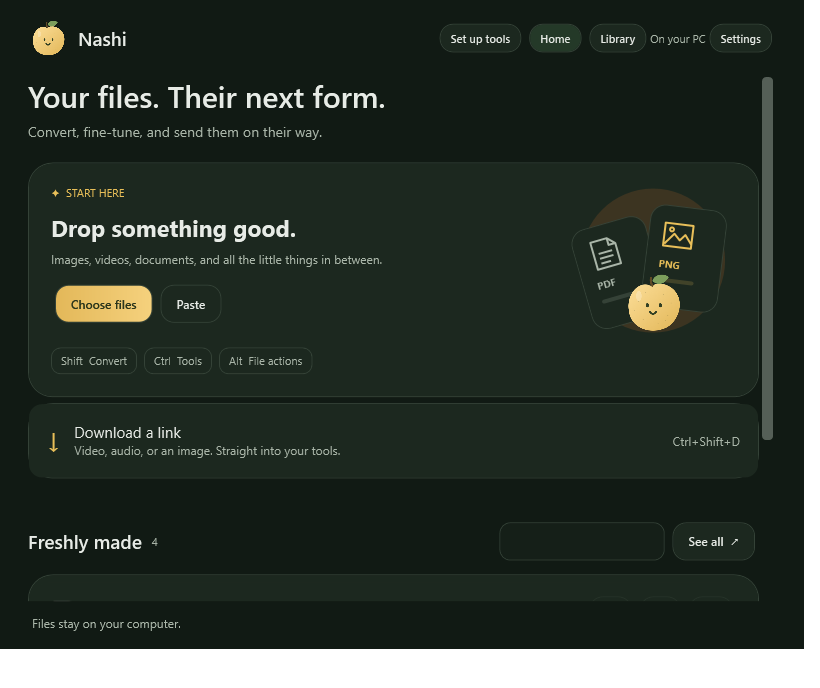 |
Windows screenshot: native UI test capture from the released 0.7.5 code, verified in PR #1. Demo files contain Nashi's own artwork; no personal files or account details are shown.
Download and use
- macOS ZIP · Apple Silicon, macOS 13+: extract, move Nashi.app to your Applications folder and open it. The full macOS catalog has 27 tools, 46 input formats and 276 conversion routes.
- Windows x64 ZIP: extract the entire archive into its own writable folder, then open Nashi.exe. No separate .NET install is required. Keep the folder together so portable updates can replace the app safely. Windows features and differences.
First launch guides you through Finish setup → Download missing tools for hash-verified downloads directly from upstream. Media and Office tools install in sequence; existing tools are kept, and cancelled or failed setup can be retried. Tools ready appears only when both groups are available. Core native image/PDF features work immediately. Exact versions, hashes and licenses.
These first public builds do not have Apple notarization or Windows Authenticode publisher signing. Your OS may require first-launch approval; consult Apple's guidance. Nashi does not disable system security settings. Official release assets include SHA-256 checksums. A CI artifact alone is not an official signed update.
Shortcuts
On macOS, hold Shift while dragging in Finder for conversion, Command for tools or Control for file actions. Control–Shift–D downloads a copied public link. Drag modifiers are customizable. On Windows, use Ctrl+O to choose files, Ctrl+V to import copied files/text/images, and Ctrl+Space for the tools and conversion wheel. Ctrl+2 opens Library; Ctrl+F searches it. Normal paste inside text fields is preserved. Home and Library share the Mac color palette, rounded cards and gold actions, with System/Light/Dark appearance.
Supported media editors use Space for play/pause, Left/Right to seek one second and I/O to mark a range. Crop uses drag, Shift for aspect lock and Enter to save. The English and Turkish pages contain the complete macOS shortcut sheet; the Windows guide lists its available controls.
Build
For macOS: Apple Silicon, macOS 13+ and Xcode/Swift 6.
scripts/setup-exiftool.sh
swift build --product Nashi
swift test --filter NashiUpdatesTests
scripts/build-app.sh release
The public app is written to build/Nashi.app. Large runtimes are installed through its setup screen. Source builds use an ad-hoc signature unless you provide your own ignored signing profile. Signing private keys are never distributed. Windows build instructions.
Privacy and updates
Conversion/editing run locally. Web downloads contact the selected media site. No analytics, cloud account or browser-cookie import is built in. Official releases update through this public repository without a GitHub account or token. macOS verifies the signed feed and archive; Windows verifies the archive signature and version before replacement. Active operations finish or cancel before the app exits for an update. Portable Windows updates retain the previous folder as a recoverable backup.
License and acknowledgments
Nashi's original source is MIT. Vendored libraries and external tools retain their own licenses; see macOS notices, Windows notices and runtime setup. No purchase flow or reference-app account is required.


