HackiOS — XNU kernel
HackiOS boots Apple's open-source XNU kernel (xnu-8796.121.2, the kernel of iOS 16.5) on Android phone
hardware and runs the unmodified iOS 16.5 user space on top of it: launchd → backboardd → SpringBoard →
apps. Our own EFI loader, our own replacements for Apple's closed drivers, a UEFI port, and a Linux Wi-Fi driver
on a compatibility layer make that possible.
It runs in two places:
- POCO X5 Pro 5G (redwood, Snapdragon 778G) — nothing is flashed: the UEFI is started with
fastboot boot,
the whole system lives in RAM, and after a reboot the phone is back in Android;
- QEMU (
virt, aarch64) — the same thing on any Linux computer, no phone needed.
This repository is half of the project:
| Repository |
What |
| hackios-xnu-kernel (this one) |
XNU patches, the EFI loader, the UEFI port, Wi-Fi, QEMU scripts, xl, prebuilt kernel/loader/UEFI, common/ scripts |
| hackios-xnu-userland |
our init, injected libraries, launchd jobs, the APFS image builder, the scripts that take iOS out of Apple's IPSW, Metal/Mesa work |
No Apple files are in either repository. ios165/fetch.sh downloads the iOS 16.5 IPSW from Apple's own CDN
to your machine and extracts what is needed there. HackiOS is an independent research project by OOSEX GANG and
is not affiliated with, authorised or endorsed by Apple Inc. iOS, iPhone and Apple are trademarks of Apple Inc.
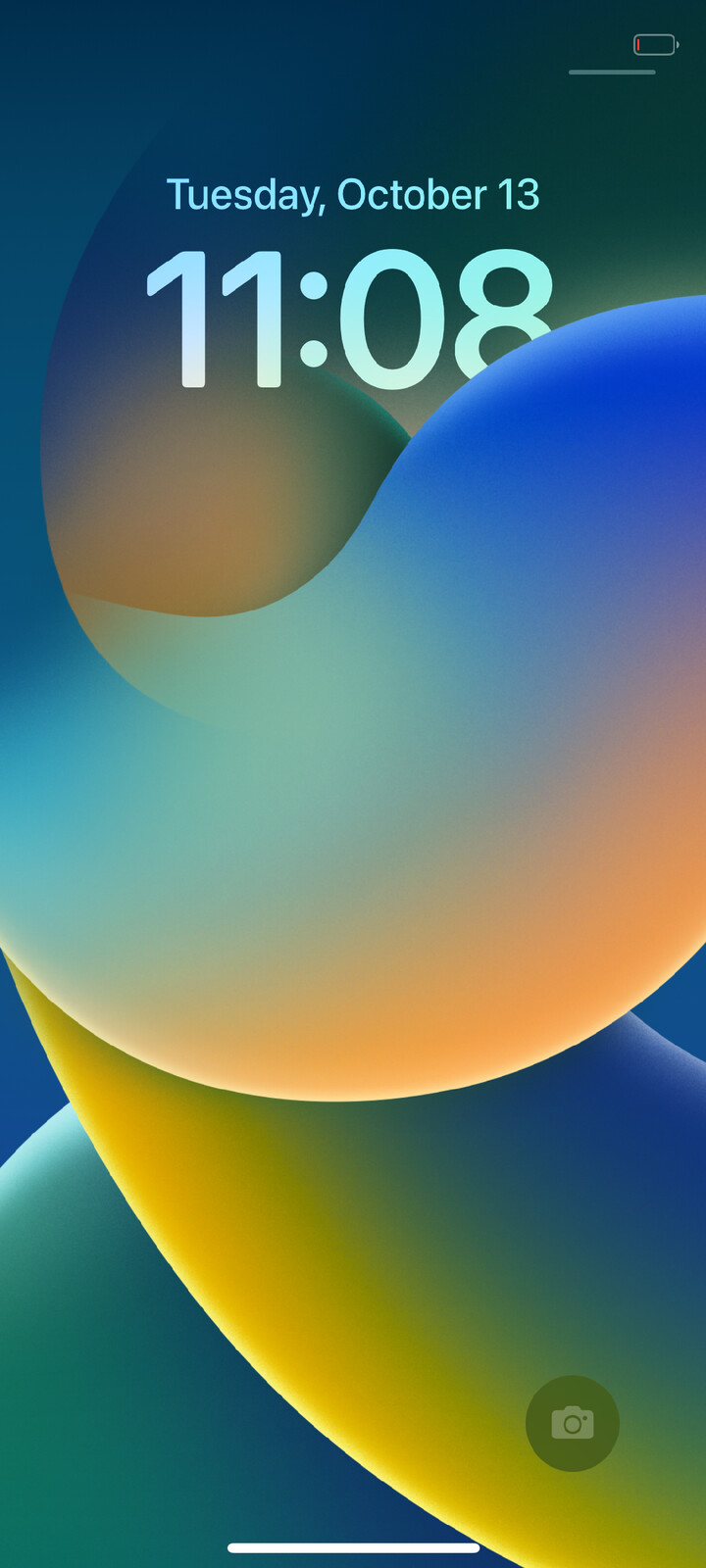
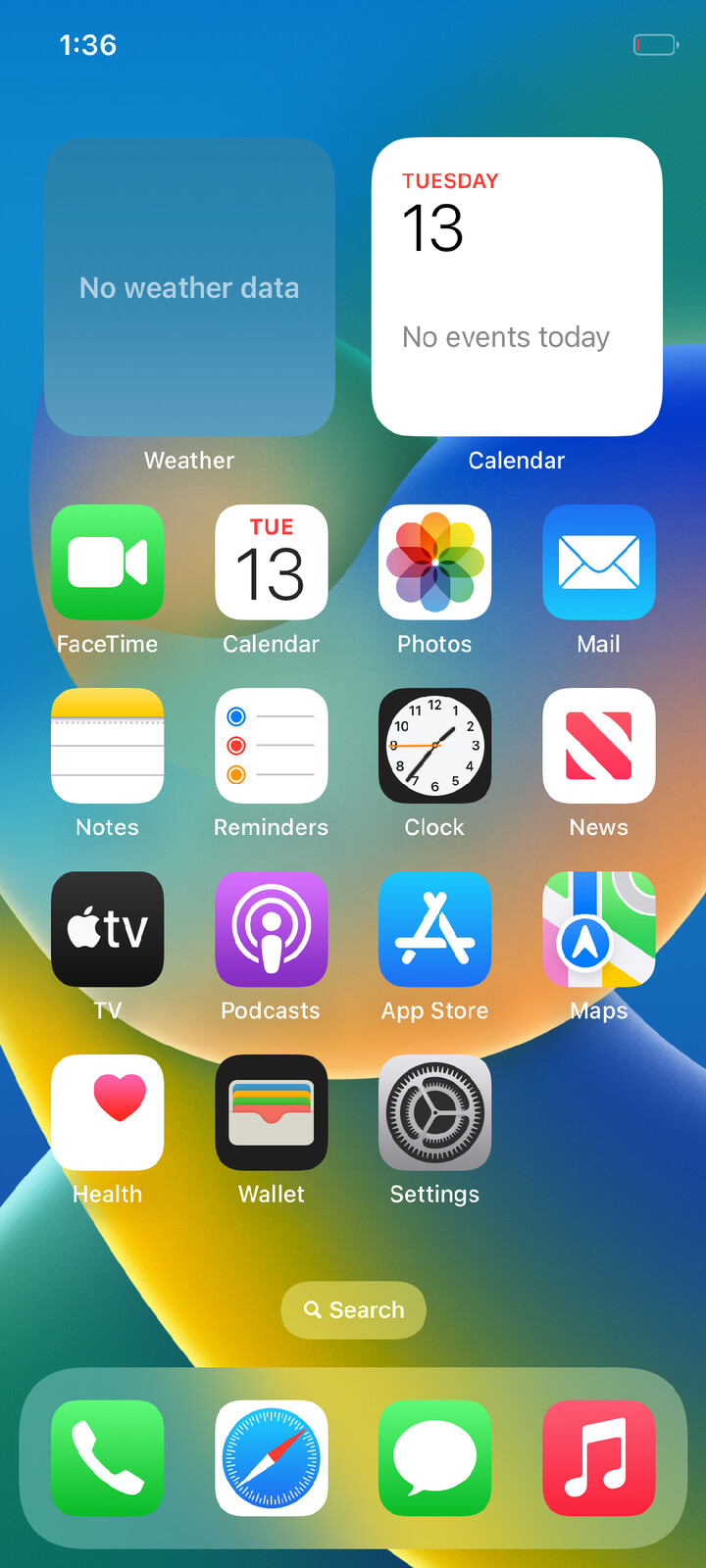
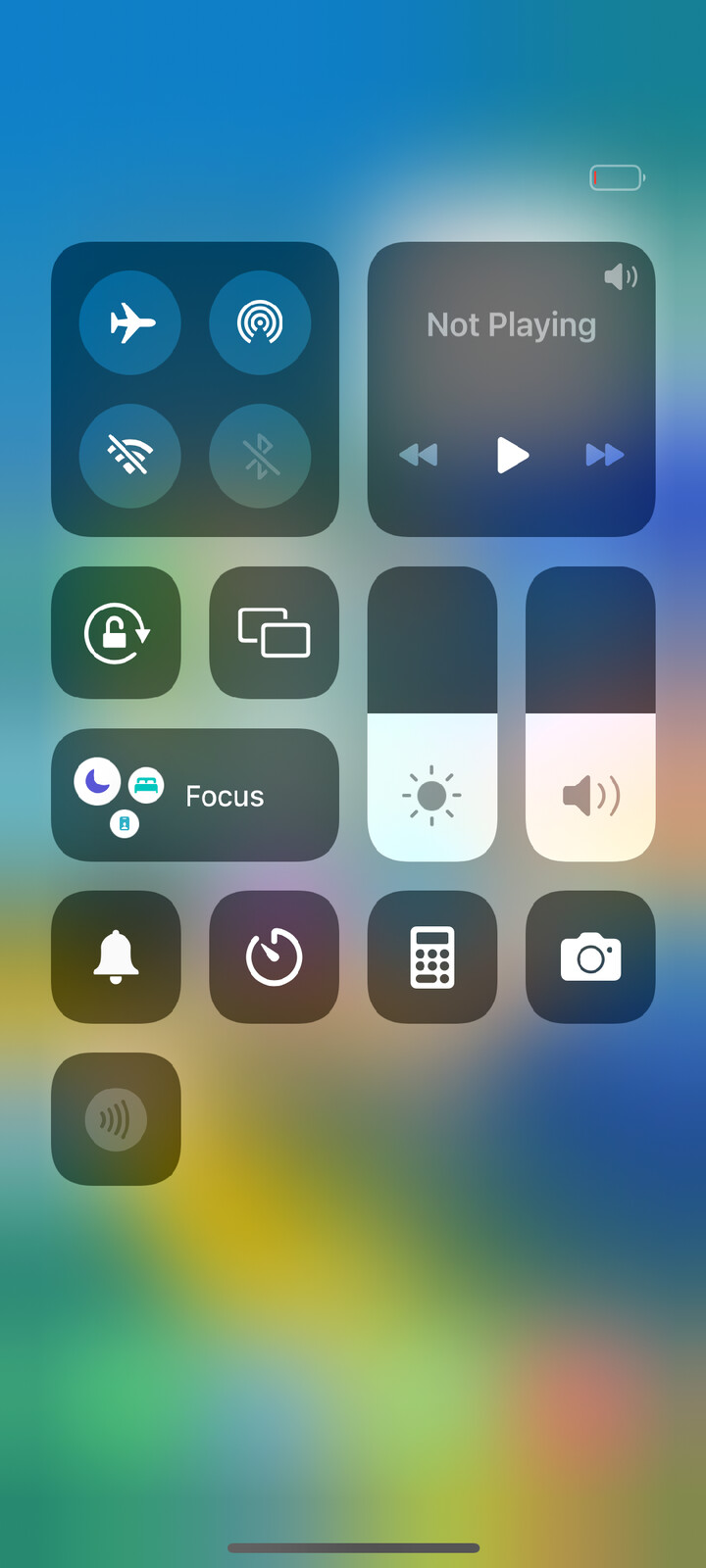
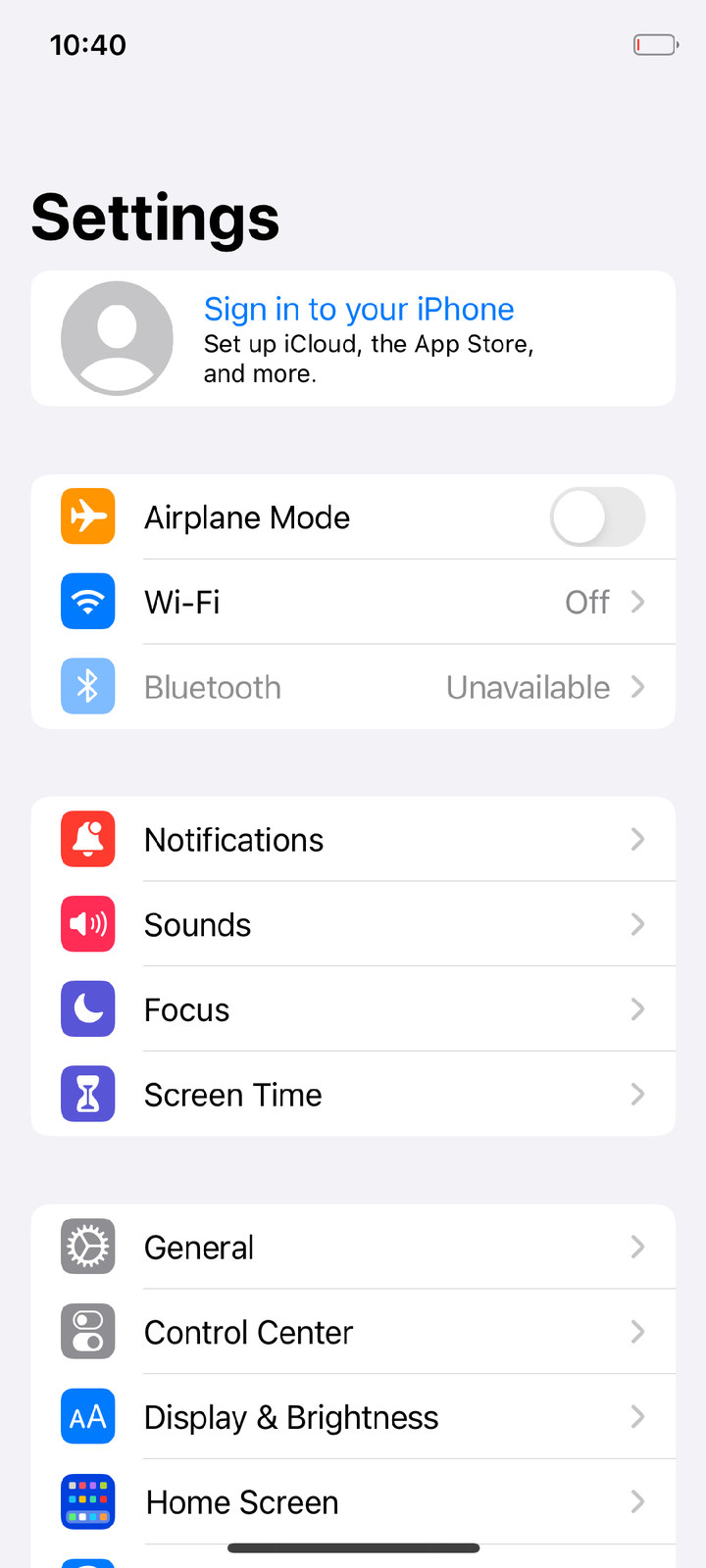
Photographed on the phone, the Adreno GPU drawing (gpu=1). More in Screenshots.
What works
| Works |
Does not work (yet) |
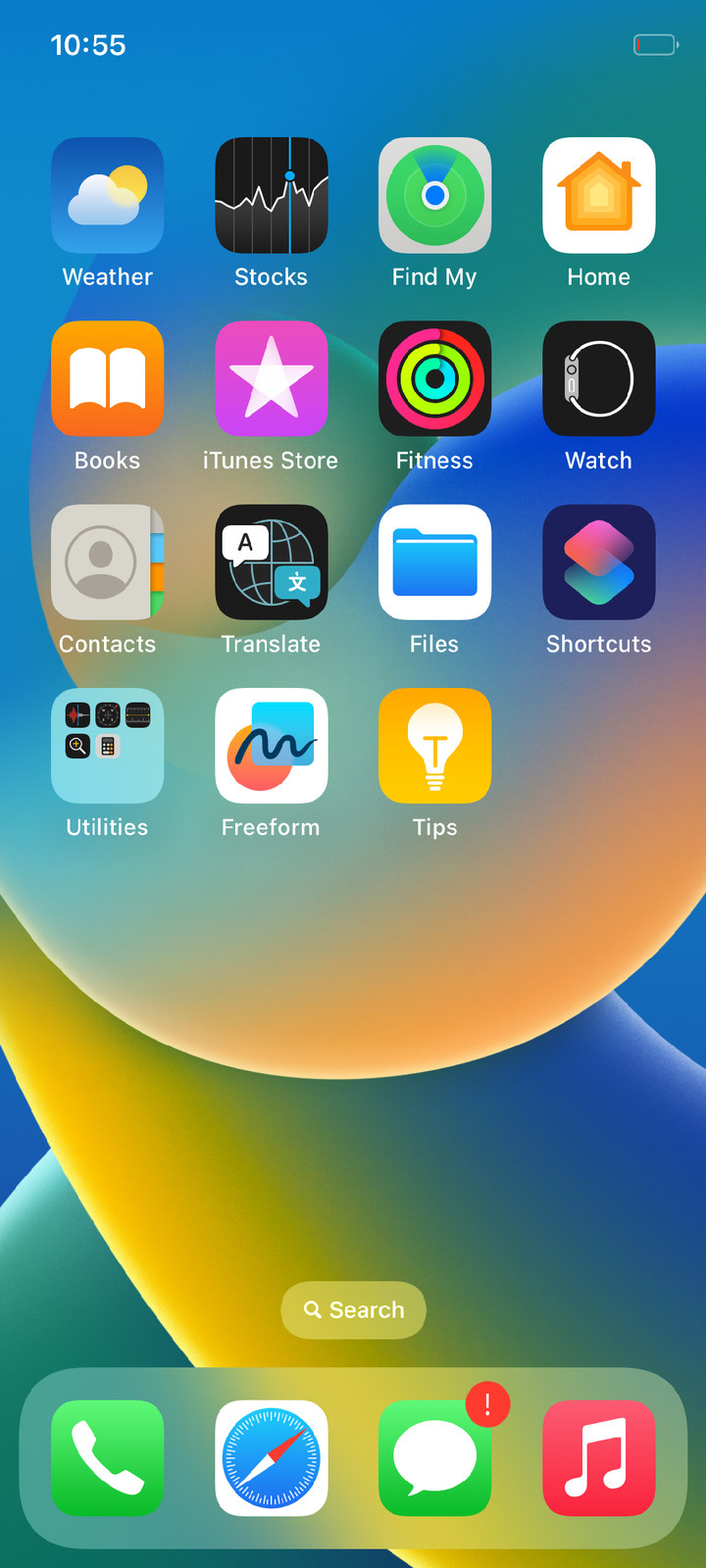
| Lock screen, swipe to unlock, home screen with all icons (two pages), stock iOS 16 wallpapers |
Cellular, Bluetooth |
| System gestures: swipe up (home, app switcher), edge swipe (back), Control Center |
Charging under our kernel (the phone only discharges) |
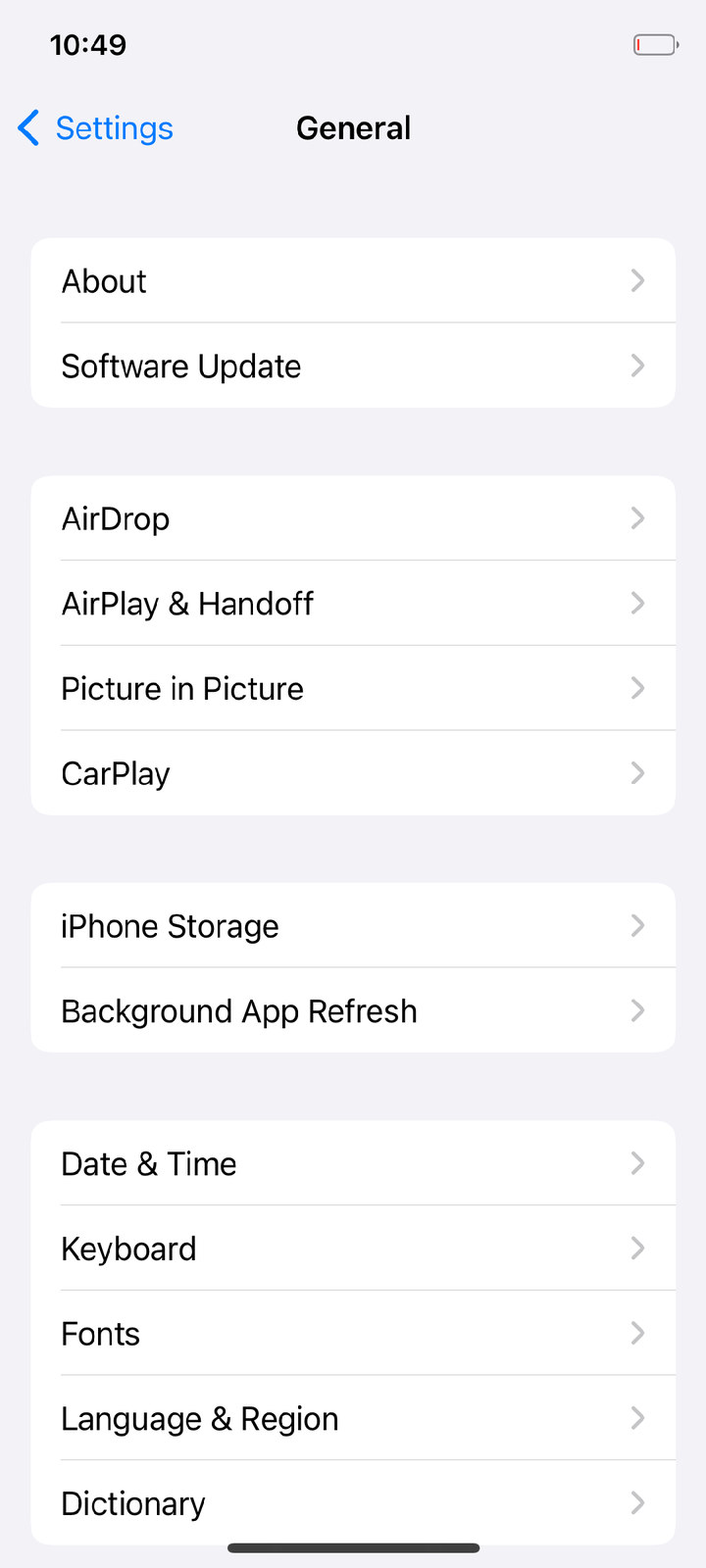
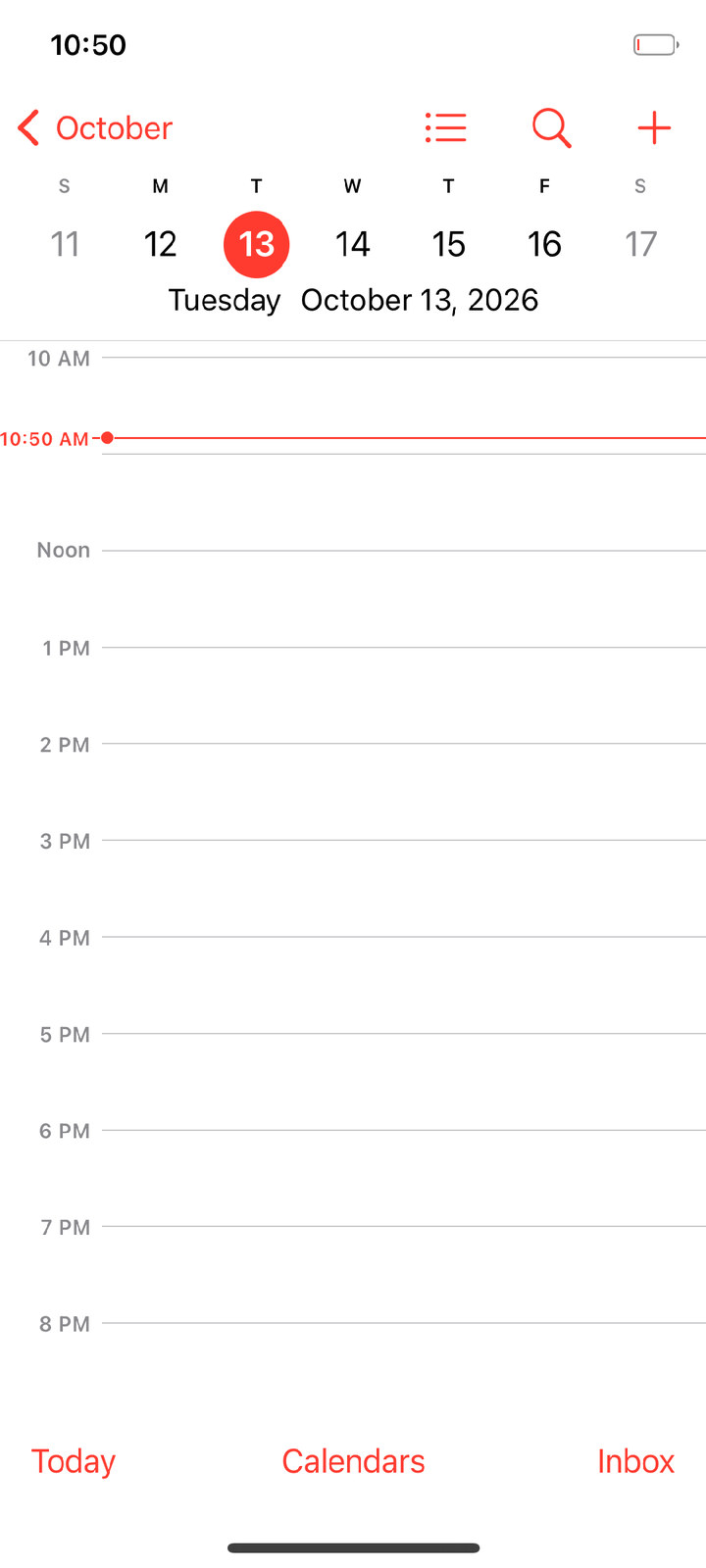
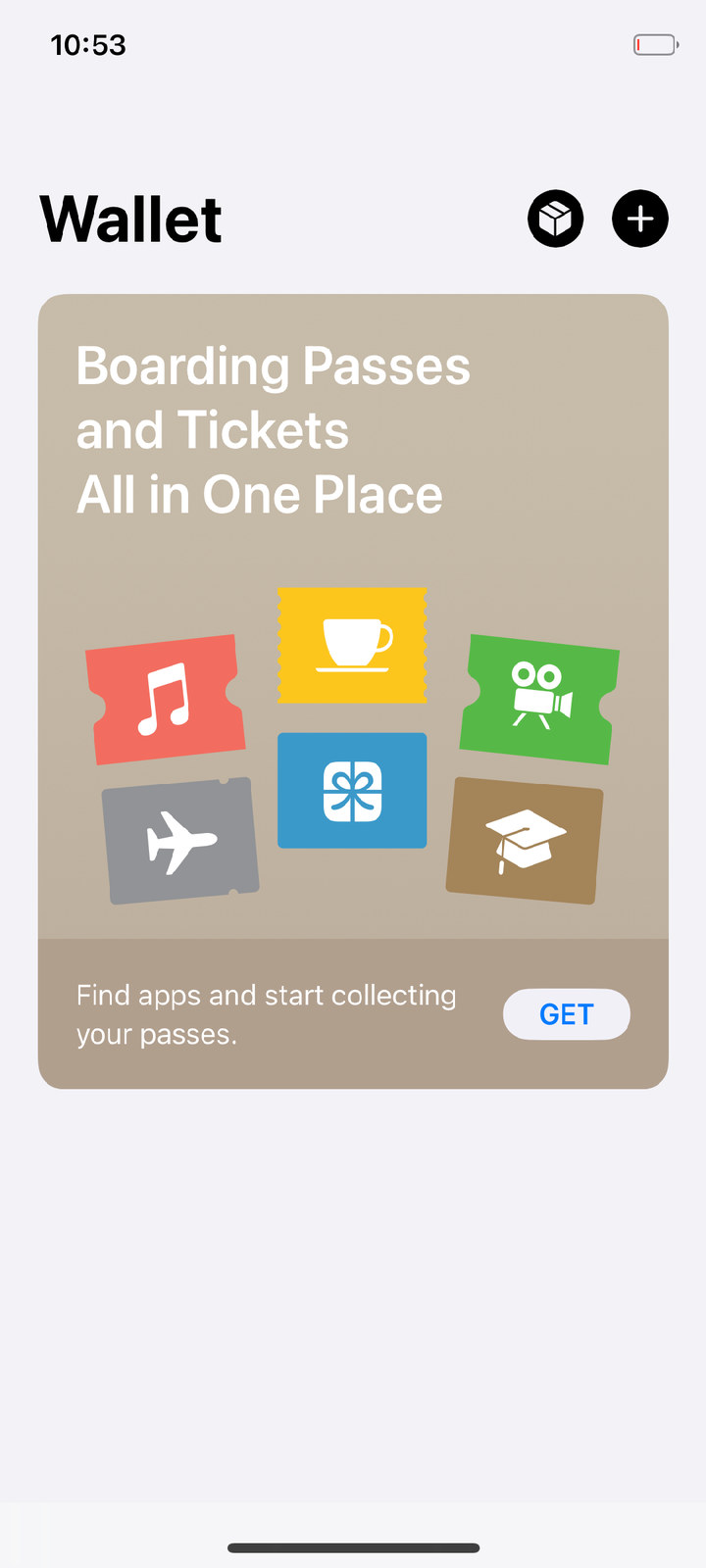
| Apps: Settings, Clock, Calendar, Photos, Notes, Safari and more; widgets (Weather, Calendar) on the phone |
Metal for apps (in progress: 293 of 456 system shaders already run on the Adreno, see docs/air.md in hackios-xnu-userland) |
| Phone touchscreen (Goodix GT9916), multitouch, wake on touch; real power and volume keys |
App Store content and Apple ID sign-in (no Secure Enclave; FairPlay daemon exits) |
Up to 8 CPU cores (cpus=8), big core at 2.4 GHz, ~20 s to the lock screen |
Video and Live Photo recording |
Adreno 642L GPU through Mesa/freedreno (gpu=1, OpenGL ES for CoreAnimation) |
|
| Wi-Fi (WCN6750, ath11k): join from Settings, Safari over Wi-Fi, 55–90 Mbit/s |
|
| Sound (speakers, main microphone), camera in Camera.app (front/rear, preview, focus, HEIC photos) |
|
Data that iOS writes survives a reboot (var_store=1 ufs_write=1); iOS root volume on the phone's flash |
|
| Sileo + Procursus (dpkg, apt), tweaks, SSH |
|
It is a research bench, not a ROM: a session lasts a given number of seconds, then the kernel returns to the
loader and hands over its log.
Quick start: QEMU, no kernel build
prebuilt/ holds the kernel, loader and our programs built from these repositories, so all you need is the system
image, which is made on your machine from Apple's IPSW.
Needs: Linux x86-64, ~12 GB free disk, 4 GB free RAM. Packages (Arch):
sudo pacman -S --needed git python 7zip lz4 gcc qemu-system-aarch64 qemu-ui-gtk edk2-aarch64
(Debian/Ubuntu: git python3 7zip liblz4-dev gcc qemu-system-arm qemu-efi-aarch64; 7-Zip must be 23 or newer — it
reads APFS.)
git clone https://github.com/oosexgang/hackios-xnu-kernel.git hackios
cd hackios
common/setup.sh               # brings hackios-xnu-userland into the same tree, checks the host
ios165/fetch.sh               # downloads 7.4 GB from Apple's CDN and extracts what is needed (5-15 min)
common/build.sh qemu-virt     # builds the APFS images (and the kernel, if the toolchain is there)
common/run.sh qemu-virt       # a 20-minute session in a QEMU window
The lock screen appears after 2–3 minutes.
- Mouse with the left button held = finger. Unlock / leave an app: swipe up from the very bottom edge; back:
swipe from the left edge.
- Keys:
H home, L lock/power, ↑/↓ volume, F11 (hold) five fingers.
- From a script:
qemu/touch.py swipe 0.5 0.985 0.5 0.3 250, qemu/touch.py tap 0.615 0.71,
qemu/touch.py key home; screenshot: qemu/screendump.sh shot.png.
- Right after SpringBoard appears the system is still registering apps: give it 30–40 s.
- Debian/Ubuntu UEFI firmware:
QEMU_EFI=/usr/share/AAVMF/AAVMF_CODE.fd QEMU_VARS=/usr/share/AAVMF/AAVMF_VARS.fd.
On the phone (POCO X5 Pro 5G)
You need a POCO X5 Pro 5G (redwood) with an unlocked bootloader, adb and fastboot, and the images from the
section above. Nothing is written to the phone's storage.
The phone's own firmware is not in the repository and cannot be: it is the vendor's and is taken from the very
phone it will run on, from its Android:
adb pull /vendor/firmware/a660_{gmu.bin,sqe.fw,zap.mdt,zap.b00,zap.b01,zap.b02} fw-gpu/      # GPU (gpu=1)
adb pull /vendor/firmware_mnt/image/wpss.{mdt,b02,b03,b04,b05,b06,b07} fw-wifi/              # Wi-Fi (wifi=1)
adb pull /vendor/firmware_mnt/image/adsp.{mdt,b02,...,b36} fw-audio/                         # sound (adsp=1)
adb pull /vendor/firmware/aw8697_haptic.bin fw-haptic/                                       # haptics
(Put the fw-* directories next to the workspace. Wi-Fi also needs fw-wifi/mac — the radio's address on one
line — and fw-wifi/network — network name and password. userland/build.sh prints which firmware went in.)
common/build.sh redwood GL=1          # images + out/redwood-boot.img
common/run.sh redwood 900             # loader into RAM, system image into RAM, a 15-minute session
or step by step with xl:
./xl enter            # Android -> fastboot -> our loader in RAM (fastboot boot); it brings up its own USB link
./xl ramdisk          # upload the system image into the phone's RAM (2.5 GB, ~80 s), once per loader session
XL_SECS=900 XL_CMDLINE="touchscreen=1 cpufreq=1 bootcpu=7 cpus=8 gpu=1 wifi=1 adsp=1" ./xl run
./xl screenshot shot.png
./xl reboot           # back to Android
./xl with no arguments lists every command (logs, screen and sound recording, camera frames, stop, state...).
Prebuilt boot image
Every release has hackios-redwood-boot.img attached: the redwood UEFI with our loader inside, ready for
fastboot boot. It contains no Apple files; the system image is still made on your machine (above).
Building from source
common/build.sh <device> runs every step that this machine can run and uses prebuilt/ for the rest.
Porting to another device
common/new-device.sh <codename> path/to/device.dtb # profile + loader platform from the phone's device tree
Then follow docs/PORTING.md: the UEFI port, the loader's platform description, the kernel's
drivers, the firmware. Device profiles live in common/devices/ (redwood.conf, qemu-virt.conf, _template.conf).
How it works
fastboot boot ──► UEFI (Mu-Silicium) ──► xnuloader (EFI application)
                                           │  stays resident: USB link (fastboot protocol),
                                           │  watchdog, receives the kernel's log
                                           ▼
            XNU (BCM2837 config as the base + our platform)
              ├─ GICv3, timer, video console, return to the loader
              ├─ APFS (images in RAM, iOS volume on flash), ramfs (/private/var, /tmp)
              ├─ minicrypto instead of corecrypto, AMFI and Sandbox stand-ins (MAC policies)
              ├─ driver replacements: IOSurface, IOMobileFramebuffer, AppleKeyStore, network stack
              ├─ input: /dev/redwood-touch ◄─ Goodix GT9916 (phone) / virtio-input (QEMU)
              ├─ GPU: Adreno 642L, Wi-Fi: WCN6750 (ath11k via LinuxKPI), sound: ADSP / virtio-sound
              ▼
   iOS 16.5 launchd → logd, notifyd, cfprefsd, runningboardd, backboardd, SpringBoard, apps
              ├─ our libraries are injected into backboardd, SpringBoard and mediaserverd
              │  (virtual HID services, a few ObjC method swaps — in memory only)
              └─ mediaserverd gets our CoreAudio output device (RedwoodAudio.driver)
The iOS programs, frameworks and dyld shared cache are not changed by a single byte: what they miss is done by the
kernel (driver replacements) or by a library the kernel injects with DYLD_INSERT_LIBRARIES (kern.exec_inject).
Layout
| Path |
What |
common/ |
setup.sh (workspace), build.sh / run.sh (per device), new-device.sh, devices/*.conf, ugit |
xl |
drives the phone over USB: loader, kernel runs, logs, screenshots, screen and sound recording |
xnuloader/ |
the loader: loader.c (UEFI application), mkpayload.py (kernel + images + arguments container) |
xnu/ |
our XNU changes: patch, new files, apply.sh / export.sh |
xnu-deps/ |
everything for building XNU on Linux: setup.sh, tool wrappers, stubs |
xnu-build.sh, xnu-env.sh |
kernel build |
uefi/, mkxnuimg.py |
the UEFI port and packing the boot image for fastboot boot |
wifi/lx/ |
the layer on which Linux's Wi-Fi driver builds for our kernel |
qemu/ |
QEMU runs, touch input, screenshots, stack symbolication |
tools/ |
recording (recording.py, sound.py), UFS/flash tools, mk-ath11k.sh, new-workspace.sh, host tests |
prebuilt/ |
built kernel, loader and UEFI pieces (NOTICES.md for the third-party code in the kernel) |
docs/ |
screenshots, checks.md, PORTING.md |
Debugging
- Session log: QEMU's stdout or
logs/HHMMSS-run.log from the phone.
RC_JOBS=rc.jobs.tour REST=1 userland/build.sh — an image that unlocks and opens every app of the first page.userabort: in the log is the stack of a process that called abort(); usertrap: (with systrace=1) — crashes.- Live stacks (QEMU):
qemu/touch.py stacks NAME, then qemu/symstack.py LOG NAME
(needs ipsw).
- How a check can lie to you: docs/checks.md.
Screenshots
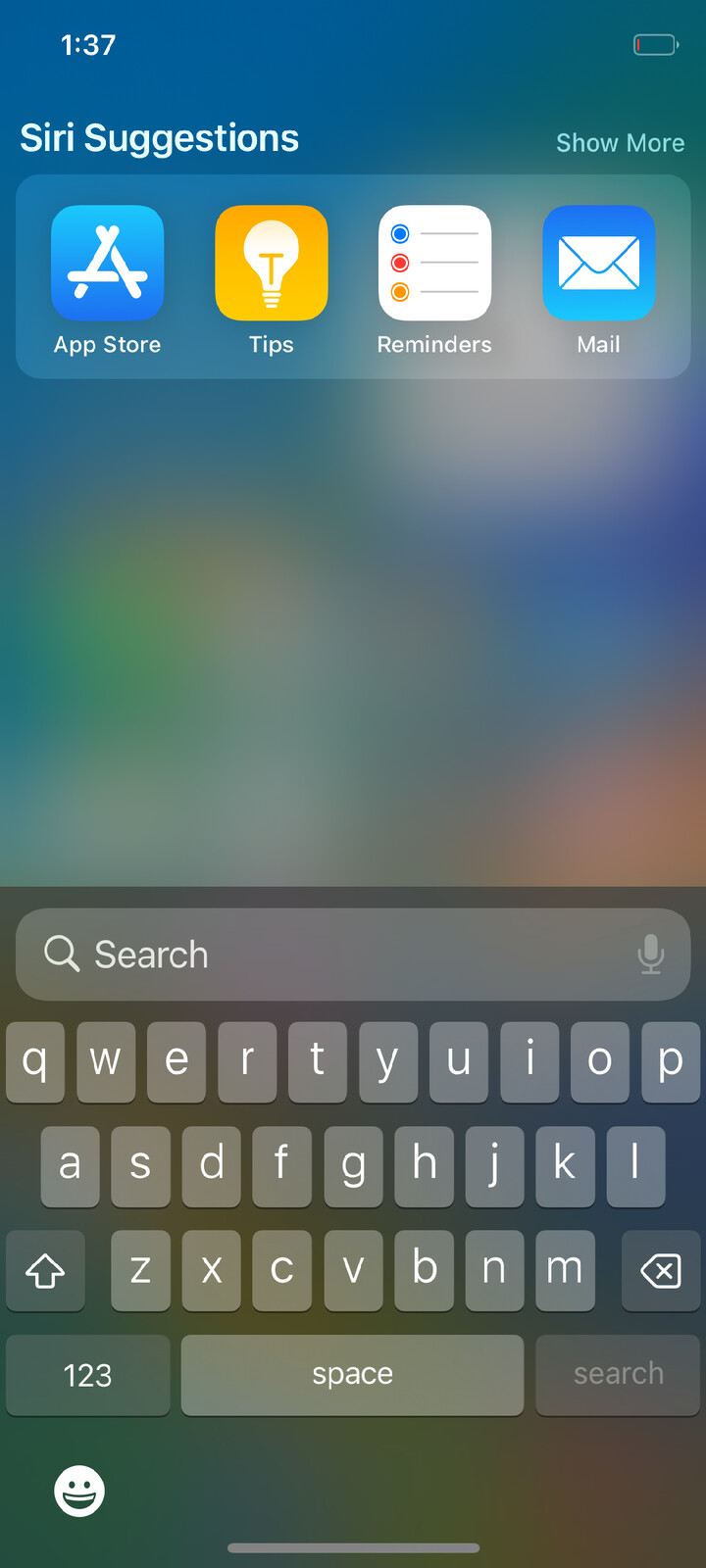
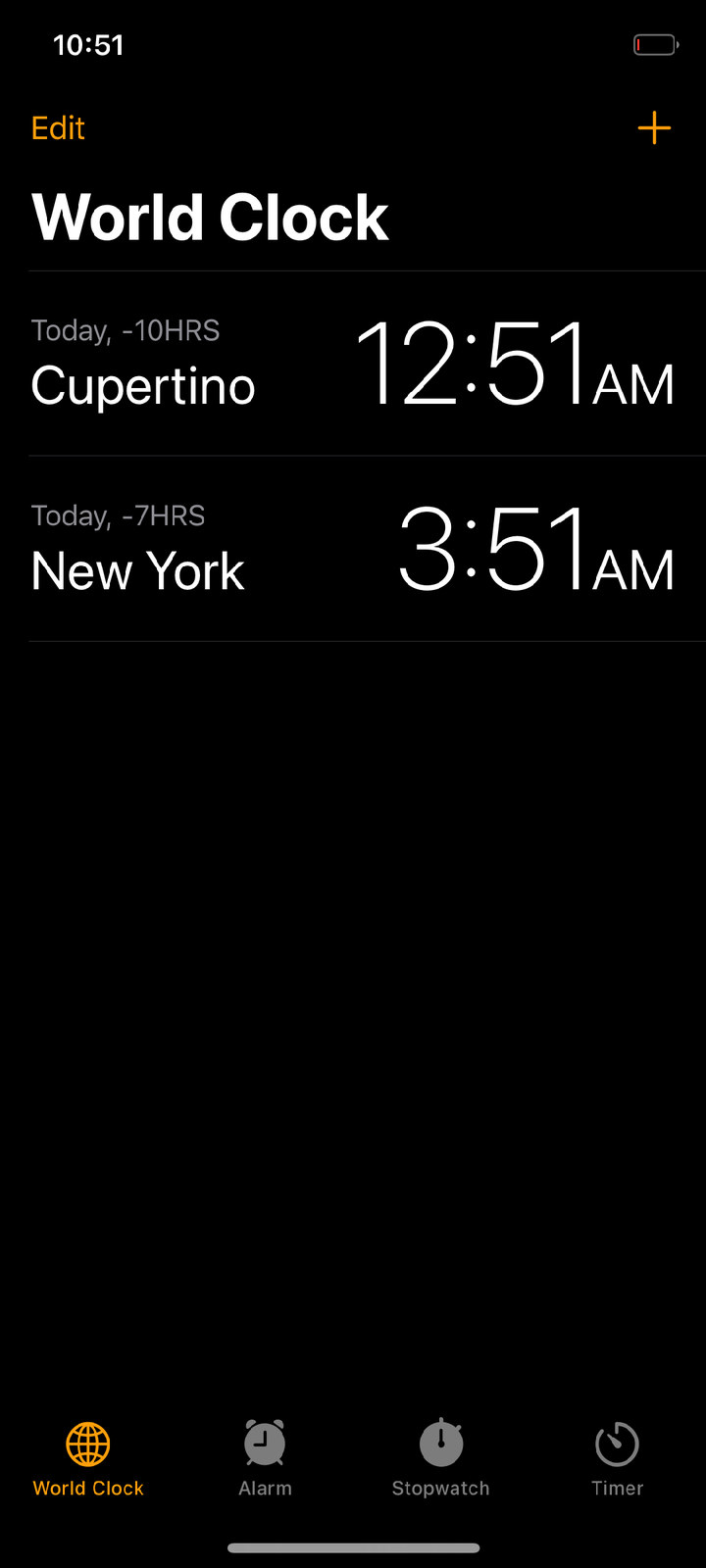
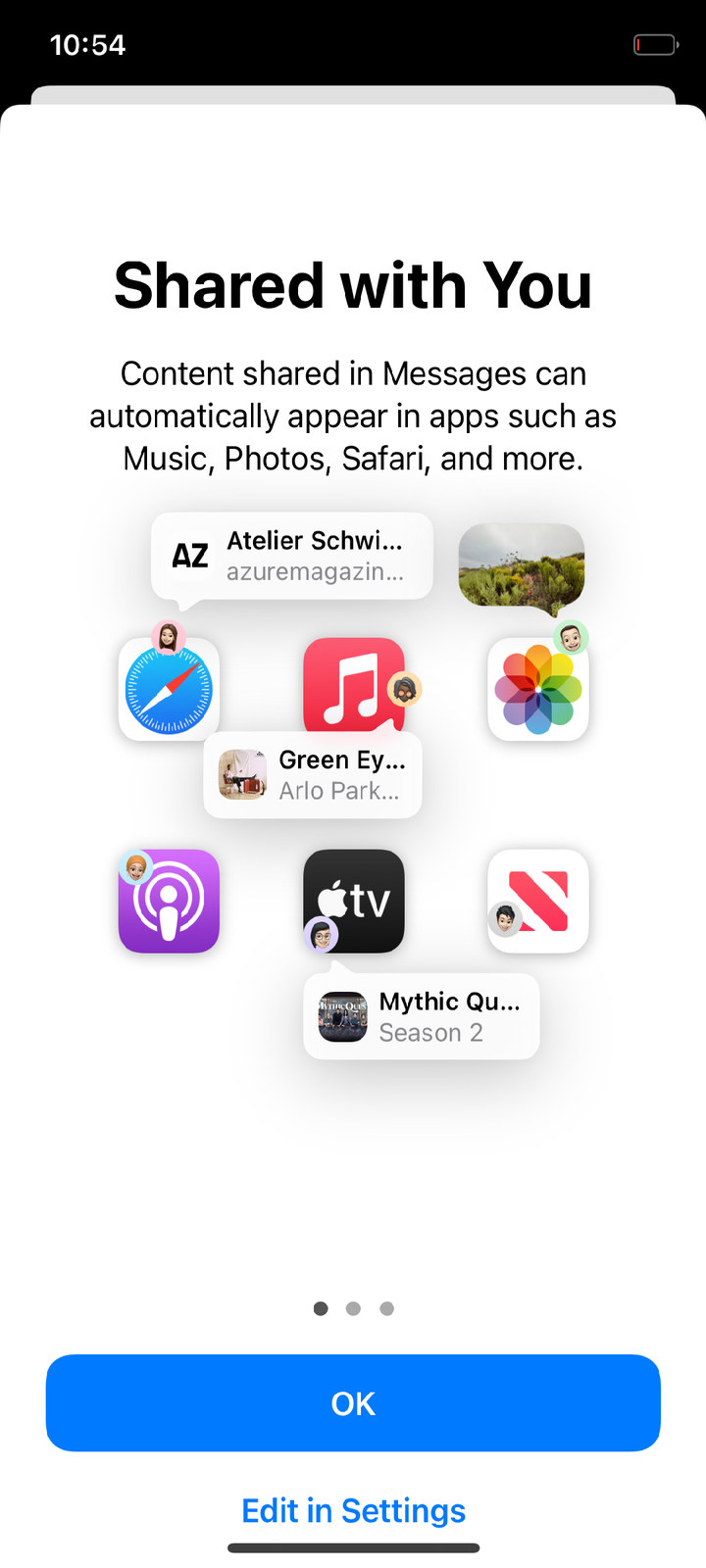
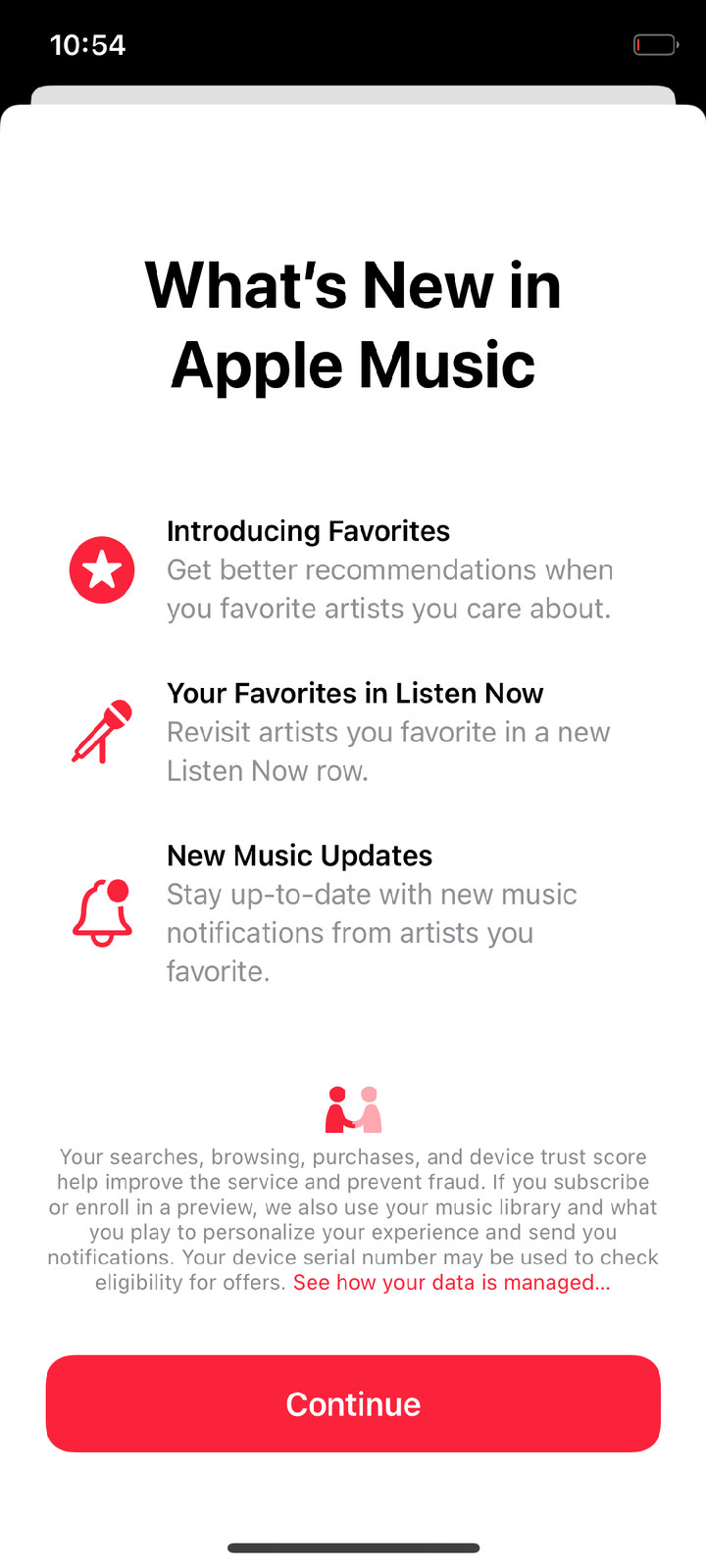
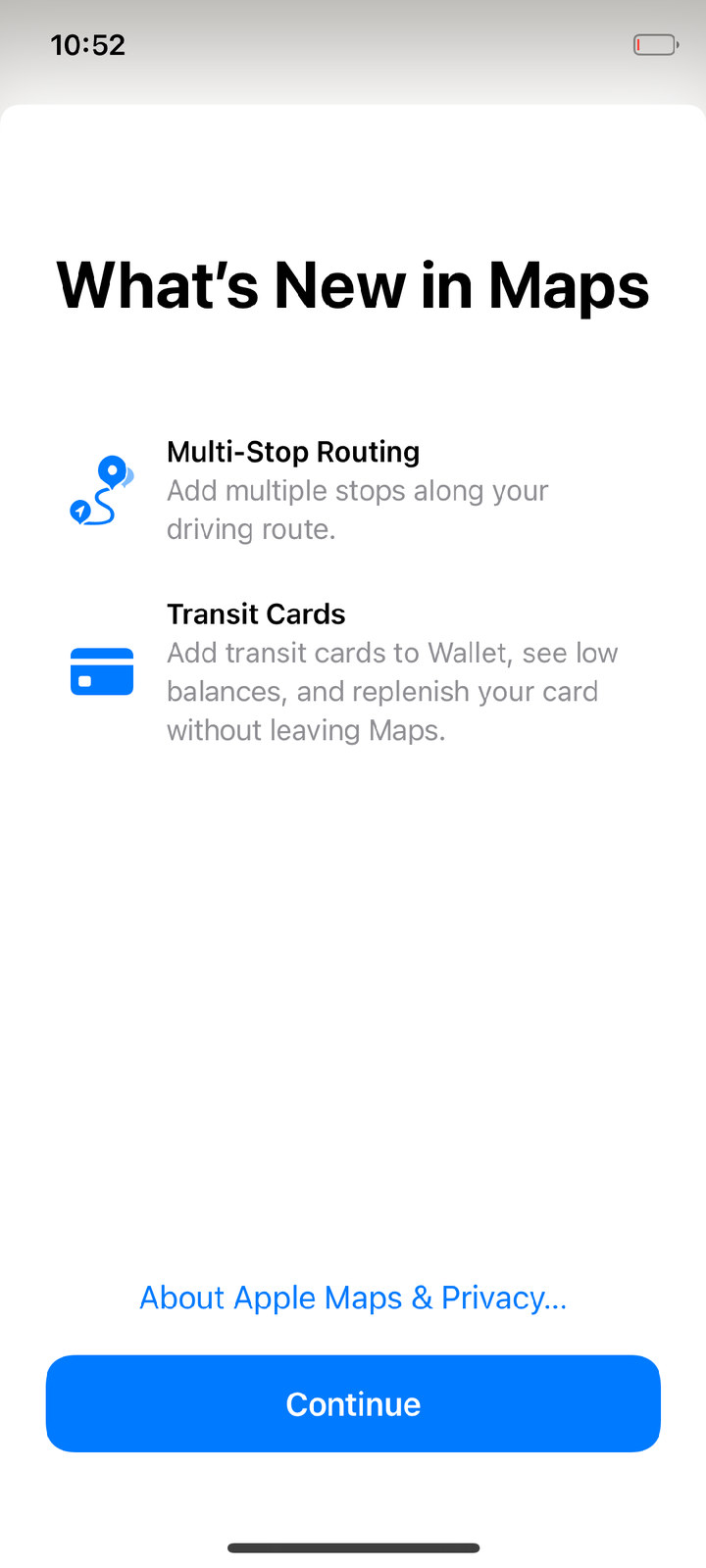
From the phone's screen, one session (GL=1 REST=1, gpu=1):
Licenses
- No iOS files are in the repositories:
ios165/fetch.sh downloads them from Apple's CDN to your machine.
xnu/ is a derivative work of XNU and is distributed under APSL 2.0, like XNU itself; prebuilt/mach.* is the
kernel built from it. It also contains ath11k (BSD-3-Clause-Clear) and FreeBSD LinuxKPI code (BSD-2-Clause):
see prebuilt/NOTICES.md.xnu/files/bsd/miscfs/apfs/libzbitmap/ and xnu-deps/build/lzbitmap/ — libzbitmap (Corellium LLC, MIT here);
xnu/files/bsd/miscfs/apfs/libdeflate/ — libdeflate 1.24 (Eric Biggers, MIT, COPYING there).- ath11k, Linux and FreeBSD sources are not in the repository:
tools/mk-ath11k.sh fetches pinned releases.
wifi/lx/patches/*.patch are our changes to FreeBSD headers; the rest of wifi/lx/ is ours.
uefi/files/Binaries/redwood and prebuilt/uefi/SILICIUM_UEFI.fd contain UEFI drivers from the phone's
Xiaomi firmware, distributed the way Project Silicium distributes them for other devices;
prebuilt/uefi/mkbootimg.py — AOSP, Apache-2.0.- This repository is licensed under the Apple Public Source License 2.0: our changes to XNU are a derivative of XNU and must be, and our other code here (loader, scripts) is released under the same license. Third-party code keeps its own license, as listed above.
Team
OOSEX GANG — @oodze (founder), @netusd, @wannqn,
@hxfuxyyXD. News: t.me/oosexgangdevs.