


这是什么?
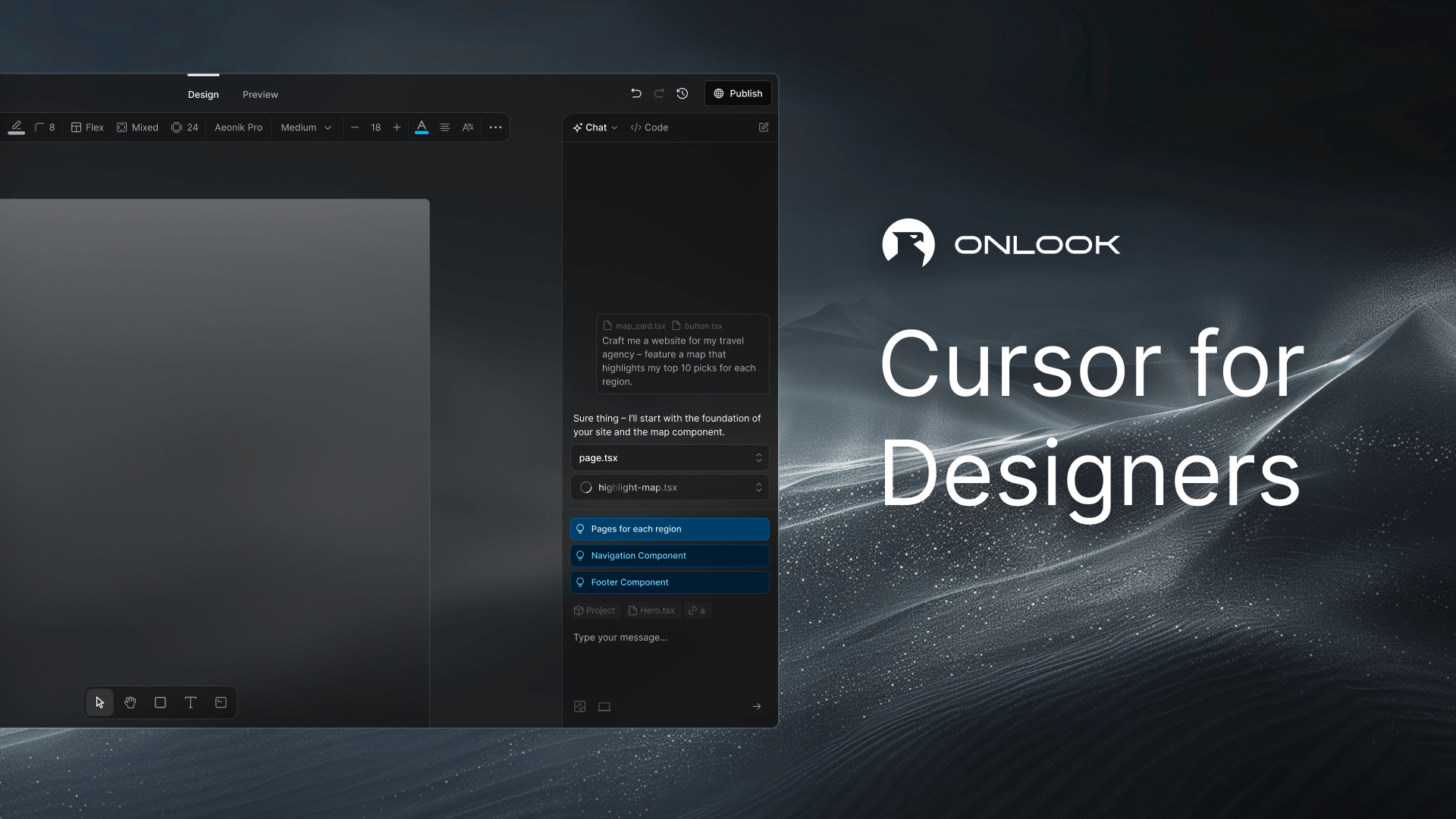
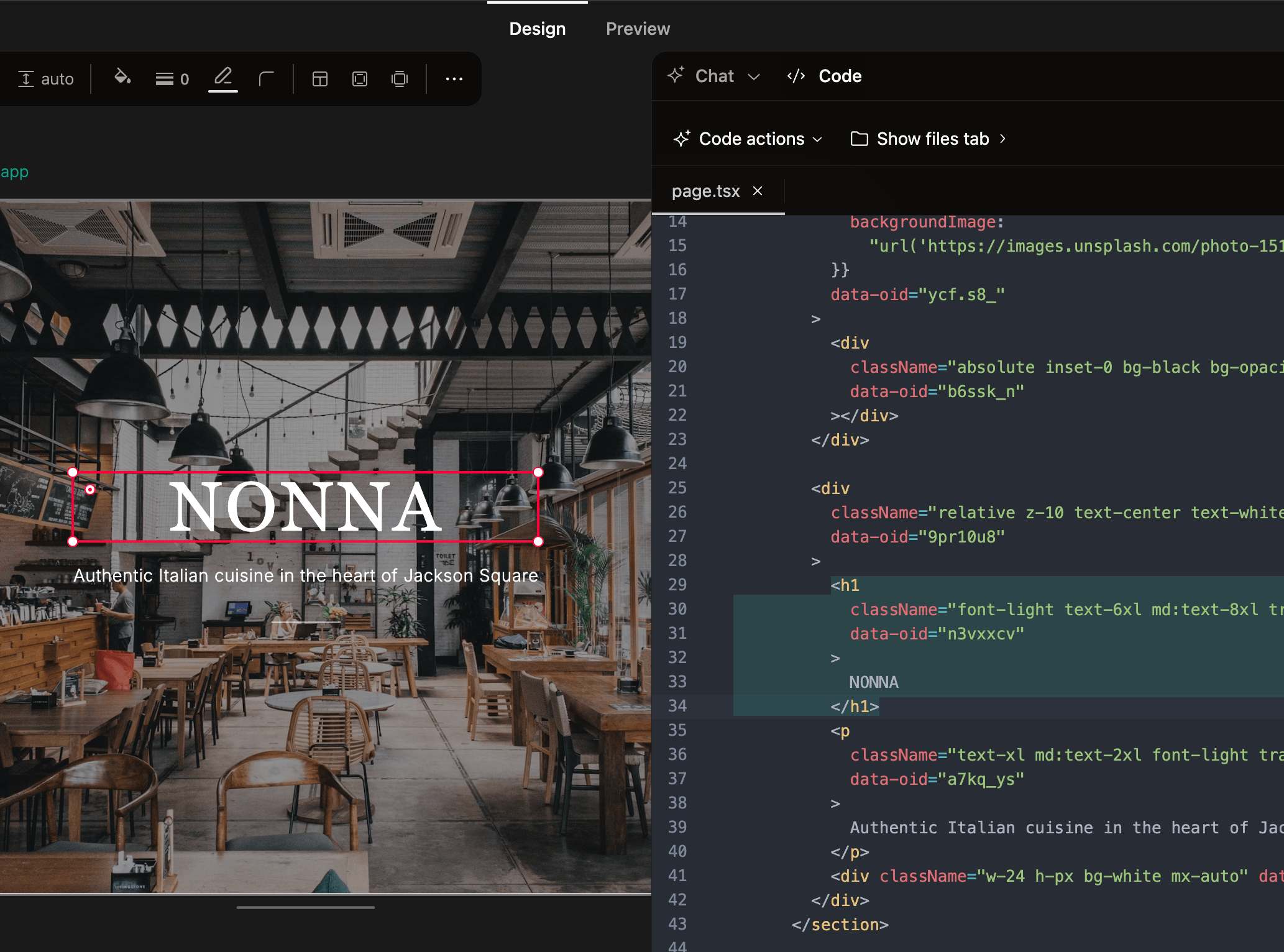
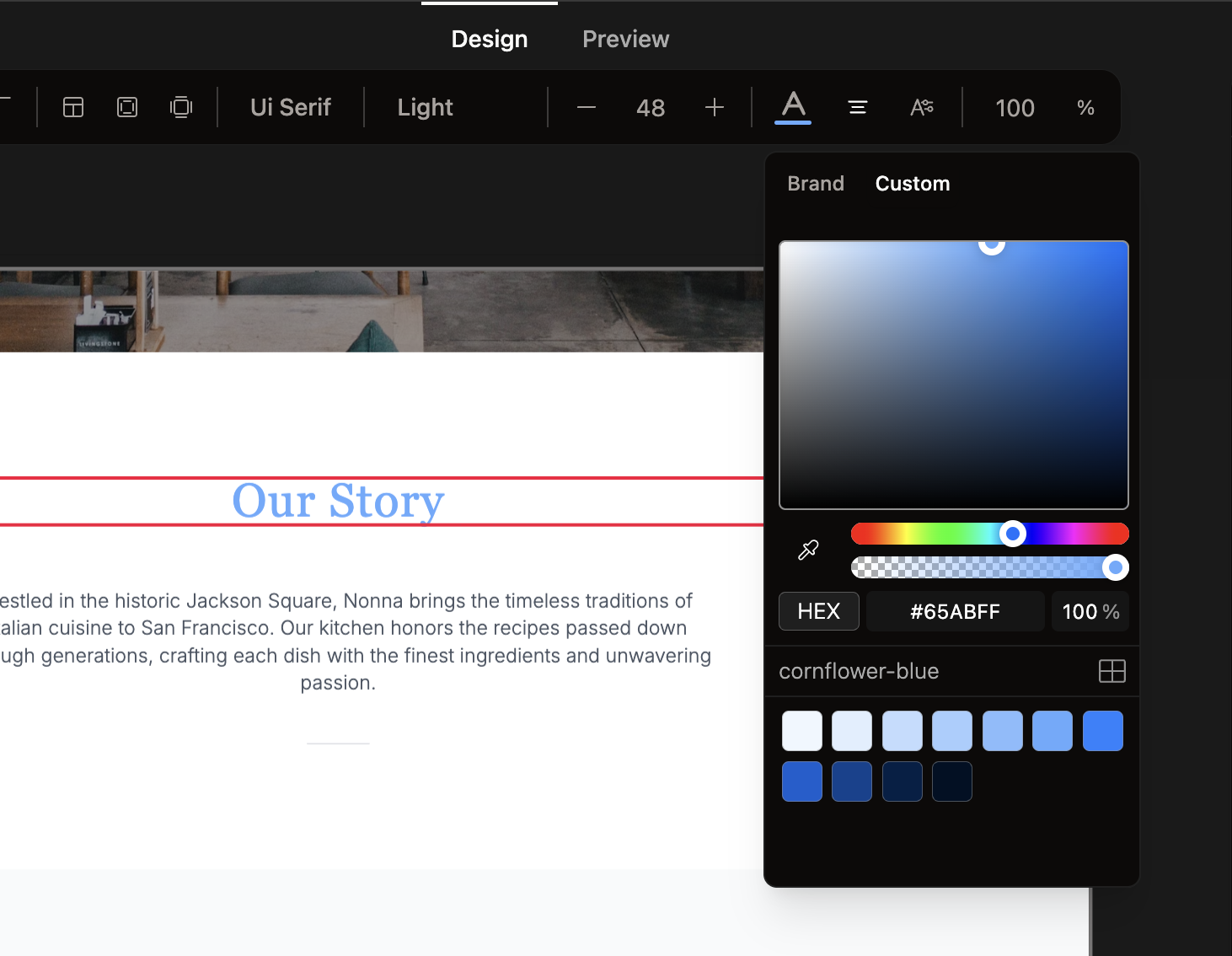
 Onlook 是一款开源、以 AI 为核心的可视化编辑器,用于在你现有的 Next.js + Tailwind 代码库之上进行设计。你可以像使用设计工具一样直接在浏览器 DOM 中编辑元素,所做的修改会实时对应回真实代码。
Onlook 是一款开源、以 AI 为核心的可视化编辑器,用于在你现有的 Next.js + Tailwind 代码库之上进行设计。你可以像使用设计工具一样直接在浏览器 DOM 中编辑元素,所做的修改会实时对应回真实代码。这更像 Figma 还是更像代码编辑器?两者兼有:它是类似 Figma 的可视化界面(图层、元素、拖放),建立在真实的代码编辑器和实时预览之上,定位为 Bolt.new、Lovable、V0、Replit Agent、Figma Make 和 Webflow 的开源替代品。
两者兼有:它是类似 Figma 的可视化界面(图层、元素、拖放),建立在真实的代码编辑器和实时预览之上,定位为 Bolt.new、Lovable、V0、Replit Agent、Figma Make 和 Webflow 的开源替代品。我该如何开始用 Onlook 做东西?可以使用托管版应用,或在本地运行后导入现有的 Next.js 项目(也可以从零开始、从文字、图片或预制模板开始)。完整的安装说明请见 docs.onlook.com。
可以使用托管版应用,或在本地运行后导入现有的 Next.js 项目(也可以从零开始、从文字、图片或预制模板开始)。完整的安装说明请见 docs.onlook.com。Onlook 支持任何前端技术栈吗?目前它是专门为 Next.js 和 TailwindCSS 项目打造的;对其他框架以及非 Tailwind 样式方案的支持暂时还不可用。
目前它是专门为 Next.js 和 TailwindCSS 项目打造的;对其他框架以及非 Tailwind 样式方案的支持暂时还不可用。还有哪些功能缺失或正在开发中?团队协作(评论、超出实时光标之外的实时共同编辑)、拖放式组件面板、项目中的 MCP 设置,以及对非 Next.js/非 Tailwind 项目的支持,目前都仍未完成。
团队协作(评论、超出实时光标之外的实时共同编辑)、拖放式组件面板、项目中的 MCP 设置,以及对非 Next.js/非 Tailwind 项目的支持,目前都仍未完成。我可以自行部署,而不使用托管版应用吗?可以,开源编辑器可以在本地运行(自带 Dockerfile 和 docker-compose 配置);托管产品则是另一种服务,目前处于通过候补名单开放的抢先体验阶段。
可以,开源编辑器可以在本地运行(自带 Dockerfile 和 docker-compose 配置);托管产品则是另一种服务,目前处于通过候补名单开放的抢先体验阶段。这个许可证宽松吗?它采用 Apache 2.0 许可证,这是一种宽松的开源许可证,没有特别的限制条款。
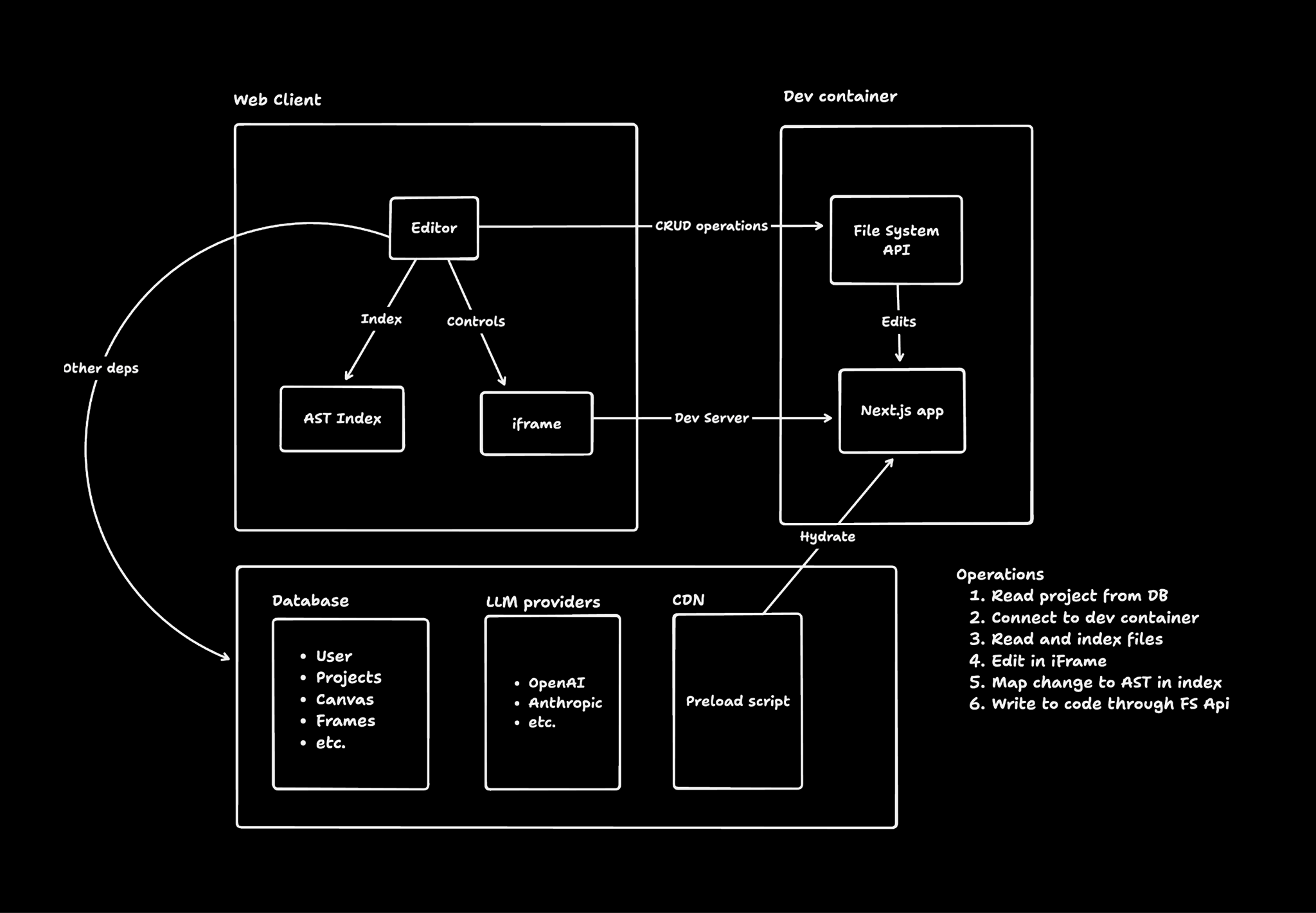
它采用 Apache 2.0 许可证,这是一种宽松的开源许可证,没有特别的限制条款。在画布上编辑一个元素,究竟是如何改动我的源代码的?Onlook 会将你的项目加载到一个 Web 容器中,并对正在运行的代码进行插桩,把每个 DOM 元素映射回它在源码中的位置。当你以可视化方式编辑元素时,它会先在实时 iFrame 中更新,然后再把修改写回实际的代码文件。
Onlook 会将你的项目加载到一个 Web 容器中,并对正在运行的代码进行插桩,把每个 DOM 元素映射回它在源码中的位置。当你以可视化方式编辑元素时,它会先在实时 iFrame 中更新,然后再把修改写回实际的代码文件。Onlook 背后的技术栈包括哪些?前端使用 Next.js 和 TailwindCSS,服务端接口使用 tRPC,身份验证与数据库使用 Supabase 和 Drizzle,大模型访问使用 AI SDK 搭配 OpenRouter,快速应用修改使用 Morph 和 Relace,运行时与沙箱隔离使用 Bun 和 Docker。
前端使用 Next.js 和 TailwindCSS,服务端接口使用 tRPC,身份验证与数据库使用 Supabase 和 Drizzle,大模型访问使用 AI SDK 搭配 OpenRouter,快速应用修改使用 Morph 和 Relace,运行时与沙箱隔离使用 Bun 和 Docker。我在 Onlook 中构建的应用可以部署吗?可以,你能在几秒钟内部署项目、生成可分享的链接,并直接在编辑器中绑定自定义域名。
可以,你能在几秒钟内部署项目、生成可分享的链接,并直接在编辑器中绑定自定义域名。AI 聊天能自行修改代码吗?可以,AI 聊天可以直接访问代码,并具备理解和编辑项目代码的工具,你还可以一次排队发送多条聊天消息。
可以,AI 聊天可以直接访问代码,并具备理解和编辑项目代码的工具,你还可以一次排队发送多条聊天消息。What are similar projects?Core-Framework, vibe-vibe, openpencil, ux-ui-agent-skills, tweakcn, design-extract, open-pencil-cloud, heroui
Core-Framework, vibe-vibe, openpencil, ux-ui-agent-skills, tweakcn, design-extract, open-pencil-cloud, herouiWhich topics is it in?vibecoding, design-to-code, design-tool, supabase, figma, drizzle-orm, vibe-coding, openrouter, ide, design-system, bun, tailwindcss
vibecoding, design-to-code, design-tool, supabase, figma, drizzle-orm, vibe-coding, openrouter, ide, design-system, bun, tailwindcss