





What is this?
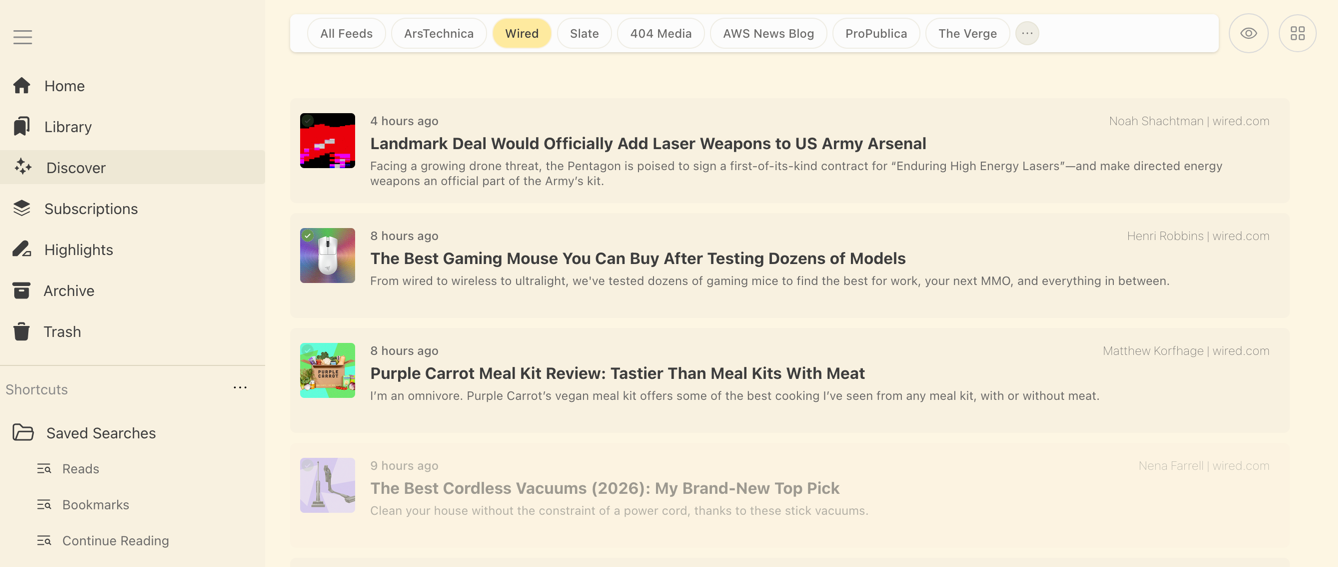
 Omnivore is an open source read-it-later app: you save articles, PDFs and newsletter issues into a personal reading queue, then read them with highlighting, notes, labels and search.
Omnivore is an open source read-it-later app: you save articles, PDFs and newsletter issues into a personal reading queue, then read them with highlighting, notes, labels and search.Is it just a website, or does it come with apps too?Both: there is a Next.js web app, a native iOS app, an Android app plus a PWA, and browser extensions for Chrome, Safari, Firefox and Edge. All of them talk to your own self-hosted server.
Both: there is a Next.js web app, a native iOS app, an Android app plus a PWA, and browser extensions for Chrome, Safari, Firefox and Edge. All of them talk to your own self-hosted server.How do I get my own instance running?There is a guide for running a self-hosted server, and for local development the whole stack comes up with docker compose up — it starts Postgres, the web frontend, the API server and the content-fetching microservice, and creates a demo login for you.
There is a guide for running a self-hosted server, and for local development the whole stack comes up with docker compose up — it starts Postgres, the web frontend, the API server and the content-fetching microservice, and creates a demo login for you.What does a machine need before it will run?Docker for the compose stack. For working on the code you need Node.js v24.19 and Yarn (versions managed by Volta), plus Chromium, which the page-saving parser relies on.
Docker for the compose stack. For working on the code you need Node.js v24.19 and Yarn (versions managed by Volta), plus Chromium, which the page-saving parser relies on.Is there still a hosted version I can just sign up for?No — the cloud app was deprecated in November 2024, and Omnivore is now a completely self-hosted application. The community keeps updates and bug fixes going, so expect to run and maintain your own instance.
No — the cloud app was deprecated in November 2024, and Omnivore is now a completely self-hosted application. The community keeps updates and bug fixes going, so expect to run and maintain your own instance.I read on my phone on the subway — will it work without a connection?Yes, offline support is one of the core features, so your saved queue stays readable without a connection.
Yes, offline support is one of the core features, so your saved queue stays readable without a connection.If I modify it for my own server, do I have to publish my changes?Yes — Omnivore and its extensions to Readability.js are under AGPL-3.0, so network use counts as distribution and you must offer the source of your modified version.
Yes — Omnivore and its extensions to Readability.js are under AGPL-3.0, so network use counts as distribution and you must offer the source of your modified version.How do articles actually get into my queue?Through the Add Link button in the web app, the browser extensions, or by emailing newsletter issues in. Saving runs through a puppeteer-parse microservice that fetches and renders the page with Chromium (port 9090 in dev).
Through the Add Link button in the web app, the browser extensions, or by emailing newsletter issues in. Saving runs through a puppeteer-parse microservice that fetches and renders the page with Chromium (port 9090 in dev).Does it connect to Obsidian or Logseq?Yes to both — there is an official Logseq plugin and an official Obsidian plugin for getting your highlights and notes into those tools.
Yes to both — there is an official Logseq plugin and an official Obsidian plugin for getting your highlights and notes into those tools.Can it read articles aloud to me?Text to speech is supported, but only in the iOS app for now.
Text to speech is supported, but only in the iOS app for now.What are similar projects?karakeep, linkwarden, linkding, ArchiveBox, edgeever, readest, Folo, rankme.fast
karakeep, linkwarden, linkding, ArchiveBox, edgeever, readest, Folo, rankme.fastWhich topics is it in?read-it-later, bookmarks, reader, reading, rss, postgres, firefox-extension, pwa, graphql, email, tts, chrome-extension
read-it-later, bookmarks, reader, reading, rss, postgres, firefox-extension, pwa, graphql, email, tts, chrome-extension