
4.9K ·GitHub
What is this?
 RemoveMacAI is a macOS 27 tool that turns off Apple Intelligence features (Siri, Writing Tools, Genmoji, image generation, and more), deletes the AI models already downloaded for them, and blocks macOS from downloading those models again, with every change reversible.
RemoveMacAI is a macOS 27 tool that turns off Apple Intelligence features (Siri, Writing Tools, Genmoji, image generation, and more), deletes the AI models already downloaded for them, and blocks macOS from downloading those models again, with every change reversible.Is this a GUI app or something I run from Terminal?It ships as both a native macOS app and a CLI called removemacai, with commands like status, off, revert and features for scripting or terminal use.
It ships as both a native macOS app and a CLI called removemacai, with commands like status, off, revert and features for scripting or terminal use.Do I need Apple Silicon for this?Yes, Apple Silicon is required, and only macOS 27 is supported; on 27.0.1 specifically you need version 0.2.3 or later.
Yes, Apple Silicon is required, and only macOS 27 is supported; on 27.0.1 specifically you need version 0.2.3 or later.Will this work on an Intel Mac or on macOS 26?No, macOS 26 and earlier are not supported, and since Apple Silicon is a requirement, Intel Macs are excluded too.
No, macOS 26 and earlier are not supported, and since Apple Silicon is a requirement, Intel Macs are excluded too.Does RemoveMacAI send any of my data anywhere?No, it runs entirely locally: it makes no network requests of its own and collects no data.
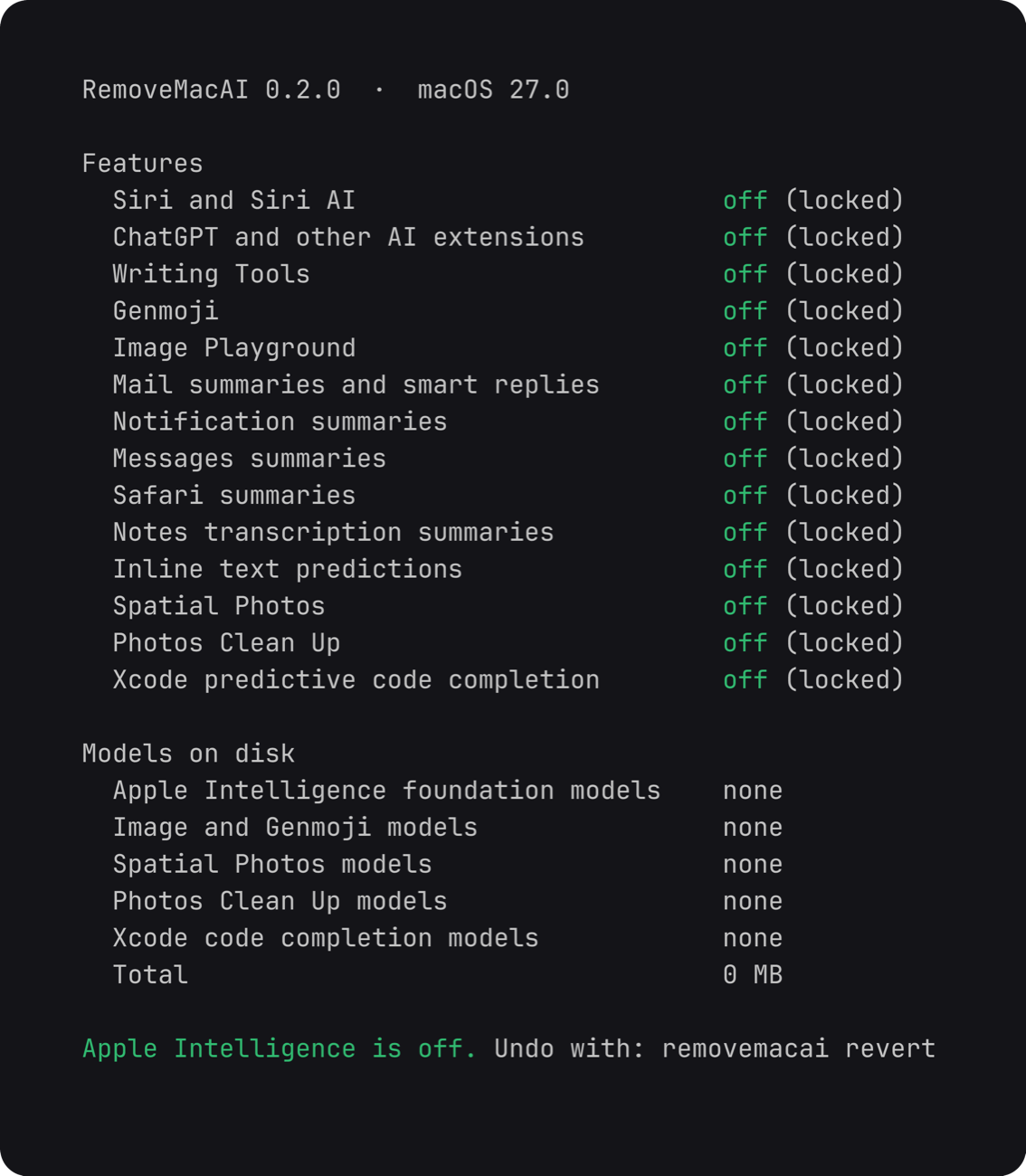
No, it runs entirely locally: it makes no network requests of its own and collects no data.What exactly does it disable?It turns off Siri (including Hey Siri), Writing Tools, Genmoji, Image Playground, the ChatGPT extension, summaries in Mail/Messages/Safari/Notes, inline text predictions, Spatial Photos, Photos Clean Up and Xcode predictive code completion, and removes the matching on-device models.
It turns off Siri (including Hey Siri), Writing Tools, Genmoji, Image Playground, the ChatGPT extension, summaries in Mail/Messages/Safari/Notes, inline text predictions, Spatial Photos, Photos Clean Up and Xcode predictive code completion, and removes the matching on-device models.Can I undo the changes later?Yes, running removemacai revert undoes everything, and macOS will download the models again the next time a feature needs them.
Yes, running removemacai revert undoes everything, and macOS will download the models again the next time a feature needs them.Does turning this off also disable dictation?No, dictation uses a separate setting and its speech models are left untouched.
No, dictation uses a separate setting and its speech models are left untouched.How does it stop macOS from re-downloading the removed models?The installed configuration profile redirects each model's download request to a closed local port, so Apple's asset service cannot fetch it again until the profile is removed.
The installed configuration profile redirects each model's download request to a closed local port, so Apple's asset service cannot fetch it again until the profile is removed.What are similar projects?macspace-releases, FluentCleaner, macos-sysdata, PureMac, tendedero, greenbubbles, OpenYoink, apfel
macspace-releases, FluentCleaner, macos-sysdata, PureMac, tendedero, greenbubbles, OpenYoink, apfelWhich topics is it in?apple-intelligence, bloatware-removal, system-cleaner, debloat, privacy-tools, offline-first, privacy-first, apple, macos-app, homebrew, app, apple-silicon
apple-intelligence, bloatware-removal, system-cleaner, debloat, privacy-tools, offline-first, privacy-first, apple, macos-app, homebrew, app, apple-silicon