What is this?
 Oil UI is a Skill for AI coding agents (like Claude Code or Codex) that teaches them a repeatable UI-design methodology: identify the product category, set a visual tone, explore several genuinely distinct directions, and refine the winner against real screenshots.
Oil UI is a Skill for AI coding agents (like Claude Code or Codex) that teaches them a repeatable UI-design methodology: identify the product category, set a visual tone, explore several genuinely distinct directions, and refine the winner against real screenshots.Is this a standalone app or something I install into an agent?It is an Agent Skill, not a standalone program. You install it into a coding agent that supports Skills, and the agent then applies the design method when you ask it to design or review UI.
It is an Agent Skill, not a standalone program. You install it into a coding agent that supports Skills, and the agent then applies the design method when you ask it to design or review UI.What do I need besides the agent itself?Command-line install needs Node.js 18+. Automatic update checks also need Python 3 (callable as python3, python, or py -3 on Windows); if Python 3 is missing you just get a one-time reminder and design work continues normally.
Command-line install needs Node.js 18+. Automatic update checks also need Python 3 (callable as python3, python, or py -3 on Windows); if Python 3 is missing you just get a one-time reminder and design work continues normally.Any install pitfalls I should know about?Don't install both the free Oil UI and Oil UI Pro at the same time — they both try to handle the same kind of requests and will conflict.
Don't install both the free Oil UI and Oil UI Pro at the same time — they both try to handle the same kind of requests and will conflict.What does Oil UI Pro add over the free version?The free Skill covers tone-setting, direction exploration, the comparison page, basic typography/color/whitespace, and screenshot restoration. Pro (a 69 CNY one-time purchase) adds interaction and state design, scroll storytelling with parallax effects, deep component polishing, SVG/shader effects like glow and dot patterns, and a stricter multi-round independent review process.
The free Skill covers tone-setting, direction exploration, the comparison page, basic typography/color/whitespace, and screenshot restoration. Pro (a 69 CNY one-time purchase) adds interaction and state design, scroll storytelling with parallax effects, deep component polishing, SVG/shader effects like glow and dot patterns, and a stricter multi-round independent review process.What are draw-ui and oil-motion mentioned alongside Oil UI?They are companion skills meant to pair with Oil UI: draw-ui generates reference images with an image model before you implement the real design, and oil-motion turns generated video or frame sequences into scroll- or drag-driven web animations.
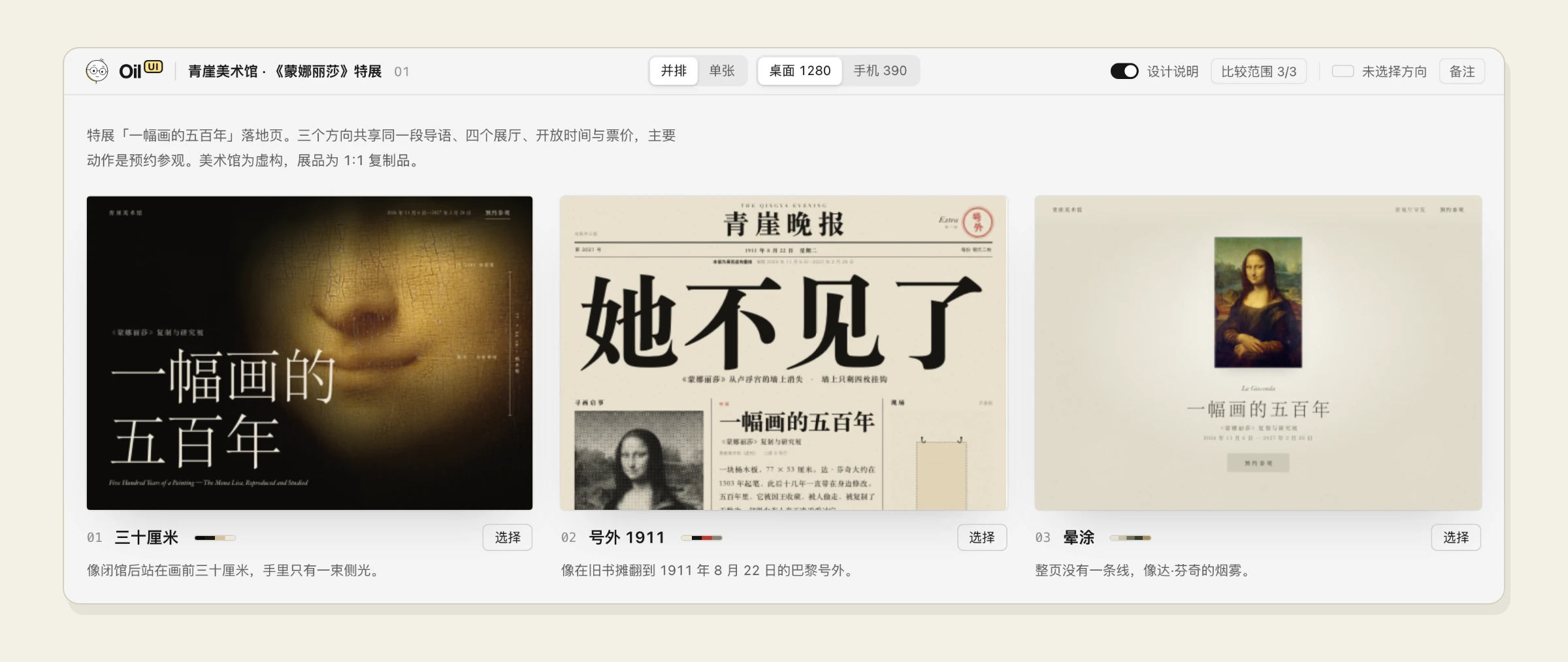
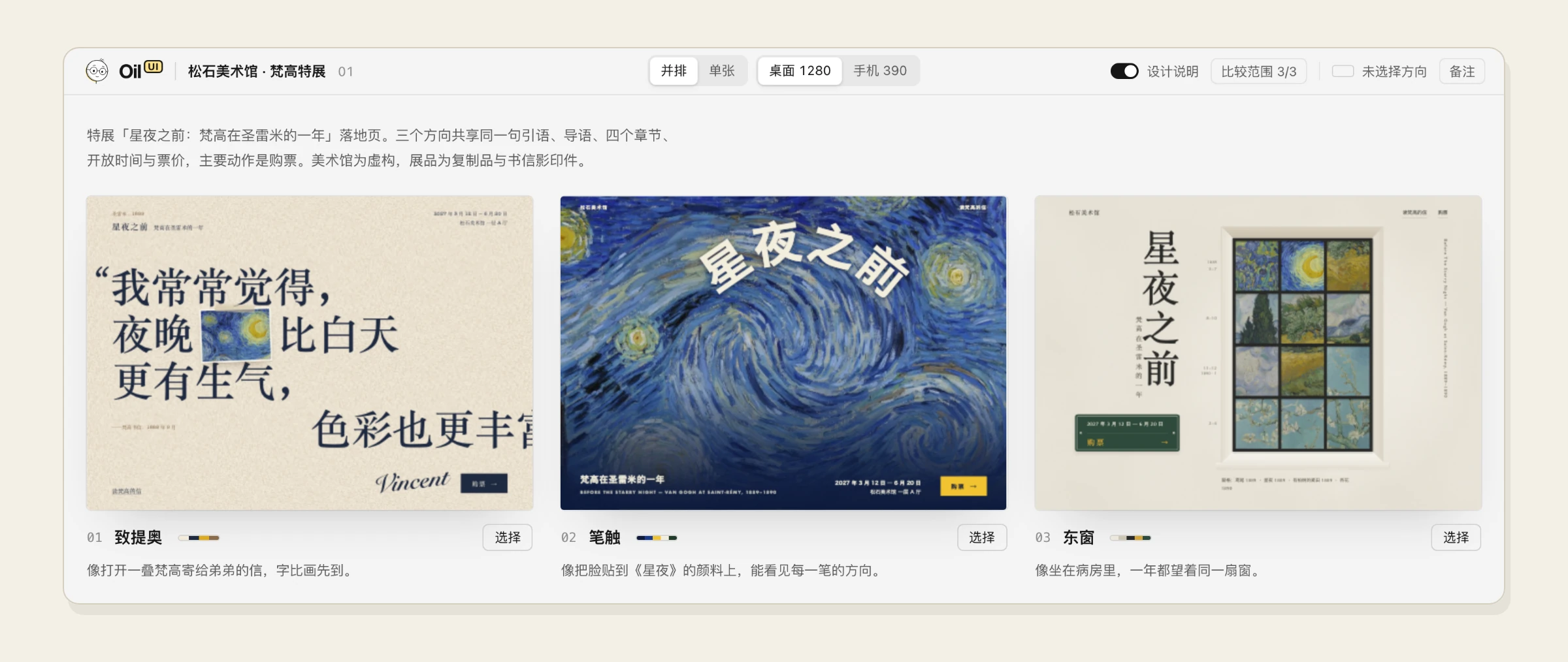
They are companion skills meant to pair with Oil UI: draw-ui generates reference images with an image model before you implement the real design, and oil-motion turns generated video or frame sequences into scroll- or drag-driven web animations.How does the built-in style comparison page work?It shows several design candidates side by side — HTML files, images, or a running dev page — lets you switch between desktop and mobile sizes, zoom to real scale, and flip through with arrow keys. Picking one copies a short phrase you paste back to the agent so it continues from that choice.
It shows several design candidates side by side — HTML files, images, or a running dev page — lets you switch between desktop and mobile sizes, zoom to real scale, and flip through with arrow keys. Picking one copies a short phrase you paste back to the agent so it continues from that choice.Do I need to prepare reference materials before using it?No — you can start with just a plain task description. Brand assets, screenshots, or an existing project can be handed over too; the agent only asks questions if it's unclear what you actually need delivered.
No — you can start with just a plain task description. Brand assets, screenshots, or an existing project can be handed over too; the agent only asks questions if it's unclear what you actually need delivered.What are similar projects?superdesign-skill, evondevKit, taste-skill, skills, open-steps, livecanvas, appllama-skills, hallmark
superdesign-skill, evondevKit, taste-skill, skills, open-steps, livecanvas, appllama-skills, hallmarkWhich topics is it in?ux-design, ai-design, web-design, design-tools, ui-design, claude-skill, agent-skill, coding-agents, claude-skills, design, prompt-engineering, skill
ux-design, ai-design, web-design, design-tools, ui-design, claude-skill, agent-skill, coding-agents, claude-skills, design, prompt-engineering, skill