


这是什么?
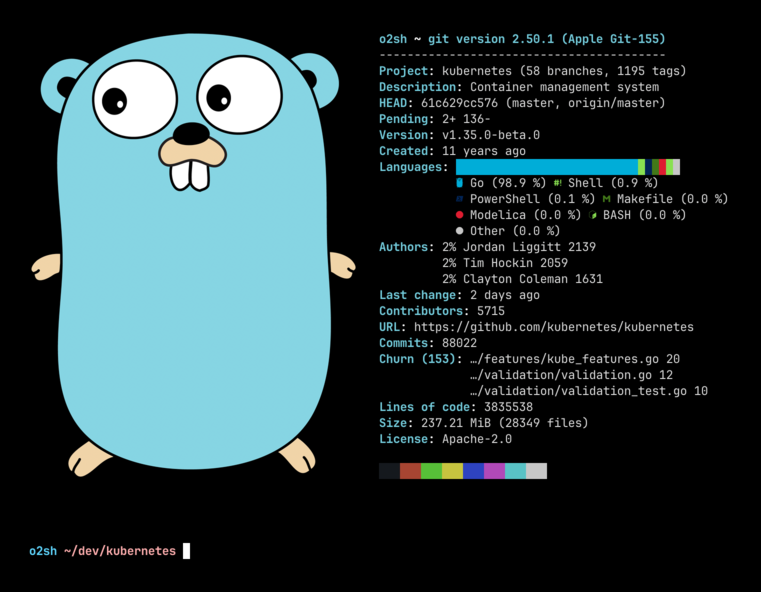
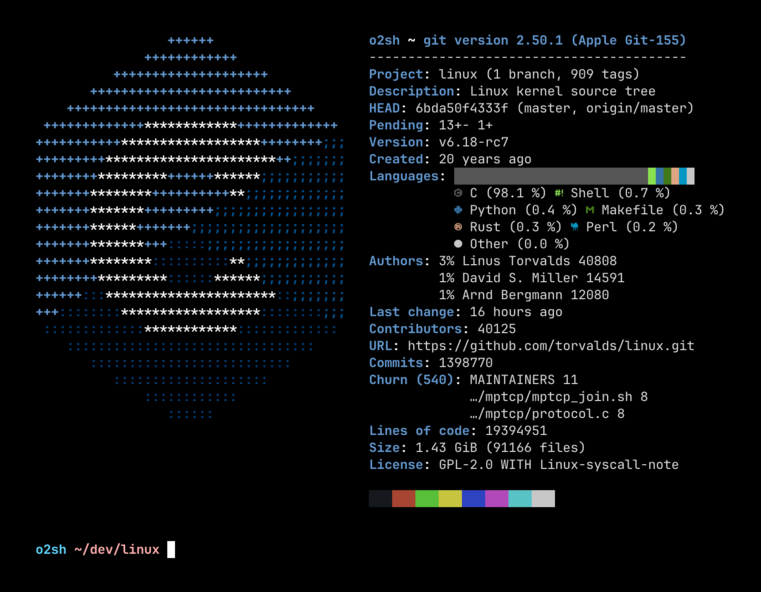
 Onefetch 是一个命令行工具,可直接在终端中显示本地 Git 仓库的项目信息和代码统计数据。
Onefetch 是一个命令行工具,可直接在终端中显示本地 Git 仓库的项目信息和代码统计数据。它是独立的 CLI 工具,而不是库吗?它是一个独立的命令行可执行文件,需要在 Git 仓库中运行;它不是库,也不是图形界面应用。
它是一个独立的命令行可执行文件,需要在 Git 仓库中运行;它不是库,也不是图形界面应用。我该如何安装和运行它?可从发布页面安装适用于 Linux、macOS 或 Windows 的预编译二进制文件,或使用各平台的包管理器(例如 Ubuntu、Arch Linux、openSUSE 软件源)安装;然后在 Git 仓库内运行 'onefetch'。
可从发布页面安装适用于 Linux、macOS 或 Windows 的预编译二进制文件,或使用各平台的包管理器(例如 Ubuntu、Arch Linux、openSUSE 软件源)安装;然后在 Git 仓库内运行 'onefetch'。除了仓库本身,运行它还需要别的东西吗?不需要额外的账户或服务,只需在本地 Git 仓库内运行,并且可以完全离线工作。
不需要额外的账户或服务,只需在本地 Git 仓库内运行,并且可以完全离线工作。为什么它检测不到我的语言,或者显示重复的作者?默认情况下,它只显示编程语言和标记语言,会隐藏 Markdown 或 JSON 等文本/数据格式,除非你传入 --type 参数;当同一个人使用不同的姓名或邮箱提交代码时,就会出现重复作者,可以通过 .mailmap 文件修正。
默认情况下,它只显示编程语言和标记语言,会隐藏 Markdown 或 JSON 等文本/数据格式,除非你传入 --type 参数;当同一个人使用不同的姓名或邮箱提交代码时,就会出现重复作者,可以通过 .mailmap 文件修正。它会把仓库数据发送到别处吗?不会,它完全离线工作,只读取本地 Git 数据。
不会,它完全离线工作,只读取本地 Git 数据。它支持多少种编程语言?Onefetch 目前支持 100 多种编程语言的检测与显示。
Onefetch 目前支持 100 多种编程语言的检测与显示。我可以更改显示的信息或输出格式吗?可以,通过命令行参数,你可以调整文本样式、隐藏信息行、忽略文件或目录,并以 JSON 或 YAML 格式输出,而不是默认的终端视图。
可以,通过命令行参数,你可以调整文本样式、隐藏信息行、忽略文件或目录,并以 JSON 或 YAML 格式输出,而不是默认的终端视图。它适用于任何 Git 仓库,还是只适用于特定语言?它适用于任何本地 Git 仓库,会自动检测所用的语言,并在 ASCII 徽标旁显示提交历史和贡献者等统计信息。
它适用于任何本地 Git 仓库,会自动检测所用的语言,并在 ASCII 徽标旁显示提交历史和贡献者等统计信息。Which topics is it in?github, git, offline, command-line, rust, terminal, tool, cli, cross-platform, developer-tools, mit, windows
github, git, offline, command-line, rust, terminal, tool, cli, cross-platform, developer-tools, mit, windows