
GFM Markdown and WYSIWYG Editor - Productive and Extensible





🚩 Table of Contents
📦 Packages
TOAST UI Editor
TOAST UI Editor's Wrappers
TOAST UI Editor's Plugins
🤖 Why TOAST UI Editor?
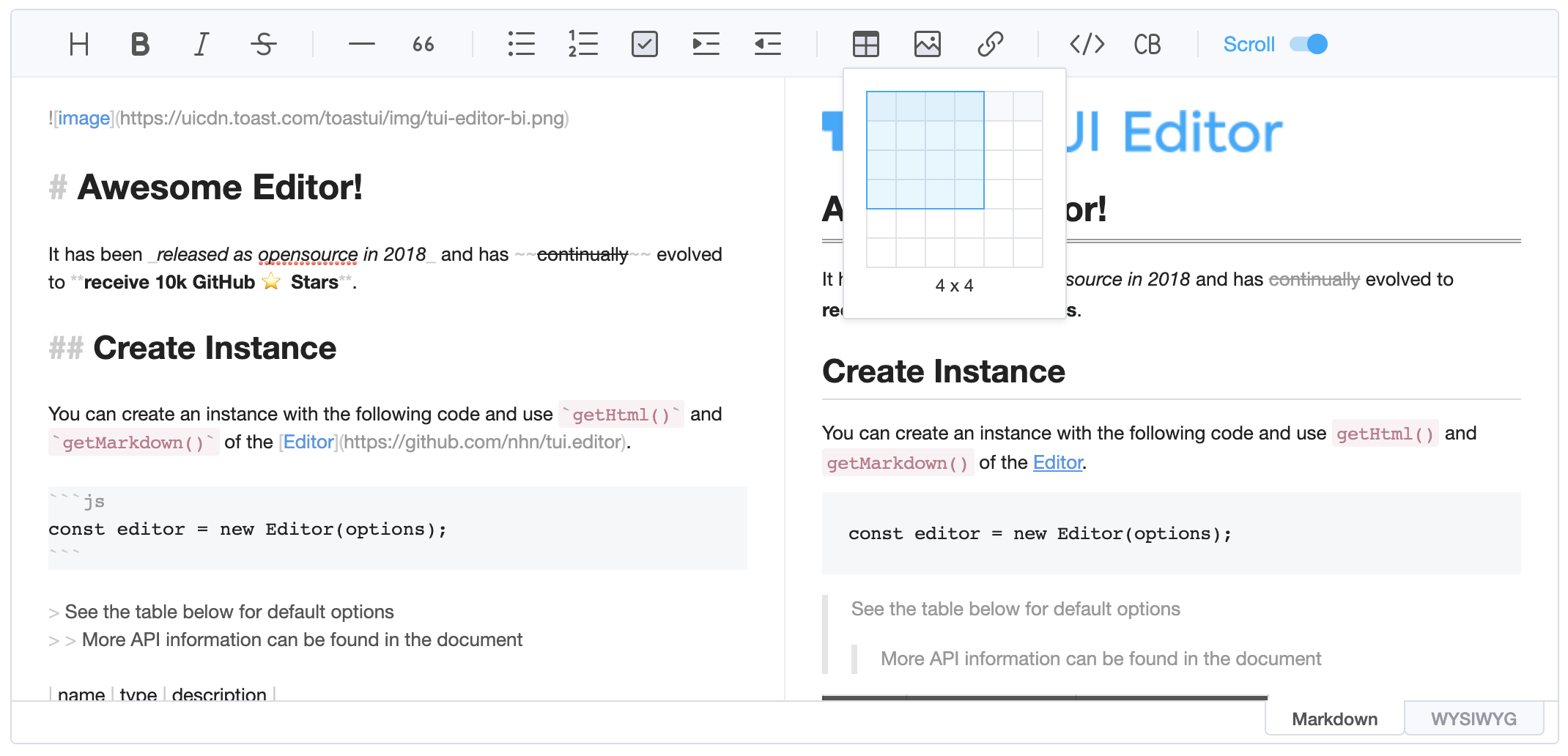
TOAST UI Editor provides Markdown mode and WYSIWYG mode. Depending on the type of use you want like production of Markdown or maybe to just edit the Markdown. The TOAST UI Editor can be helpful for both the usage. It offers Markdown mode and WYSIWYG mode, which can be switched any point in time.
Productive Markdown Mode

CommonMark + GFM Specifications
Today CommonMark is the de-facto Markdown standard. GFM (GitHub Flavored Markdown) is another popular specification based on CommonMark - maintained by GitHub, which is the Markdown mostly used. TOAST UI Editor follows both CommonMark and GFM specifications. Write documents with ease using productive tools provided by TOAST UI Editor and you can easily open the produced document wherever the specifications are supported.
- Live Preview : Edit Markdown while keeping an eye on the rendered HTML. Your edits will be applied immediately.
- Scroll Sync : Synchronous scrolling between Markdown and Preview. You don't need to scroll through each one separately.
- Syntax Highlight : You can check broken Markdown syntax immediately.
Easy WYSIWYG Mode

- Table : Through the context menu of the table, you can add or delete columns or rows of the table, and you can also arrange text in cells.
- Custom Block Editor : The custom block area can be edited through the internal editor.
- Copy and Paste : Paste anything from browser, screenshot, excel, powerpoint, etc.
UI
Toolbar : Through the toolbar, you can style or add elements to the document you are editing.
Dark Theme : You can use the dark theme.

Use of Various Extended Functions - Plugins

CommonMark and GFM are great, but we often need more abstraction. The TOAST UI Editor comes with powerful Plugins in compliance with the Markdown syntax.
Five basic plugins are provided as follows, and can be downloaded and used with npm.
🎨 Features
- Viewer : Supports a mode to display only markdown data without an editing area.
- Internationalization (i18n) : Supports English, Dutch, Korean, Japanese, Chinese, Spanish, German, Russian, French, Ukrainian, Turkish, Finnish, Czech, Arabic, Polish, Galician, Swedish, Italian, Norwegian, Croatian + language and you can extend.
- Widget : This feature allows you to configure the rules that replaces the string matching to a specific
RegExp with the widget node.
- Custom Block : Nodes not supported by Markdown can be defined through custom block. You can display the node what you want through writing the parsing logic with custom block.
🐾 Examples
Here are more examples and play with TOAST UI Editor!
🌏 Browser Support
 Chrome Chrome |
 Internet Explorer Internet Explorer |
 Edge Edge |
 Safari Safari |
 Firefox Firefox |
| Yes |
11+ |
Yes |
Yes |
Yes |
🔧 Pull Request Steps
TOAST UI products are open source, so you can create a pull request(PR) after you fix issues. Run npm scripts and develop yourself with the following process.
Setup
Fork main branch into your personal repository. Clone it to local computer. Install node modules. Before starting development, you should check if there are any errors.
$ git clone https://github.com/{your-personal-repo}/tui.editor.git
$ npm install
$ npm run build toastmark
$ npm run test editor
TOAST UI Editor uses npm workspace, so you need to set the environment based on npm7. If subversion is used, dependencies must be installed by moving direct paths per package.
Develop
You can see your code reflected as soon as you save the code by running a server. Don't miss adding test cases and then make green rights.
Run snowpack-dev-server
snowpack allows you to run a development server without bundling.
$ npm run serve editor
Run webpack-dev-server
If testing of legacy browsers is required, the development server can still be run using a webpack.
$ npm run serve:ie editor
Run test
$ npm test editor
Pull Request
Before uploading your PR, run test one last time to check if there are any errors. If it has no errors, commit and then push it!
For more information on PR's steps, please see links in the Contributing section.
💬 Contributing
🍞 TOAST UI Family
🚀 Used By
📜 License
This software is licensed under the MIT © NHN Cloud.

 TOAST UI Editor 是一个开源的网页 Markdown 编辑器,同时提供 Markdown 模式和所见即所得模式,并可通过插件扩展图表、UML 和代码高亮等功能。