
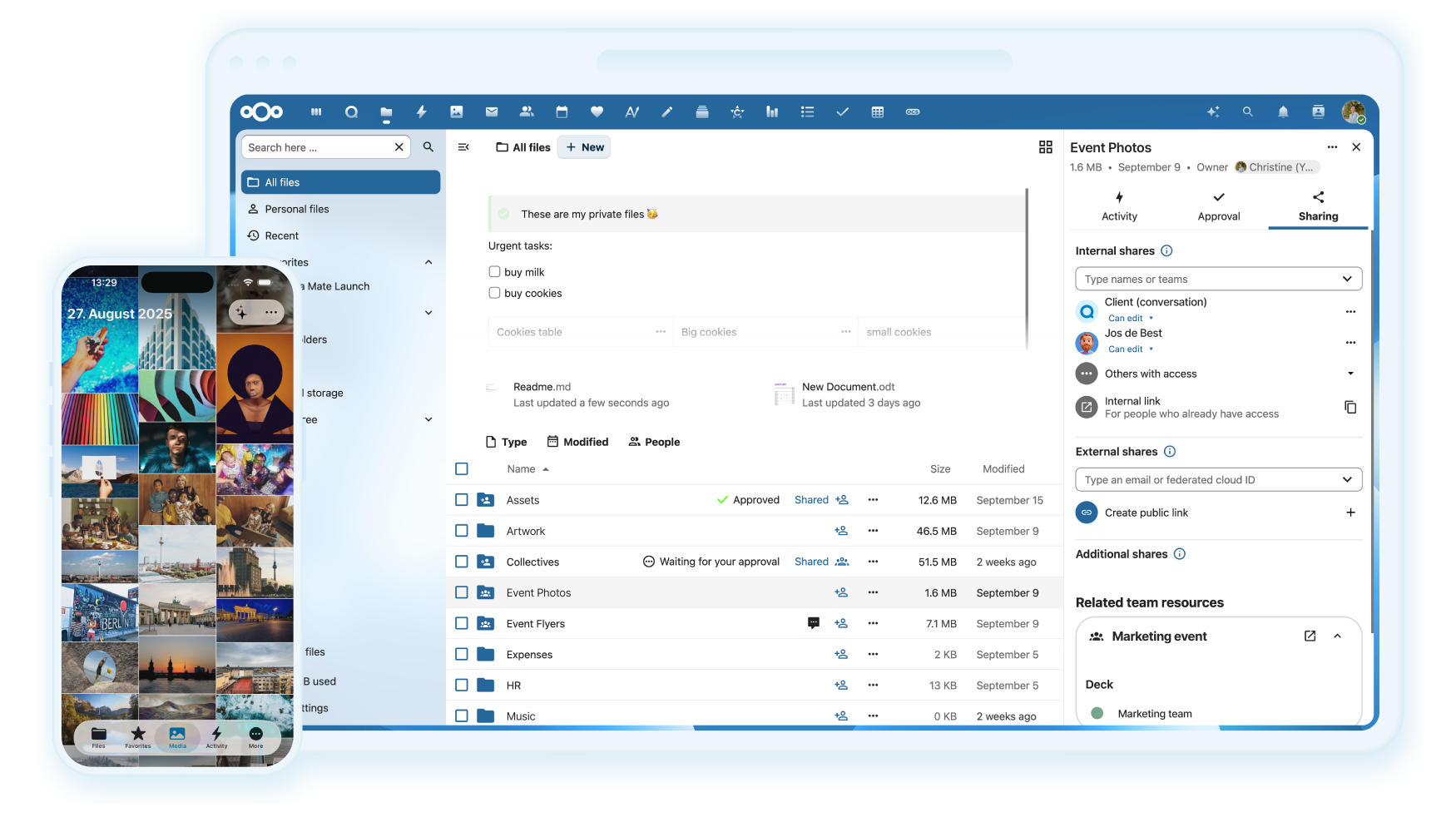
这是什么?
 Nextcloud 服务器是一个可自行托管的平台,用于存储、同步和分享你的文件、通讯录、日历等内容,还有数百个应用(如邮件、视频通话等)可以扩展其功能。
Nextcloud 服务器是一个可自行托管的平台,用于存储、同步和分享你的文件、通讯录、日历等内容,还有数百个应用(如邮件、视频通话等)可以扩展其功能。这是我要安装的应用,还是托管服务?它是你自己托管的服务器软件(基于 PHP),也可以购买预装好的硬件设备,或从托管服务商处获取;它不是单一的桌面应用。
它是你自己托管的服务器软件(基于 PHP),也可以购买预装好的硬件设备,或从托管服务商处获取;它不是单一的桌面应用。我要怎样才能搭建属于自己的 Nextcloud?可以向某个官方服务商注册,自己在硬件上安装服务器,购买预装 Nextcloud 的设备,或使用替你运行它的托管服务商。
可以向某个官方服务商注册,自己在硬件上安装服务器,购买预装 Nextcloud 的设备,或使用替你运行它的托管服务商。运行开发环境需要准备什么?该仓库的 JS 构建需要 Node ^24.0.0 和 npm ^11.3.0,服务器本身需要 PHP;另外还使用了 git 子模块来管理第三方组件,这些组件需要单独初始化。
该仓库的 JS 构建需要 Node ^24.0.0 和 npm ^11.3.0,服务器本身需要 PHP;另外还使用了 git 子模块来管理第三方组件,这些组件需要单独初始化。我可以直接在生产环境中使用 master 分支的代码吗?不可以。master 分支缺少一些默认应用(如首次运行向导、活动),这些应用需要手动克隆;master 分支绝不应用于生产系统。
不可以。master 分支缺少一些默认应用(如首次运行向导、活动),这些应用需要手动克隆;master 分支绝不应用于生产系统。这是面向个人使用,还是也面向机构?它既适用于家庭个人使用,也适用于机构;同时还提供单独的 Nextcloud Enterprise 版本,面向公共部门、教育机构和企业客户。
它既适用于家庭个人使用,也适用于机构;同时还提供单独的 Nextcloud Enterprise 版本,面向公共部门、教育机构和企业客户。我的数据在 Nextcloud 上有多安全?Nextcloud 提供加密机制和双因素认证,并通过 HackerOne 漏洞赏金计划来加强安全性。
Nextcloud 提供加密机制和双因素认证,并通过 HackerOne 漏洞赏金计划来加强安全性。我可以用哪些功能来扩展 Nextcloud?它支持来自 Nextcloud 应用商店的数百个应用,例如日历、通讯录、邮件和视频通话,可在核心文件存储之外增加更多功能。
它支持来自 Nextcloud 应用商店的数百个应用,例如日历、通讯录、邮件和视频通话,可在核心文件存储之外增加更多功能。我如何在各设备之间同步文件?文件、通讯录和日历一旦存放在你的服务器上,Nextcloud 就会在所有已连接的设备之间保持同步。
文件、通讯录和日历一旦存放在你的服务器上,Nextcloud 就会在所有已连接的设备之间保持同步。这个项目使用哪些测试框架?PHP 单元测试使用 PHPUnit,PHP 集成测试使用 Behat,JS/TypeScript 单元测试使用 Vitest,端到端测试使用 Playwright。
PHP 单元测试使用 PHPUnit,PHP 集成测试使用 Behat,JS/TypeScript 单元测试使用 Vitest,端到端测试使用 Playwright。Nextcloud 和 ownCloud 有什么关系?Nextcloud 的主题标签中与 'owncloud' 并列,这反映了它源自 ownCloud 项目的分支/后继项目的背景,不过 README 本身主要介绍 Nextcloud 自身的功能。
Nextcloud 的主题标签中与 'owncloud' 并列,这反映了它源自 ownCloud 项目的分支/后继项目的背景,不过 README 本身主要介绍 Nextcloud 自身的功能。What are similar projects?all-in-one, ente, hivepaas, leantime, Rocket.Chat, diaspora, sovereign, pl_mail
all-in-one, ente, hivepaas, leantime, Rocket.Chat, diaspora, sovereign, pl_mailWhich topics is it in?sharing, federation, free-software, two-factor-authentication, ux, self-hosted-ai, distributed, opensource, file-sharing, decentralized, self-hosting, storage
sharing, federation, free-software, two-factor-authentication, ux, self-hosted-ai, distributed, opensource, file-sharing, decentralized, self-hosting, storage