







14.6K ·GitHub
What is this?
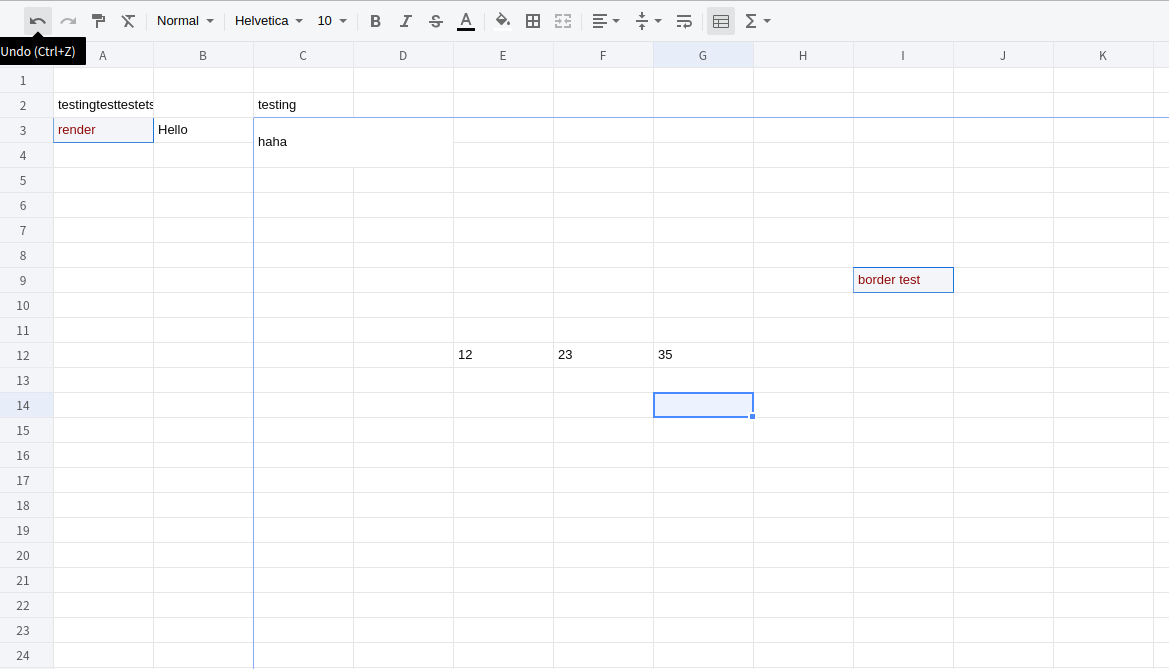
 A web-based JavaScript spreadsheet: an Excel-like, editable grid that runs in the browser.
A web-based JavaScript spreadsheet: an Excel-like, editable grid that runs in the browser.Is it a ready app like Google Sheets, or something I embed in my own site?It is a front-end library, not a hosted app: you embed it in your own page and it renders the spreadsheet widget; there is no backend.
It is a front-end library, not a hosted app: you embed it in your own page and it renders the spreadsheet widget; there is no backend.How do I add it to a page?Install the package from npm or add it via a CDN script tag, then mount it on a container element — the README documents both routes.
Install the package from npm or add it via a CDN script tag, then mount it on a container element — the README documents both routes.Is this project still maintained?Not anymore: the project has been migrated to @wolf-table/table, so new development happens in that repo.
Not anymore: the project has been migrated to @wolf-table/table, so new development happens in that repo.Is it free to use, even commercially?It is MIT-licensed, so it is free to use, modify and ship in commercial products.
It is MIT-licensed, so it is free to use, modify and ship in commercial products.How is the grid rendered — does it need React, Vue or jQuery?No framework is needed: it is plain ES6 JavaScript drawing on an HTML5 canvas, and its package.json has no runtime dependencies — just an OpenCollective postinstall hook.
No framework is needed: it is plain ES6 JavaScript drawing on an HTML5 canvas, and its package.json has no runtime dependencies — just an OpenCollective postinstall hook.How do I work on it locally?Clone the repo, run npm install, then npm run dev — a webpack dev server starts and opens your browser; npm run build produces the production bundle.
Clone the repo, run npm install, then npm run dev — a webpack dev server starts and opens your browser; npm run build produces the production bundle.What are similar projects?handsontable, ag-grid, univer, sheetjs, Luckysheet, table, pell, dsh-univer-office
handsontable, ag-grid, univer, sheetjs, Luckysheet, table, pell, dsh-univer-officeWhich topics is it in?html5-canvas, datagrid, table, grid, spreadsheet, js, xlsx, excel, es6, canvas, editor, javascript-library
html5-canvas, datagrid, table, grid, spreadsheet, js, xlsx, excel, es6, canvas, editor, javascript-library