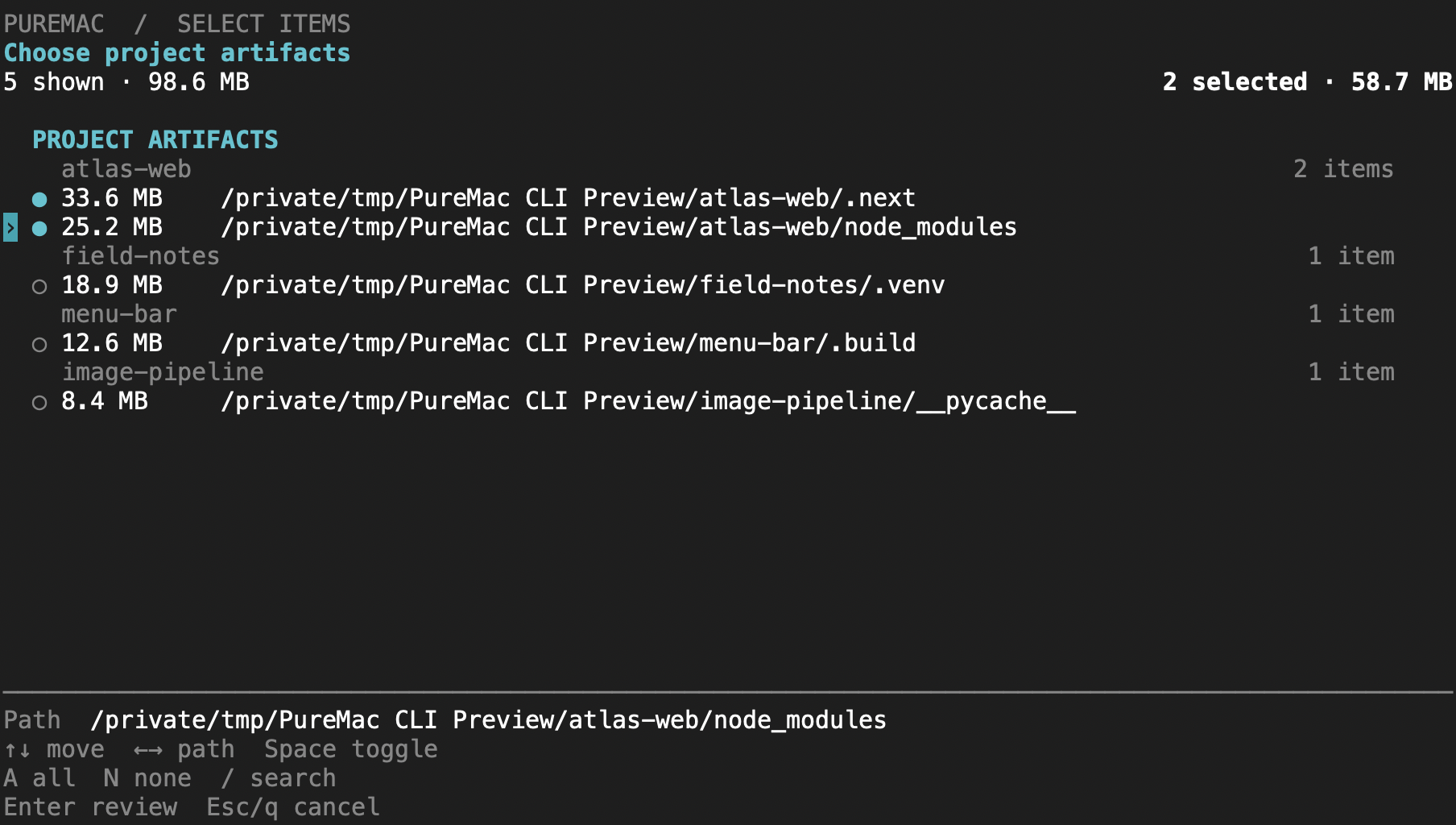
Open puremac for a keyboard-driven workspace. Select individual cache paths,
review project artifacts, or browse your storage by size. Cleanup shows the exact
selection and asks for confirmation before permanently removing it.
brew install momenbasel/tap/puremac-cli
puremac
Use puremac clean dev --dry-run for a preview or --json for scripts. See
cli/README.md for controls, commands, and cleanup boundaries.
How it compares
PureMac
CleanMyMac
Pearcleaner
Mole
OnyX
Price
Free
$40+/yr
Free
CLI free / GUI paid
Free
Open source
Yes (MIT)
No
Source-available¹
CLI only
No
Native Mac GUI
Yes
Yes
Yes
Terminal-first
Yes
No telemetry
Yes
No
Yes
Yes
Yes
No subscription
Yes
No
Yes
—
Yes
Signed + notarized
Yes
Yes
Yes
—
Yes
App uninstaller + orphans
Yes
Yes
Yes
Partial
No
App-uninstall Trash support
Yes
Partial
Yes
Partial
No
Honest about purgeable space
Yes
No
n/a
n/a
n/a
¹ Pearcleaner is Apache 2.0 + Commons Clause - source-available but not OSI-approved (you may not sell it). PureMac is true MIT. Comparison reflects publicly documented features as of 2026; corrections welcome via PR.
Our promise
A Mac cleaner asks for the deepest permission macOS grants - Full Disk Access - and then deletes your files. That demands a level of trust the category has spent twenty years burning. Here's the contract PureMac holds itself to, and you can verify every line of it in the source:
Deletion behavior is explicit. App uninstalls, orphan removal, and exact-duplicate removal use the Trash at user level. Dashboard/category cleanup, scheduled auto-clean, Trash emptying, Docker/Xcode runtime cleanup, administrator-authorized removal, local snapshot deletion, and CLI cleanup can permanently delete data. Review selections carefully and use CLI dry runs.
No telemetry, ever. No analytics, no crash reporting, no "anonymous usage stats," no network calls to us. The app doesn't know you exist.
No fake urgency. No dramatized "47 GB of junk detected!" badge, no red alarm counters, no "your Mac is at risk." We show you neutral facts and let you decide.
No overpromising. We don't claim to "reclaim purgeable space," "boost RAM," or "speed up your Mac" - things no app can reliably do. See the purgeable-space note below.
Reviewable selection. Manual cleanup, app-file removal, orphan removal, duplicate removal, and local snapshot deletion require confirmation. Cleanup filters show when selected items are hidden; select-visible controls affect only the rows on screen. Scheduled auto-clean remains unattended once enabled.
If PureMac ever adds telemetry, a paywall on core features, or a fear-based scan, it will have become the thing it was built to replace. Hold us to this.
Why this exists
Apple sells base-model Macs with 256 GB SSDs that you can't upgrade. The Mac mini, the Air, every entry-level MacBook Pro - the drive is soldered down. The next storage tier costs more than a midrange Windows laptop. Once you've paid it, every gigabyte you've already bought matters.
Most Mac cleaners are subscription apps that hide their disk usage behind a paywall, ship telemetry by default, and trade on FUD ("47 GB of junk detected!"). PureMac is the opposite:
One-time install. No subscription, no trial, no account.
No telemetry. It never phones home. It doesn't even know you exist.
Open source under MIT. Read the code, fork it, audit it.
Honest scans. "Junk" means actually-junk: cache directories the OS itself would purge, orphaned files left by apps you've already deleted, broken installer receipts, that 4 GB Xcode DerivedData blob from 2023.
Real uninstalls. Drag an app, see every preference plist, cache folder, container, launch agent and log file it dropped across your library, remove all of it at once.
What it does
App Uninstaller
Discovers everything in /Applications and ~/Applications, then uses a 10-level matching engine (bundle ID, team identifier, entitlements, Spotlight metadata, container discovery, company-name heuristics, partial path matches) to find related files on your disk. Matching is heuristic, so review the results before removal. Three sensitivity tiers - Strict, Enhanced, Deep - let you choose how aggressive that match is. Apple system apps are excluded from the uninstall list automatically. You can also right-click any app in Finder and choose Services → Uninstall with PureMac to jump straight into its related-files scan.
Orphan Finder
Walks ~/Library and surfaces files left behind by apps that no longer exist on disk. The matcher compares against bundle identifiers and normalized names of every installed app, so a leftover ~/Library/Containers/com.foo.bar from an app you deleted in 2022 shows up clearly.
System Cleaner
Smart Scan checks each category in sequence and reports progress as files are found. You can stop a scan and keep the categories already completed:
System Junk - system caches, logs, temp files
User Cache - dynamically discovered, no hardcoded app list
AI Apps - Ollama and LM Studio logs, caches, opt-in history cleanup
Mail Files - downloaded mail attachments
Trash Bins - empties all bins, including external volumes
Large & Old Files - >100 MB or older than 1 year (never auto-selected)
Xcode Junk - DerivedData, Archives, simulator caches, and downloaded simulator runtimes (deleted via simctl runtime delete; never auto-selected)
Brew Cache - Homebrew download caches within approved cache locations
Node Cache - npm, yarn classic, pnpm content-addressable store
Docker Cache - images, containers, build cache
On "purgeable space": PureMac shows your APFS purgeable space in the storage breakdown for transparency, but it deliberately does not list it as junk to delete. Purgeable space is reserved and reclaimed by macOS itself - no third-party app can reliably free it, and even the Finder's purgeable figure is known to be inaccurate. Cleaners that claim to "reclaim purgeable space" are overpromising. We'd rather be honest than impressive.
Storage and file review
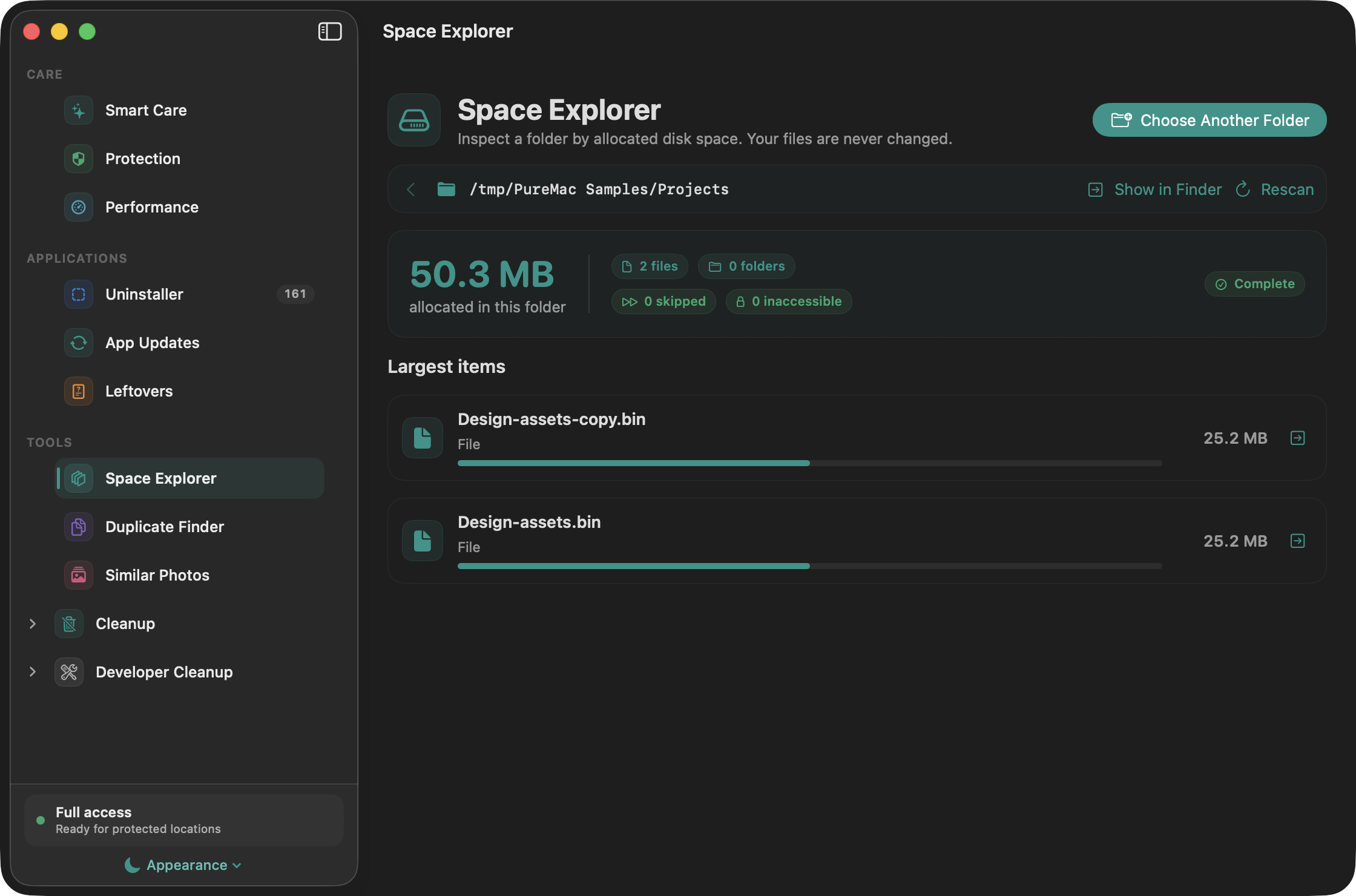
Space Explorer measures the allocated space inside a folder you choose. Drill into directories, compare their sizes, and reveal an item in Finder. Packages are measured without exposing their contents as navigable folders. Skipped and inaccessible items are reported.
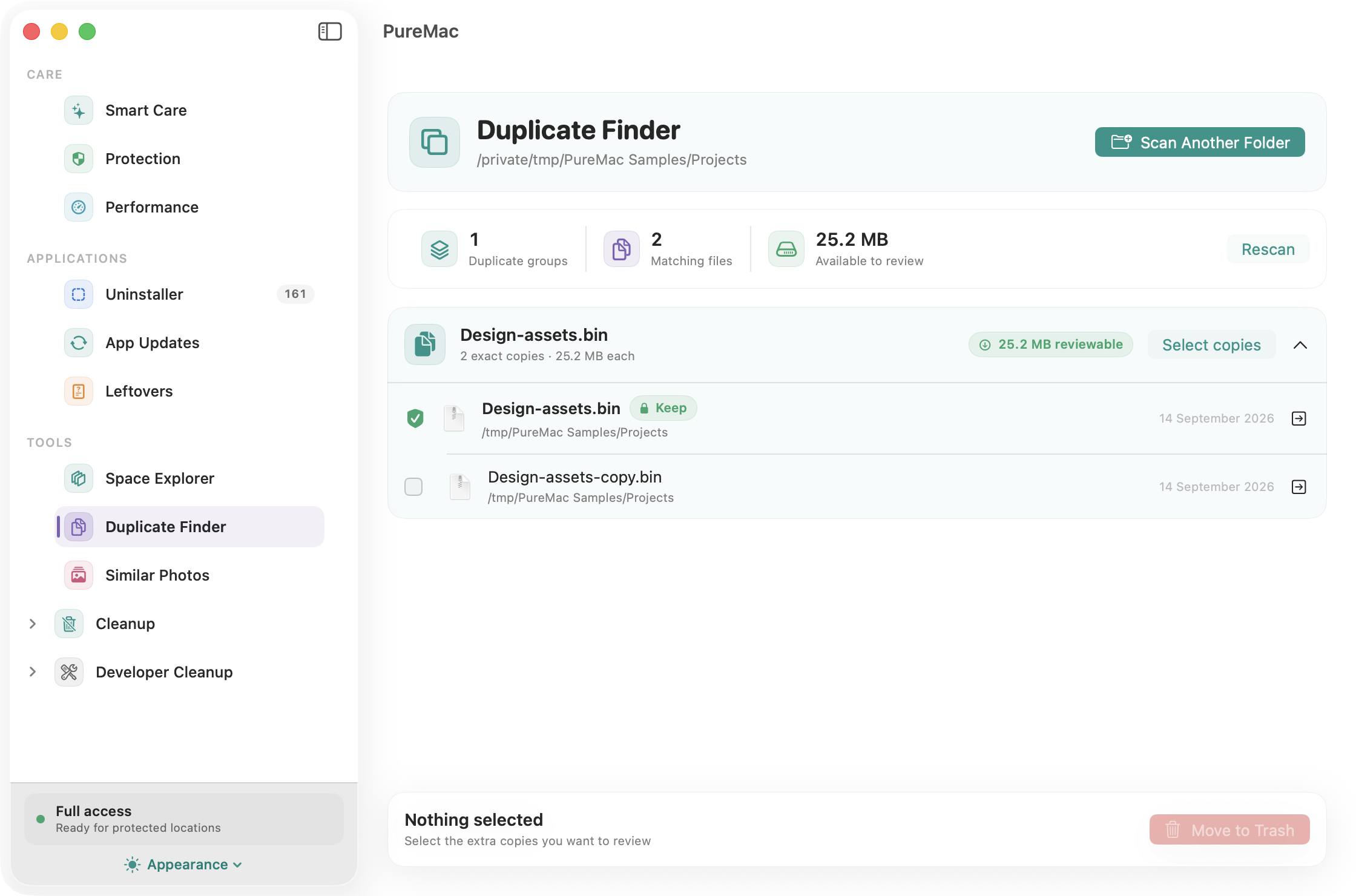
Duplicate Finder groups files with matching sizes and SHA-256 content hashes. Hard links are not counted as separate recoverable copies. Every group keeps one protected copy; selected extras move to the Trash only after confirmation and a fresh identity/content check. Emptying the Trash is a separate step.
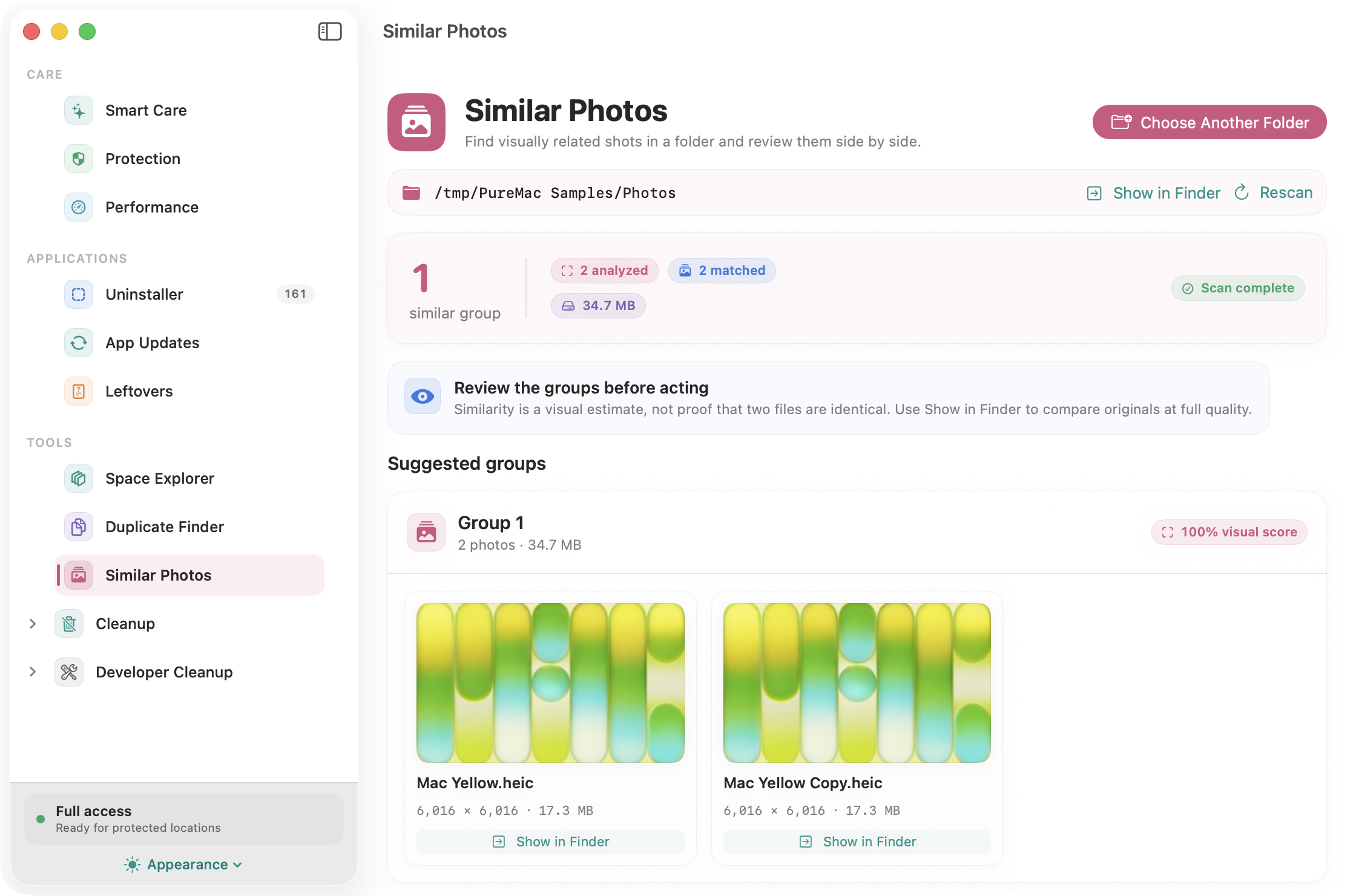
Similar Photos compares image thumbnails using perceptual hashes, color, and aspect ratio. Review likely matches side by side and reveal them in Finder. Similarity is an estimate, so this tool does not remove photos. Each scan checks up to 500 images and 10,000 directory entries, with a visible notice when a limit is reached. Photo libraries, app packages, symbolic links, and cloud-only files are skipped.
Cleanup results support name/path search, size and age filters, sorting, and selection of visible rows. Right-click a cleanup result to always exclude its path. Exclusions also protect containing folders from cleanup and apply to scheduled runs; manage them in Settings.
Protection and performance
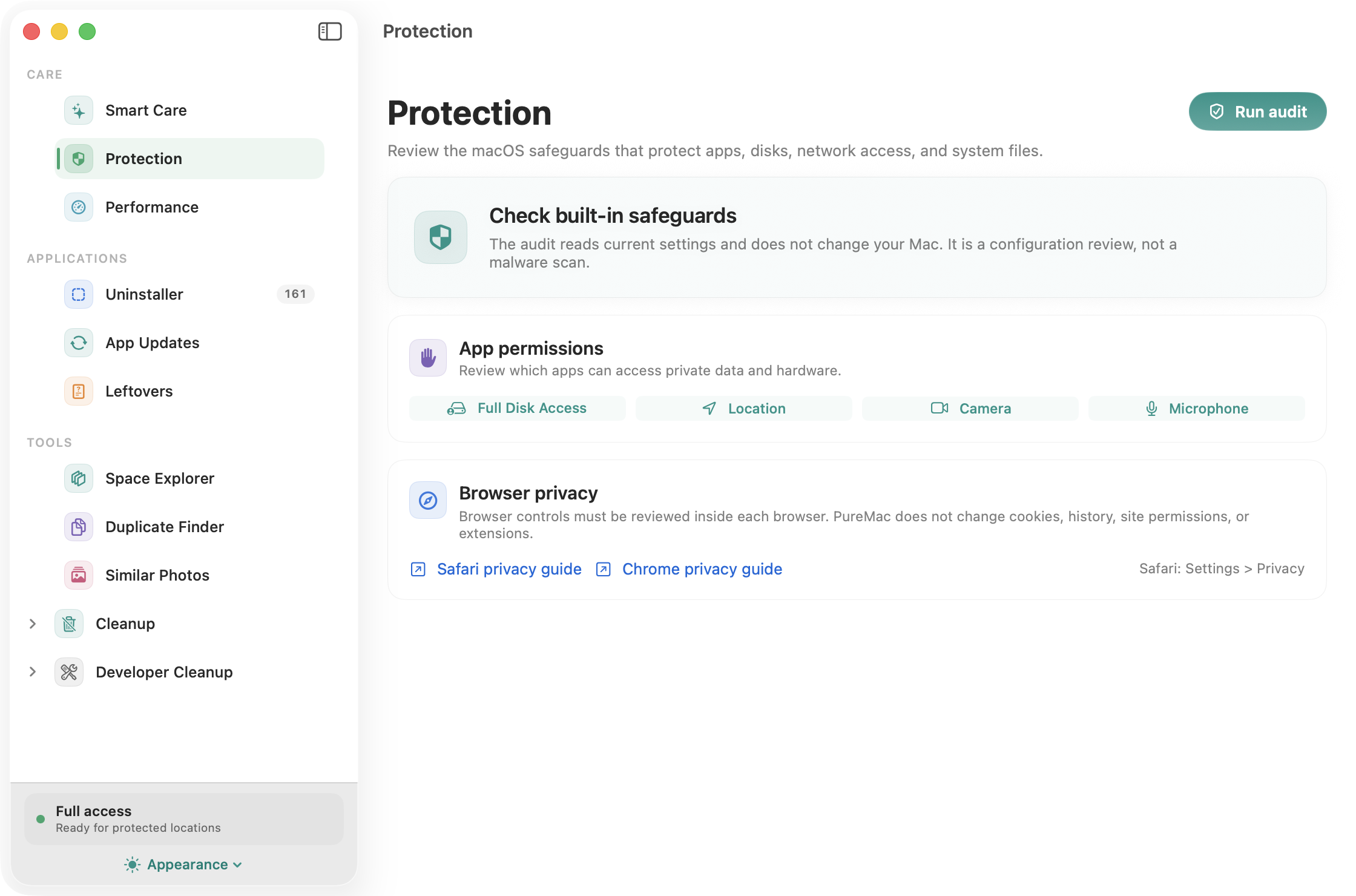
Protection checks Gatekeeper, FileVault, the application firewall, System Integrity Protection, and installed XProtect metadata. A failed or unavailable check stays unknown. It also provides shortcuts to privacy and permission settings. This is a configuration audit, not an antivirus or malware scanner.
Performance shows CPU and memory information, lists third-party launch-agent/daemon definitions, and lists local snapshots. A launch definition is not proof that a process is running. You can open Login Items or Activity Monitor and delete a specific Time Machine local snapshot after confirmation. Snapshot sizes are not estimated, and system update snapshots cannot be removed here.
App updates
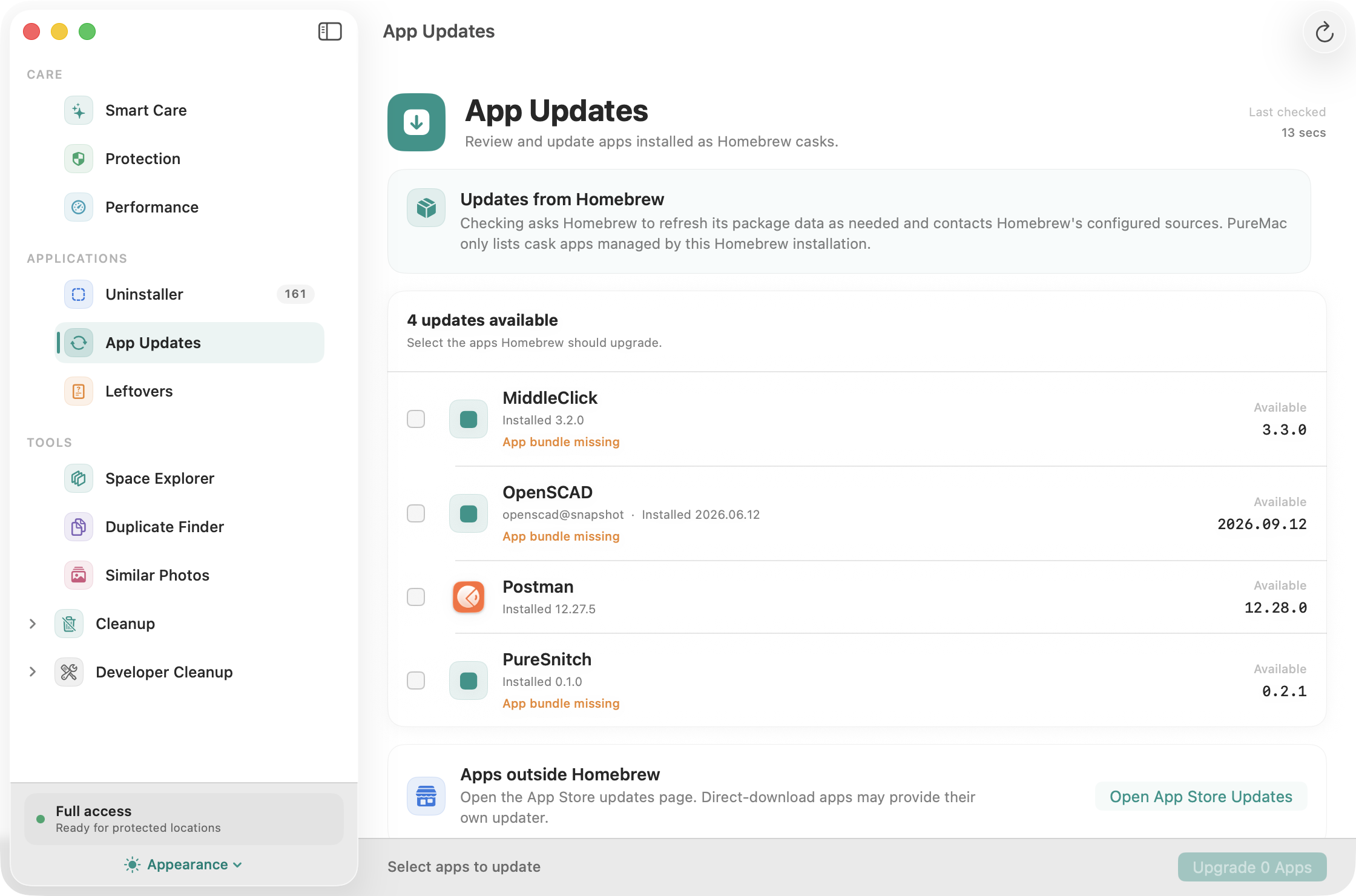
Check for updates to Homebrew-managed cask apps and choose which ones to upgrade. PureMac runs Homebrew with analytics disabled and shows command failures. These actions use the network and Homebrew's package sources. Apps installed outside Homebrew are not covered; an App Store shortcut is provided for those managed by Apple.
Scheduled Cleaning
Optional. Configurable interval (hourly to monthly), with auto-clean threshold so background runs only fire when there's something meaningful to remove.
Permissions
PureMac needs Full Disk Access to read the locations macOS hides from every app by default - Mail downloads, Safari data, the TCC database, protected app containers. Without it, some cleanup categories and app-container scans will be incomplete. The locations available depend on your macOS version and permissions.
The first-launch onboarding walks you through granting it with an animated preview of the exact toggle you need to flip. If you skip it, the dashboard surfaces a single-click "Set up" pill. If a cleanup fails because of a permission issue, PureMac opens System Settings, reveals its bundle in Finder so you can drag it into the FDA list, polls the permission state every second, and auto-retries the failed batch the moment you grant access. You never have to re-select anything.
What PureMac does not do:
It does not collect telemetry, crash reports, or usage analytics.
Local scans and cleanup work offline. Checking for or installing Homebrew app updates requires a network connection.
It does not upload or transmit scanned paths or deleted data.
Troubleshooting
Launchpad / Dock shows a stale or dull PureMac icon
macOS aggressively caches app icons in LaunchServices. After a Homebrew reinstall or upgrade the Dock and Launchpad can keep showing the old cached icon. PureMac's cask runs lsregister -f on install to refresh it automatically. If a stale icon persists, re-register only PureMac and restart the Dock (adjust the app path if you installed it elsewhere):
/System/Library/Frameworks/CoreServices.framework/Versions/A/Frameworks/LaunchServices.framework/Versions/A/Support/lsregister \
  -f "/Applications/PureMac.app"
killall Dock
Give it a minute to re-seed, then open PureMac once. If it still sticks, a restart (or Safe Mode boot) forces a full rebuild.
Screenshots
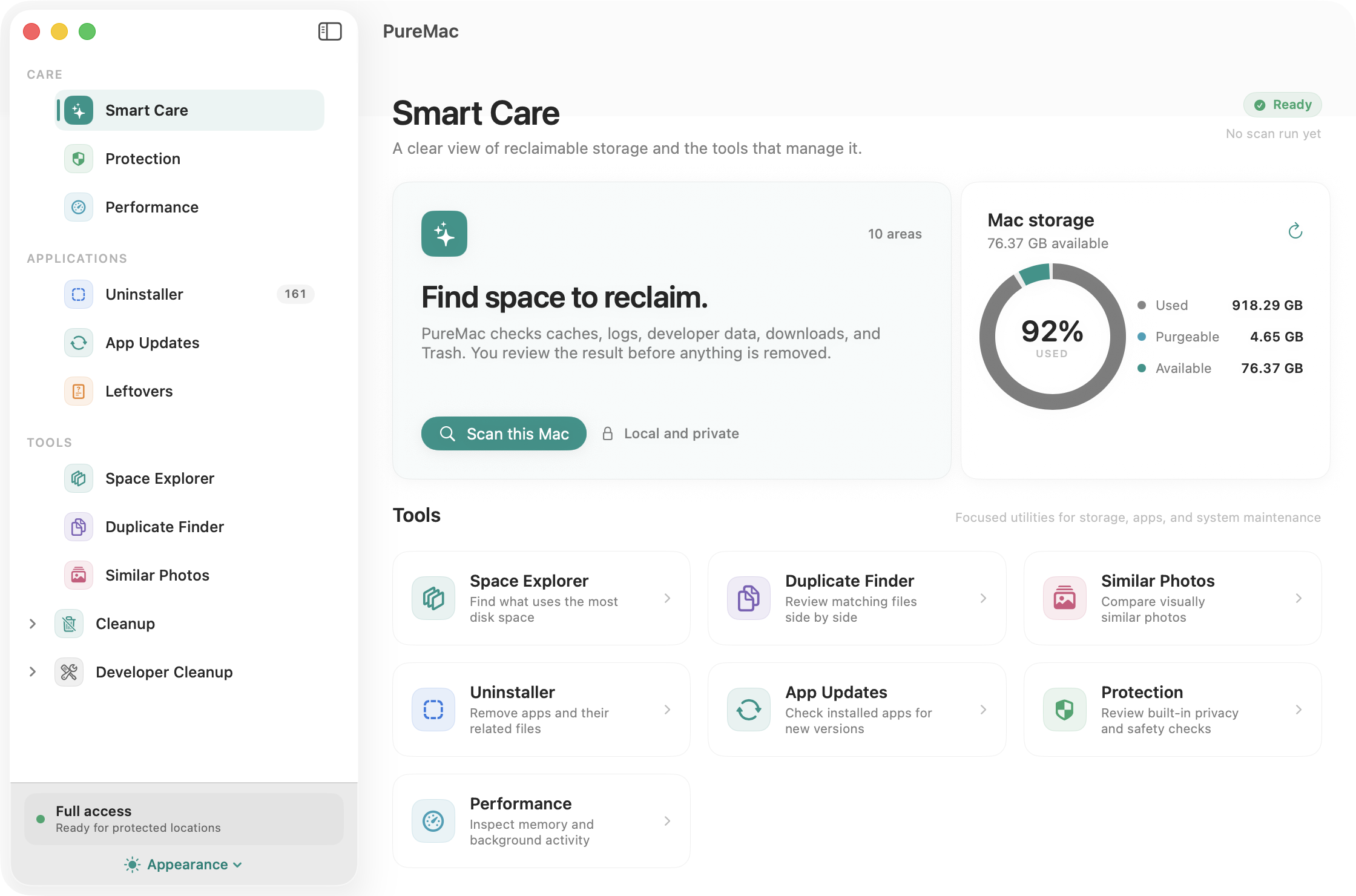
Smart Care
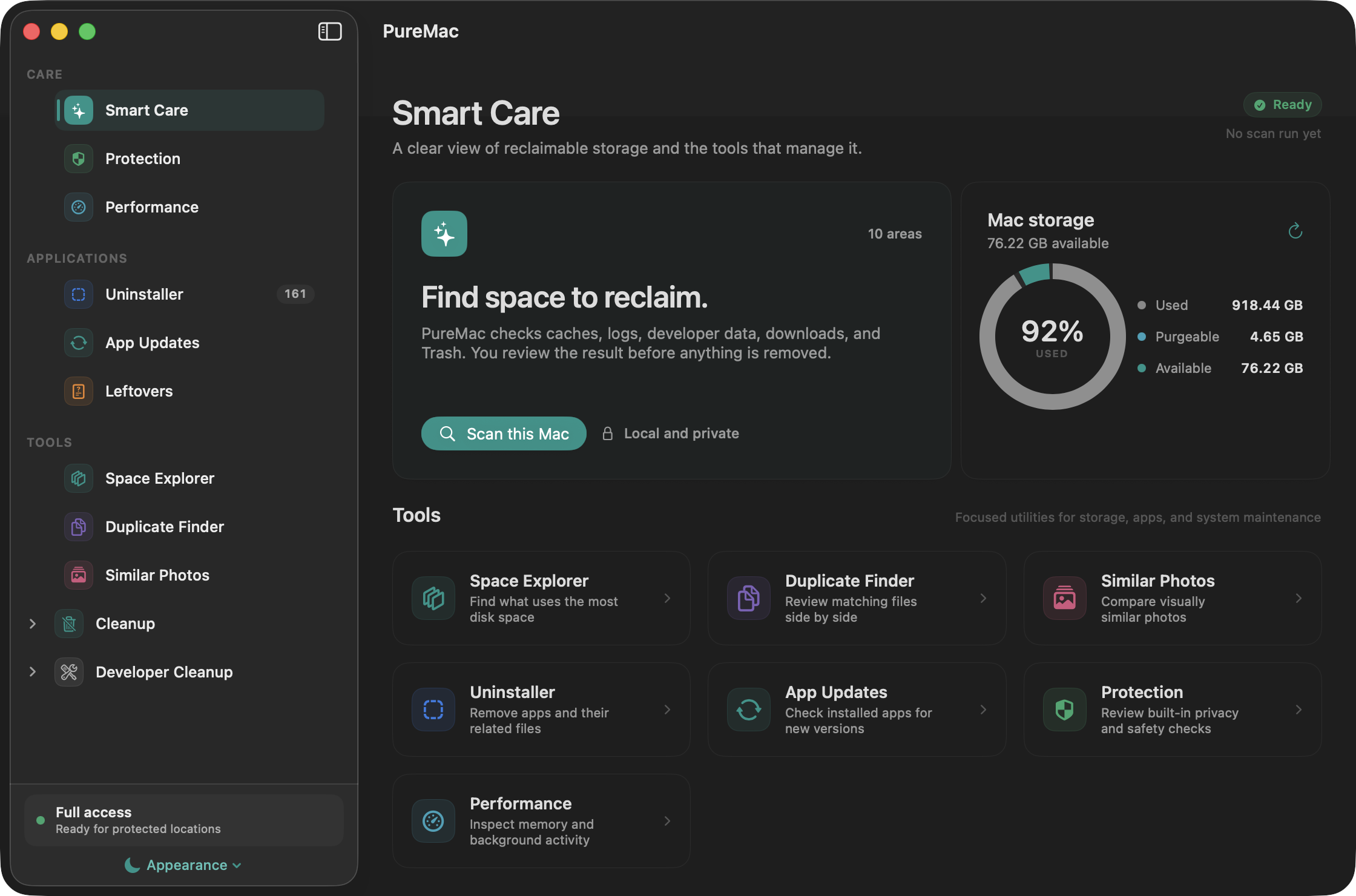
Dark appearance
Space Explorer
Duplicate Finder
Protection
App Updates
Screenshots show the running macOS app. File tools use sample files and images.
AppPathFinder - 10-level heuristic matching engine for discovering app-related files
Locations - 120+ macOS filesystem search paths
Conditions - 25 per-app matching rules for edge cases (Xcode, Chrome, VS Code, etc.)
PermissionCoordinator - Single source of truth for FDA prompts, polling, and post-grant retries
FullDiskAccessManager - TCC probe + registration; broad probe paths (Mail, Safari, Messages, AddressBook, Calendars) so macOS catalogs the bundle reliably
CleaningEngine - Symlink-resistant deletion with an allow-list, NSAppleScript-based admin escalation for root-owned items, NUL-separated path staging for xargs
Security
Core-cleaner symlink-risk reduction: CleaningEngine resolves paths before validation and again near user-level deletion. Because final removal remains path-based, this narrows but cannot eliminate every TOCTOU race; other removal workflows have separate checks.
Core-cleaner allow-list: CleaningEngine refuses a user-level path outside its explicit safe roots. App-uninstaller and orphan flows use their own policies.
Admin escalation is gated by its own explicit allow-list; root-owned items outside those permitted roots are refused.
System app protection: Apple's bundles cannot be uninstalled, regardless of selection.
Manual destructive workflows require confirmation. Exact duplicates retain one protected copy and recheck files before moving extras to the Trash. Scheduled auto-clean remains unattended after enablement.
If you find a vulnerability, please open a private security advisory rather than a public issue.









 PureMac 是一款免费的开源 macOS 清理工具,可以卸载应用、清理缓存和垃圾文件、浏览存储空间,并检查系统健康状况。它是作为不收集遥测数据的替代方案设计的,可替代 CleanMyMac 等付费工具。