
🖥️ Live Demo |
🎥 Demo Video ▶️YouTube |
📖 Documentation |
📄 Tech Report |
📃 Papers














📰 News
🧪 Agent² RL-Bench
Project Page ·
Paper ·
Code & Quick Start ·
Microsoft Research
Agent² RL-Bench evaluates whether LLM agents can autonomously engineer end-to-end post-training pipelines, spanning static optimization and stateful online RL.
🏆 The Best Machine Learning Engineering Agent!
MLE-bench is a comprehensive benchmark evaluating the performance of AI agents on machine learning engineering tasks. Utilizing datasets from 75 Kaggle competitions, MLE-bench provides robust assessments of AI systems' capabilities in real-world ML engineering scenarios.
R&D-Agent currently leads as the top-performing machine learning engineering agent on MLE-bench:
| Agent |
Low == Lite (%) |
Medium (%) |
High (%) |
All (%) |
| R&D-Agent o3(R)+GPT-4.1(D) |
51.52 ± 6.9 |
19.3 ± 5.5 |
26.67 ± 0 |
30.22 ± 1.5 |
| R&D-Agent o1-preview |
48.18 ± 2.49 |
8.95 ± 2.36 |
18.67 ± 2.98 |
22.4 ± 1.1 |
| AIDE o1-preview |
34.3 ± 2.4 |
8.8 ± 1.1 |
10.0 ± 1.9 |
16.9 ± 1.1 |
Notes:
- O3(R)+GPT-4.1(D): This version is designed to both reduce average time per loop and leverage a cost-effective combination of backend LLMs by seamlessly integrating Research Agent (o3) with Development Agent (GPT-4.1).
- AIDE o1-preview: Represents the previously best public result on MLE-bench as reported in the original MLE-bench paper.
- Average and standard deviation results for R&D-Agent o1-preview is based on a independent of 5 seeds and for R&D-Agent o3(R)+GPT-4.1(D) is based on 6 seeds.
- According to MLE-Bench, the 75 competitions are categorized into three levels of complexity: Low==Lite if we estimate that an experienced ML engineer can produce a sensible solution in under 2 hours, excluding the time taken to train any models; Medium if it takes between 2 and 10 hours; and High if it takes more than 10 hours.
You can inspect the detailed runs of the above results online.
For running R&D-Agent on MLE-bench, refer to MLE-bench Guide: Running ML Engineering via MLE-bench
🥇 The First Data-Centric Quant Multi-Agent Framework!
R&D-Agent for Quantitative Finance, in short RD-Agent(Q), is the first data-centric, multi-agent framework designed to automate the full-stack research and development of quantitative strategies via coordinated factor-model co-optimization.

Extensive experiments in real stock markets show that, at a cost under $10, RD-Agent(Q) achieves approximately 2× higher ARR than benchmark factor libraries while using over 70% fewer factors. It also surpasses state-of-the-art deep time-series models under smaller resource budgets. Its alternating factor–model optimization further delivers excellent trade-off between predictive accuracy and strategy robustness.
You can learn more details about RD-Agent(Q) through the paper and reproduce it through the documentation.
Data Science Agent Preview
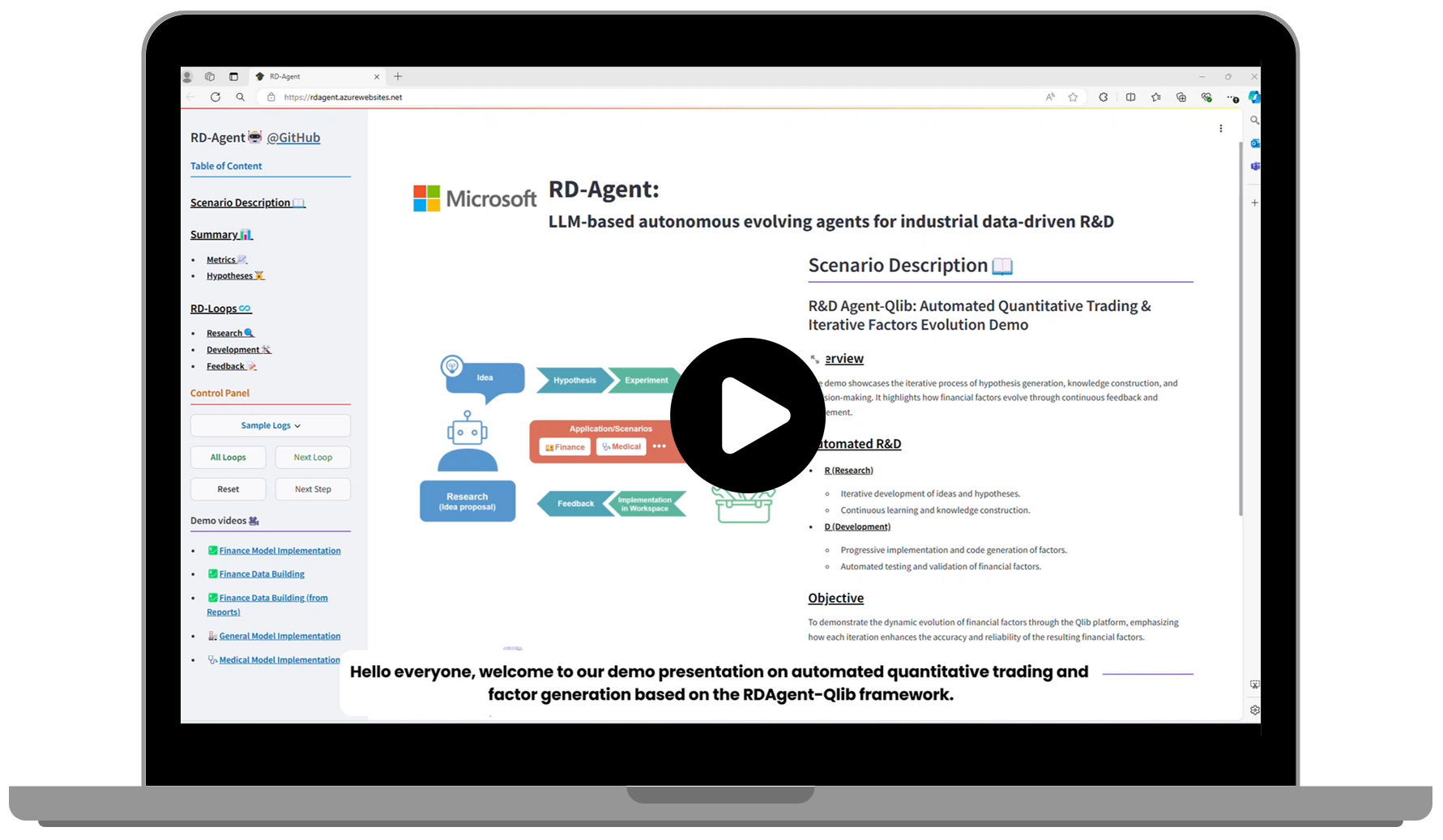
Check out our demo video showcasing the current progress of our Data Science Agent under development:
https://github.com/user-attachments/assets/3eccbecb-34a4-4c81-bce4-d3f8862f7305
🌟 Introduction
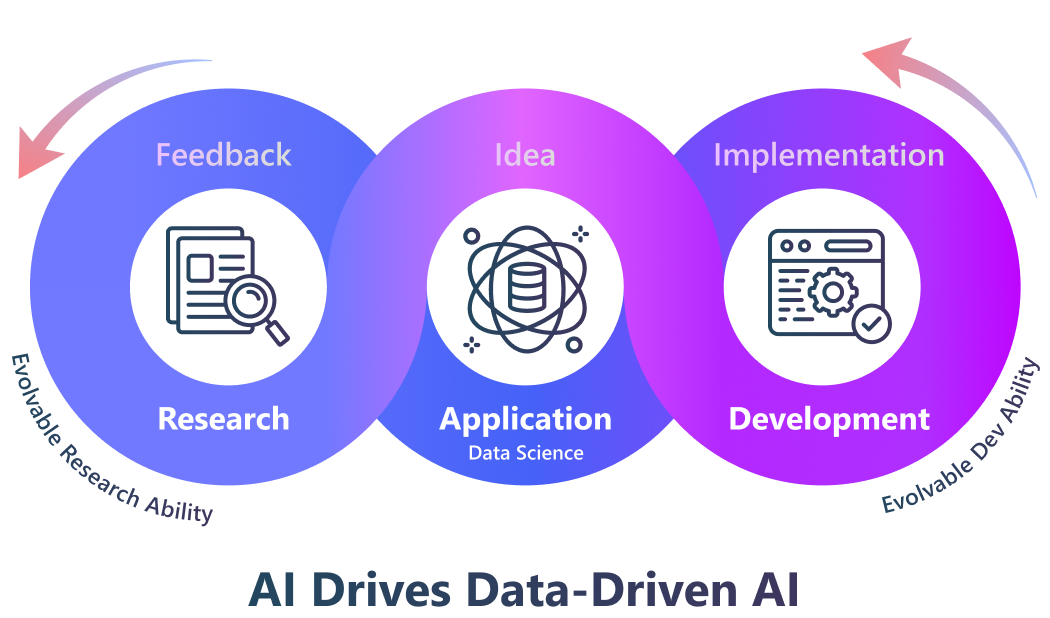
R&D-Agent aims to automate the most critical and valuable aspects of the industrial R&D process, and we begin with focusing on the data-driven scenarios to streamline the development of models and data.
Methodologically, we have identified a framework with two key components: 'R' for proposing new ideas and 'D' for implementing them.
We believe that the automatic evolution of R&D will lead to solutions of significant industrial value.
R&D is a very general scenario. The advent of R&D-Agent can be your
You can click the links above to view the demo. We're continuously adding more methods and scenarios to the project to enhance your R&D processes and boost productivity.
Additionally, you can take a closer look at the examples in our 🖥️ Live Demo.
⚡ Quick start
RD-Agent currently only supports Linux.
You can try above demos by running the following command:
🐳 Docker installation.
Users must ensure Docker is installed before attempting most scenarios. Please refer to the official 🐳Docker page for installation instructions.
Ensure the current user can run Docker commands without using sudo. You can verify this by executing docker run hello-world.
🐍 Create a Conda Environment
🛠️ Install the R&D-Agent
For Users
- You can directly install the R&D-Agent package from PyPI:
pip install rdagent
For Developers
More details can be found in the development setup.
💊 Health check
⚙️ Configuration
The demos requires following ability:
- ChatCompletion
- json_mode
- embedding query
You can set your Chat Model and Embedding Model in the following ways:
🔥 Attention: We now provide experimental support for DeepSeek models! You can use DeepSeek's official API for cost-effective and high-performance inference. See the configuration example below for DeepSeek setup.
Using LiteLLM (Default): We now support LiteLLM as a backend for integration with multiple LLM providers. You can configure in multiple ways:
Option 1: Unified API base for both models
Configuration Example: OpenAI Setup :
cat << EOF  > .env
# Set to any model supported by LiteLLM.
CHAT_MODEL=gpt-4o
EMBEDDING_MODEL=text-embedding-3-small
# Configure unified API base
OPENAI_API_BASE=<your_unified_api_base>
OPENAI_API_KEY=<replace_with_your_openai_api_key>
Configuration Example: Azure OpenAI Setup :
Before using this configuration, please confirm in advance that your Azure OpenAI API key supports embedded models.
cat << EOF  > .env
EMBEDDING_MODEL=azure/<Model deployment supporting embedding>
CHAT_MODEL=azure/<your deployment name>
AZURE_API_KEY=<replace_with_your_openai_api_key>
AZURE_API_BASE=<your_unified_api_base>
AZURE_API_VERSION=<azure api version>
Option 2: Separate API bases for Chat and Embedding models
cat << EOF  > .env
# Set to any model supported by LiteLLM.
# Configure separate API bases for chat and embedding

# CHAT MODEL:
CHAT_MODEL=gpt-4o
OPENAI_API_BASE=<your_chat_api_base>
OPENAI_API_KEY=<replace_with_your_openai_api_key>

# EMBEDDING MODEL:
# TAKE siliconflow as an example, you can use other providers.
# Note: embedding requires litellm_proxy prefix
EMBEDDING_MODEL=litellm_proxy/BAAI/bge-large-en-v1.5
LITELLM_PROXY_API_KEY=<replace_with_your_siliconflow_api_key>
LITELLM_PROXY_API_BASE=https://api.siliconflow.cn/v1
Configuration Example: DeepSeek Setup :
Since many users encounter configuration errors when setting up DeepSeek. Here's a complete working example for DeepSeek Setup:
cat << EOF  > .env
# CHAT MODEL: Using DeepSeek Official API
CHAT_MODEL=deepseek/deepseek-chat
DEEPSEEK_API_KEY=<replace_with_your_deepseek_api_key>

# EMBEDDING MODEL: Using SiliconFlow for embedding since deepseek has no embedding model.
# Note: embedding requires litellm_proxy prefix
EMBEDDING_MODEL=litellm_proxy/BAAI/bge-m3
LITELLM_PROXY_API_KEY=<replace_with_your_siliconflow_api_key>
LITELLM_PROXY_API_BASE=https://api.siliconflow.cn/v1
Notice: If you are using reasoning models that include thought processes in their responses (such as <think> tags), you need to set the following environment variable:
REASONING_THINK_RM=True
You can also use a deprecated backend if you only use OpenAI API or Azure OpenAI directly. For this deprecated setting and more configuration information, please refer to the documentation.
If your environment configuration is complete, please execute the following commands to check if your configuration is valid. This step is necessary.
rdagent health_check
🚀 Run the Application
The 🖥️ Live Demo is implemented by the following commands(each item represents one demo, you can select the one you prefer):
Run the Automated Quantitative Trading & Iterative Factors Model Joint Evolution: Qlib self-loop factor & model proposal and implementation application
rdagent fin_quant
Run the Automated Quantitative Trading & Iterative Factors Evolution: Qlib self-loop factor proposal and implementation application
rdagent fin_factor
Run the Automated Quantitative Trading & Iterative Model Evolution: Qlib self-loop model proposal and implementation application
rdagent fin_model
Run the Automated Quantitative Trading & Factors Extraction from Financial Reports: Run the Qlib factor extraction and implementation application based on financial reports
# 1. Generally, you can run this scenario using the following command:
rdagent fin_factor_report --report-folder=<Your financial reports folder path>

# 2. Specifically, you need to prepare some financial reports first. You can follow this concrete example:
wget https://github.com/SunsetWolf/rdagent_resource/releases/download/reports/all_reports.zip
unzip all_reports.zip -d git_ignore_folder/reports
rdagent fin_factor_report --report-folder=git_ignore_folder/reports
Run the Automated Model Research & Development Copilot: model extraction and implementation application
# 1. Generally, you can run your own papers/reports with the following command:
rdagent general_model <Your paper URL>

# 2. Specifically, you can do it like this. For more details and additional paper examples, use `rdagent general_model -h`:
rdagent general_model  "https://arxiv.org/pdf/2210.09789"
Run the Automated Medical Prediction Model Evolution: Medical self-loop model proposal and implementation application
# Generally, you can run the data science program with the following command:
rdagent data_science --competition <your competition name>

# Specifically, you need to create a folder for storing competition files (e.g., competition description file, competition datasets, etc.), and configure the path to the folder in your environment. In addition, you need to use chromedriver when you download the competition descriptors, which you can follow for this specific example:

# 1. Download the dataset, extract it to the target folder.
wget https://github.com/SunsetWolf/rdagent_resource/releases/download/ds_data/arf-12-hours-prediction-task.zip
unzip arf-12-hours-prediction-task.zip -d ./git_ignore_folder/ds_data/

# 2. Configure environment variables in the `.env` file
dotenv set DS_LOCAL_DATA_PATH "$(pwd)/git_ignore_folder/ds_data"
dotenv set DS_CODER_ON_WHOLE_PIPELINE True
dotenv set DS_IF_USING_MLE_DATA False
dotenv set DS_SAMPLE_DATA_BY_LLM False
dotenv set DS_SCEN rdagent.scenar

 R&D-Agent is a Microsoft multi-agent framework that automates data-driven R&D: one agent proposes new research ideas and another implements them, applied to quant trading, data mining, Kaggle competitions, paper reproduction, and LLM fine-tuning.