





If you get stuck or have any questions about building AI apps. Join fellow learners and experienced developers in discussions about MCP. It's a supportive community where questions are welcome and knowledge is shared freely.

If you have product feedback or errors while building visit:

Follow these steps to get started using these resources:
- Fork the Repository: Click
- Clone the Repository:
git clone https://github.com/microsoft/IoT-For-Beginners.git
- Join The Microsot Foundry Discord and meet experts and fellow developers
🌐 Multi-Language Support
Supported via GitHub Action (Automated & Always Up-to-Date)
Arabic | Bengali | Bulgarian | Burmese (Myanmar) | Chinese (Simplified) | Chinese (Traditional, Hong Kong) | Chinese (Traditional, Macau) | Chinese (Traditional, Taiwan) | Croatian | Czech | Danish | Dutch | Estonian | Finnish | French | German | Greek | Hebrew | Hindi | Hungarian | Indonesian | Italian | Japanese | Kannada | Khmer | Korean | Lithuanian | Malay | Malayalam | Marathi | Nepali | Nigerian Pidgin | Norwegian | Persian (Farsi) | Polish | Portuguese (Brazil) | Portuguese (Portugal) | Punjabi (Gurmukhi) | Romanian | Russian | Serbian (Cyrillic) | Slovak | Slovenian | Spanish | Swahili | Swedish | Tagalog (Filipino) | Tamil | Telugu | Thai | Turkish | Ukrainian | Urdu | Vietnamese
Prefer to Clone Locally?
This repository includes 50+ language translations which significantly increases the download size. To clone without translations, use sparse checkout:
Bash / macOS / Linux:
git clone --filter=blob:none --sparse https://github.com/microsoft/IoT-For-Beginners.git
cd IoT-For-Beginners
git sparse-checkout set --no-cone '/*' '!translations' '!translated_images'
CMD (Windows):
git clone --filter=blob:none --sparse https://github.com/microsoft/IoT-For-Beginners.git
cd IoT-For-Beginners
git sparse-checkout set --no-cone "/*" "!translations" "!translated_images"
This gives you everything you need to complete the course with a much faster download.
IoT for Beginners - A Curriculum
Azure Cloud Advocates at Microsoft are pleased to offer a 12-week, 24-lesson curriculum all about IoT basics. Each lesson includes pre- and post-lesson quizzes, written instructions to complete the lesson, a solution, an assignment and more. Our project-based pedagogy allows you to learn while building, a proven way for new skills to 'stick'.
The projects cover the journey of food from farm to table. This includes farming, logistics, manufacturing, retail and consumer - all popular industry areas for IoT devices.
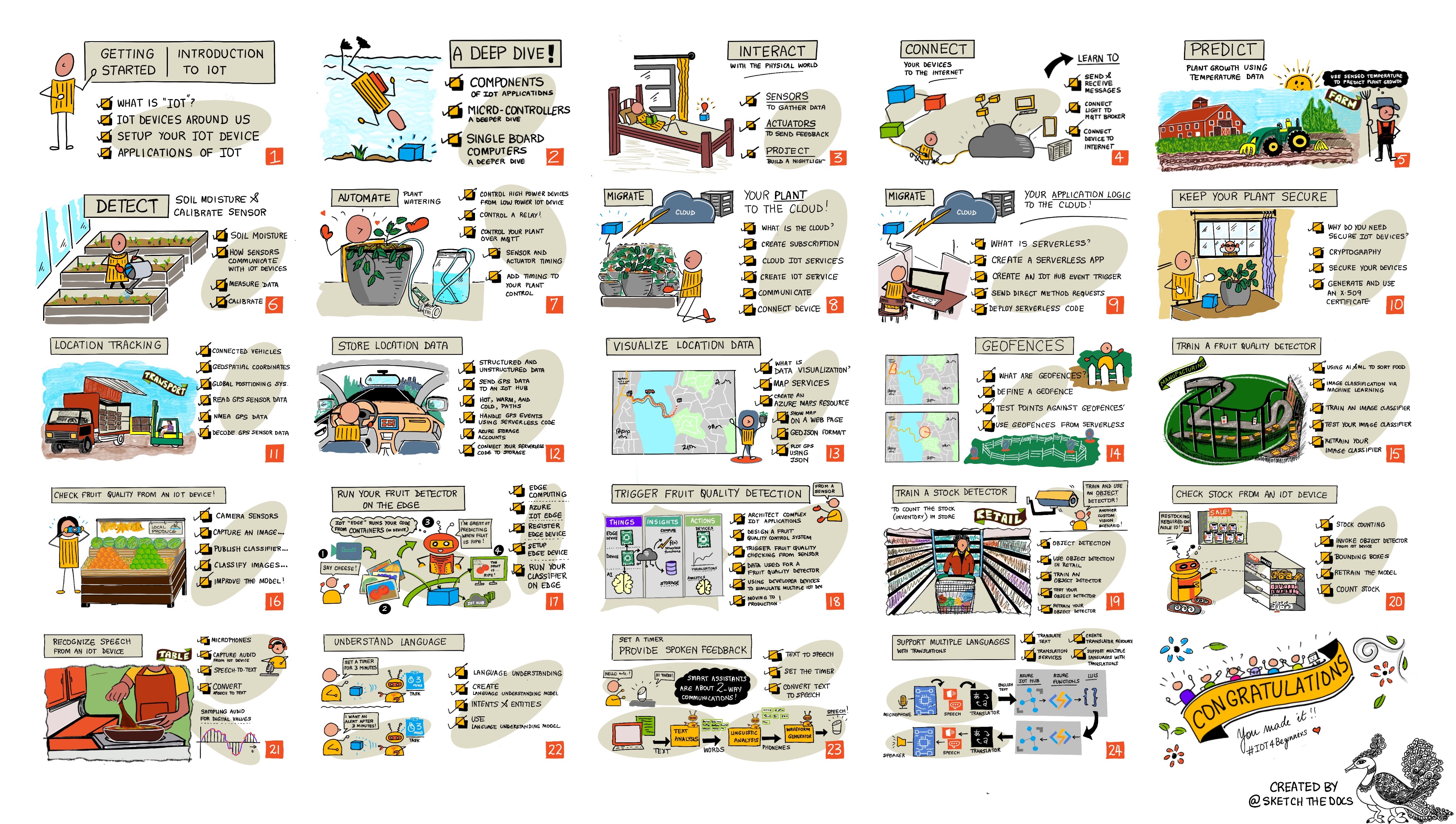
Sketchnote by Nitya Narasimhan. Click the image for a larger version.
Hearty thanks to our authors Jen Fox, Jen Looper, Jim Bennett, and our sketchnote artist Nitya Narasimhan.
Thanks as well to our team of Microsoft Learn Student Ambassadors who have been reviewing and translating this curriculum - Aditya Garg, Anurag Sharma, Arpita Das, Aryan Jain, Bhavesh Suneja, Faith Hunja, Lateefah Bello, Manvi Jha, Mireille Tan, Mohammad Iftekher (Iftu) Ebne Jalal, Mohammad Zulfikar, Priyanshu Srivastav, Thanmai Gowducheruvu, and Zina Kamel.
Meet the team!
Gif by Mohit Jaisal
🎥 Click the image above for a video about the project!
Teachers, we have included some suggestions on how to use this curriculum. If you would like to create your own lessons, we have also included a lesson template.
Students, to use this curriculum on your own, fork the entire repo and complete the exercises on your own, starting with a pre-lecture quiz, then reading the lecture and completing the rest of the activities. Try to create the projects by comprehending the lessons rather than copying the solution code; however that code is available in the /solutions folders in each project-oriented lesson. Another idea would be to form a study group with friends and go through the content together. For further study, we recommend Microsoft Learn.
For a video overview of this course, check out this video:
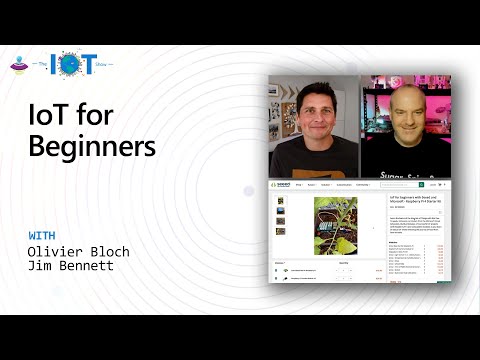
🎥 Click the image above for a video about the project!
Pedagogy
We have chosen two pedagogical tenets while building this curriculum: ensuring that it is project-based and that it includes frequent quizzes. By the end of this series, students will have built a plant monitoring and watering system, a vehicle tracker, a smart factory setup to track and check food, and a voice-controlled cooking timer, and will have learned the basics of the Internet of Things including how to write device code, connect to the cloud, analyze telemetry and run AI on the edge.
By ensuring that the content aligns with projects, the process is made more engaging for students and retention of concepts will be augmented.
In addition, a low-stakes quiz before a class sets the intention of the student towards learning a topic, while a second quiz after class ensures further retention. This curriculum was designed to be flexible and fun and can be taken in whole or in part. The projects start small and become increasingly complex by the end of the 12 week cycle.
Each project is based around real-world hardware available to students and hobbyists. Each project looks into the specific project domain, providing relevant background knowledge. To be a successful developer it helps to understand the domain in which you are solving problems, providing this background knowledge allows students to think about their IoT solutions and learnings in the context of the kind of real-world problem that they might be asked to solve as an IoT developer. Students learn the 'why' of the solutions they are building, and get an appreciation of the end user.
Hardware
We have two choices of IoT hardware to use for the projects depending on personal preference, programming language knowledge or preferences, learning goals and availability. We have also provided a 'virtual hardware' version for those who don't have access to hardware, or want to learn more before committing to a purchase. You can read more and find a 'shopping list' on the hardware page, including links to buy complete kits from our friends at Seeed Studio.
💁 Find our Code of Conduct, Contributing, and Translations guidelines. We welcome your constructive feedback!
🔧 Having issues? Check out our Troubleshooting Guide for solutions to common problems.
Each lesson includes:
- sketchnote
- optional supplemental video
- pre-lesson warmup quiz
- written lesson
- for project-based lessons, step-by-step guides on how to build the project
- knowledge checks
- a challenge
- supplemental reading
- assignment
- post-lesson quiz
A note about quizzes: All quizzes are contained in the quiz-app folder, for 48 total quizzes of three questions each. They are linked from within the lessons but the quiz app can be run locally or deployed to Azure; follow the instruction in the quiz-app folder. They are gradually being localized.
Lessons

 这是微软 Azure 云布道师推出的一套免费开源课程,共 12 周、24 节课,讲解物联网(IoT)基础,通过动手做项目的方式来学习。