




Data-Science-For-Beginners README

The project's README from github.com/microsoft/Data-Science-For-Beginners. As one markdown file: README.md.

Data Science for Beginners - A Curriculum

Open in GitHub Codespaces

GitHub license GitHub contributors GitHub issues GitHub pull-requests PRs Welcome

GitHub watchers GitHub forks GitHub stars

Microsoft Foundry Discord

Microsoft Foundry Developer Forum

Azure Cloud Advocates at Microsoft are pleased to offer a 10-week, 20-lesson curriculum all about Data Science. Each lesson includes pre-lesson and post-lesson quizzes, written instructions to complete the lesson, a solution, and an assignment. Our project-based pedagogy allows you to learn while building, a proven way for new skills to 'stick'.

Hearty thanks to our authors: Jasmine Greenaway, Dmitry Soshnikov, Nitya Narasimhan, Jalen McGee, Jen Looper, Maud Levy, Tiffany Souterre, Christopher Harrison.

🙏 Special thanks 🙏 to our Microsoft Student Ambassador authors, reviewers and content contributors, notably Aaryan Arora, Aditya Garg, Alondra Sanchez, Ankita Singh, Anupam Mishra, Arpita Das, ChhailBihari Dubey, Dibri Nsofor, Dishita Bhasin, Majd Safi, Max Blum, Miguel Correa, Mohamma Iftekher (Iftu) Ebne Jalal, Nawrin Tabassum, Raymond Wangsa Putra, Rohit Yadav, Samridhi Sharma, Sanya Sinha, Sheena Narula, Tauqeer Ahmad, Yogendrasingh Pawar , Vidushi Gupta, Jasleen Sondhi

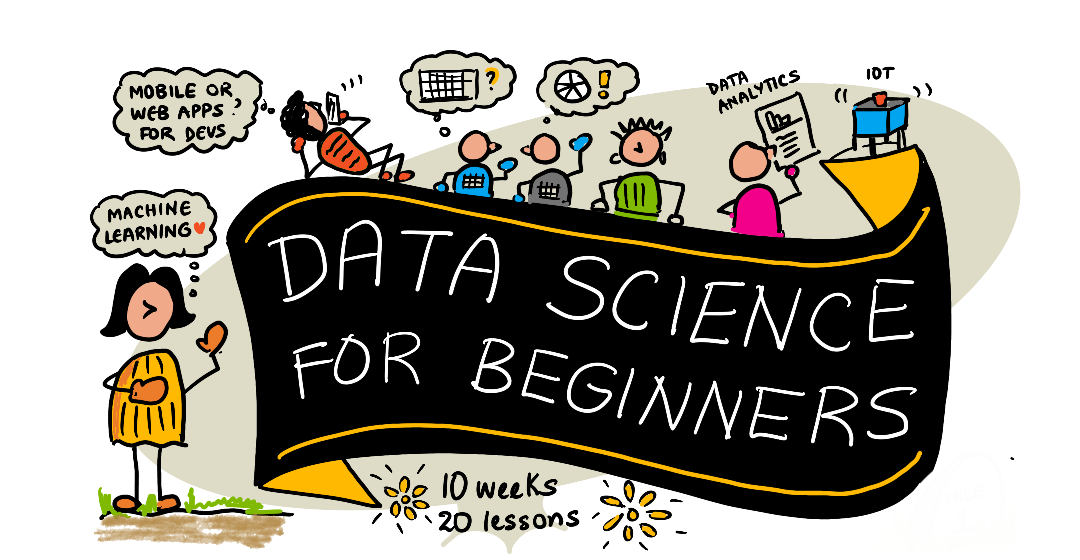
Sketchnote by @sketchthedocs https://sketchthedocs.dev
Data Science For Beginners - Sketchnote by @nitya

🌐 Multi-Language Support

Supported via GitHub Action (Automated & Always Up-to-Date)

Arabic | Bengali | Bulgarian | Burmese (Myanmar) | Chinese (Simplified) | Chinese (Traditional, Hong Kong) | Chinese (Traditional, Macau) | Chinese (Traditional, Taiwan) | Croatian | Czech | Danish | Dutch | Estonian | Finnish | French | German | Greek | Hebrew | Hindi | Hungarian | Indonesian | Italian | Japanese | Kannada | Khmer | Korean | Lithuanian | Malay | Malayalam | Marathi | Nepali | Nigerian Pidgin | Norwegian | Persian (Farsi) | Polish | Portuguese (Brazil) | Portuguese (Portugal) | Punjabi (Gurmukhi) | Romanian | Russian | Serbian (Cyrillic) | Slovak | Slovenian | Spanish | Swahili | Swedish | Tagalog (Filipino) | Tamil | Telugu | Thai | Turkish | Ukrainian | Urdu | Vietnamese

Prefer to Clone Locally?

This repository includes 50+ language translations which significantly increases the download size. To clone without translations, use sparse checkout:

Bash / macOS / Linux:

git clone --filter=blob:none --sparse https://github.com/microsoft/Data-Science-For-Beginners.git
cd Data-Science-For-Beginners
git sparse-checkout set --no-cone '/*' '!translations' '!translated_images'

CMD (Windows):

git clone --filter=blob:none --sparse https://github.com/microsoft/Data-Science-For-Beginners.git
cd Data-Science-For-Beginners
git sparse-checkout set --no-cone "/*" "!translations" "!translated_images"

This gives you everything you need to complete the course with a much faster download.

If you wish to have additional translations languages supported are listed here

Join Our Community

Microsoft Foundry Discord

We have a Discord learn with AI series ongoing, learn more and join us at Learn with AI Series from 18 - 30 September, 2025. You will get tips and tricks of using GitHub Copilot for Data Science.

Learn with AI series

Are you a student?

Get started with the following resources:

Getting Started

📚 Documentation

👨‍🎓 For Students

Complete Beginners: New to data science? Start with our beginner-friendly examples! These simple, well-commented examples will help you understand the basics before diving into the full curriculum. Students: to use this curriculum on your own, fork the entire repo and complete the exercises on your own, starting with a pre-lecture quiz. Then read the lecture and complete the rest of the activities. Try to create the projects by comprehending the lessons rather than copying the solution code; however, that code is available in the /solutions folders in each project-oriented lesson. Another idea would be to form a study group with friends and go through the content together. For further study, we recommend Microsoft Learn.

Quick Start:

  1. Check the Installation Guide to set up your environment
  2. Review the Usage Guide to learn how to work with the curriculum
  3. Start with Lesson 1 and work through sequentially
  4. Join our Discord community for support

👩‍🏫 For Teachers

Teachers: we have included some suggestions on how to use this curriculum. We'd love your feedback in our discussion forum!

Meet the Team

Promo video

Gif by Mohit Jaisal

🎥 Click the image above for a video about the project the folks who created it!

Pedagogy

We have chosen two pedagogical tenets while building this curriculum: ensuring that it is project-based and that it includes frequent quizzes. By the end of this series, students will have learned basic principles of data science, including ethical concepts, data preparation, different ways of working with data, data visualization, data analysis, real-world use cases of data science, and more.

In addition, a low-stakes quiz before a class sets the intention of the student towards learning a topic, while a second quiz after class ensures further retention. This curriculum was designed to be flexible and fun and can be taken in whole or in part. The projects start small and become increasingly complex by the end of the 10 week cycle.

Find our Code of Conduct, Contributing, Translation guidelines. We welcome your constructive feedback!

Each lesson includes:

A note about quizzes: All quizzes are contained in the Quiz-App folder, for 40 total quizzes of three questions each. They are linked from within the lessons, but the quiz app can be run locally or deployed to Azure; follow the instruction in the quiz-app folder. They are gradually being localized.

🎓 Beginner-Friendly Examples

New to Data Science? We've created a special examples directory with simple, well-commented code to help you get started:

Each example includes detailed comments explaining every step, making it perfect for absolute beginners!

👉 Start with the examples 👈

Lessons

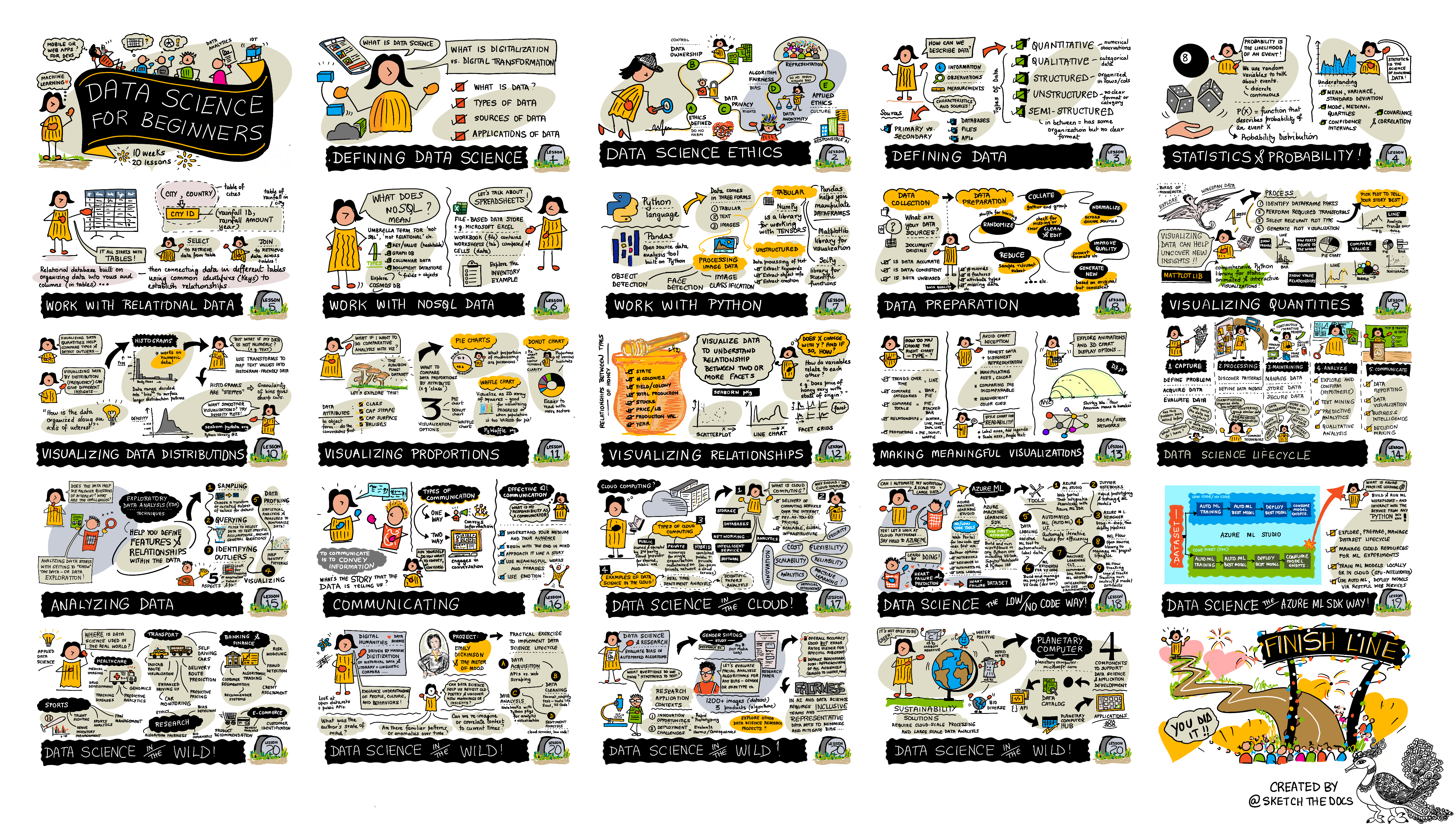
 Sketchnote by @sketchthedocs https://sketchthedocs.dev
Data Science For Beginners: Roadmap - Sketchnote by @nitya
Lesson Number Topic Lesson Grouping Learning Objectives Linked Lesson Author
01 Defining Data Science Introduction Learn the basic concepts behind data science and how it’s related to artificial intelligence, machine learning, and big data. lesson video Dmitry
02 Data Science Ethics Introduction Data Ethics Concepts, Challenges & Frameworks. lesson Nitya
03 Defining Data Introduction How data is classified and its common sources. lesson Jasmine
04 Introduction to Statistics & Probability Introduction The mathematical techniques of probability and statistics to understand data. lesson video Dmitry
05 Working with Relational Data Working With Data Introduction to relational data and the basics of exploring and analyzing relational data with the Structured Query Language, also known as SQL (pronounced “see-quell”). lesson Christopher
06 Working with NoSQL Data Working With Data Introduction to non-relational data, its various types and the basics of exploring and analyzing document databases. lesson Jasmine
07 Working with Python Working With Data Basics of using Python for data exploration with libraries such as Pandas. Foundational understanding of Python programming is recommended. lesson video Dmitry
08 Data Preparation Working With Data Topics on data techniques for cleaning and transforming the data to handle challenges of missing, inaccurate, or incomplete data. lesson Jasmine
09 Visualizing Quantities Data Visualization Learn how to use Matplotlib to visualize bird data 🦆 lesson Jen
10 Visualizing Distributions of Data Data Visualization Visualizing observations and trends within an interval. lesson Jen
11 Visualizing Proportions Data Visualization Visualizing discrete and grouped percentages. lesson Jen
12 Visualizing Relationships Data Visualization Visualizing connections and correlations between sets of data and their variables. lesson Jen
13 Meaningful Visualizations Data Visualization Techniques and guidance for making your visualizations valuable for effective problem solving and insights. lesson Jen
14 Introduction to the Data Science lifecycle Lifecycle Introduction to the data science lifecycle and its first step of acquiring and extracting data. lesson Jasmine
15 Analyzing Lifecycle This phase of the data science lifecycle focuses on techniques to analyze data. lesson Jasmine
16 Communication Lifecycle This phase of the data science lifecycle focuses on presenting the insights from the data in a way that makes it easier for decision makers to understand. lesson Jalen
17 Data Science in the Cloud Cloud Data This series of lessons introduces data science in the cloud and its benefits. lesson Tiffany and Maud
18 Data Science in the Cloud Cloud Data Training models using Low Code tools. lesson Tiffany and Maud
19 Data Science in the Cloud Cloud Data Deploying models with Azure Machine Learning Studio. lesson Tiffany and Maud
20 Data Science in the Wild In the Wild Data science driven projects in the real world. lesson Nitya

GitHub Codespaces

Follow these steps to open this sample in a Codespace:

  1. Click the Code drop-down menu and select the Open with Codespaces option.
  2. Select + New codespace at the bottom on the pane. For more info, check out the [GitHub docu

Data-Science-For-Beginners (microsoft/Data-Science-For-Beginners)

course
Searching Database…

What is this?A free 10-week, 20-lesson data science curriculum from Microsoft's Azure Cloud Advocates, built to take complete beginners from core concepts all the way to real-world projects.
How is the course structured?Ten weeks, 20 lessons grouped into themed blocks: intro, working with data, visualization, lifecycle, cloud, and real-world use. Each lesson pairs written material with pre- and post-lesson quizzes, a project, a challenge and an assignment, and projects grow harder toward week 10.
How do I take the course on my own?Fork the whole repo, start each lesson with its pre-lecture quiz, then read the lesson and complete the activities yourself instead of copying solutions. Solutions sit in /solutions folders, and forming a study group is encouraged.
Do I need to know Python before starting?No overall prerequisite is stated, but the Python lesson recommends a foundational understanding of Python programming since it teaches data exploration with Pandas. The rest of the course starts from zero.
I only want the lessons — is the download really that big?Yes: the repo carries 50+ language translations which significantly increases its size. The README gives sparse-checkout commands for Bash/macOS/Linux and Windows CMD so you can clone just what you need for the course.
Is it really usable by absolute beginners?Yes — a dedicated examples directory takes you from a 'Hello World' data science program through loading data, simple analysis, basic visualization and a full real-world project before you start the lessons.
Can I do the whole course in the browser without installing anything?Yes. Open the repo in GitHub Codespaces via the Code dropdown and you get a ready-to-use environment with no local setup; otherwise follow the Installation Guide to configure your machine.
What does the end of the course look like?Lessons 17-20 move to applied work: data science in the cloud, training models with low-code tools, deploying models with Azure Machine Learning Studio, and a look at data science driven projects in the real world.
Is there anything here for teachers?Yes — the repo includes teaching guidance and classroom resources, and instructors are invited to share feedback on how they use the curriculum in the discussion forum.
Why the constant quizzes before and after each lesson?It is deliberate pedagogy: the low-stakes pre-lesson quiz sets your intention toward the topic, the post-lesson quiz reinforces retention, and project-based lessons let you learn while building so the new skills stick.
Creator
microsoft
Size
1.8 GB
Stars
37.6K
Updated
CommitJul 17
Age
5y
Commits · 90 Days