
Mermaid
Generate diagrams from Markdown-like text.

Live Editor!
📖 Documentation | 🚀 Getting Started | 🌐 CDN | 🙌 Join Us
简体中文
Try Live Editor previews of future releases: Develop | Next










:trophy: Mermaid was nominated and won the JS Open Source Awards (2019) in the category "The most exciting use of technology"!!!
Thanks to all involved, people committing pull requests, people answering questions! 🙏

Table of content
Expand contents
About
Mermaid is a JavaScript-based diagramming and charting tool that uses Markdown-inspired text definitions and a renderer to create and modify complex diagrams. The main purpose of Mermaid is to help documentation catch up with development.
Doc-Rot is a Catch-22 that Mermaid helps to solve.
Diagramming and documentation costs precious developer time and gets outdated quickly.
But not having diagrams or docs ruins productivity and hurts organizational learning.
Mermaid addresses this problem by enabling users to create easily modifiable diagrams. It can also be made part of production scripts (and other pieces of code).
Mermaid allows even non-programmers to easily create detailed diagrams through the Mermaid Live Editor.
For video tutorials, visit our Tutorials page.
Use Mermaid with your favorite applications, check out the list of Integrations and Usages of Mermaid.
You can also use Mermaid within GitHub as well many of your other favorite applications—check out the list of Integrations and Usages of Mermaid.
For a more detailed introduction to Mermaid and some of its more basic uses, look to the Beginner's Guide, Usage and Tutorials.
Our PR Visual Regression Testing is powered by Argos with their generous Open Source plan. It makes the process of reviewing PRs with visual changes a breeze.

In our release process we rely heavily on visual regression tests using applitools. Applitools is a great service which has been easy to use and integrate with our tests.
Features
- 20+ Diagram Types – Flowchart, Sequence, Class, State, ER, Gantt, Pie, Git Graph, Mindmap, Timeline, Sankey, and more
- Markdown-Inspired Syntax – Write diagrams as text, no drag-and-drop required
- No Design Tool Needed – Generate professional diagrams straight from code
- Live Editor – Prototype instantly at mermaid.live
- Version-Control Friendly – Diagrams live as text, so diffs and reviews just work
- Native GitHub Rendering – Mermaid code blocks render directly in Markdown on GitHub
- Highly Customizable – Themes, colors, fonts, and layout directions
- Security First – Built-in sanitization plus a sandboxed rendering mode
- Lightweight – Small footprint, no heavy dependencies
- Active Community – Frequent releases and thousands of contributors
- Open Source – MIT licensed
Examples
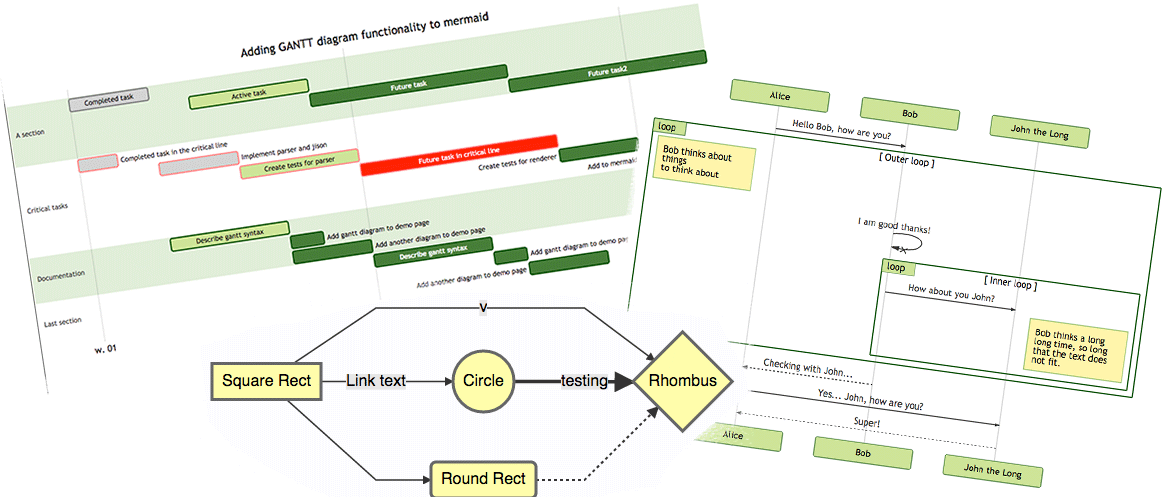
The following are some examples of the diagrams, charts and graphs that can be made using Mermaid. Click here to jump into the text syntax.
flowchart LR

A[Hard] -->|Text| B(Round)
B --> C{Decision}
C -->|One| D[Result 1]
C -->|Two| E[Result 2]
flowchart LR

A[Hard] -->|Text| B(Round)
B --> C{Decision}
C -->|One| D[Result 1]
C -->|Two| E[Result 2]
sequenceDiagram
Alice->>John: Hello John, how are you?
loop HealthCheck
    John->>John: Fight against hypochondria
end
Note right of John: Rational thoughts!
John-->>Alice: Great!
John->>Bob: How about you?
Bob-->>John: Jolly good!
sequenceDiagram
Alice->>John: Hello John, how are you?
loop HealthCheck
    John->>John: Fight against hypochondria
end
Note right of John: Rational thoughts!
John-->>Alice: Great!
John->>Bob: How about you?
Bob-->>John: Jolly good!
gantt
    section Section
    Completed :done,    des1, 2014-01-06,2014-01-08
    Active        :active,  des2, 2014-01-07, 3d
    Parallel 1   :         des3, after des1, 1d
    Parallel 2   :         des4, after des1, 1d
    Parallel 3   :         des5, after des3, 1d
    Parallel 4   :         des6, after des4, 1d
gantt
    section Section
    Completed :done,    des1, 2014-01-06,2014-01-08
    Active        :active,  des2, 2014-01-07, 3d
    Parallel 1   :         des3, after des1, 1d
    Parallel 2   :         des4, after des1, 1d
    Parallel 3   :         des5, after des3, 1d
    Parallel 4   :         des6, after des4, 1d
classDiagram
Class01 <|-- AveryLongClass : Cool
<<Interface>> Class01
Class09 --> C2 : Where am I?
Class09 --* C3
Class09 --|> Class07
Class07 : equals()
Class07 : Object[] elementData
Class01 : size()
Class01 : int chimp
Class01 : int gorilla
class Class10 {
  <<service>>
  int id
  size()
}
classDiagram
Class01 <|-- AveryLongClass : Cool
<<Interface>> Class01
Class09 --> C2 : Where am I?
Class09 --* C3
Class09 --|> Class07
Class07 : equals()
Class07 : Object[] elementData
Class01 : size()
Class01 : int chimp
Class01 : int gorilla
class Class10 {
  <<service>>
  int id
  size()
}
stateDiagram-v2
[*] --> Still
Still --> [*]
Still --> Moving
Moving --> Still
Moving --> Crash
Crash --> [*]
stateDiagram-v2
[*] --> Still
Still --> [*]
Still --> Moving
Moving --> Still
Moving --> Crash
Crash --> [*]
pie
"Dogs" : 386
"Cats" : 85.9
"Rats" : 15
pie
"Dogs" : 386
"Cats" : 85.9
"Rats" : 15
Git graph [experimental - live editor]
gitGraph
  commit
  commit
  branch develop
  checkout develop
  commit
  commit
  checkout main
  merge develop
  commit
  commit
gitGraph
  commit
  commit
  branch develop
  checkout develop
  commit
  commit
  checkout main
  merge develop
  commit
  commit
Bar chart (using gantt chart) [docs - live editor]
gantt
    title Git Issues - days since last update
    dateFormat  X
    axisFormat %s

    section Issue19062
    71   : 0, 71
    section Issue19401
    36   : 0, 36
    section Issue193
    34   : 0, 34
    section Issue7441
    9    : 0, 9
    section Issue1300
    5    : 0, 5
gantt
    title Git Issues - days since last update
    dateFormat  X
    axisFormat %s

    section Issue19062
    71   : 0, 71
    section Issue19401
    36   : 0, 36
    section Issue193
    34   : 0, 34
    section Issue7441
    9    : 0, 9
    section Issue1300
    5    : 0, 5
  journey
    title My working day
    section Go to work
      Make tea: 5: Me
      Go upstairs: 3: Me
      Do work: 1: Me, Cat
    section Go home
      Go downstairs: 5: Me
      Sit down: 3: Me
  journey
    title My working day
    section Go to work
      Make tea: 5: Me
      Go upstairs: 3: Me
      Do work: 1: Me, Cat
    section Go home
      Go downstairs: 5: Me
      Sit down: 3: Me
C4 diagram [docs]
C4Context
title System Context diagram for Internet Banking System

Person(customerA, "Banking Customer A", "A customer of the bank, with personal bank accounts.")
Person(customerB, "Banking Customer B")
Person_Ext(customerC, "Banking Customer C")
System(SystemAA, "Internet Banking System", "Allows customers to view information about their bank accounts, and make payments.")

Person(customerD, "Banking Customer D", "A customer of the bank, <br/> with personal bank accounts.")

Enterprise_Boundary(b1, "BankBoundary") {

  SystemDb_Ext(SystemE, "Mainframe Banking System", "Stores all of the core banking information about customers, accounts, transactions, etc.")

  System_Boundary(b2, "BankBoundary2") {
    System(SystemA, "Banking System A")
    System(SystemB, "Banking System B", "A system of the bank, with personal bank accounts.")
  }

  System_Ext(SystemC, "E-mail system", "The internal Microsoft Exchange e-mail system.")
  SystemDb(SystemD, "Banking System D Database", "A system of the bank, with personal bank accounts.")

  Boundary(b3, "BankBoundary3", "boundary") {
    SystemQueue(SystemF, "Banking System F Queue", "A system of the bank, with personal bank accounts.")
    SystemQueue_Ext(SystemG, "Banking System G Queue", "A system of the bank, with personal bank accounts.")
  }
}

BiRel(customerA, SystemAA, "Uses")
BiRel(SystemAA, SystemE, "Uses")
Rel(SystemAA, SystemC, "Sends e-mails", "SMTP")
Re

 Mermaid 是一款基于 JavaScript 的图表绘制工具,你只需用类似 Markdown 的简单文本描述,就能创建流程图、时序图、甘特图等,无需使用拖拽式编辑器。