Your Claude is coding blind. See everything it did.
The debugging tool for Claude Code. Read session transcripts, inspect tool calls, track token usage — directly from the Claude Code logs on your machine.
Your browser does not support the video tag.
The Problem
Claude Code started hiding what it does.
Since v2.1.20, Claude Code replaced detailed output with opaque summaries. Read 3 files. Searched for 1 pattern. Edited 2 files. No file paths. No content. No line numbers. The community backlash was immediate.
But the problem goes deeper than collapsed file paths:
Thinking steps — Claude's chain-of-thought reasoning is completely invisible in the terminal
Tool call details — you see a one-line summary, not the actual input/output
Subagent activity — agents spawn agents, but you only see the final result
Context window — a three-segment progress bar with no breakdown of what's consuming your tokens
Team coordination — teammate messages, task delegation, shutdown requests — all buried
The only workaround is --verbose, which dumps raw JSON, internal system prompts, and thousands of lines of noise. There is no middle ground.
The Solution
claude-devtools is the debugging tool for Claude Code. It reads the Claude Code logs and session transcripts already saved to ~/.claude/ on your machine, and reconstructs everything.
What the terminal hides
What claude-devtools shows
Read 3 files
Exact file paths, syntax-highlighted content with line numbers
Searched for 1 pattern
The regex pattern, every matching file, matched lines
Edited 2 files
Inline diffs with added/removed highlighting
Three-segment context bar
Per-turn token attribution across 7 categories with compaction visualization
Collapsed subagent output
Full execution trees per agent with tool traces, tokens, duration, cost
Nothing about thinking
Extended thinking content, fully visible
--verbose JSON dump
Structured, filterable, navigable interface — no noise
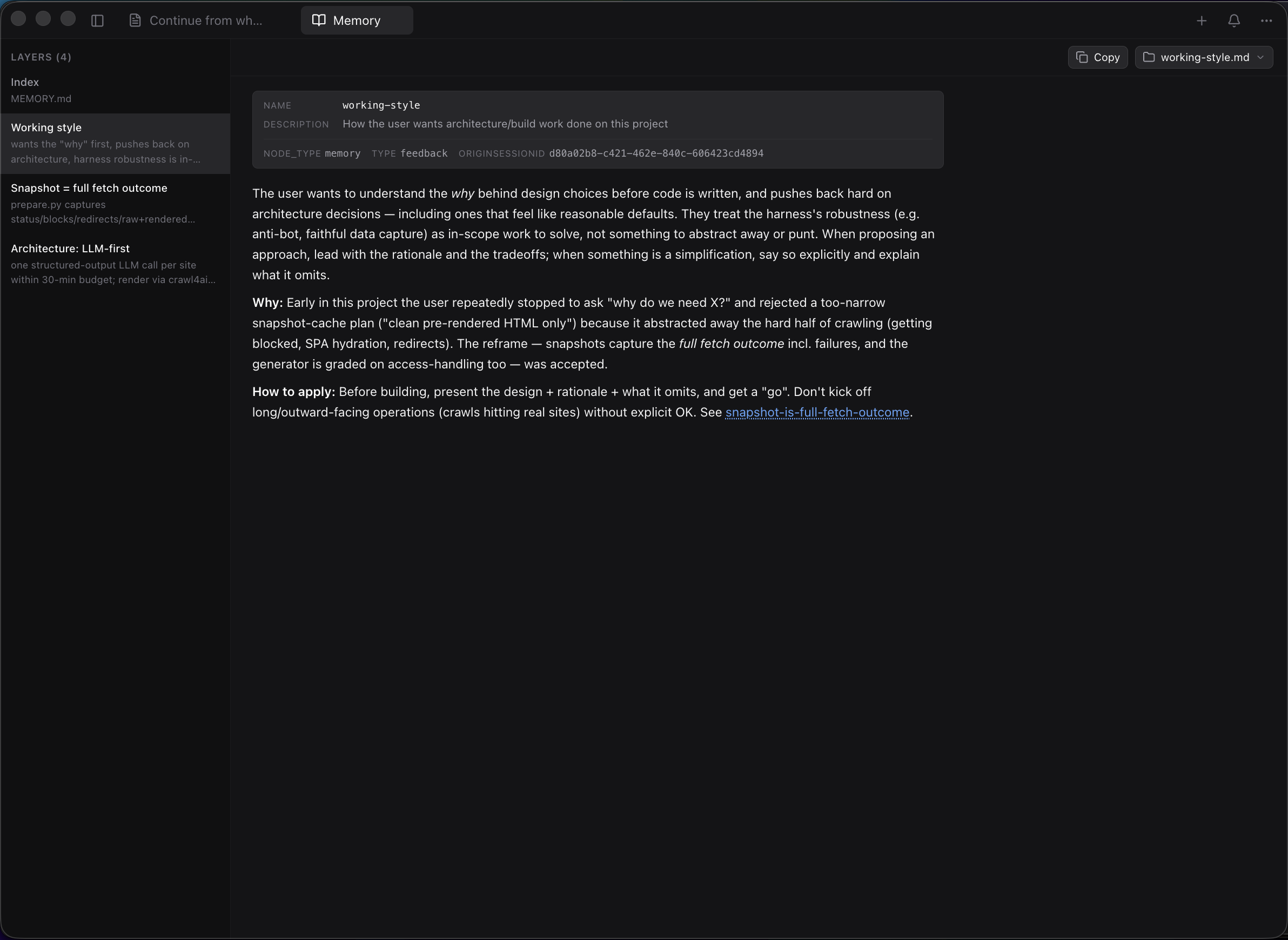
Per-project Claude memory hidden in ~/.claude/projects/.../memory/
MEMORY.md rendered as a clickable index of layers; open any layer in your editor
Copy from terminal = wrapped lines, ANSI codes, broken Markdown
Real selectable text, one-click copy on every message and code block
Zero configuration. No API keys. No wrappers. Works with every session you've ever run.
[!TIP]
If claude-devtools saves you time debugging Claude Code, leaving a ⭐ on the repo is the single best way to support the project — it helps other developers find it.
Per-turn token attribution across 7 categories — CLAUDE.md (global, project, directory), skills, @-mentioned files, tool I/O, thinking, team overhead, user text. See exactly what's in the context window at any point.
Copying Claude Code output from the terminal mangles it — selection wraps at the terminal width, ANSI color codes leak into the clipboard, and code blocks lose their Markdown formatting. claude-devtools renders every message, tool call, and output as real selectable text with one-click copy on every code block, plus full-session export to Markdown / JSON / plain text.
Claude Code stores per-project memory at ~/.claude/projects/<project>/memory/ — a MEMORY.md index plus one .md file per layer (working style, architecture notes, etc.). claude-devtools surfaces this as a sidebar entry that opens a dedicated pane: layer list on the left, full markdown rendering on the right with frontmatter shown as a metadata card, Obsidian-style [[wikilinks]] for cross-layer navigation, and an icon-driven "Open in…" launcher that hands any layer (or the whole memory folder) off to Finder/Explorer, Cursor, VS Code, Zed, Xcode, iTerm, Ghostty, Terminal — or copies the absolute path.
claude-devtools does not wrap, modify, or interfere with Claude Code. It reads session logs that already exist on your machine. Works with sessions from the terminal, IDEs, or any tool that uses Claude Code.
Docker / Standalone Deployment
Run without Electron — in Docker, on a remote server, or anywhere Node.js runs.
The standalone server has zero outbound network calls. For maximum isolation: docker run --network none -p 3456:3456 -v ~/.claude:/data/.claude:ro claude-devtools. See SECURITY.md.
Development
Build from source
Prerequisites: Node.js 20+, pnpm 10+
git clone https://github.com/matt1398/claude-devtools.git
cd claude-devtools
pnpm install
pnpm dev
Command
Description
pnpm dev
Development with hot reload
pnpm build
Production build
pnpm typecheck
TypeScript type checking
pnpm test
Run all tests
pnpm check
Full quality gate (types + lint + test + build)
Community
Discussions — share ideas, ask questions, and read what others are doing in GitHub Discussions.
Issues — bug reports and feature requests in GitHub Issues.












 claude-devtools 是一款免费开源的 Claude Code 调试工具,它读取你机器上已保存的会话日志,在可视化的桌面界面中还原工具调用、思考步骤、子代理树、token 用量和上下文窗口明细。