










Что это такое?
 claude-devtools — это бесплатный open-source инструмент для отладки Claude Code, который читает уже сохранённые на вашей машине логи сессий и восстанавливает вызовы инструментов, шаги размышлений, деревья субагентов, расход токенов и разбивку контекстного окна в наглядном десктопном UI.
claude-devtools — это бесплатный open-source инструмент для отладки Claude Code, который читает уже сохранённые на вашей машине логи сессий и восстанавливает вызовы инструментов, шаги размышлений, деревья субагентов, расход токенов и разбивку контекстного окна в наглядном десктопном UI.Это обёртка вокруг Claude Code или просто просмотрщик его логов?Это отдельное десктопное приложение на Electron, которое только читает существующие логи сессий в ~/.claude/. Оно никак не оборачивает, не изменяет и не встаёт перед Claude Code.
Это отдельное десктопное приложение на Electron, которое только читает существующие логи сессий в ~/.claude/. Оно никак не оборачивает, не изменяет и не встаёт перед Claude Code.Нужен ли API-ключ или какая-то настройка перед использованием?Нет. Он работает с нулевой настройкой и без API-ключей, поскольку просто читает логи сессий, которые Claude Code уже пишет в ~/.claude/ на вашей машине.
Нет. Он работает с нулевой настройкой и без API-ключей, поскольку просто читает логи сессий, которые Claude Code уже пишет в ~/.claude/ на вашей машине.Есть ли подводные камни при установке, о которых стоит знать?Сборка для macOS не подписана, поэтому при первом запуске нужно кликнуть правой кнопкой → Открыть вместо двойного клика, а установщик Windows может выдать предупреждение SmartScreen, которое придётся пройти кликом.
Сборка для macOS не подписана, поэтому при первом запуске нужно кликнуть правой кнопкой → Открыть вместо двойного клика, а установщик Windows может выдать предупреждение SmartScreen, которое придётся пройти кликом.Покидают ли мои сессионные данные мою машину?Нет, автономный сервер не делает ни одного исходящего сетевого запроса, а все чтения файлов строго валидируются и ограничены корнем проекта и директорией ~/.claude.
Нет, автономный сервер не делает ни одного исходящего сетевого запроса, а все чтения файлов строго валидируются и ограничены корнем проекта и директорией ~/.claude.Что показывает функция Compaction Visualization?Она визуализирует момент, когда контекст достигает лимита, и то, как контекст наполняется, сжимается и наполняется снова, так что вы видите, какая именно информация была потеряна при компакции.
Она визуализирует момент, когда контекст достигает лимита, и то, как контекст наполняется, сжимается и наполняется снова, так что вы видите, какая именно информация была потеряна при компакции.Можно ли инспектировать сессии, запущенные на удалённом сервере?Да, через SSH Remote Sessions он читает ваш ~/.ssh/config и поддерживает agent forwarding и key auth, чтобы инспектировать сессии Claude Code на любой удалённой машине.
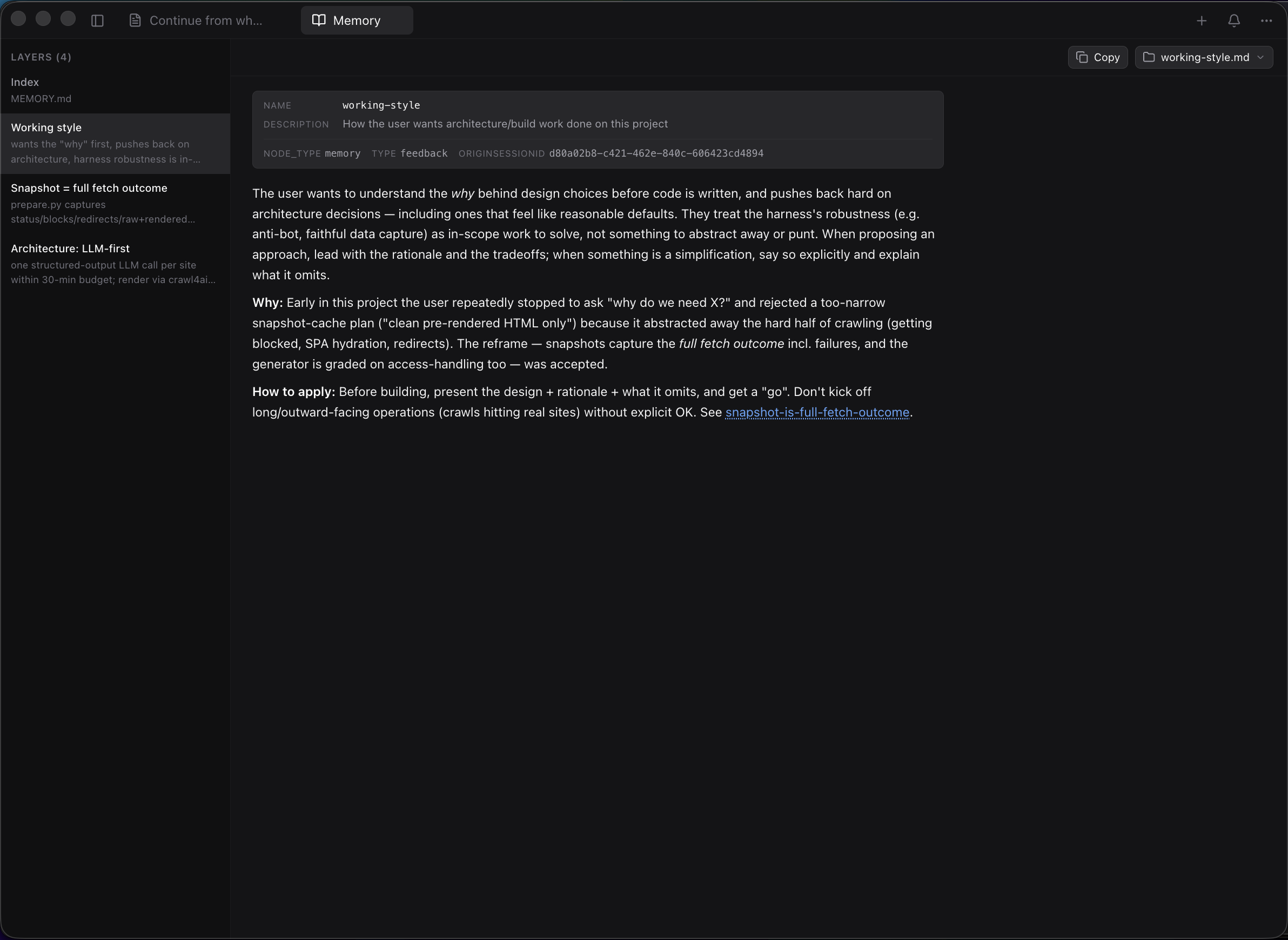
Да, через SSH Remote Sessions он читает ваш ~/.ssh/config и поддерживает agent forwarding и key auth, чтобы инспектировать сессии Claude Code на любой удалённой машине.Как он показывает память Claude для каждого проекта?Он отображает индекс MEMORY.md из ~/.claude/projects/.../memory/ в виде кликабельной панели в сайдбаре с полным рендерингом markdown, навигацией по wikilink между слоями и лаунчером 'Open in...' для редакторов вроде VS Code, Cursor и Zed.
Он отображает индекс MEMORY.md из ~/.claude/projects/.../memory/ в виде кликабельной панели в сайдбаре с полным рендерингом markdown, навигацией по wikilink между слоями и лаунчером 'Open in...' для редакторов вроде VS Code, Cursor и Zed.Может ли он предупредить о рискованной активности инструментов?Да, Notification Triggers отправляют системные уведомления о таких вещах, как доступ к файлу .env, ошибки инструментов, высокий расход токенов или совпадения с кастомными regex по любому полю.
Да, Notification Triggers отправляют системные уведомления о таких вещах, как доступ к файлу .env, ошибки инструментов, высокий расход токенов или совпадения с кастомными regex по любому полю.What are similar projects?pxpipe, OrcaReplay, headroom, billion-context, claude-code, evenfire, fast-jev-compaction, ThinkWatch-Lite
pxpipe, OrcaReplay, headroom, billion-context, claude-code, evenfire, fast-jev-compaction, ThinkWatch-LiteWhich topics is it in?context-window, subagents, token-usage, devtools, debugging, ai-tools, macos-app, observability, electron, docker-compose, anthropic, claude
context-window, subagents, token-usage, devtools, debugging, ai-tools, macos-app, observability, electron, docker-compose, anthropic, claude