Touch grass.
Arc’s sidebar and Dia’s polish on real Chromium.
Free and open source. Ads and trackers stay out.
109 MB DMG · macOS 14 Sonoma or later · Apple Silicon · Notarized by Apple
Like your paint wet? The nightly has every fix the day it’s made, smudges and all.
ardia.dev · What’s new · All releases · Discord
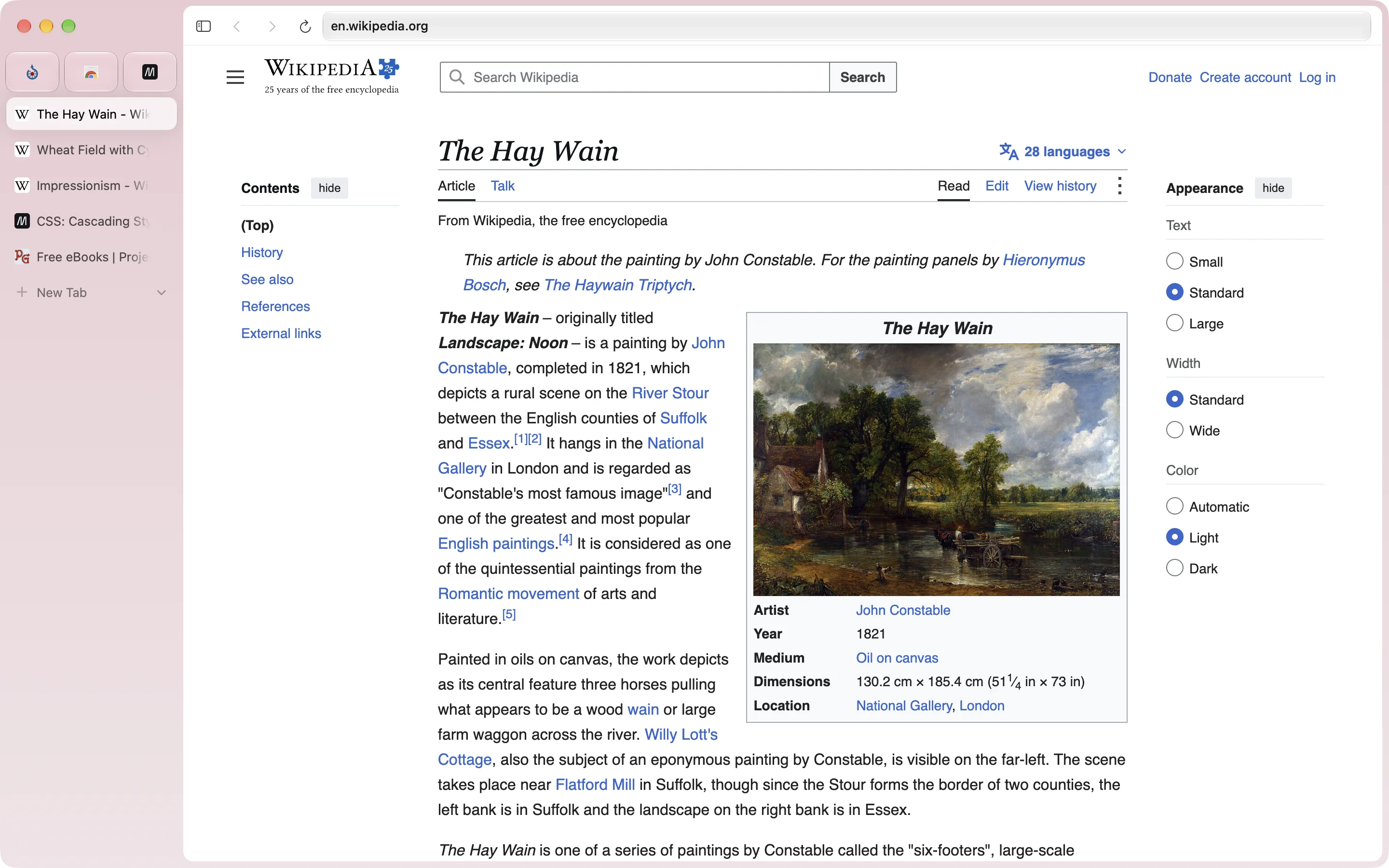
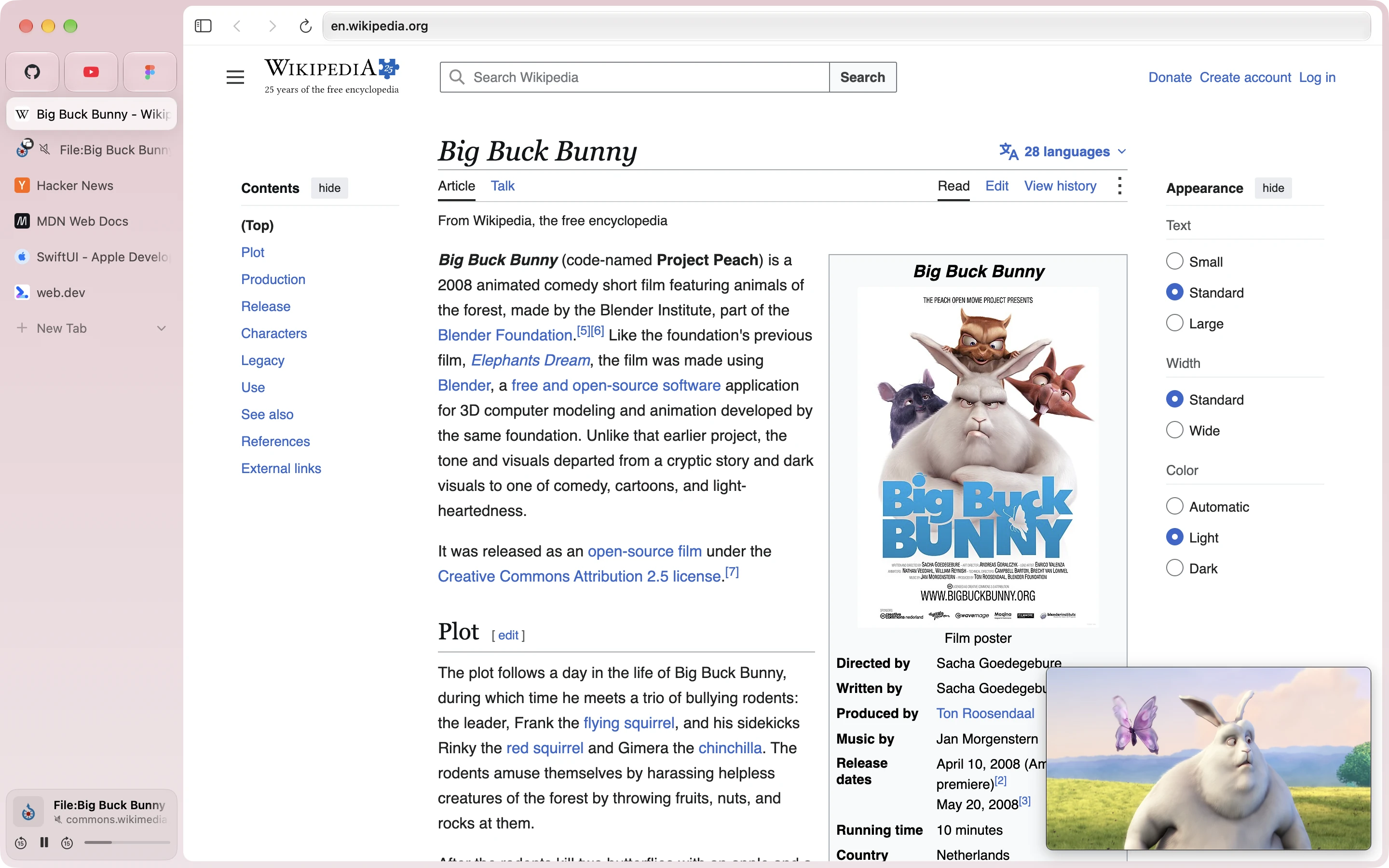
Move the address bar into the sidebar and the page runs all the way to the top of the window.
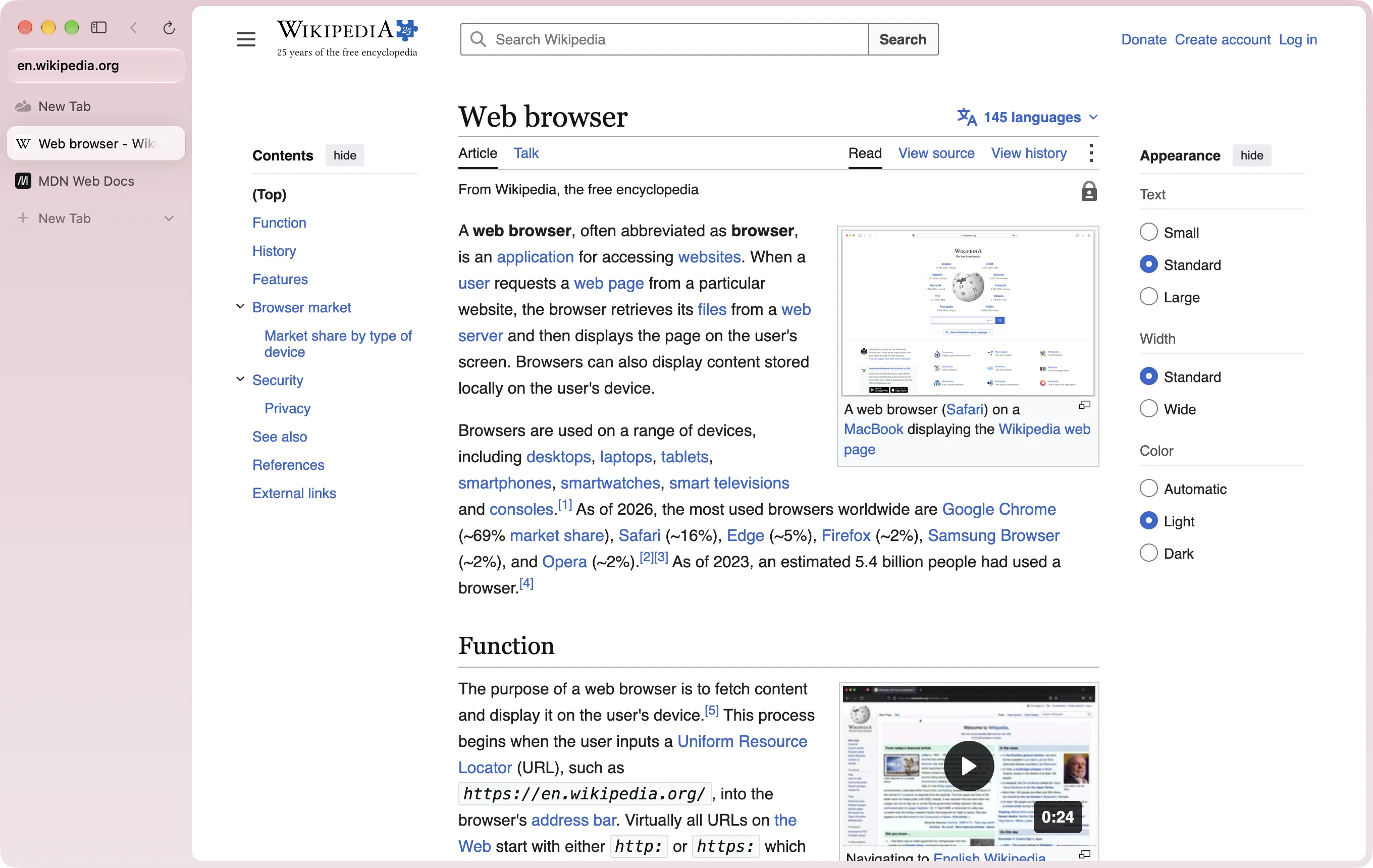
Two pages, one window.
Drag a tab onto the page. Up to three panes, side by side or stacked.
Refuses to leave the picture.
Switch tabs mid-video and it floats along in the corner. Go back to its tab and it slips back into the page.
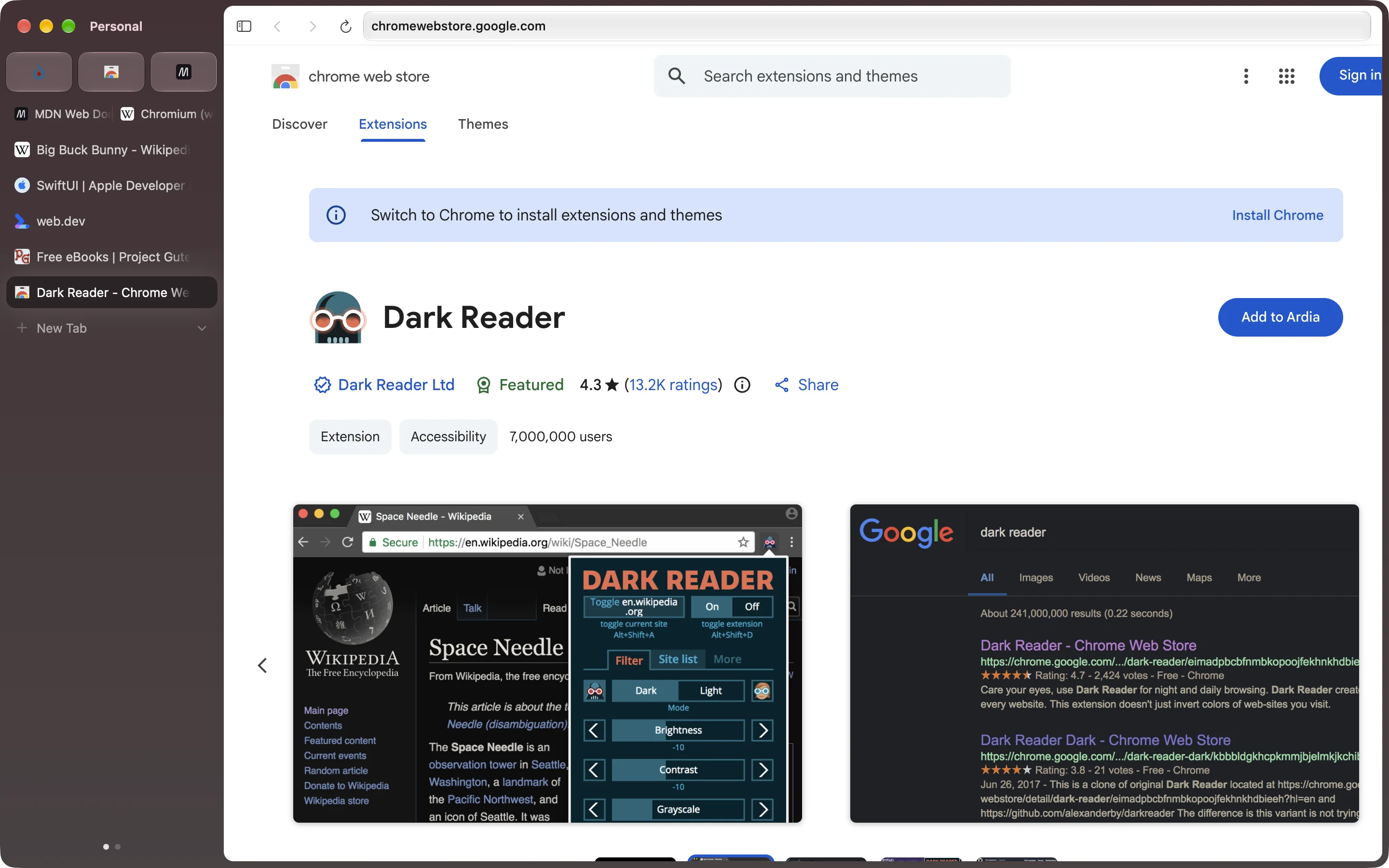
Your extensions come along.
The Chrome Web Store just works, its button says Add to Ardia, and Sync takes them to your other Macs.
Ads and trackers stay out.
The full uBlock Origin is built in, cookie banners included. Google’s pings are compiled out. Crash reports are
opt-in and never carry your sites or searches.
Also in there
- Work stays at work. Each profile keeps its own logins, history, extensions and colour. Swipe the sidebar to switch.
- Little Ardia. ⌥⌘N opens a small window with one page and no sidebar.
- Groups on contact. Drop a tab on a tab and they’re a group, named for you.
- Moves in for you. Bookmarks, history, passwords and logins from Chrome, Safari, Firefox, Arc, Dia and five more. Arc’s spaces, pinned tabs and themes too.
- Paints like Arc. Gradient themes per profile: up to three colours, some grain, some blur.
- Syncs through your iCloud. End-to-end encrypted, in a folder in your own iCloud Drive. No server of ours in the middle.
- Command bar. ⌘L finds tabs, history and bookmarks, does your sums, and knows doc.new and 16 friends.
- Tidies up. ⌥⌘K sweeps the tabs you haven’t touched into Recently Cleaned.
- Clean links. Copy a link and the tracking junk stays behind.
- Naps when you do. Background tabs past your latest five freeze, and sleep after half an hour.
- Sits still. Idles under half a percent of CPU with a tab open.
- Updates itself. Quietly, then shows you what changed.
It’s actually Chromium.
Not WebKit. Not Electron. Every window is Chrome’s own, so sites, extensions and DevTools behave like they do in Chrome.
| Part |
Details |
Status |
| Engine |
Chromium 155, on Chrome’s own framework. |
✓ Yes |
| De-Googled |
Google’s background services stripped out. |
✓ Yes |
| H.264 and AAC |
The codecs Chromium leaves out. |
✓ Yes |
| DevTools |
Docked, with device mode. Like Chrome. |
✓ Yes |
| Sync |
End-to-end encrypted, through your own iCloud Drive. |
✓ Yes |
| Translate |
On your Mac. Nothing leaves it. |
✓ macOS 26 |
| Passkeys |
Touch ID yes. iCloud Keychain waits on Apple. |
~ Partly |
| Widevine |
Google hasn’t signed off. So no Netflix. |
✗ Not yet |
| Intel Macs |
Apple Silicon only. |
✗ No |
It’s 109 MB and one drag into Applications.
Not on a Mac? Watch › Custom › Releases up top and GitHub tells you when it is.
Build it yourself
A macOS browser that looks and feels like Dia: Chrome's own framework from our
patched Chromium with our layer on top (ArdiaCore), an Expo + React Native macOS shell, and Metal shaders
reconstructed from Dia's own New Tab effects.
apps/
  browser/            Expo + react-native-macos app (UI in src/, Xcode project in macos/)
packages/
  ardiacore/             The engine: Chromium 155's framework with our layer (Chrome tabs hosted in our views), JS API in src/
  shell/              Native menu bar + shortcuts → JS, windows, SF Symbols, native primitives
  shaders/            Metal: New Tab effects + grained OKLab window backdrop
  import/             Import from other browsers (bookmarks, history, passwords, Arc spaces)
  core/               Pure TS: omnibox input → URL, suggestions, Dia-style breadcrumbs (tested)
Run it
Requires Xcode 26+, CocoaPods, Node 22.13+ (pinned in .nvmrc), pnpm 11.
pnpm install
The engine (Chrome's framework, built from our patched Chromium) comes prebuilt: with no local engine build, the app's
build downloads the one matching your checkout's engine/ (about 110 MB, once; Apple Silicon only) and checks it
against packages/ardiacore/prebuilt-engines.tsv. Every release whose engine changed publishes one. If main's engine
is newer than the last release's, work from a release tag (v0.2.30, say), or run
packages/ardiacore/scripts/fetch-engine.sh --nearest to build against the newest prebuilt anyway. Passkeys and saved
cards need our team ID and won't work in a build signed by anyone else.
To change the engine itself (anything under engine/), build it from source: Chrome's framework from our patched
Chromium tree in ~/chromium-build (Chromium 155.0.8059.84 with the patch series in engine/patches;
docs/engine-build.md › "Rebuilding", then engine/chromium/apply.sh,
engine/ardiacore/apply.sh and autoninja -C out/Release_GN_arm64 chrome_framework; the first build takes about 2
hours). The app's build stages it from there when it exists.
pnpm pods
In one terminal, start Metro:
pnpm dev
In another, build and launch the Debug app (on its own data, ~/Library/Application Support/Ardia Dev, or
ARDIA_DATA_DIR):
pnpm macos
Other tasks: pnpm typecheck, pnpm test, pnpm shaders:check (compiles the embedded Metal offline),
pnpm build (Release .app with a Hermes bytecode bundle in apps/browser/build/).
Signed releases (DMG, Sparkle zip and appcast): scripts/release.sh <version>, see docs/releasing.md.
Shortcuts: ⌘T new tab, ⌘L command bar, ⌘W close, ⇧⌘T reopen, ⌘S sidebar, ⌘[ / ⌘] back/forward,
⌘R reload, ⌘1–⌘9 select tab, ⌃Tab cycle.
How Dia's New Tab light works
Dia 1.50 turns this light off along with its rebrand (a painted mark, a single-colour power-up band
and a halo around the bar; docs/dia-spec.md › "1.50 Sunglow"), and so does Ardia. The
reconstruction left the tree with it: git show f2c0e251:packages/shaders/ios/AreaLightView.swift.
These findings come from disassembling the Metal libraries in Dia.app (v1.49.1) with
xcrun metal-objdump. BoostBrowser_PowerUp.bundle/default.metallib contains
breathingAreaLightFragment, which the Swift class NewTabPage.NewTabAreaLightView hosts. The
reconstruction was AreaLightView.swift (above).
- The command bar is a light source. Dia models the bar as a rounded-rectangle area light floating
lift points above the page. Each pixel receives the closed-form irradiance of that rectangle: the
solid-angle formula, one atan term per corner, times 1/2π. Rounded corners subtract (1 − π/4) of
each corner square. The result is a physically correct penumbra: a higher lift gives a softer, wider
glow.
- Falloff is reshaped from inverse-square to
(h/d)^falloff, where d is the distance to the
emitter's rounded-rect surface rather than to its centre.
- Colour is Dia's brand spectrum (
ProgressBarColor2…7 in its asset catalog):
blue #0358F7, steel #5092C7, lavender #E1E1FE, yellow #FFD400, orange #FA3D1D and magenta
#FD02F5. It is laid out as a wrapping, slightly diagonal gradient that scrolls every 20 s. IQ's 2D
simplex noise warps the gradient under the bar, and the warp fades out into the penumbra.
- Dark mode treats the light as HDR emission and applies the Hable/Uncharted-2 filmic tonemap
(white point 11.2), with alpha set to Rec.709 luminance. Light mode keeps the flat palette
colour and uses the irradiance as opacity.
- Finishing: alpha fades over the top 50 pt and bottom 200 pt of the view, and ±3/255 triangular
dither (Dave Hoskins'
hash12) prevents banding in the long soft falloff.
- Animation: the shader itself only scrolls the colours. The lift-off intro and the slow
"breathing" come from the CPU, which animates
lift and intensity. Those curves live in Dia's
Swift code, so the ones here (quartic ease-out over 1.1 s, ±7% intensity on a 5.5 s sine) are my
approximation.
The window backdrop comes from ARC_WindowThemeUI.bundle
(gradientFragment + renderFragment). Gradient stops are stored and mixed in OKLab, then
converted to linear sRGB and gamma-encoded in the shader. A tiled grain texture is then
multiply-blended on top. WindowBackdropView does the same with procedural grain.
Only math and colour values are reused. No Dia images, fonts or binaries are copied into this repo.
Architecture notes
- Why Expo SDK 54:
react-native-macos tops out at 0.81, which pairs with Expo SDK 54 (whose
ExpoAppDelegate / ExpoReactNativeFactory have macOS code paths).
- Legacy architecture. react-native-macos 0.81's Fabric support is experimental, so the app runs on
the legacy architecture. One consequence: Expo's legacy view-manager adapter instantiates a module's
first view class for every view it declares, so each native view has its own module.
- Metro, not
expo start. Metro runs through the react-native-macos CLI. metro.config.js
redirects react-native → react-native-macos for platform=macos, because defining our own
resolveRequest replaces the redirect the CLI would install.
- No Reanimated. It has no macOS build for 0.81; animations use RN's
Animated.
- Monorepo paths. pnpm is set to
nodeLinker: hoisted because CocoaPods and Metro resolve
react-native-macos by path. The Podfile rewrites REACT_NATIVE_PATH to the hoisted location and
raises every pod's deployment target to 14.0, since Xcode 26+ rejects the 11.0 some Expo pods declare.
- Native subviews are sized in
setFrameSize, not layout(). RN macOS assigns frames directly and
never autoresizes subviews.
- Shaders are Metal source embedded in Swift and compiled at runtime (once per class, cached). This
keeps the pods free of a metallib build phase.
Status
Feature parity with Dia (everything but its AI) is tracked row by row in
docs/dia-feature-parity.md; releases and their notes are at
ardia.dev/release-notes.
License
Ardia as distributed is licensed under the GNU General Public License v3, because its engine is built
with GPL-3.0 patches. Ardia's own source files are under the Apache License 2.0. It builds on
Chromium, carries a few of the Chromium Embedded Framework's patches to Chromium (BSD-3-Clause), and bundles uBlock
Origin, each under its own license; see NOTICE. Every release links its source.

 Ardia is a free, open-source Chromium-based browser for Mac that combines Arc's sidebar layout with Dia's visual polish, built without ads, trackers or Google telemetry.