


What is this?
 MailHog is an email testing tool for developers. You point your application's outgoing SMTP at it, then view the captured mail in a web UI or fetch it through a JSON API, instead of delivering it for real.
MailHog is an email testing tool for developers. You point your application's outgoing SMTP at it, then view the captured mail in a web UI or fetch it through a JSON API, instead of delivering it for real.Is this a library I add to my code, or a service I run separately?It runs separately: a single Go binary that acts as a fake SMTP server with a built-in web UI and HTTP API. Your app never embeds MailHog — it just sends mail to it like any SMTP server.
It runs separately: a single Go binary that acts as a fake SMTP server with a built-in web UI and HTTP API. Your app never embeds MailHog — it just sends mail to it like any SMTP server.How do I get it running?Download the latest release for your platform and run the binary, or run the Docker image from Docker Hub. With default settings the SMTP server listens on port 1025 and the web UI on port 8025.
Download the latest release for your platform and run the binary, or run the Docker image from Docker Hub. With default settings the SMTP server listens on port 1025 and the web UI on port 8025.Do I need to install anything like Go first?No — it is built with Go and runs without installation on multiple platforms. You only need a Go toolchain (1.4+) if you build it from source yourself.
No — it is built with Go and runs without installation on multiple platforms. You only need a Go toolchain (1.4+) if you build it from source yourself.Do the test emails survive a restart?By default messages are kept in memory, so they disappear when MailHog stops. For persistence you can switch to MongoDB or file-based storage.
By default messages are kept in memory, so they disappear when MailHog stops. For persistence you can switch to MongoDB or file-based storage.Will any of my test emails reach real recipients?No — captured messages stay inside MailHog until you explicitly release them to a real SMTP server for delivery.
No — captured messages stay inside MailHog until you explicitly release them to a real SMTP server for delivery.Is it free to use?Yes — MailHog is released under the MIT license, so it is free to use, modify and redistribute.
Yes — MailHog is released under the MIT license, so it is free to use, modify and redistribute.How do I point my application at MailHog?Set your app's outgoing SMTP server to MailHog's port 1025. There is also mhsendmail, a sendmail replacement that redirects mail to MailHog via SMTP — for example, a PHP app can point sendmail_path at it in php.ini.
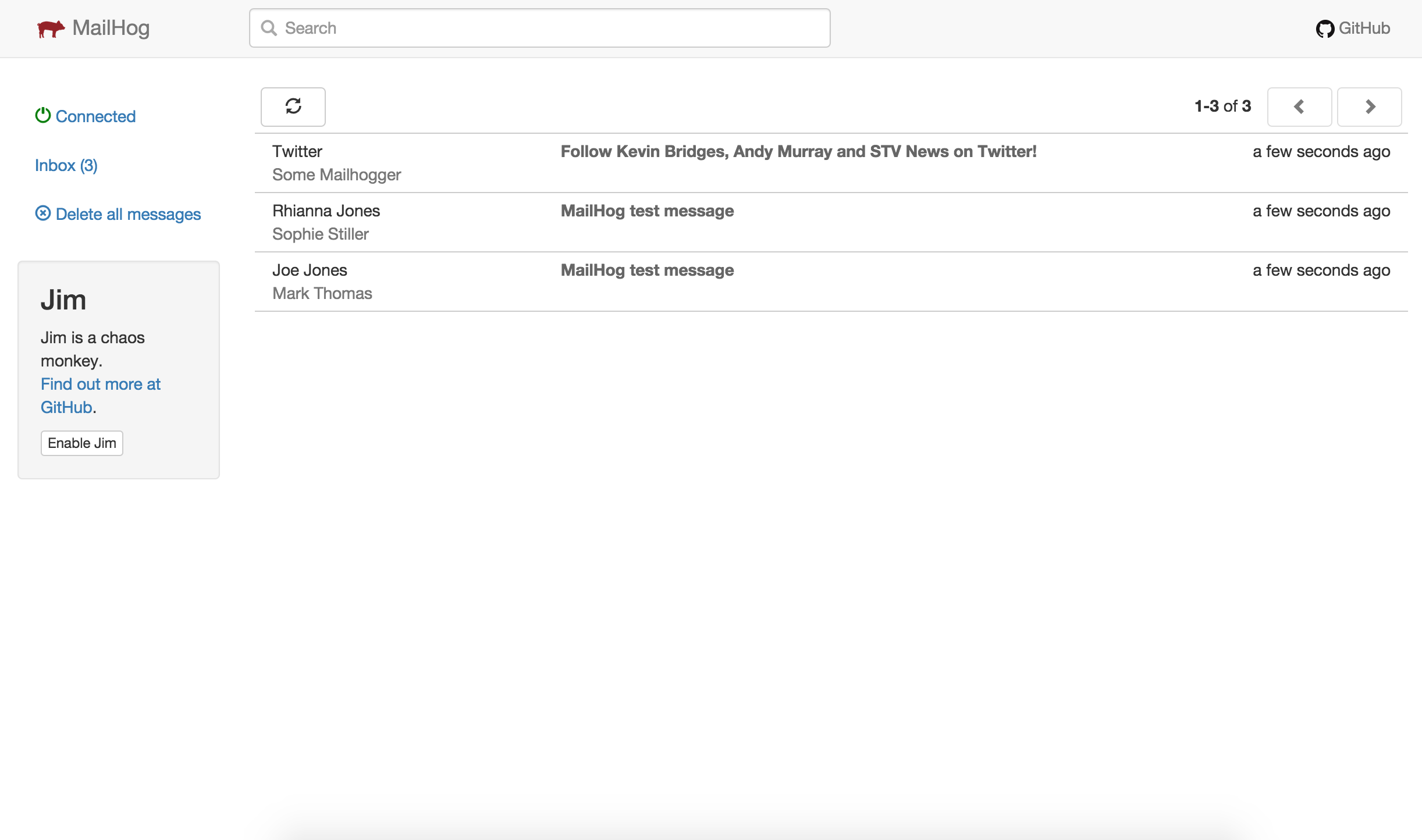
Set your app's outgoing SMTP server to MailHog's port 1025. There is also mhsendmail, a sendmail replacement that redirects mail to MailHog via SMTP — for example, a PHP app can point sendmail_path at it in php.ini.What happens to a message once MailHog catches it?It appears in the web UI in real time (updates via EventSource), where you can read it as plain text, HTML or raw source and download individual MIME parts. You can also list, retrieve and delete messages through the HTTP API (v1 and v2), protected by optional basic auth.
It appears in the web UI in real time (updates via EventSource), where you can read it as plain text, HTML or raw source and download individual MIME parts. You can also list, retrieve and delete messages through the HTTP API (v1 and v2), protected by optional basic auth.Can MailHog simulate delivery failures?Yes — it ships with Jim, a Chaos Monkey feature for failure testing, so you can check how your app copes when SMTP delivery misbehaves.
Yes — it ships with Jim, a Chaos Monkey feature for failure testing, so you can check how your app copes when SMTP delivery misbehaves.How is MailHog different from MailCatcher?It was inspired by MailCatcher but is easier to install: being written in Go, it ships as a lightweight binary that runs without installation on multiple platforms, with a Docker image available.
It was inspired by MailCatcher but is easier to install: being written in Go, it ships as a lightweight binary that runs without installation on multiple platforms, with a Docker image available.What are similar projects?mailpit, glances, agentsview, parse-server, postal, listmonk, BillionMail, yapi
mailpit, glances, agentsview, parse-server, postal, listmonk, BillionMail, yapi