
Gnos README

The project's README from github.com/madhvantyagi/Gnos. As one markdown file: README.md.

GNOS artwork

Turn your coding agent into a teacher that builds a course around you.

Star GNOS on GitHub  ·  Codex plugin  ·  Claude Code plugin  ·  MIT license

What is GNOS?

GNOS is a teaching harness made of skills, scripts, and visual tools. Tell it what you want to learn. For a course, it asks how deep you want to go and how much time you have, uses course materials such as university syllabi, textbooks, and documentation to plan a route, then builds the first lesson. Subagents make its lesson blocks; GNOS reviews and joins them before asking if you want to see the course.

As you work, GNOS records what you tried, where your reasoning broke, and what you could do independently. It uses that evidence to adjust upcoming lessons and exercises. The course grows with you.

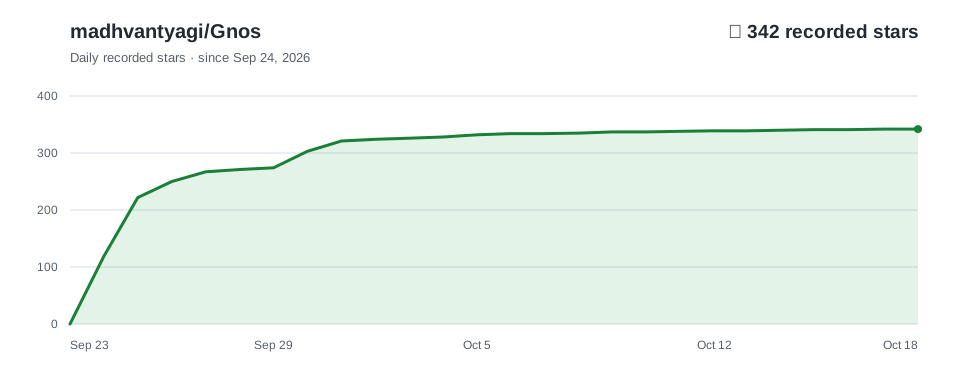
Star history

GNOS GitHub stars over time, based on recorded daily additions

Study your course in a browser

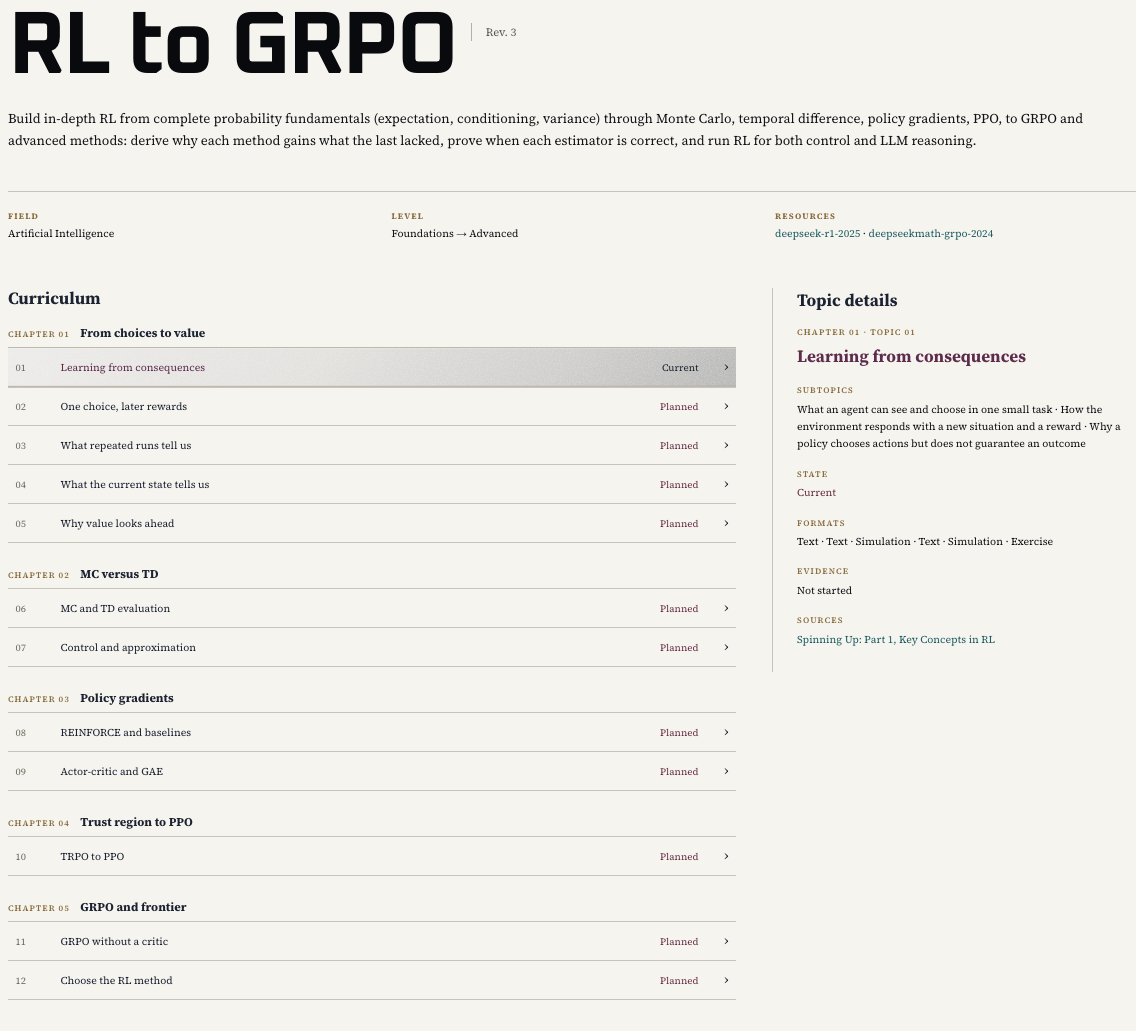
Just ask GNOS to show your course in the browser. It routes the request to the course-viewer skill, which renders the curriculum and current lesson as a study page. Open a topic to read its lesson, work through exercises, and follow its sources and learning materials.

GNOS course viewer showing the RL to GRPO curriculum and selected topic details

Browse the curriculum and open a topic to study it in the course viewer.

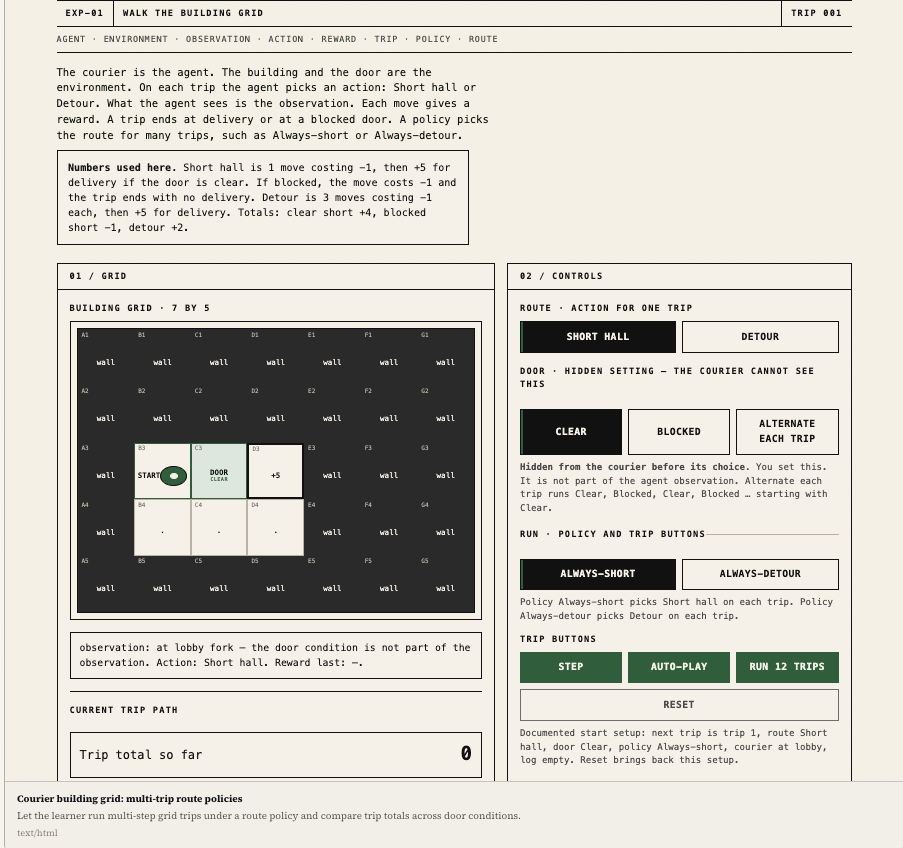
A true slideshow can't run inside a README, so here is the closest thing — click each frame to expand it:

Frame 1 · Simulation — run route policies on the building grid

Grid simulation where the learner runs courier route policies

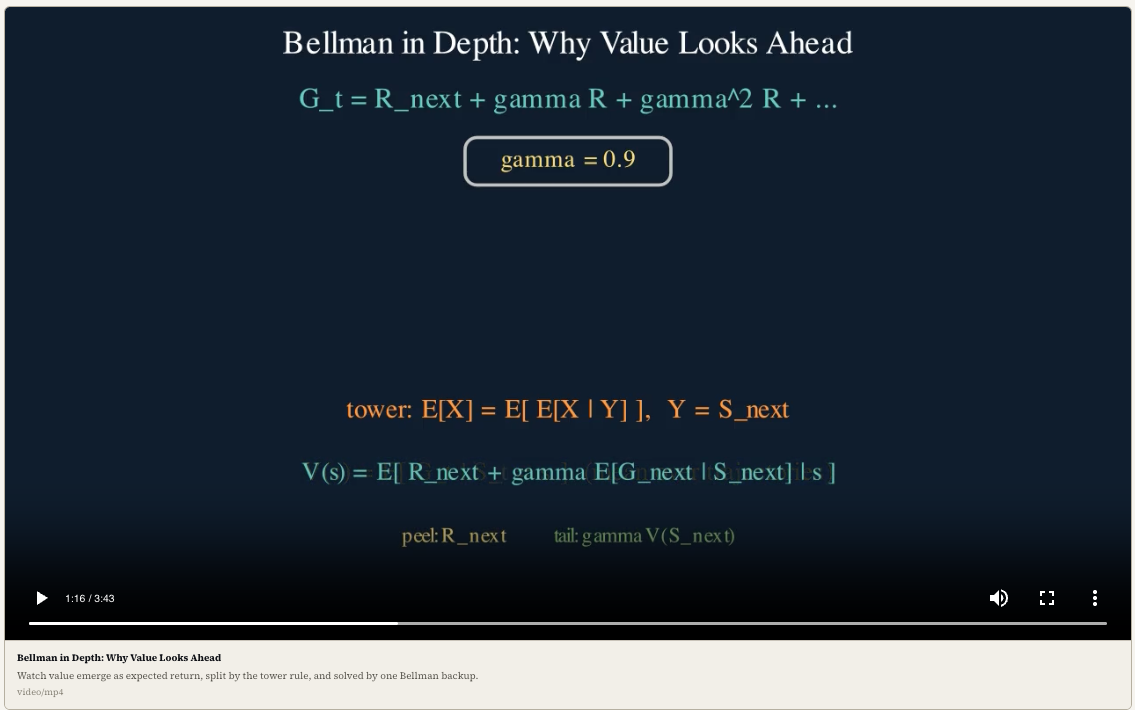
Frame 2 · Lesson video — watch a narrated lesson block

Rendered lesson video on the Bellman equation

Why does learning with AI still feel hard?

Frontier models know a great deal, but a good answer is only one part of teaching. Learning a large subject also takes a coherent route, a diagnosis of mistakes, and a way to make abstract ideas visible. GNOS gives a coding agent that structure.

The problem What GNOS does
The voice feels generic Subject-specific teachers use SOUL.md files to guide their explanations and judgment. This builds on my earlier SOUL.md project.
Lessons lose the thread A living course plan and learner records keep topics, prior attempts, and the next step together across sessions.
A correct answer gets mistaken for understanding Learner tracking distinguishes seeing an explanation, solving with help, and solving independently; the next exercise responds to the evidence.
Everything becomes text GNOS can choose diagrams, images, simulations, narrated animations, or PDF handouts when that format helps explain the idea. Visual tools and media dependencies vary by environment.

Get started

Start with Git, Python 3, and your preferred coding agent installed. Clone GNOS once and use this folder as your learning workspace:

git clone https://github.com/madhvantyagi/Gnos.git
cd Gnos

Codex

Install the plugin through the Codex CLI:

codex plugin marketplace add madhvantyagi/Gnos --ref main
codex plugin add gnos@gnos

Start a new Codex session in Gnos, or open the folder in the Codex app and start a new task. Ask:

Use GNOS. Read skills/learning-orchestrator/SKILL.md in this workspace and teach me [topic].

Claude Code

From Gnos, launch Claude Code with the plugin:

claude --plugin-dir .

Enter /gnos:learning-orchestrator Teach me [topic]. Repeat the launch command each session; --plugin-dir is session-only.

OpenCode, Antigravity, and other agents

Open the Gnos folder as your workspace. For OpenCode, run opencode from that folder; for Antigravity, open it in the editor. Send:

Read AGENTS.md, then skills/learning-orchestrator/SKILL.md.
Use GNOS to teach me [topic]. Keep courses and progress in this workspace.

This uses GNOS directly from its files; your agent needs local file and terminal access. OpenCode also loads AGENTS.md automatically. Keep the repository together so its teachers, references, and scripts remain available.

Visual tools: Codex and Claude Code load the server definitions in .mcp.json. For OpenCode or Antigravity, configure those servers using the host's MCP format. Pinepaper needs Node.js/npm; image generation uses your agent's available tools, while PDF and video lessons need their own dependencies.

For a course, share your goal, starting point, depth, and available time. To study the result, ask: “Show my course in the browser.”

Help it grow

GNOS grows through its users. If it helps you learn something hard, share what worked or broke and star the repo so others can find it.

Gnos (madhvantyagi/Gnos)

Searching Database…

342 ·GitHub
这是什么?GNOS 是一个由技能、脚本和可视化工具组成的教学框架,把你的编程智能体变成老师:你告诉它想学什么,它会规划课程、构建课时,并跟踪你的学习情况。
这是独立应用,还是通过我的编程智能体运行?它不是独立应用。GNOS 是一个包含技能和脚本的工作区文件夹,你用编程智能体(Codex、Claude Code、OpenCode 或 Antigravity)打开它,由智能体执行它的教学逻辑。
怎么开始使用它?克隆一次仓库并把该文件夹作为学习工作区,然后通过 Codex CLI 把 GNOS 安装为插件、带着插件启动 Claude Code,或者直接在 OpenCode 或 Antigravity 中打开该文件夹,让它教你某个主题。
使用之前需要安装什么?Git、Python 3,以及一个受支持的编程智能体(Codex、Claude Code、OpenCode 或 Antigravity)。课程查看器工具(Pinepaper)需要 Node.js/npm,PDF 或视频课时会引入各自的额外依赖。
日常使用时有什么要注意的?可视化工具和媒体生成因环境而异;在 Claude Code 中,插件标志只对当前会话有效,所以每次会话开始时都要重复启动命令。
实际怎么查看它构建的课程?让 GNOS“在浏览器中展示你的课程”——它会把这个请求路由给课程查看器技能,把你的课程大纲和当前课时渲染成一个带练习和参考资料、易于阅读的学习页面。
它会随时间记住我的学习情况吗?会。GNOS 记录你尝试过什么、推理在哪里中断,以及哪些内容你能独立完成,然后利用这些证据调整接下来的课时和练习。
除文本外,它还能生成哪些课时形式?根据哪种方式最能讲清一个概念,除了普通文本课时,它还可以生成图表、图像、模拟、带旁白的动画视频或 PDF 讲义。
为什么不直接让聊天机器人教我?作者的观点是,给出正确答案不等于教学:GNOS 增加了连贯的课程路线、跨会话的错误诊断,以及通过 SOUL.md 引导学科口吻提供的视觉辅助,这些是普通聊天不会跟踪的。
Size
12.1 MB
Stars
342
Updated
CommitOct 18
Age
1mo
Commits · 90 Days