
Ghostex
The native workspace for your coding agents.
Every agent in one sidebar, as chat or CLI.
Keep working from your computer or your phone.
Download ·
3-minute tour ·
Website ·
Discord
macOS · Windows · Linux · iOS · Android
Free and open source · MIT
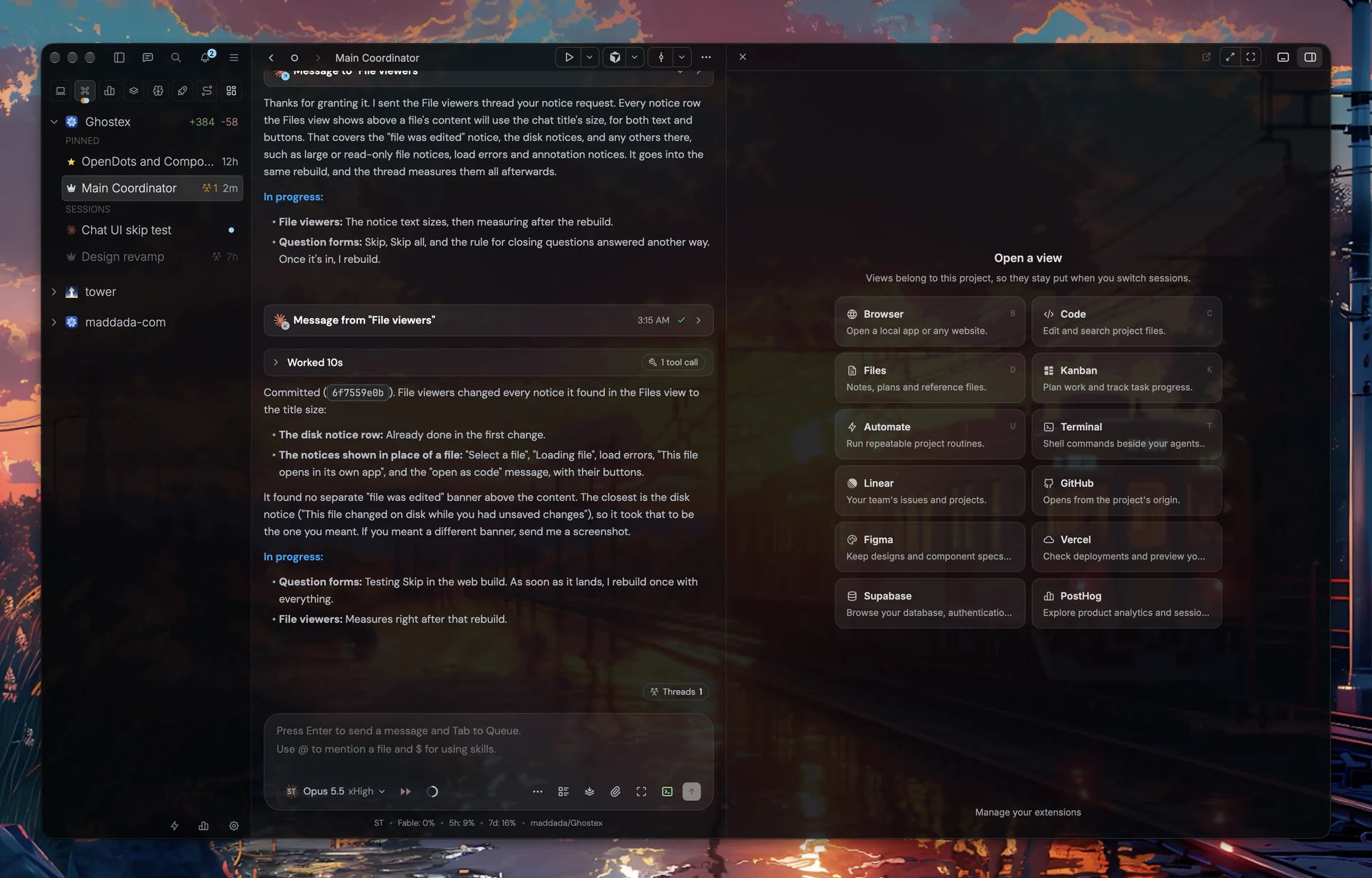
More screenshots
As minimal as you want it.
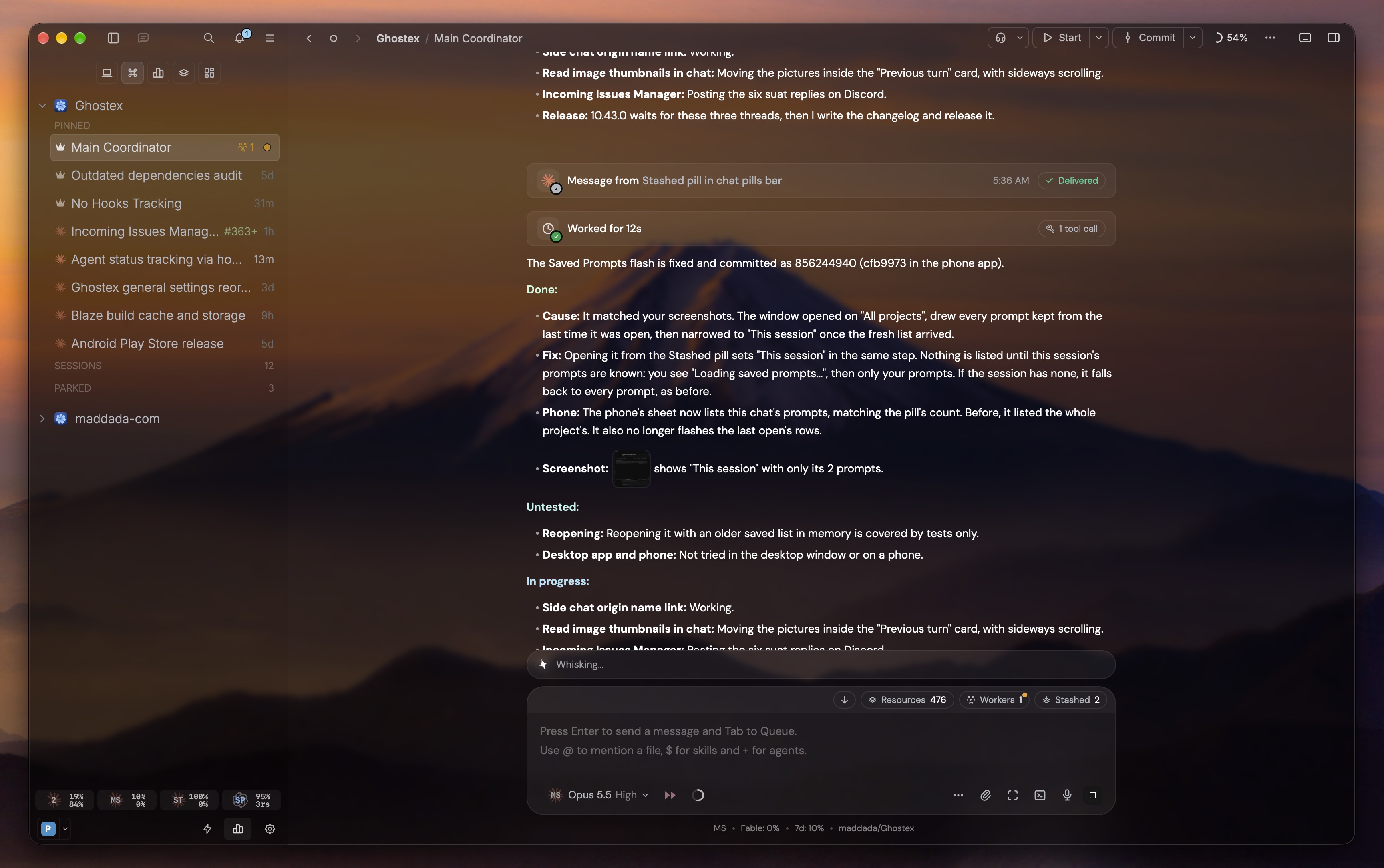
Coordinators and pages, together.
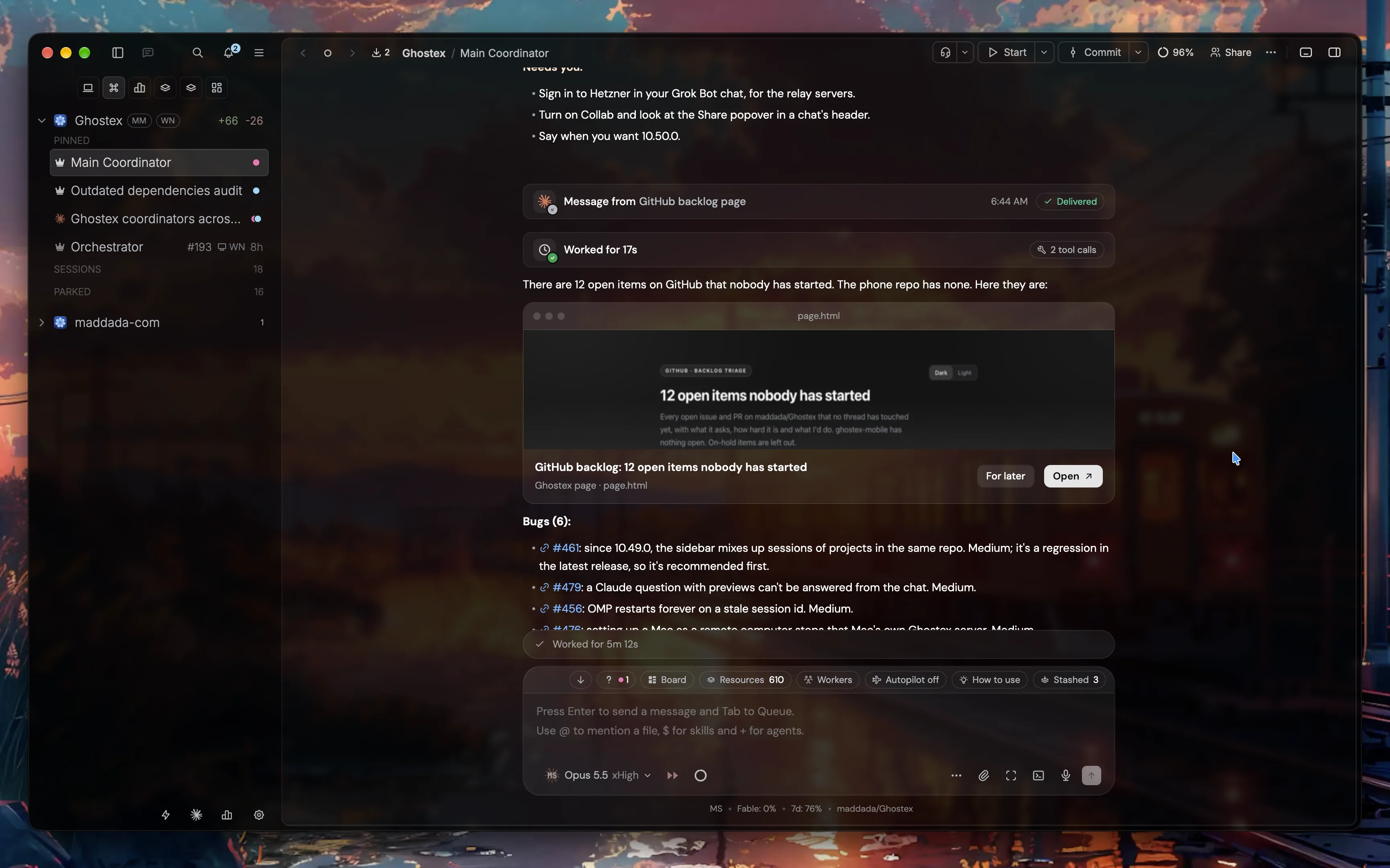
Pick a design and send your choices.
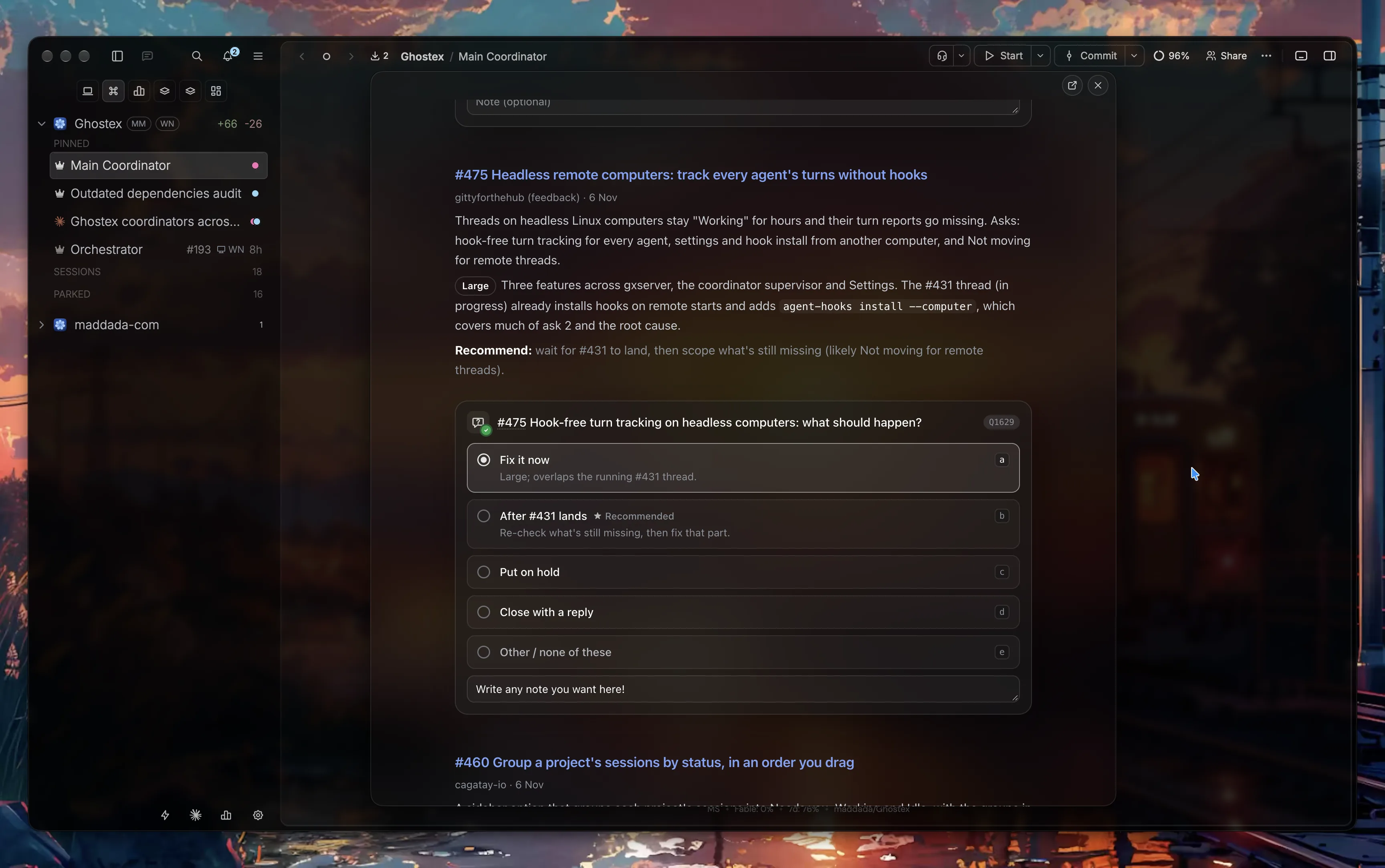
A full editor, with annotations.
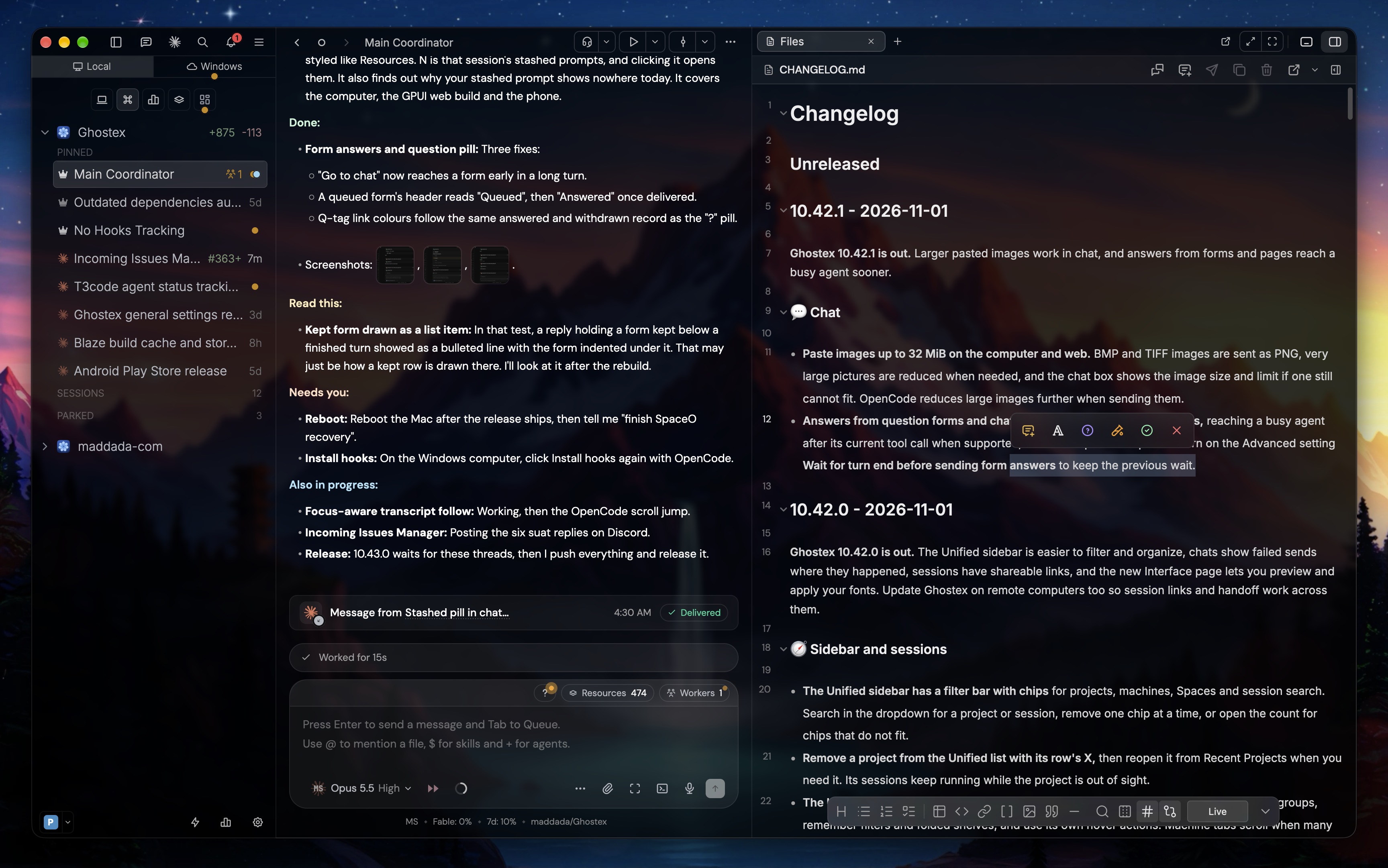
Want an animated wallpaper behind Ghostex like these? Try Wallspace on macOS (free, recommended), Lively Wallpaper on Windows (free, open source) or Hidamari on Linux (free, open source; it has no gallery, so add your own videos, for example looping clips from Pexels Videos, or paste a YouTube link: search for "4K live wallpaper loop"). Move Ghostex to its own desktop or workspace so only the wallpaper sits behind it.
What it does
📱 Your agents, in your pocket
Pair the iOS or Android app with one scan. Read transcripts, send follow-ups, preview localhost pages, and get a push when an agent finishes.

💬 Chat or CLI, your call
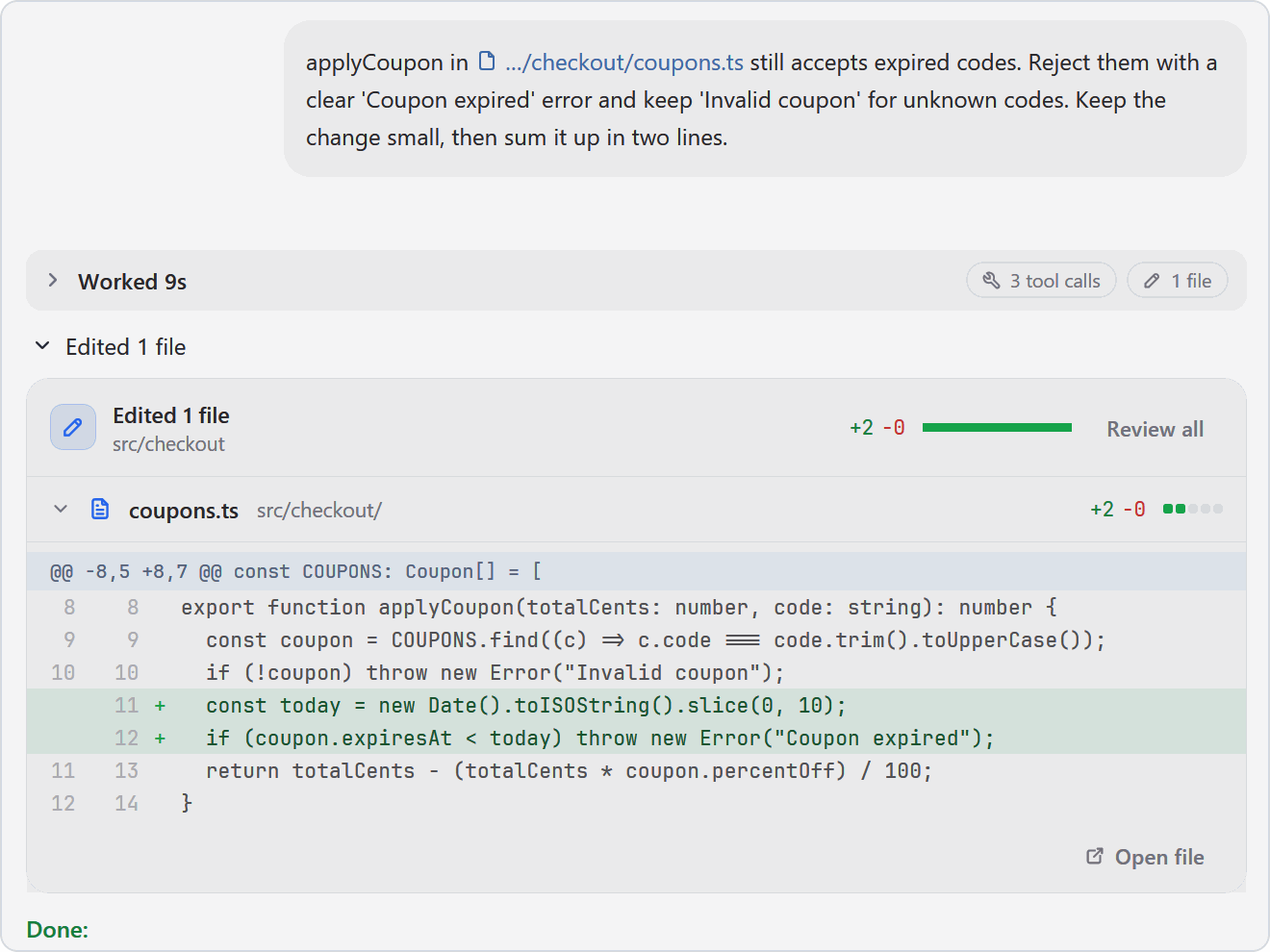
A proper chat with images, readable diffs and sub-agents in view. The raw terminal is one hotkey away.
See chat and diffs
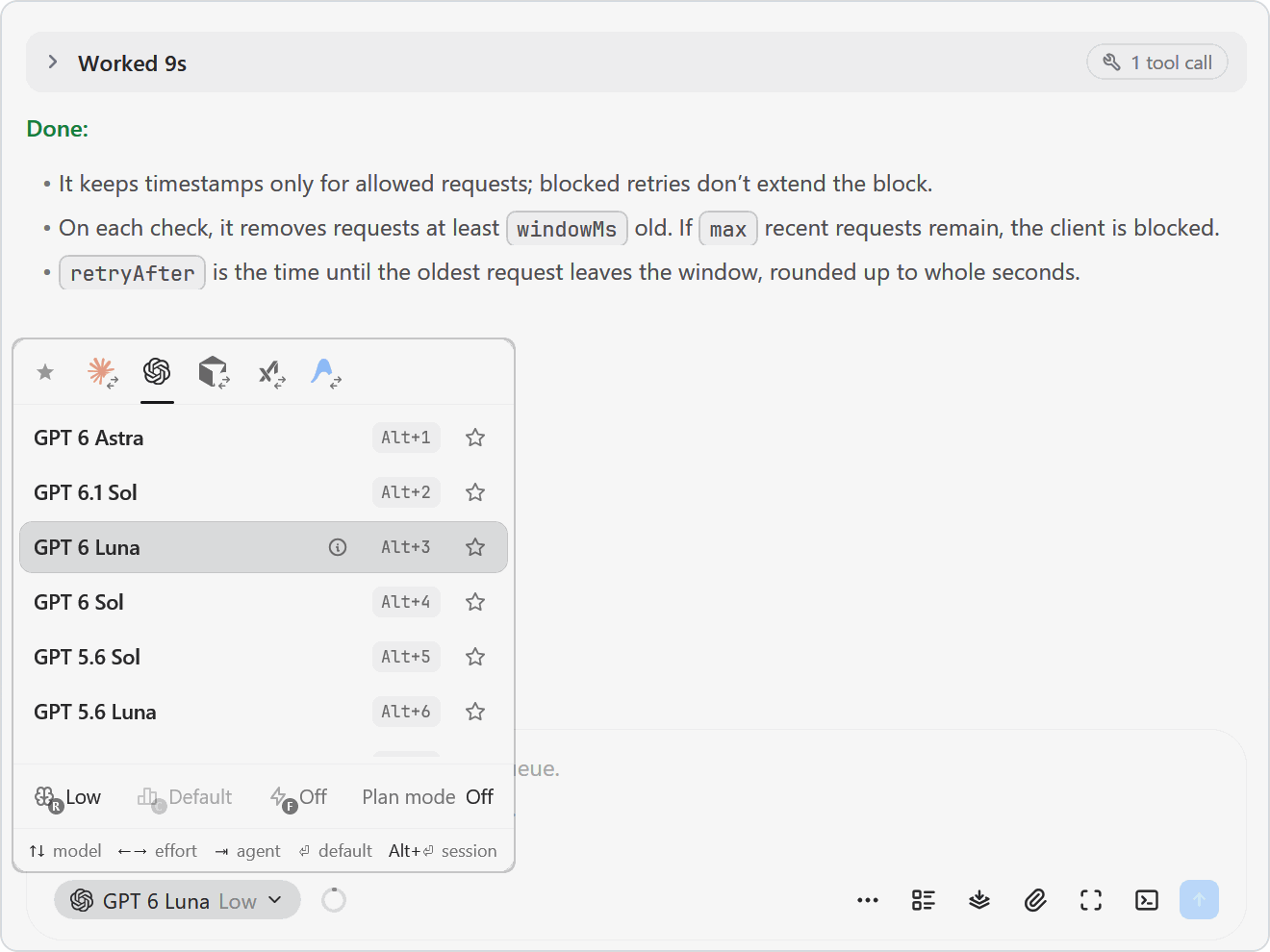
🔀 Any agent, swap mid-task
Claude Code, Codex, OpenCode, Pi, Cursor and more. Pick the model and effort from the chat box, or hand a task to another agent.
See the agent picker
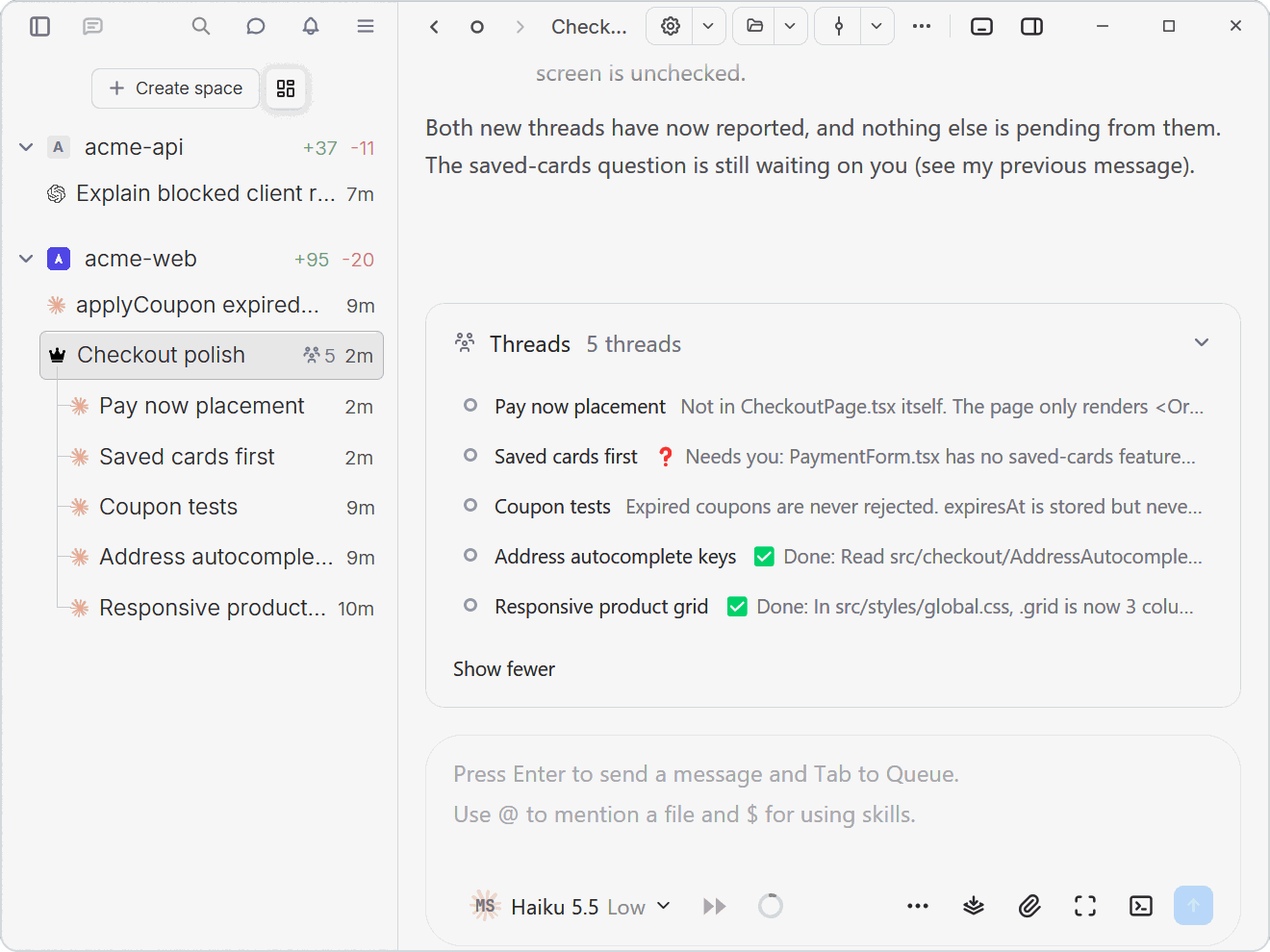
🤖 Agents that run agents
The ghostex command lets an agent open sessions, prompt others and read their replies. Or let a coordinator keep track of the threads.
📝 Annotate, then send
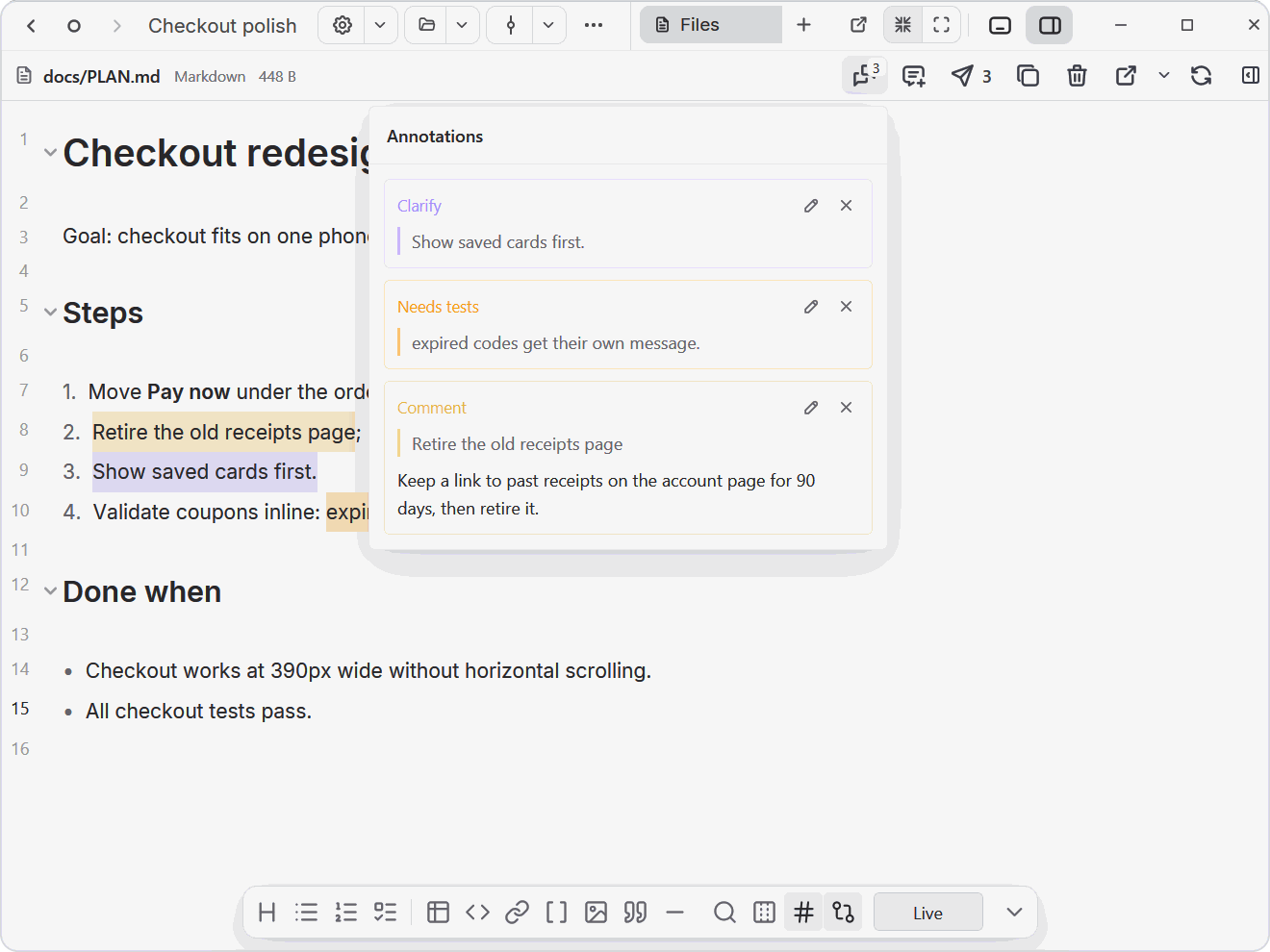
Mark up plans, HTML and diagrams next to your agent. One click sends every note as numbered feedback.
See annotations
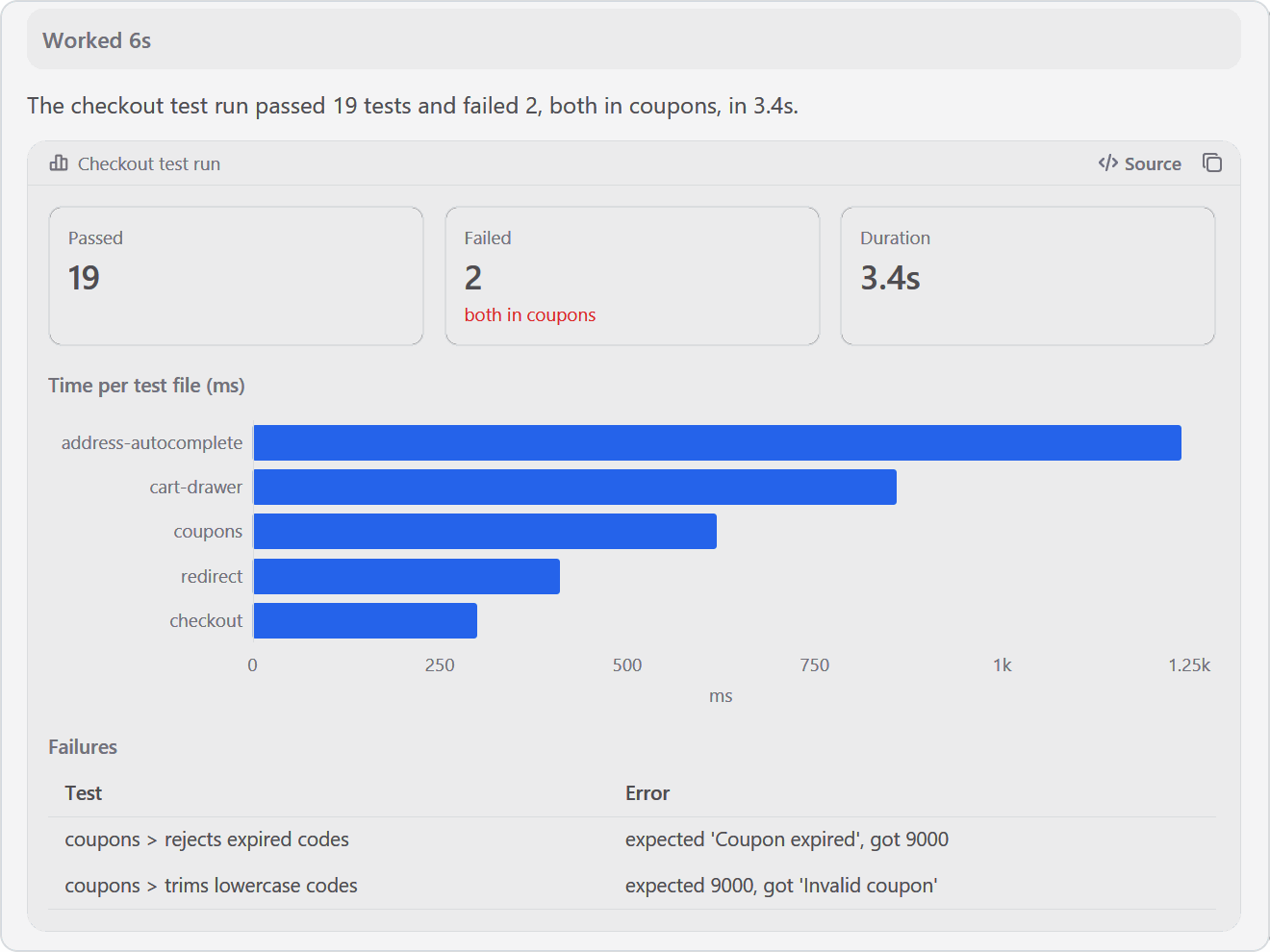
📊 Charts and pages in the chat
Agents answer with charts, tables and stat tiles, or publish a page that opens as a card. Same on desktop, web and phone.
See a visual reply
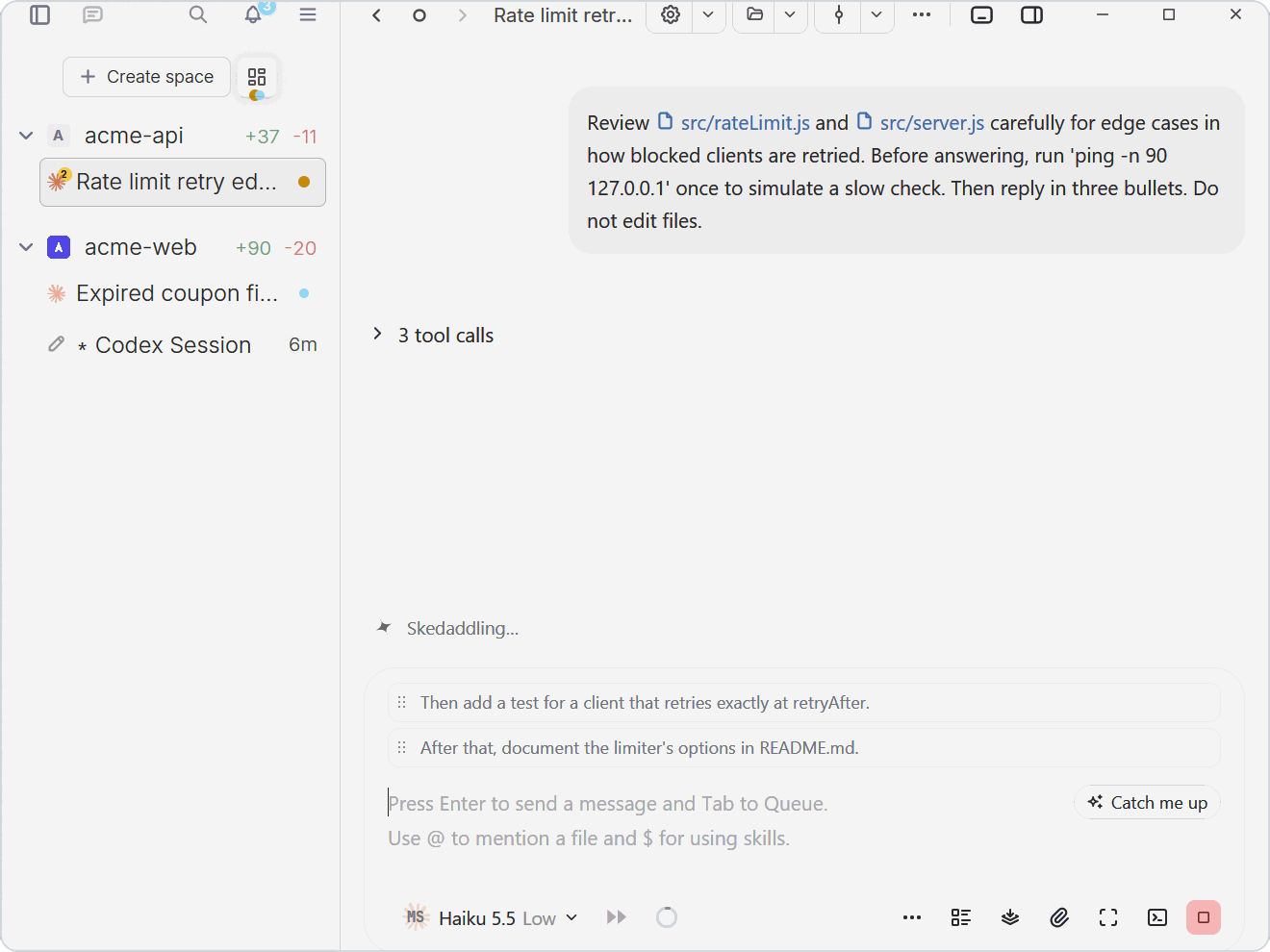
⏭️ Queue the next prompt
Keep typing while the agent works. Press Tab to queue a prompt; drag to reorder, or play one to interrupt.
See queued prompts
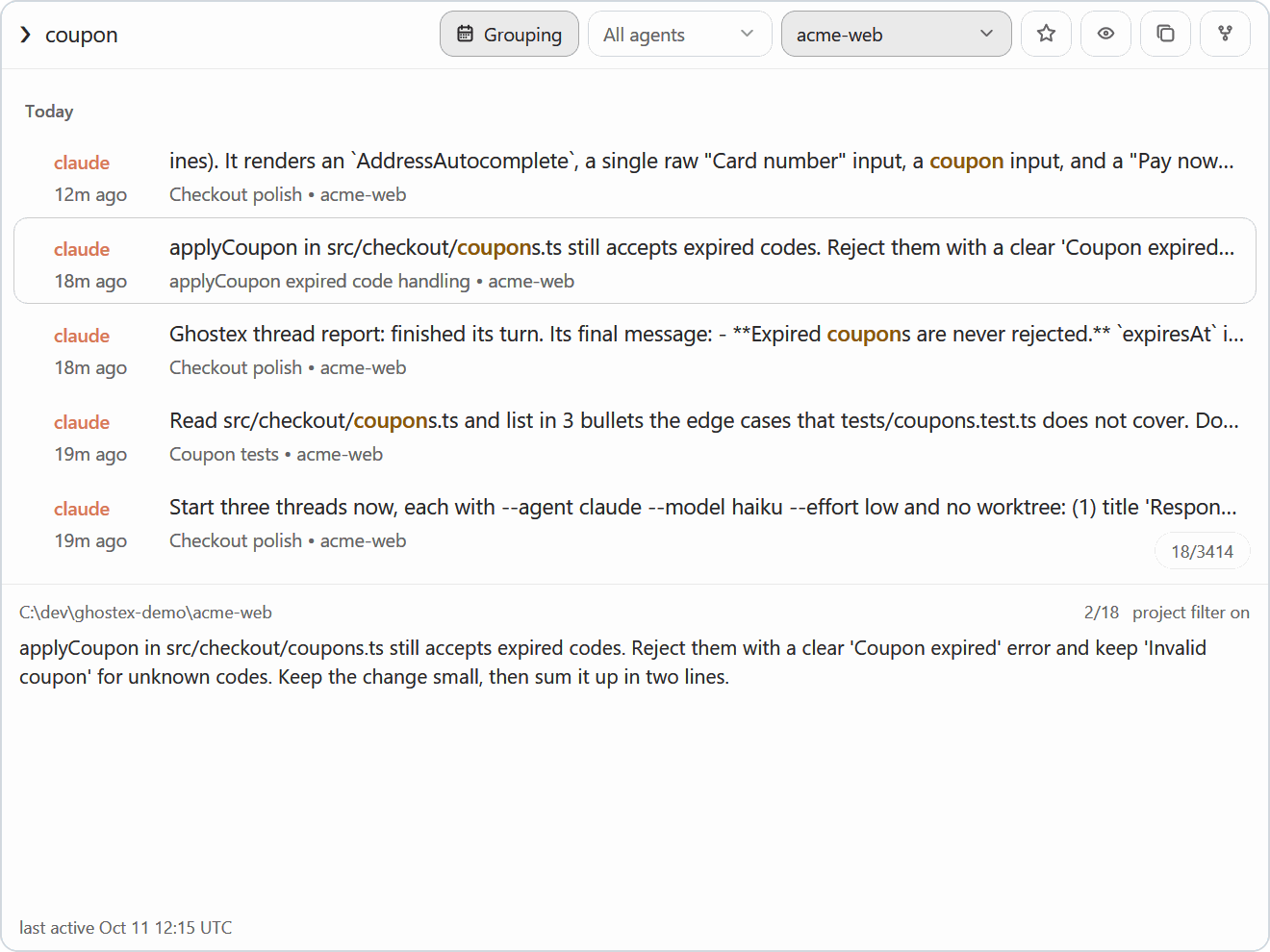
🔎 Find any past session
Fuzzy search every prompt you ever sent, across all your agents. Press Enter to resume. Also available as gx f in a terminal.
See prompt search
Also in the box: an on-demand VS Code editor · remote computers over Easy Connect or SSH · Claude and Codex usage with account switching · worktrees, splits and spaces · automations (scheduled prompts) with menu bar and sound notifications · optional plugins such as the Kanban board.
Works with your agent
Claude Code · Codex · OpenCode · Pi · oh-my-pi · Grok · Cursor · Copilot CLI · and more.
Install
On your computer
macOS: Apple Silicon DMG
Or install with Homebrew
brew install ghostex
Windows: x64 installer · ARM64 installer
PowerShell install and Windows details
irm https://ghostex.dev/install.ps1 | iex
The script downloads the installer for your PC from GitHub, checks it against GitHub's SHA-256 digest, and runs it.
Agents run in native PowerShell by default. Prefer Linux? Switch to WSL in Settings → General → Terminal → Windows Environment. Updates arrive automatically.
Linux: .deb · .rpm · AppImage · AUR · tar.zst
Arch Linux, ARM64 and other Linux details
# Arch Linux
yay -S ghostex-bin

# Other x64 distributions: extract into /opt/ghostex
sudo tar -xpf ghostex-*-linux-x64.tar.zst -C /

# No package manager: the AppImage copies itself into ~/.local/share/ghostex/appimage on first start
chmod +x ghostex-*-linux-x64.AppImage
./ghostex-*-linux-x64.AppImage
ARM64 packages are on the release page. To update an AppImage, download the new one and open it. Without FUSE the AppImage says "Cannot mount AppImage": install your distribution's fuse3 package, or start it with --appimage-extract-and-run.
Ghostex offers to install Chromium the first time you open the browser or code editor.
On your phone
iPhone: Get it on the App Store
Android: Download the APK
Pair the phone app with Ghostex on your computer using Easy Connect, or use your existing Tailscale tailnet.
How it compares
Open the feature comparison
| Feature |
Ghostex |
ChatGPT app |
cmux |
| macOS support |
Yes |
Yes |
Yes |
| Windows support |
Yes |
Yes |
No |
| Linux support |
Yes |
Yes |
No |
| Open source |
Yes |
- |
Yes |
| Ghostty terminal |
Yes |
- |
Yes |
| Chromium Browser |
Yes |
Yes |
No |
| Chat GUI view |
Yes |
Yes |
No |
| Fully featured IDE |
Yes |
- |
- |
| Built-in Computer use |
Yes |
Yes |
- |
| Built-in Browser use |
Yes |
Yes |
Yes |
| Use any model |
Yes |
- |
Yes |
| Cross Model Orchestration |
Yes |
- |
Yes |
| Rich Prompt Editor |
Yes |
N/A |
- |
| iOS |
Yes |
Yes |
Yes |
| Android |
Yes |
Yes |
Yes |
| Automations |
Yes |
Yes |
- |
Discord for help and feature talk · Issues for bugs and ideas · Contributing to help with ports, agents, docs and polish.
Credits: the open source Ghostex builds on
Ghostex builds on open source work from these projects and communities:
Free and open source under the MIT License.


 Ghostex 是一款原生桌面工作区,可同时运行多个编程智能体(Claude Code、Codex、Gemini、Cursor 等),提供聊天视图和移动端配套应用,会话在重启后也能保留。