





12.6K ·GitHub
What is this?
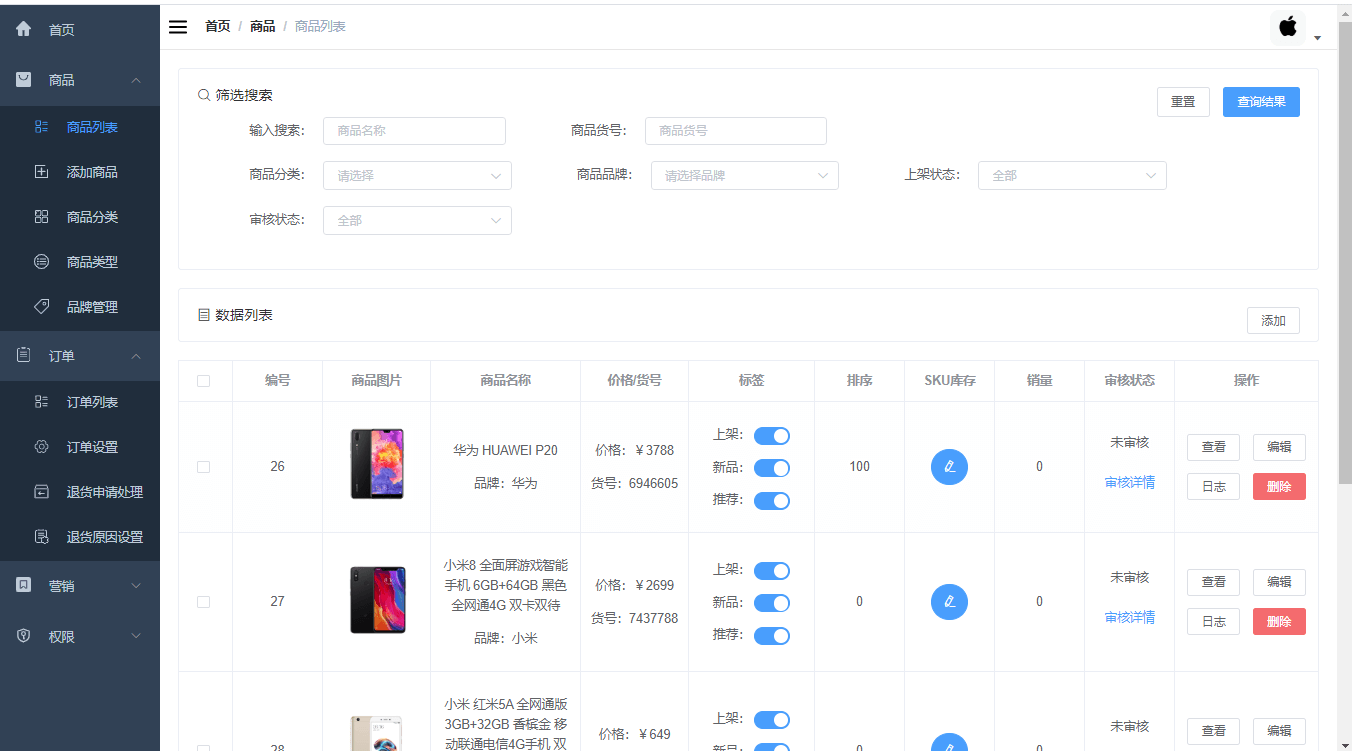
 This is the frontend admin dashboard for an e-commerce back-office system, covering product, order, member, promotion, operations, content, statistics, finance, and permission management.
This is the frontend admin dashboard for an e-commerce back-office system, covering product, order, member, promotion, operations, content, statistics, finance, and permission management.Is this a standalone app or does it need a backend?It's the frontend-only part of a separated frontend/backend project; it needs the companion backend project called 'mall' to actually work, unless you point it at the hosted online demo API.
It's the frontend-only part of a separated frontend/backend project; it needs the companion backend project called 'mall' to actually work, unless you point it at the hosted online demo API.How do I get it running?Install Node.js v20+, clone the repo, run 'npm install' then 'npm run dev', and open the dev server address shown in the terminal.
Install Node.js v20+, clone the repo, run 'npm install' then 'npm run dev', and open the dev server address shown in the terminal.Do I need to set up the backend myself, or can I just use the online API?You can skip backend setup by switching the VITE_BASE_SERVER_URL in .env.development to the online API endpoint; if you want to connect to the 'mall-swarm' microservices version, all requests must go through its gateway instead.
You can skip backend setup by switching the VITE_BASE_SERVER_URL in .env.development to the online API endpoint; if you want to connect to the 'mall-swarm' microservices version, all requests must go through its gateway instead.Is this the latest tech stack, or is there an older version?The master branch uses Vue 3 + Element Plus; there's a separate dev-v2 branch still on Vue 2 + Element for older setups.
The master branch uses Vue 3 + Element Plus; there's a separate dev-v2 branch still on Vue 2 + Element for older setups.What UI framework and charting library does it use?It's built on Vue 3 with the Element Plus UI framework, Vue Router for routing, Pinia for state management, Axios for HTTP requests, and a vue-charts library based on Echarts for reports.
It's built on Vue 3 with the Element Plus UI framework, Vue Router for routing, Pinia for state management, Axios for HTTP requests, and a vue-charts library based on Echarts for reports.Does it include a rich text editor?Yes, it uses TinyMCE Vue as the built-in rich text editor, for example for product descriptions.
Yes, it uses TinyMCE Vue as the built-in rich text editor, for example for product descriptions.Is there a companion learning resource?Yes, the author provides a full tutorial called 'mall学习教程' (mall Learning Tutorial) alongside a live online demo of the admin panel.
Yes, the author provides a full tutorial called 'mall学习教程' (mall Learning Tutorial) alongside a live online demo of the admin panel.How do I deploy it to production?The README points to a dedicated guide for installing and deploying the frontend project, plus a separate guide on automating deployment with Jenkins.
The README points to a dedicated guide for installing and deploying the frontend project, plus a separate guide on automating deployment with Jenkins.What are similar projects?vuestic-admin, vue-element-admin, vue-admin-better, vue-admin-template, d2-admin, vue2-manage, iview-admin, vhr
vuestic-admin, vue-element-admin, vue-admin-better, vue-admin-template, d2-admin, vue2-manage, iview-admin, vhrWhich topics is it in?axios, element-ui, vue-router, vuex, markdown-editor, vuejs, vue3, ecommerce, admin-dashboard, charts, vue, china
axios, element-ui, vue-router, vuex, markdown-editor, vuejs, vue3, ecommerce, admin-dashboard, charts, vue, china