n.eko
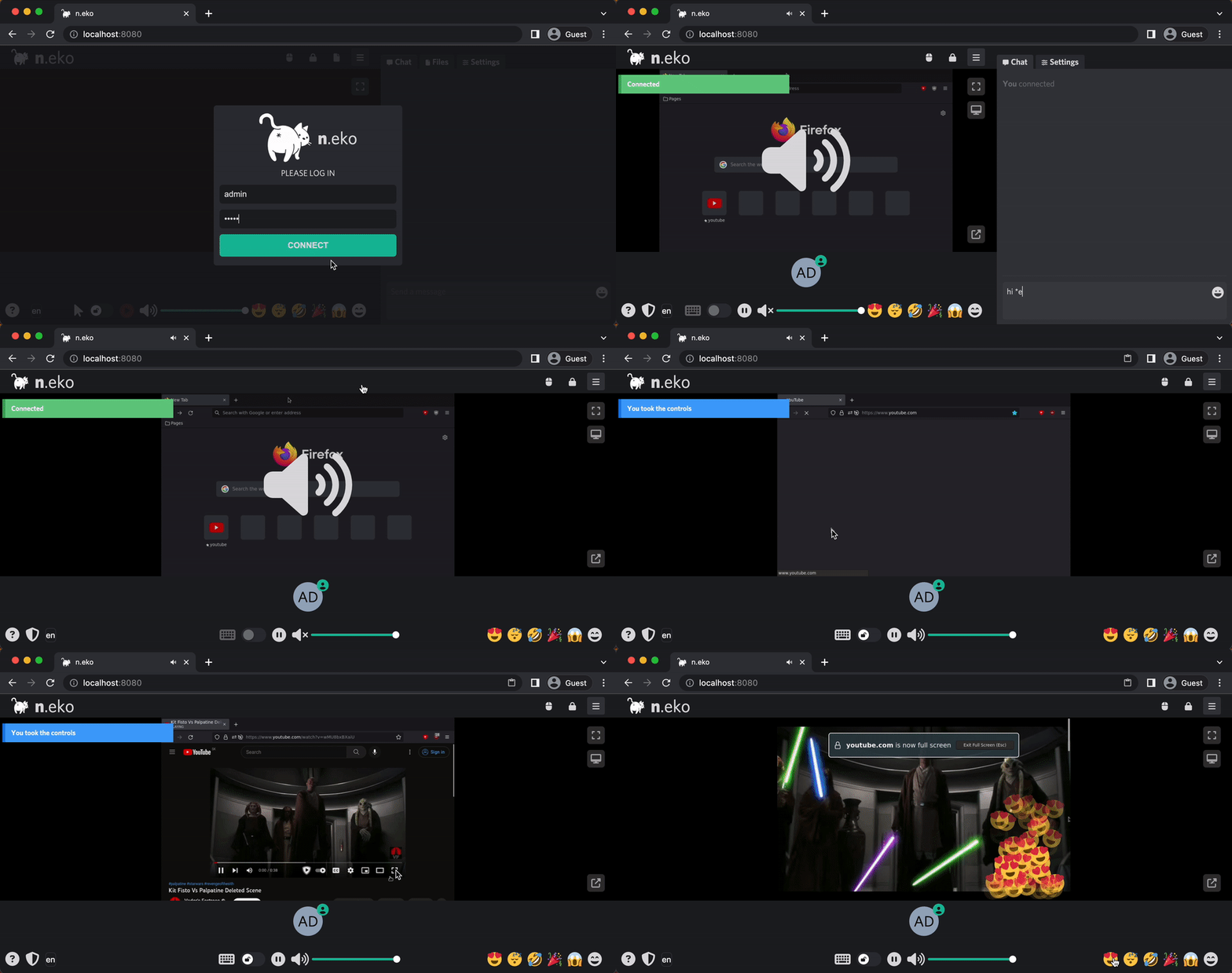
Welcome to Neko, a self-hosted virtual browser that runs in Docker and uses WebRTC technology. Neko is a powerful tool that allows you to run a fully-functional browser in a virtual environment, giving you the ability to access the internet securely and privately from anywhere. With Neko, you can browse the web, run applications, and perform other tasks just as you would on a regular browser, all within a secure and isolated environment. Whether you are a developer looking to test web applications, a privacy-conscious user seeking a secure browsing experience, or simply someone who wants to take advantage of the convenience and flexibility of a virtual browser, Neko is the perfect solution.
In addition to its security and privacy features, Neko offers the ability for multiple users to access it simultaneously. This makes it an ideal solution for teams or organizations that need to share access to a browser, as well as for individuals who want to use multiple devices to access the same virtual environment. With Neko, you can easily and securely share access to a browser with others, without having to worry about maintaining separate configurations or settings. Whether you need to collaborate on a project, access shared resources, or simply want to share access to a browser with friends or family, Neko makes it easy to do so.
Neko is also a great tool for hosting watch parties and interactive presentations. With its virtual browser capabilities, Neko allows you to host watch parties and presentations that are accessible from anywhere, without the need for in-person gatherings. This makes it easy to stay connected with friends and colleagues, even when you are unable to meet in person. With Neko, you can easily host a watch party or give an interactive presentation, whether it's for leisure or work. Simply invite your guests to join the virtual environment, and you can share the screen and interact with them in real-time.
About
This app uses WebRTC to stream a desktop inside of a docker container, original author made this because rabb.it went under and his internet could not handle streaming and discord kept crashing when his friend attempted to. He just wanted to watch anime with his friends ლ(ಠ益ಠლ) so he started digging throughout the internet and found a few kinda clones, but none of them had the virtual browser, then he found Turtus and he was able to figure out the rest.
Then I found this project and started to dig into it. I really liked the idea of having collaborative browser browsing together with multiple people, so I created a fork. Initially, I wanted to merge my changes to the upstream repository, but the original author did not have time for this project anymore and it got eventually archived.
Use-cases and comparison
Neko started as a virtual browser that is streamed using WebRTC to multiple users.
- It is not only limited to a browser; it can run anything that runs on linux (e.g. VLC). Browser only happens to be the most popular and widely used use-case.
- In fact, it is not limited to a single program either; you can install a full desktop environment (e.g. XFCE, KDE).
- Speaking of limits, it does not need to run in a container; you could install neko on your host, connect to your X server and control your whole VM.
- Theoretically it is not limited to only X server, anything that can be controlled and scraped periodically for images could be used instead.
- Like implementing RDP or VNC protocol, where neko would only act as WebRTC relay server. This is currently only future.
Primary use case is connecting with multiple people, leveraging real time synchronization and interactivity:
- Watch party - watching video content together with multiple people and reacting to it (chat, emotes) - open source alternative to giggl.app or hyperbeam.
- Interactive presentation - not only screen sharing, but others can control the screen.
- Collaborative tool - brainstorming ideas, cobrowsing, code debugging together.
- Support/Teaching - interactively guiding people in controlled environment.
- Embed anything - embed virtual browser in your web app - open source alternative to hyperbeam API.
- open any third-party website or application, synchronize audio and video flawlessly among multiple participants.
- request rooms using API with neko-rooms.
- Neko inside VR Chat - watch remote browser together with friends in VR.
Other use cases that benefit from single-user:
- Personal workspace - streaming containerized apps and desktops to end-users - similar to kasm.
- Persistent browser - own browser with persistent cookies available anywhere - similar to mightyapp.
- no state is left on the host browser after terminating the connection.
- sensitive data like cookies are not transferred - only video is shared.
- Throwaway browser - a better solution for planning secret parties and buying birthday gifts off the internet.
- use Tor Browser and VPN for additional anonymity.
- mitigates risk of OS fingerprinting and browser vulnerabilities by running in container.
- Session broadcasting - broadcast room content using RTMP (to e.g. twitch or youtube...).
- Session recording - broadcast RTMP can be saved to a file using e.g. nginx-rtmp
- have clean environment when recording tutorials.
- no need to hide bookmarks or use incognito mode.
- Jump host - access your internal applications securely without the need for VPN.
- Automated browser - you can install playwright or puppeteer and automate tasks while being able to actively intercept them.
Compared to clientless remote desktop gateway (e.g. Apache Guacamole or websockify with noVNC), installed with remote desktop server along with desired program (e.g. linuxserver/firefox) provides neko additionally:
- Smooth video because it uses WebRTC and not images sent over WebSockets.
- Built in audio support, what is not part of Apache Guacamole or noVNC.
- Multi-participant control, what is not natively supported by Apache Guacamole or noVNC.
Supported browsers
Other applications
Why neko?
I like cats 🐱 (Neko is the Japanese word for cat), I'm a weeb/nerd.
But why the cat butt? Because cats are assholes, but you love them anyways.
Multiple rooms
For neko room management software, visit neko-rooms.
It also offers Zero-knowledge installation (with HTTPS).
Documentation
Full documentation is available at neko.m1k1o.net. Key sections include:
How to Contribute
Contributions are welcome! Check the Contributing Guide for details.
Support
If you find Neko useful, consider supporting the project via GitHub Sponsors.






















 Neko 是一个可以自己搭建的虚拟浏览器,运行在 Docker 里,通过 WebRTC 把屏幕画面实时串流给观看者,这样几个人就能一起实时浏览网页、互相操作。