

这是什么?
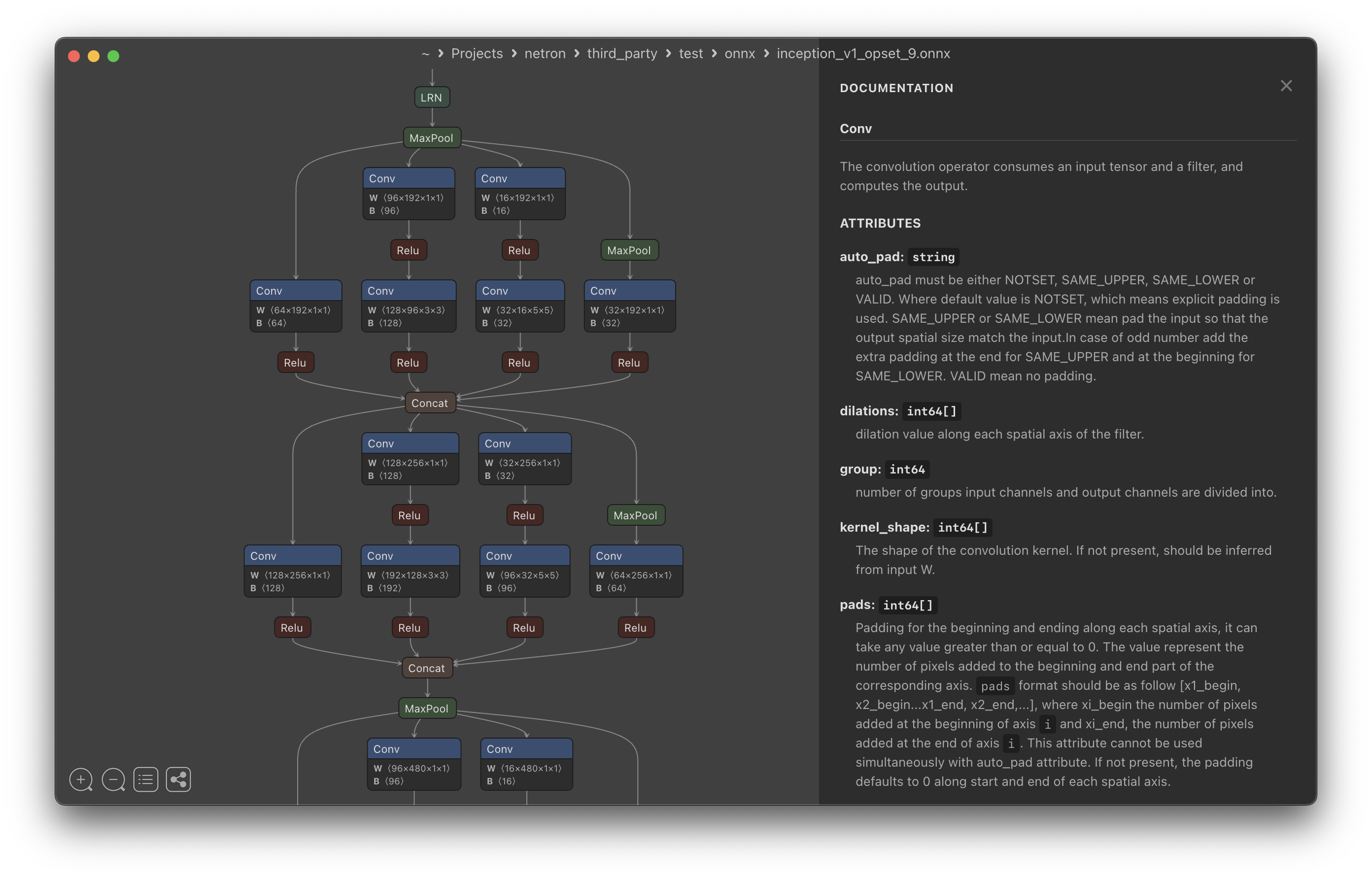
 Netron 是一款神经网络、深度学习和机器学习模型查看器,可以打开模型文件,直观查看其计算图、层和权重。
Netron 是一款神经网络、深度学习和机器学习模型查看器,可以打开模型文件,直观查看其计算图、层和权重。它是桌面应用还是浏览器工具?两者都有:提供适用于 macOS、Linux 和 Windows 的原生桌面应用,还有无需安装即可使用的浏览器版本,以及可启动本地查看器的 Python 包。
两者都有:提供适用于 macOS、Linux 和 Windows 的原生桌面应用,还有无需安装即可使用的浏览器版本,以及可启动本地查看器的 Python 包。我该如何安装并打开模型?可以通过 macOS 的 .dmg 或执行 'brew install --cask netron' 安装,Linux 的 .deb/.rpm,Windows 的 .exe 或执行 'winget install -s winget netron',也可以执行 'pip install netron' 后运行 'netron [FILE]';此外,直接打开浏览器版本,将模型文件拖入即可。
可以通过 macOS 的 .dmg 或执行 'brew install --cask netron' 安装,Linux 的 .deb/.rpm,Windows 的 .exe 或执行 'winget install -s winget netron',也可以执行 'pip install netron' 后运行 'netron [FILE]';此外,直接打开浏览器版本,将模型文件拖入即可。我需要先安装 Python 或 Homebrew 吗?不需要,它们都是可选的:Homebrew 和 pip 只是多种安装方式中的两种,你同样可以直接下载预编译的安装包,或使用无需任何依赖的浏览器版本。
不需要,它们都是可选的:Homebrew 和 pip 只是多种安装方式中的两种,你同样可以直接下载预编译的安装包,或使用无需任何依赖的浏览器版本。它是否完整支持所有模型格式?ONNX、TensorFlow Lite、PyTorch、TensorFlow、Core ML、Keras 和 Darknet 等核心格式均已完整支持,但 MLIR、JAX、GGUF、RKNN、ncnn、MNN、PaddlePaddle 和 scikit-learn 等格式仅为实验性支持。
ONNX、TensorFlow Lite、PyTorch、TensorFlow、Core ML、Keras 和 Darknet 等核心格式均已完整支持,但 MLIR、JAX、GGUF、RKNN、ncnn、MNN、PaddlePaddle 和 scikit-learn 等格式仅为实验性支持。这对哪些人有用?任何使用已训练机器学习/深度学习模型的人,只要想了解模型的架构、层和张量,都可以用它,无需编写代码。
任何使用已训练机器学习/深度学习模型的人,只要想了解模型的架构、层和张量,都可以用它,无需编写代码。Netron 完整支持哪些模型格式?ONNX、TensorFlow Lite、PyTorch、torch.export、ExecuTorch、TorchScript、TensorFlow、Core ML、OpenVINO、Keras、Caffe、Darknet、Safetensors 和 NumPy。
ONNX、TensorFlow Lite、PyTorch、torch.export、ExecuTorch、TorchScript、TensorFlow、Core ML、OpenVINO、Keras、Caffe、Darknet、Safetensors 和 NumPy。不安装任何东西也能试用吗?可以,README 中附有示例模型文件链接(ONNX、TorchScript、TensorFlow Lite、Keras、MLIR、Core ML、Darknet),可直接在浏览器版本中打开。
可以,README 中附有示例模型文件链接(ONNX、TorchScript、TensorFlow Lite、Keras、MLIR、Core ML、Darknet),可直接在浏览器版本中打开。这是我可以导入到项目中的代码库吗?不是,它是一款独立的查看器应用/工具,而不是可集成到代码中的库;运行它并指定模型文件即可进行查看。
不是,它是一款独立的查看器应用/工具,而不是可集成到代码中的库;运行它并指定模型文件即可进行查看。What are similar projects?ludwig, onnx, horovod, deeplearning4j, DeepLearning, 100-Days-Of-ML-Code, machine-learning-zoomcamp, tutorials
ludwig, onnx, horovod, deeplearning4j, DeepLearning, 100-Days-Of-ML-Code, machine-learning-zoomcamp, tutorialsWhich topics is it in?coreml, machinelearning, deeplearning, keras, model, ml, numpy, onnx, tensorflow, visualization, neural-network, pytorch
coreml, machinelearning, deeplearning, keras, model, ml, numpy, onnx, tensorflow, visualization, neural-network, pytorch