
The container platform tailored for Kubernetes multi-cloud, datacenter, and edge management






What is KubeSphere
English | 中文
KubeSphere is a distributed operating system for cloud-native application management,
using Kubernetes as its kernel. It provides a plug-and-play architecture, allowing third-party
applications to be seamlessly integrated into its ecosystem. KubeSphere is also a multi-tenant container platform with
full-stack automated IT operation and streamlined DevOps workflows. It provides developer-friendly wizard web UI,
helping enterprises to build out a more robust and feature-rich platform, which includes most common functionalities
needed for enterprise Kubernetes strategy, see Feature List for details.
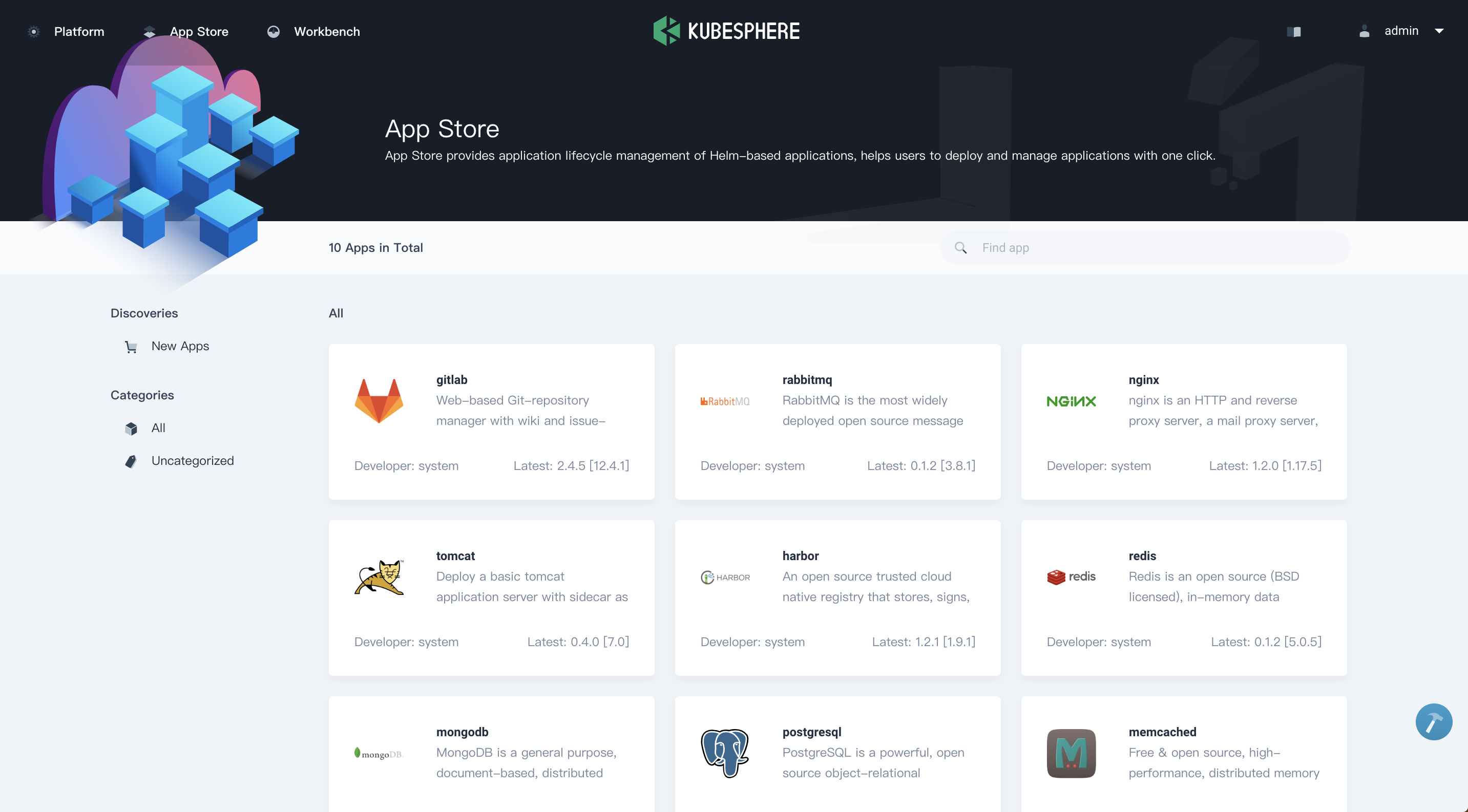
The following screenshots give a close insight into KubeSphere. Please
check What is KubeSphere for further information.
| Workbench |
Project Resources |
 |
 |
| CI/CD Pipeline |
App Store |
 |
 |
Demo environment
🎮 KubeSphere Lite provides you with free, stable, and
out-of-the-box managed cluster service. After registration and login, you can easily create a K8s cluster with
KubeSphere installed in only 5 seconds and experience feature-rich KubeSphere.
🖥 You can view the Demo Video to get started with KubeSphere.
Features
🧩 Extensible Architecture
Designed for flexibility, supporting plugin-based extensions and seamless integrations. Easily customize and expand functionalities to meet evolving needs. Learn more.
🕸 Provisioning Kubernetes Cluster
Support deploy Kubernetes on any infrastructure, support online and air-gapped installation. Learn more.
🔗 Kubernetes Multi-cluster Management
Provide a centralized control plane to manage multiple Kubernetes clusters, and support the ability to propagate an app to multiple K8s clusters across different cloud providers.
🤖 Kubernetes DevOps
Provide GitOps-based CD solutions and use Argo CD to provide the underlying support, collecting CD status information in real time. With the mainstream CI engine Jenkins integrated, DevOps has never been easier. Learn more.
🔎 Cloud Native Observability
Multi-dimensional monitoring, events and auditing logs are supported; multi-tenant log query and collection, alerting and notification are built-in. Learn more.
🌐 Service Mesh (Istio-based)
Provide fine-grained traffic management, observability and tracing for distributed microservice applications, provides visualization for traffic topology. Learn more.
💻 App Store
Provide an App Store for Helm-based applications, and offer application lifecycle management on Kubernetes platform. Learn more.
💡 Edge Computing Platform
KubeSphere integrates KubeEdge to enable users to deploy applications on the edge devices and view logs and monitoring metrics of them on the console. Learn more.
🗃 Support Multiple Storage and Networking Solutions
Support GlusterFS, CephRBD, NFS, LocalPV solutions, and provide CSI plugins to consume storage from multiple cloud providers.Provide Load Balancer Implementation OpenELB for Kubernetes in bare-metal, edge, and virtualization. Provides network policy and Pod IP pools management, support Calico, Flannel, Kube-OVN..
🏢 Multi-Tenancy
Isolated workspaces with role-based access control ensure secure resource sharing across multiple tenants. Supports fine-grained permissions and quota management. Learn more.
🧠 GPU Workloads Scheduling and Monitoring
Create GPU workloads on the GUI, schedule GPU resources, and manage GPU resource quotas by tenant.
Architecture
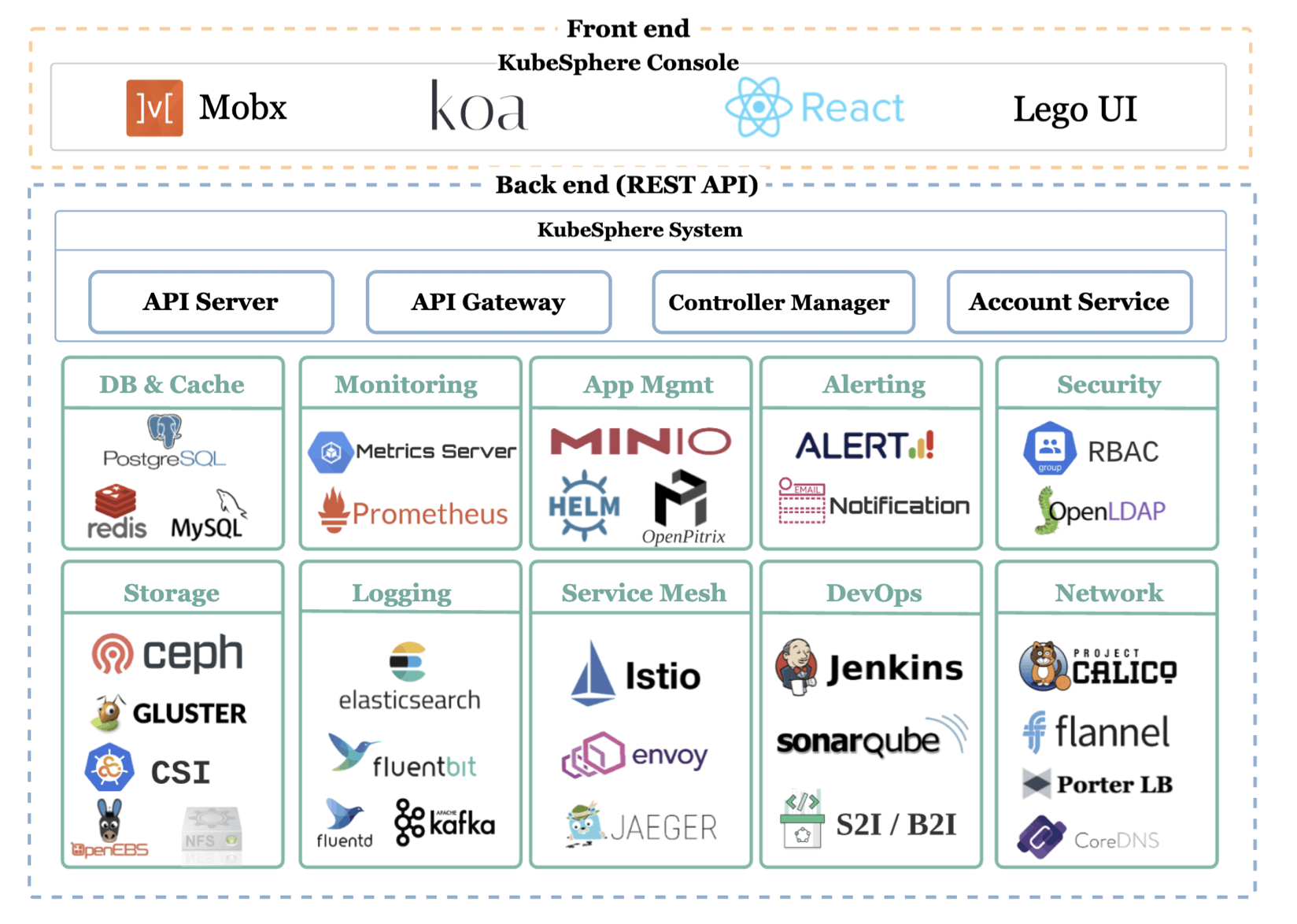
KubeSphere 4.x adopts a microkernel + extension components architecture (codename LuBan). The core part (KubeSphere Core) only includes the essential basic functions required for system operation, with independent functional modules split and provided in the form of extension components. Users can dynamically manage the extension components during system operation. With the extension capabilities, KubeSphere can support more application scenarios and meet the needs of different users.
Latest release
🎉 KubeSphere v4.1.2 was released! It brings enhancements and better user experience, see
the Release Notes For 4.1.2 for the updates.
Installation
KubeSphere can run anywhere from on-premise datacenter to any cloud to edge. In addition, it can be deployed on any
version-compatible Kubernetes cluster. KubeSphere consumes very few resources, and you can
optionally install additional extensions after installation.
Quick start
Installing on K8s
Run the following commands to install KubeSphere on an existing Kubernetes cluster:
helm upgrade --install -n kubesphere-system --create-namespace ks-core https://charts.kubesphere.io/main/ks-core-1.1.3.tgz --debug --wait
KubeSphere for hosted Kubernetes services
KubeSphere is hosted on the following cloud providers, and you can try KubeSphere by one-click installation on their
hosted Kubernetes services.
You can also install KubeSphere on other hosted Kubernetes services within minutes, see
the step-by-step guides to get started.
👨💻 No internet access? Refer to
the Air-gapped Installation.
Guidance, discussion, contribution, and support
You can reach the KubeSphere community and developers via the following
channels:
:hugs: Please submit any KubeSphere bugs, issues, and feature requests
to KubeSphere GitHub Issue.
:heart_decoration: The KubeSphere team also provides efficient official ticket support to respond in hours. For more
information, click KubeSphere Online Support.
Contribution
Code of conduct
Participation in the KubeSphere community is governed by
the Code of Conduct.
Security
The security process for reporting vulnerabilities is described in SECURITY.md.
Who are using KubeSphere
The user case studies page includes the user list of the project. You
can leave a comment to let us know your use case.


KubeSphere is a member of CNCF and a Kubernetes Conformance Certified platform
, which enriches the CNCF CLOUD NATIVE Landscape.

 KubeSphere 是一个构建在 Kubernetes 之上的容器平台,用于管理跨多云、数据中心和边缘环境的云原生应用。它在你的集群之上提供了对开发者友好的 Web 控制台、多租户、DevOps 工作流,以及即插即用的扩展生态。