595 ·GitHub
The Reddit post asked how to make flowers like these in LaTeX. I don't know how the original was made, and this project doesn't try to reproduce it.
The project's README from github.com/kevinraymond/florilegium. As one markdown file: README.md.
The Reddit post asked how to make flowers like these in LaTeX. I don't know how the original was made, and this project doesn't try to reproduce it. It is one possible way, and the way I did it: hand-authored primitives with randomized parameters, painted in Lua, placed by a procedural layout whose "fill the unused space" part borrows a 1998 idea from the ornament literature. It gets a similar look.
Procedurally generated Delft-blue floral page margins for LaTeX. No images, no imported paths, no external assets: every petal, leaf and stem is a parametric curve computed in Lua while the page is being written, painted like a watercolor, and written straight into the PDF. Every page gets its own garden.
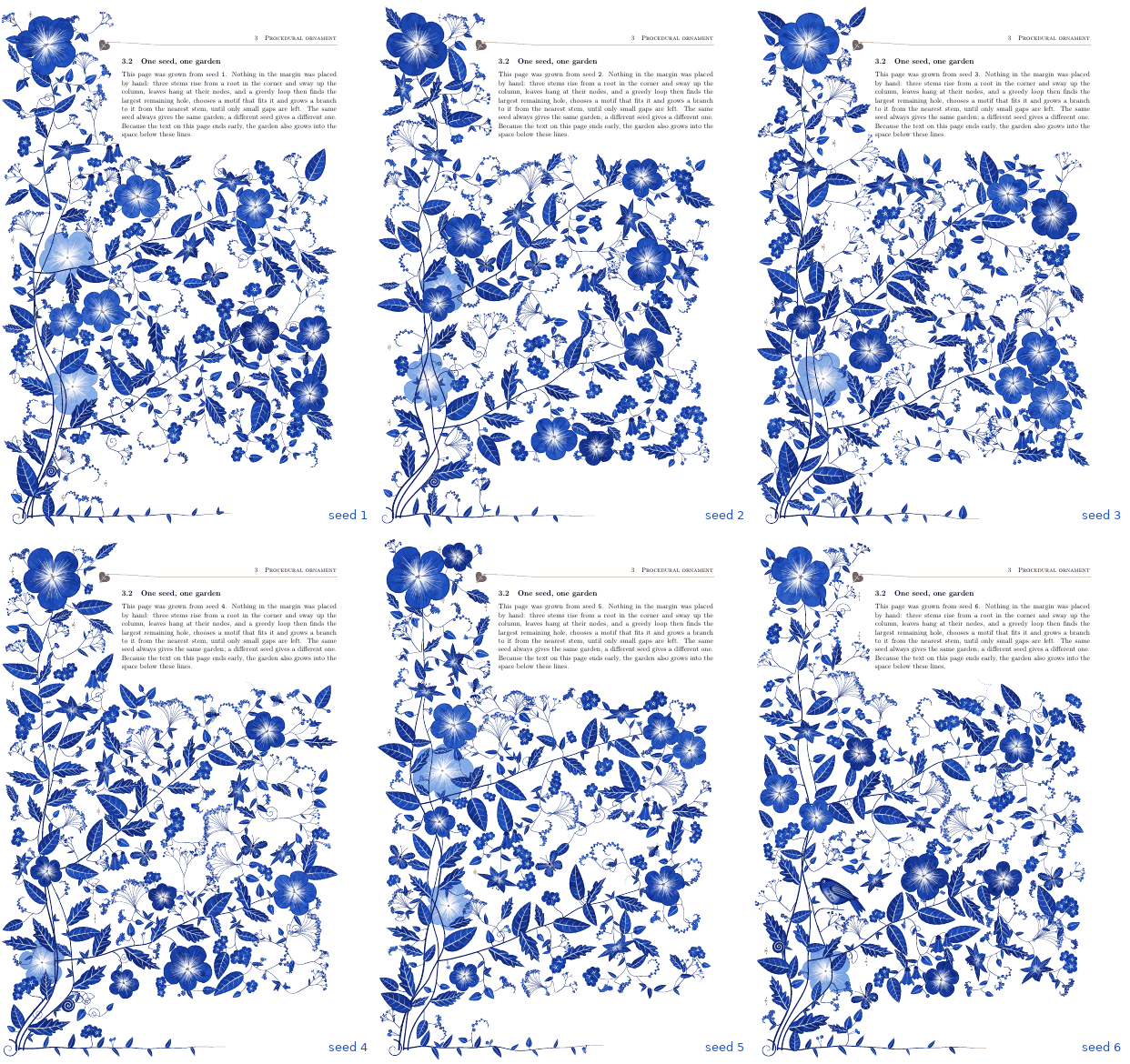
Six seeds of the grown composition. Same code, different seed — and the garden fills whatever space the text leaves free.
Two documents share one package, and two more (showcase.tex, spread.tex) show what
else it does:
florilegium.tex |
florilegium-grow.tex |
|
|---|---|---|
| composition | authored: stems, leaves and flowers placed by hand, every parameter sampled | grown: a plant grown to fit the page by a greedy space-filling loop |
| adapts to | nothing (tuned for A4, 68 mm margin) | the page layout, and the free space below the text on the last page |
| preview | 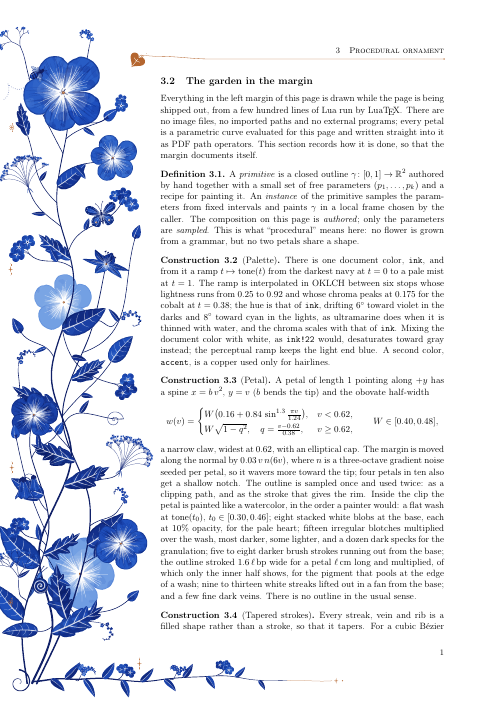 |
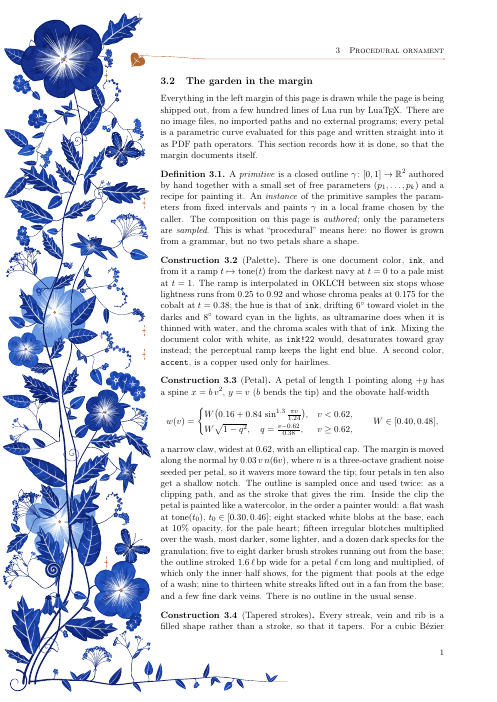 |
Both PDFs are self-describing: the body text is the write-up of how the margin is drawn.
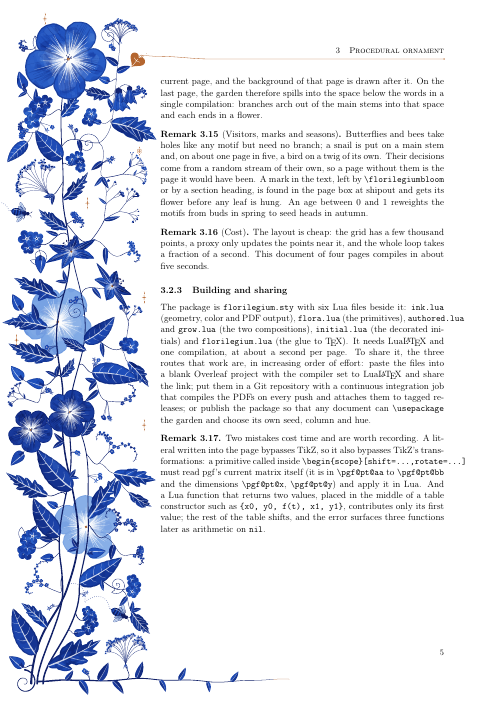
Last page of the grown document: the text ends early, so branches arch into the space below.

300 dpi crop. Mottled washes with white streaks lifted out, lobed leaves with white veins, forget-me-not cymes, a pale ghost flower behind the stems.
| as it grows | with the free space it fills |
|---|---|
 |
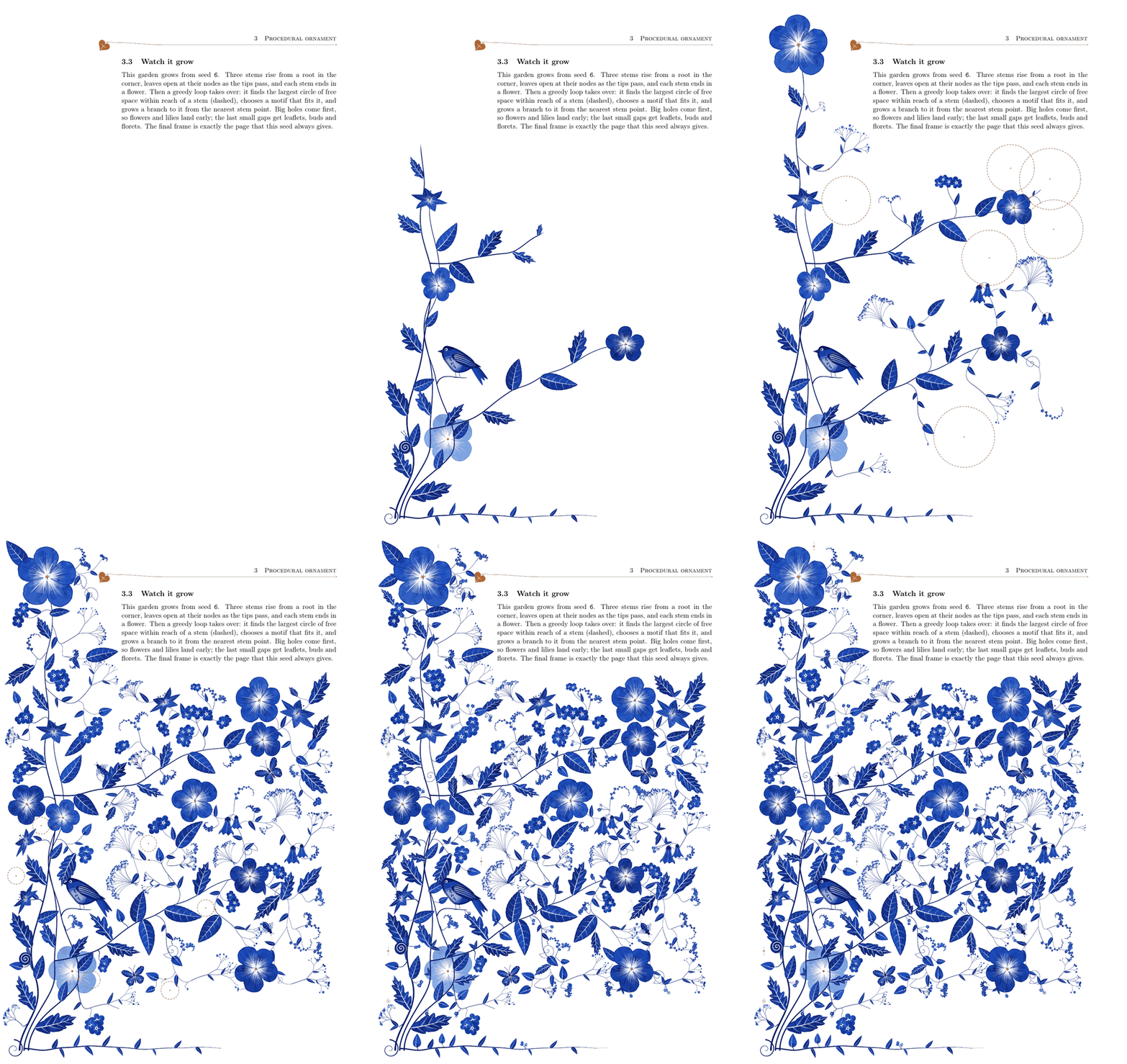 |
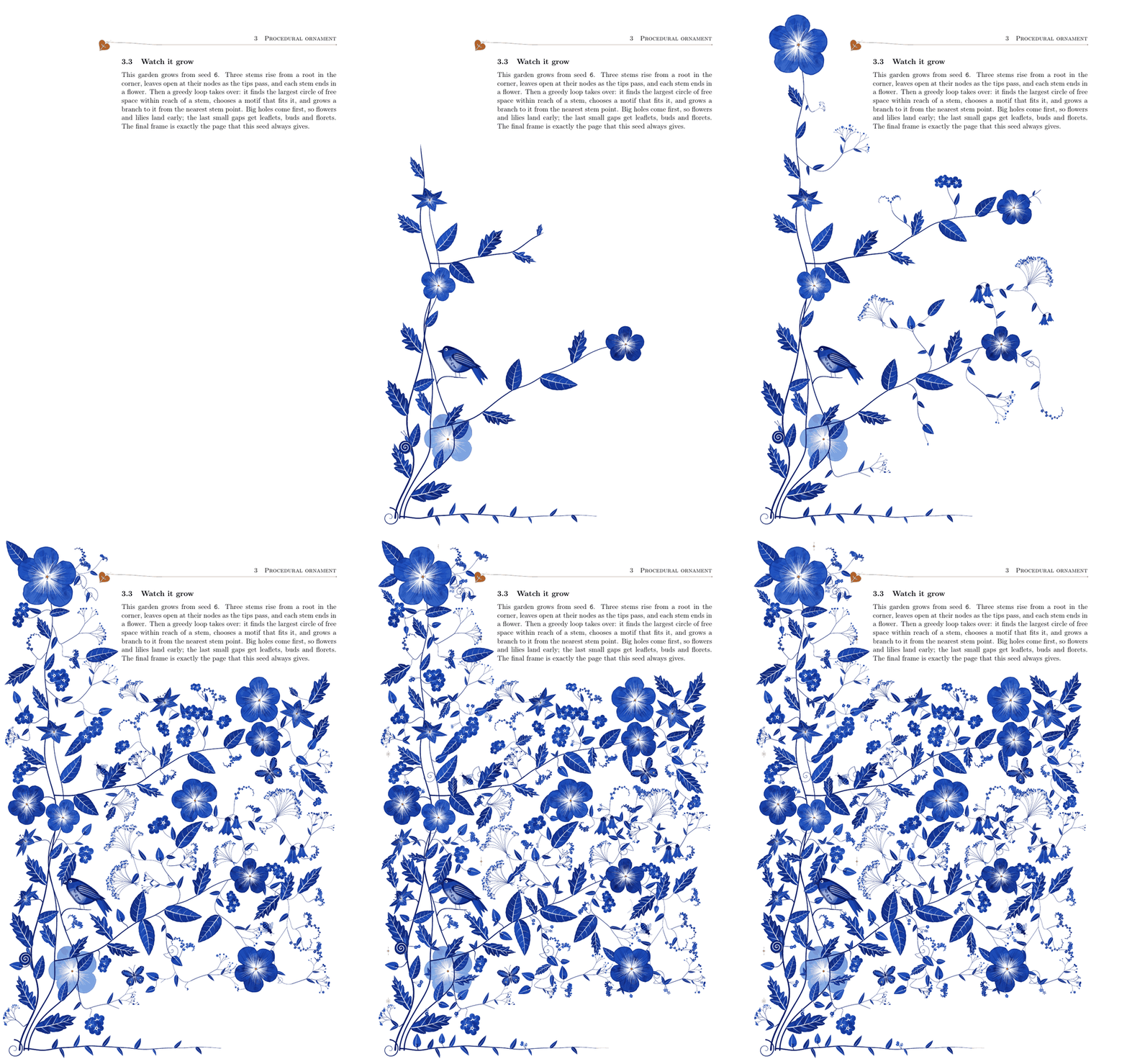
Seed 6, from an empty margin to the finished page. The stems rise first, leaves open as the tips pass their nodes, and each stem ends in a flower. Then the greedy loop takes over: on the right, each dashed circle is the largest free disc it found, just before a branch grows to it. Big holes come first and slowly, small ones last and fast. The butterflies and bees fly in, the bird glides onto its twig, and the snail crawls up its stem until the last frame, which is exactly the page this seed always gives.
The growth is recorded once, while the page is laid out: each stem is also drawn as
prefixes of increasing length and each motif at a few smaller scales, replaying the same
random draws. A frame then writes the pieces whose time has come, in their original
painting order. make grow-6 renders one seed this way (build/grow-6.gif and .mp4, about
45 seconds); add EXPLAIN=1 for the dashed circles.
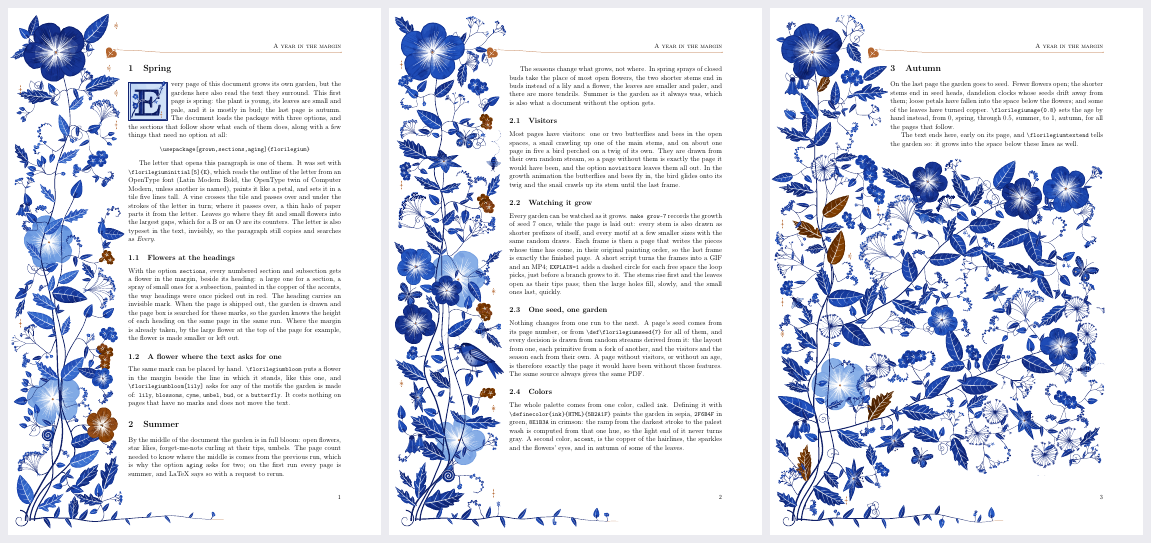
showcase.tex, "A year in the margin": spring on the first page, summer, autumn on the
last. Each section describes the feature it shows.
The grown margin can respond to the document around it:
\florilegiuminitial[5]{E} sets the first letter of a paragraph in a tile
five lines tall. The outline of the letter is read from an OpenType font (Latin Modern
Bold by default) and painted like a petal; a vine passes over and under its strokes in
turn, with leaves where they fit and flowers in the gaps, often in the letter's counters.
The letter is also typeset invisibly, so the paragraph still copies as "Every".sections, every numbered section and
subsection gets a flower in the margin beside its heading, painted in the copper of the
accents, the way headings were once picked out in red.\florilegiumbloom puts a flower beside the line it
stands in; \florilegiumbloom[lily] asks for any motif of the garden. The marks are found
in the page box when the page is shipped out, so this works in one run.aging, the garden ages from spring on the first page
(mostly in bud, small pale leaves) to autumn on the last (seed heads, falling petals, a
few copper leaves). It needs two runs, for the page count; \florilegiumage{0.8} sets an
age by hand instead.
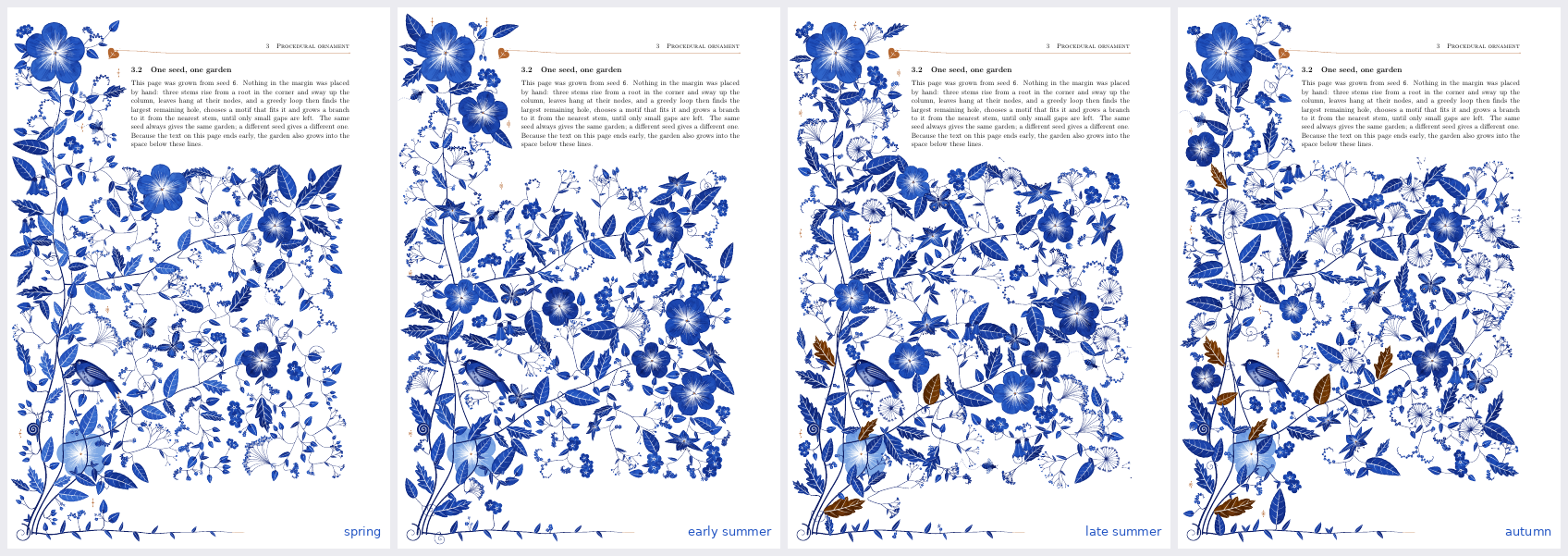
One seed in spring, early summer, late summer and autumn. The seasons change what grows, not where.

Most pages have visitors: a butterfly or two and bees in the open spaces, a snail crawling
up one of the main stems, and on about one page in five a bird perched on a twig of its own.
They come from a random stream of their own, so a page without them is exactly the page it
would have been; the option novisitors leaves them out.
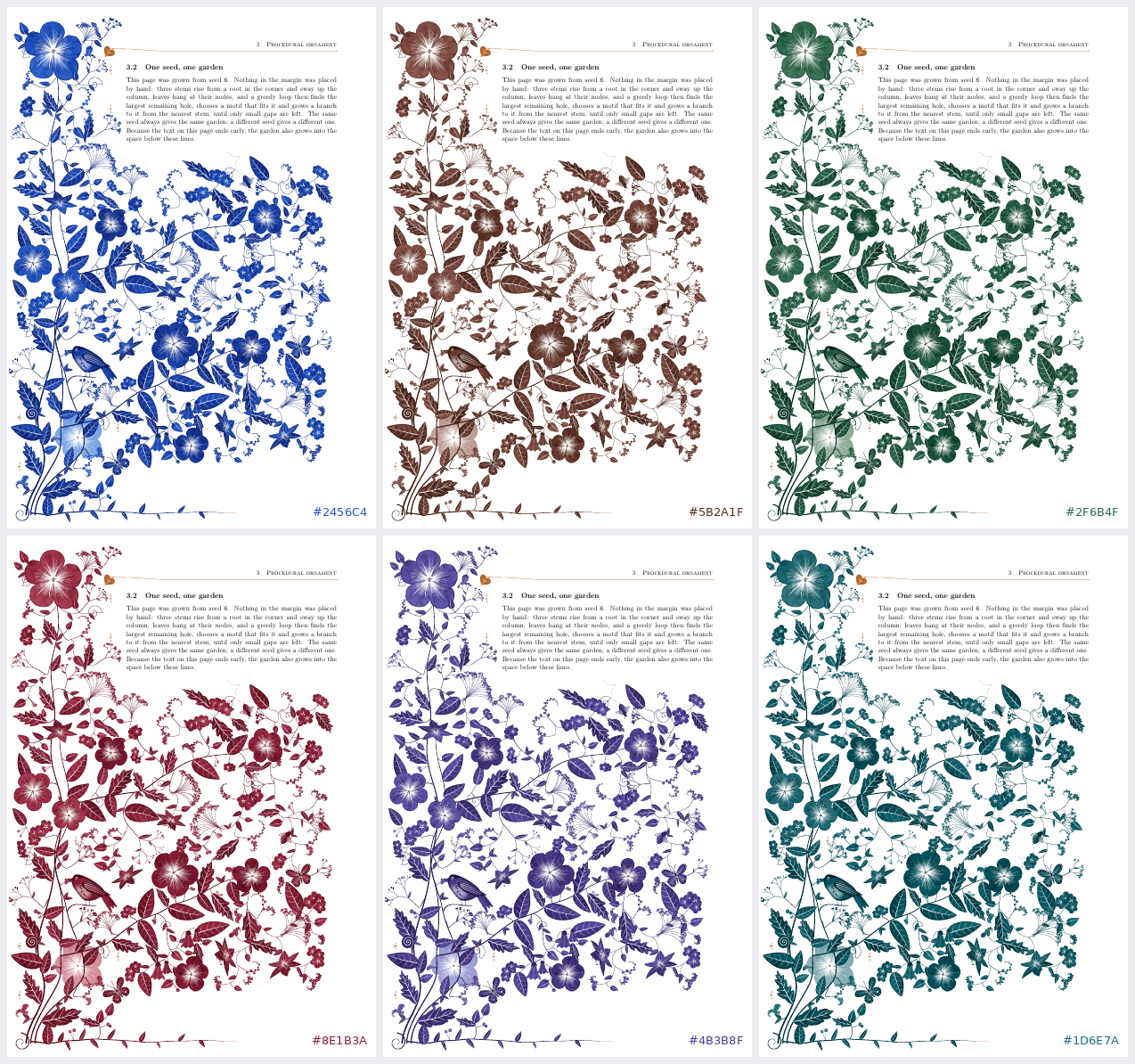
The whole palette comes from one color, ink: Delft blue, sepia, green, crimson, violet,
teal. The ramp from the darkest stroke to the palest wash is computed from that hue in
OKLCH, so the light end never turns gray.
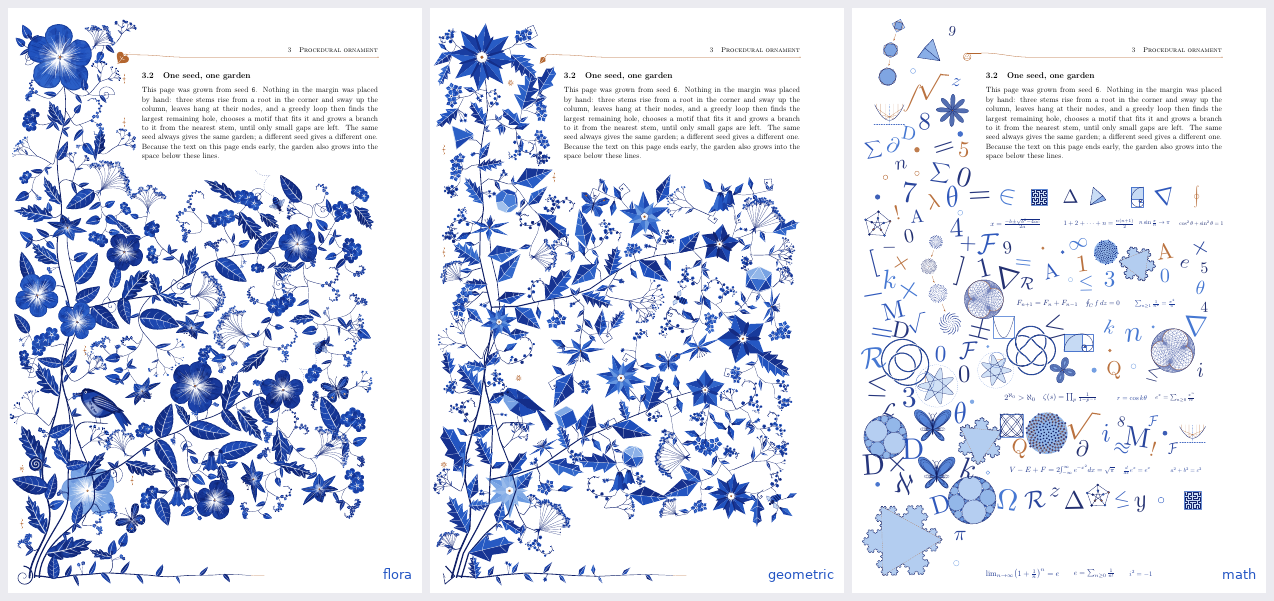
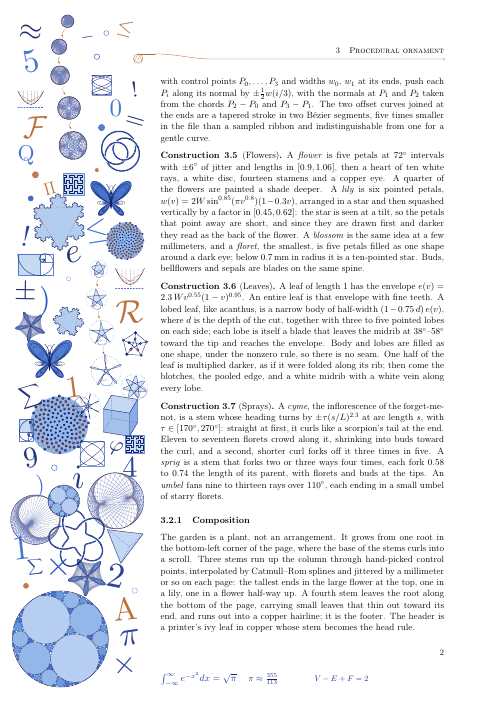
Seed 6 three times: as it always grew, with theme=geometric, and with theme=math.
The growth loop never knew what it was drawing. It reads a table of motifs (the size of
the disc each one takes, a weight, a function that draws it) and calls every primitive by
name. A theme is one Lua file, theme-<name>.lua, that replaces some of those primitives
and may add rows to the table, or brings a composition of its own.
theme=geometric is the same plant cut from flat shapes (theme-geometric.lua). It
grows exactly as the flowers do, and only the drawing changes: the stems run straight
between their nodes, the leaves are kites and toothed polygons folded into a light and a
dark facet with straight white veins, the flowers are rosettes of rhombi or layered star
polygons, the tendrils square spirals, the bird and the butterfly low-poly. The colors are
flat tones of the ink, with no wash; crystals (Platonic solids, flat-shaded like cut
stones) grow among the flowers. A page is about a tenth of the size of a flora page.
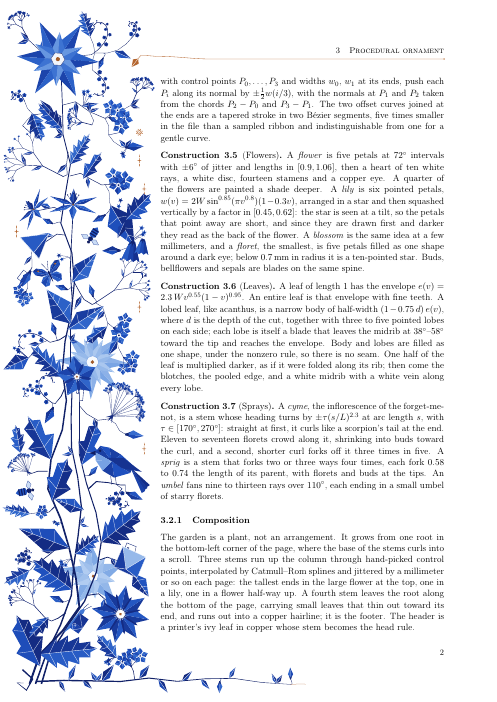
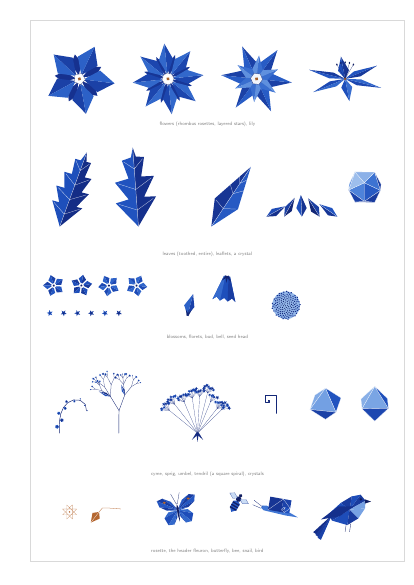
theme=math is no plant at all (theme-math.lua, drawing from figures.lua):
mathematics cascading down the margin and across the bottom of the page, overlapping a
little so it blends. A large figure sits in the corner where the column meets the bottom
(an Apollonian gasket, a deep Koch snowflake, Vogel's disc, a polyhedron). Down the column
run one or two families, figures that change as they go, joined by small copper arrows:
the Koch snowflake gaining a level, a polygon gaining sides on its way to the circle, the
cube truncating into the octahedron, chords k → mk mod n turning from a cardioid into a
nephroid, Vogel's disc packing evenly only at the golden angle. Equations that hold
(e^{iπ} + 1 = 0, V − E + F = 2, ...) run along the bottom and under the text on the last
page, and everything else, largest hole first, is figures (Platonic solids, knots, Hilbert
curves, Lissajous curves, hypotrochoids, Maurer roses, the Petersen graph, ...), letters,
numerals and symbols set by TeX at many sizes and a slight tilt, and dots. It fills
whatever space the page leaves, like the garden; density sets how much there is.
\usepackage[grown,theme=geometric]{florilegium}   % or theme=math; the whole document
\florilegiumtheme{math}                            % or from the page this stands on
A document without a theme comes out byte for byte as it did before themes existed.
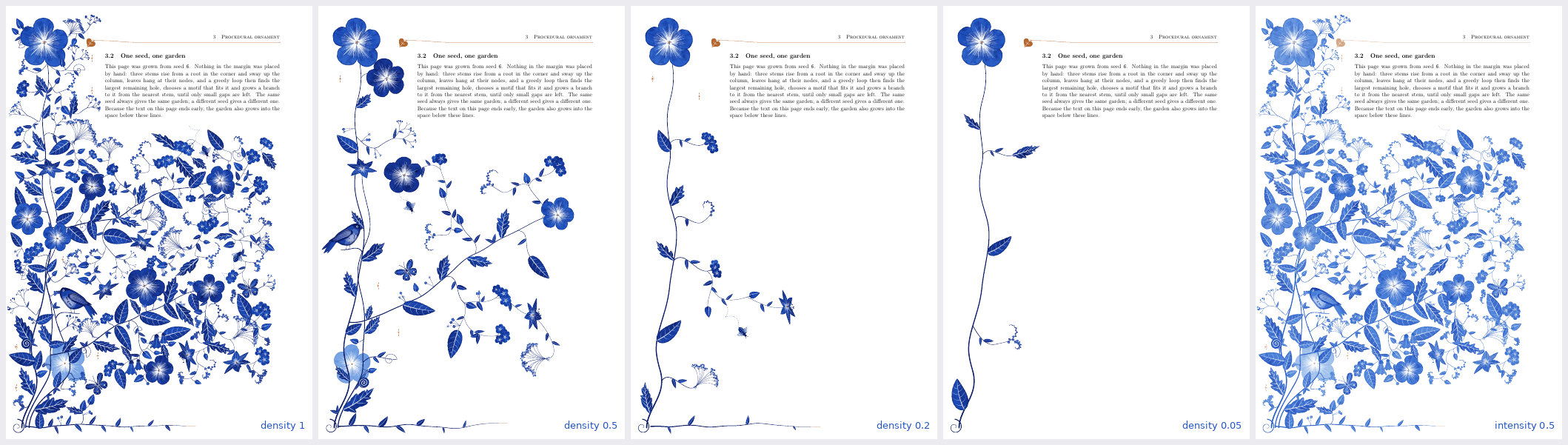
Seed 6 at density=1, 0.5, 0.2 and 0.05, and at intensity=0.5.
A full garden is a lot to have beside an equation. Two options turn it down, with any theme:
density=0.4 grows less: the loop stops at larger holes, keeps more paper around
each motif, and hangs fewer leaves and fillers. Low on the dial the plant itself thins
out: two main stems, then one, no footer; at 0.05 it is a single vine with its flower,
a couple of leaves and one or two sprays. With the math theme it means fewer things.intensity=0.5 paints the whole margin paler, the same way the ghost flowers behind
the garden are painted. It changes only the color, not the detail.\usepackage[grown,density=0.4,intensity=0.6]{florilegium}
At the defaults (1 and 1) every page is exactly the page it was before.
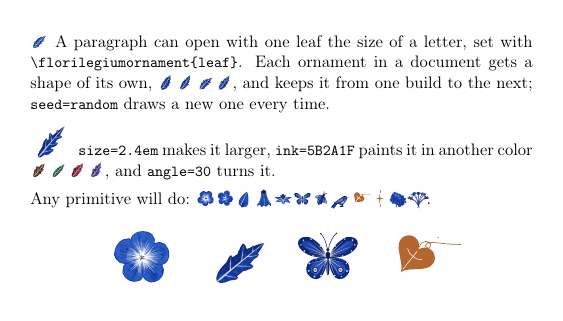
Or no margin at all: \florilegiumornament{leaf} sets one primitive in the line, in a box
the size of a letter, for example to open a paragraph. Each ornament in a document gets a
shape of its own and keeps it from one build to the next; seed=random draws a new one
every time the PDF is built, and seed=7 a fixed one.
\usepackage[nomargin]{florilegium}       % ornaments only, no garden in the margin
\florilegiumornament{leaf} A paragraph that opens with a leaf.
\florilegiumornament[size=2.4em, ink=5B2A1F, angle=30, seed=random]{flower}
Any primitive works (leaf, leaflet, flower, blossom, bud, bell, lily, cyme,
umbel, butterfly, bee, bird, hedera, sparkle, ...), and so do the current
theme's (crystal with geometric; knot, polyhedron, koch, ... with math).
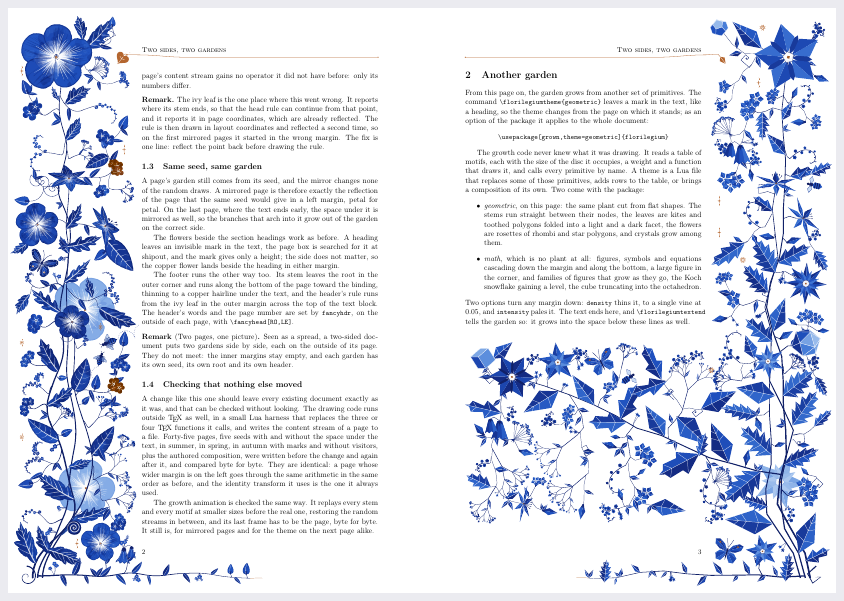
spread.tex, pages 2 and 3: a two-sided document with a wide outer margin. The garden
grows on the left of the left-hand page and, mirrored, on the right of the right-hand page.
The last page also switches to the geometric theme.
The garden grows in whichever side margin is wider, so there is nothing to set. In a
two-sided document (twoside with a wide outer margin) it changes sides with the page. A
one-sided document with a wide right margin gets it on the right of every page. A mirrored
page is laid out as if seen in a mirror, then drawn through a reflection: the last
transform that every point already passes through. It is exactly the reflection of the
garden the same seed would grow on the left.
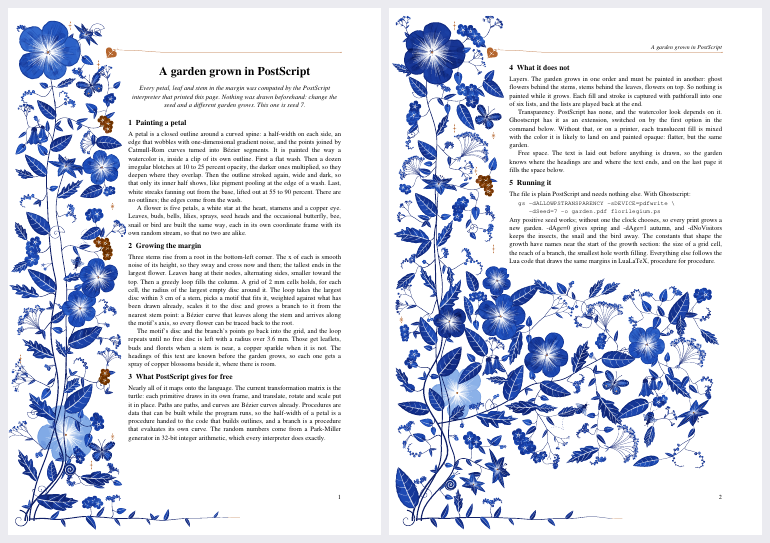
postscript/florilegium.ps: the grown margin in pure PostScript, one self-contained file.
Ghostscript, or a printer, computes every petal while it interprets the page, and the
two pages of text explain how.
The drawing core, every primitive and the growth loop are ported from ink.lua, flora.lua
and grow.lua, procedure for procedure. It needs no TeX and no other file:
gs -dALLOWPSTRANSPARENCY -sDEVICE=pdfwrite -dSeed=7 -o garden.pdf postscript/florilegium.ps
make postscript             # the same -> build/postscript-7.pdf; SEED=12 for another garden
-dSeed=N picks the garden; without it the clock picks one, so every print is new.
-dAge=0 to 1 sets the season, and -dNoVisitors leaves out the butterflies, bees, snail
and bird. Two pages take about 2.5 seconds. Much of the Lua maps directly: PostScript's own
transformation matrix places each primitive (translate, rotate, scale), paths and Bézier
curves are native, and procedures built at run time stand in for Lua's closures (a petal's
half-width is a procedure handed to the outline builder). Four things don't map:
pathforall into a list per layer, and the lists are played back
at the end.-dALLOWPSTRANSPARENCY.
Without that flag, or on a printer, each translucent fill is mixed with the color it is
likely to land on and painted opaque. The result is flatter, but it's the same garden.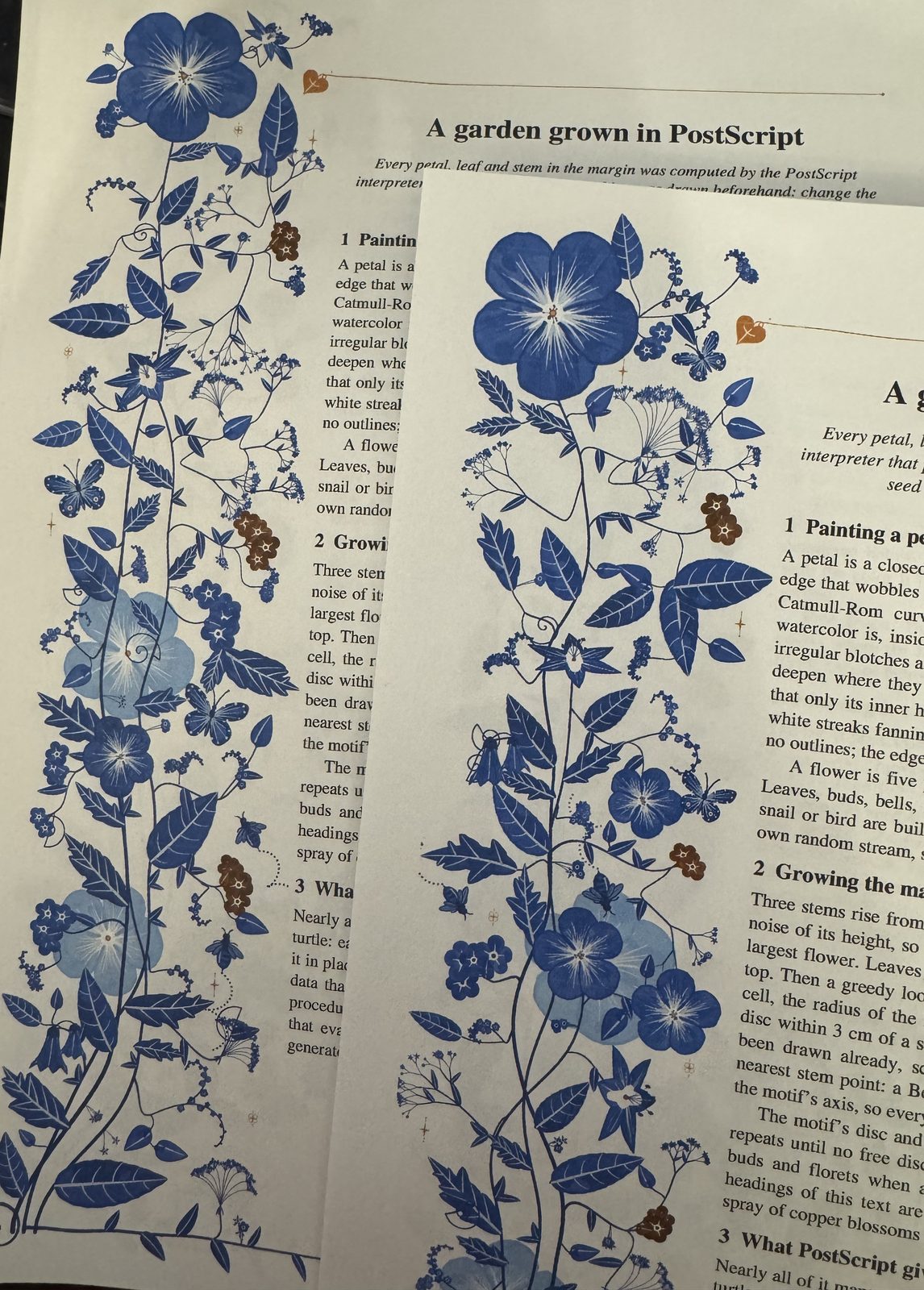
The file sent twice to an Epson inkjet with lp postscript/florilegium.ps, with no seed
given. The computer's print system runs the program again for each job, so each print takes
its seed from the clock and grows a different garden. A printer gets the opaque version, as
it has no transparency.
LuaLaTeX, one pass, about a second a page (two passes for showcase.tex, whose seasons need
the page count).
make                        # the four PDFs
make seed-7                 # one page from seed 7 -> build/seed-7.pdf
make gallery                # gallery/seeds.png + seeds.gif, inks.png, seasons.png, themes.png, dials.png (python3, Pillow, pdftoppm)
make grow-6                 # growth animation of seed 6 -> build/grow-6.gif + .mp4 (ffmpeg)
make grow-6 EXPLAIN=1       # the same with the free discs marked -> build/grow-6-explain.*
No TeX installed? Build the image once and run everything in it:
docker build -t florilegium-tex tools
make RUN=tools/in-docker
Or paste florilegium.sty, the nine .lua files and one of the .tex files into an
Overleaf project and set the compiler to LuaLaTeX.
Use it in your own document:
\usepackage[grown]{florilegium}      % or plain \usepackage{florilegium} for the authored one
% options for the grown one: sections (flowers at the headings), aging (two runs),
% novisitors (no butterflies, bees, snails or birds); for both: theme=geometric or theme=math,
% density=0.4 (grown only), intensity=0.6
% two-sided? nothing to set: the garden grows in the wider side margin
\definecolor{ink}{HTML}{5B2A1F}      % optional: the hue of the whole palette (this is sepia)
\definecolor{accent}{HTML}{B4662F}   % optional: the copper of the hairlines
...
\florilegiuminitial[4]{T}his paragraph starts with a decorated T.
... a flower in the margin beside this line\florilegiumbloom ...
\florilegiumage{0.8}                 % grown only: autumn from here on
\florilegiumtheme{geometric}         % another theme, from the page this stands on
\florilegiumornament{leaf}           % one leaf in the text, the size of a letter
\florilegiumtextend                  % grown only: at the very end of the text
A fixed seed instead of the page number: lualatex "\def\florilegiumseed{7}\input{florilegium-grow.tex}".
Any primitive can be drawn on its own inside a TikZ picture, under the current scope's shift, rotation and scale:
\begin{tikzpicture}
  \begin{scope}[shift={(2,2)},rotate=20]\florilegiumdraw{flower}{1.3}\end{scope}
  \begin{scope}[shift={(5,0)}]\florilegiumdraw{leaf}{3.0, {depth=0.6}}\end{scope}
  \begin{scope}[shift={(8,1)}]\florilegiumdraw{ghost}{"lily", {s=1.4}}\end{scope}
  \begin{scope}[shift={(11,1)}]\florilegiumdraw{butterfly}{1.5}\end{scope}
\end{tikzpicture}
With a theme, its primitives can be drawn by name too: \florilegiumdraw{crystal}{1.0} under
theme=geometric (see specimen-geometric.tex), \florilegiumdraw{knot}{1.2} under theme=math.
Drawing (ink.lua). All geometry is computed in Lua and written as PDF path operators
into one literal node per page; TeX does no arithmetic. Primitives are drawn in a local
frame under an affine transform, which is read from TikZ when a primitive is called inside
a scope. Colors come from a tone ramp derived from the one document color ink: navy to
mist at the hue of ink, interpolated in OKLCH so the light end stays blue instead of
turning gray. Tapered strokes are two offset Béziers, not sampled ribbons.
Primitives (flora.lua). Painted in the order a watercolorist would: a flat wash,
darker blotches multiplied over it, pigment pooling at the edges, streaks lifted out in
white, a few fine veins, and almost no outlines. Broad petals and flowers, star lilies seen
at a tilt, blossoms and florets, buds and bellflowers; lobed and entire leaves; forget-me-not
cymes that curl like a scorpion's tail, branching sprigs, umbels, tendrils, seed heads;
butterflies, bees, snails and a bird; copper sparkles, rosettes and the ivy-leaf fleuron
whose stem becomes the head rule. Any of them can be painted as a pale ghost.
Authored composition (authored.lua). A plant grows from a root in the bottom-left
corner: three stems through hand-picked control points, a fourth along the bottom of the
page as the footer, leaves at chosen fractions of the stems, and every other motif on a
branch that leaves its stem tangentially and arrives along the motif's axis — so every
flower can be traced back to the root.
Grown composition (grow.lua), in the spirit of Wong, Zongker & Salesin,
Computer-Generated Floral Ornament
(SIGGRAPH 1998). The stems sway up the column as smooth noise of their height; leaves are
hung at their nodes where there is room. Then, repeatedly: take the largest free disc within
reach of a stem, choose a motif that fits it, and grow a branch to it from the nearest stem
point; the branch becomes a stem in turn. Big holes are taken first, so flowers and lilies
land early, sprays and leaves fill the middle, and the loop ends by tucking leaflets, buds
and florets onto the stems. The end of the text is measured with \pagetotal in the same
pass, so a short last page grows branches into the space below it with one compilation.
Reading the page (florilegium.lua). A heading or \florilegiumbloom leaves an
invisible marker node in the text. When the page is shipped out, its box is walked node by
node, adding up heights, depths and the glue as it was set, to find each marker's height on
the page; the garden then gives those lines their flowers before any leaf is hung. An age
reweights the motifs: buds and sprays of buds in spring, seed heads in autumn, when some
leaves are painted with a ramp built from the accent instead of the ink.
Initials (initial.lua). The letter's outline comes from luaotfload's OpenType reader as
Bézier segments. Flattened into polygons, it gives an even-odd inside test, and a grid of
distances to the letter and the frame finds the largest gaps for the flowers. The vine is a
Catmull-Rom curve across the tile; where it crosses the letter it goes over and under in
turn, and the strands that go over are drawn again, clipped to the letter, with a thin halo
of paper.
Procedural ≠ random. The seed is derived from the page number, so page n always gets garden n. Reproducibility is what makes the document stable enough to typeset.
See CLAUDE.md for a handoff-style map of the code, the tunables, and ideas not yet done.
ink.lua are his, released into the public domain.\florilegiumornament, its ink and seed=random keys, and the density option answer
issue #4 from rubyFeedback.MIT, see LICENSE. Copyright (c) 2026 Kevin Raymond.
The Reddit post asked how to make flowers like these in LaTeX. I don't know how the original was made, and this project doesn't try to reproduce it.