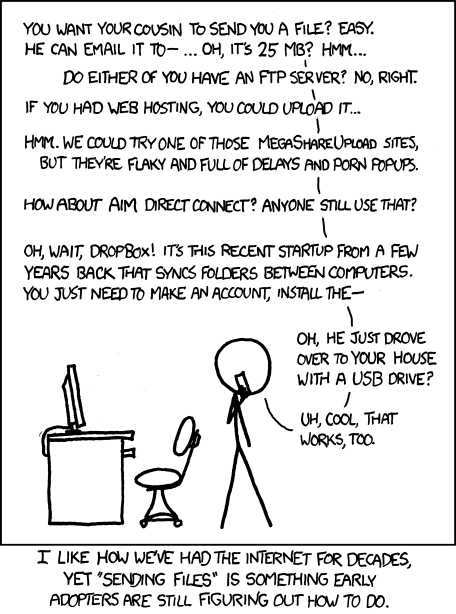

这是什么?
 FilePizza 是一款免费的网页应用,可以在浏览器里点对点传输文件:选好文件、分享链接,对方就能直接从你的电脑下载——也可以直接使用托管在 file.pizza 的实例。
FilePizza 是一款免费的网页应用,可以在浏览器里点对点传输文件:选好文件、分享链接,对方就能直接从你的电脑下载——也可以直接使用托管在 file.pizza 的实例。它和 WeTransfer 那类文件分享网站有什么不同?它没有先上传这一步:WebRTC 会把文件从你的浏览器直接传到下载者的浏览器,数据不会经过中间服务器,因此传输速度快,也更私密、更安全。
它没有先上传这一步:WebRTC 会把文件从你的浏览器直接传到下载者的浏览器,数据不会经过中间服务器,因此传输速度快,也更私密、更安全。我怎么给别人发文件?打开 file.pizza(或你自己部署的实例),选择一个或多个文件,然后把它生成的短链接或长链接分享出去。对方打开链接就能直接下载;多个文件会打包成一个 zip。
打开 file.pizza(或你自己部署的实例),选择一个或多个文件,然后把它生成的短链接或长链接分享出去。对方打开链接就能直接下载;多个文件会打包成一个 zip。能不能只在浏览器里用,手机上也行吗?可以——无需安装任何东西,也不用注册账号:双方只需要一个较新的浏览器就行。v2 界面在大多数手机浏览器上都能用,包括 Mobile Safari。
可以——无需安装任何东西,也不用注册账号:双方只需要一个较新的浏览器就行。v2 界面在大多数手机浏览器上都能用,包括 Mobile Safari。有什么限制吗——分享链接之后我能关掉标签页吗?不行:在传输完成之前,你的浏览器窗口必须一直开着,关掉后链接就失效了。已经下载完的人可以继续给还没下完的人做种,但新的下载无法再开始。
不行:在传输完成之前,你的浏览器窗口必须一直开着,关掉后链接就失效了。已经下载完的人可以继续给还没下完的人做种,但新的下载无法再开始。我能自己搭建一个 FilePizza 服务器吗?可以——这是一个 Next.js/TypeScript 应用,可以用 npm 或 Docker Compose 运行(compose 配置里包含 Redis 和一个 coturn TURN 服务器)。Redis 是可选的;不启用时,服务器状态会退回到内存存储。
可以——这是一个 Next.js/TypeScript 应用,可以用 npm 或 Docker Compose 运行(compose 配置里包含 Redis 和一个 coturn TURN 服务器)。Redis 是可选的;不启用时,服务器状态会退回到内存存储。我的文件在传输过程中是加密的吗?是的——所有 WebRTC 流量都会通过 DTLS 自动进行基于公钥加密的加密,你还可以给上传的文件额外设置一个密码,进一步加强保护。
是的——所有 WebRTC 流量都会通过 DTLS 自动进行基于公钥加密的加密,你还可以给上传的文件额外设置一个密码,进一步加强保护。可以同时让多个人下载我的文件吗?可以——把同一个短链接或长链接发给所有需要这个文件的人就行,没有只能一人下载的限制。
可以——把同一个短链接或长链接发给所有需要这个文件的人就行,没有只能一人下载的限制。文件大小有上限吗?FilePizza 没有限制:文件可以大到你的浏览器能承受的程度,同时上传多个文件也没问题——下载者会收到打包好的一个 zip。
FilePizza 没有限制:文件可以大到你的浏览器能承受的程度,同时上传多个文件也没问题——下载者会收到打包好的一个 zip。为什么两台设备有时连不上——TURN 是干什么的?WebRTC 并不总是能穿透严格的 NAT。自行部署的人可以设置 COTURN_ENABLED=true,让流量通过 TURN 服务器中转;默认情况下 FilePizza 使用 Google 的公共 STUN 服务器。
WebRTC 并不总是能穿透严格的 NAT。自行部署的人可以设置 COTURN_ENABLED=true,让流量通过 TURN 服务器中转;默认情况下 FilePizza 使用 Google 的公共 STUN 服务器。FilePizza 是用什么搭建的?v2 的技术栈是 Next.js、React、TypeScript 和 Tailwind,由 PeerJS 处理 WebRTC,服务器状态可选使用 Redis,下载则通过 Service Worker 进行流式传输。
v2 的技术栈是 Next.js、React、TypeScript 和 Tailwind,由 PeerJS 处理 WebRTC,服务器状态可选使用 Redis,下载则通过 Service Worker 进行流式传输。What are similar projects?documenso, Resume-Matcher, typebot.io, waoowaoo, snapdrop, solana-meme-tool, OpenStock, gitdiagram
documenso, Resume-Matcher, typebot.io, waoowaoo, snapdrop, solana-meme-tool, OpenStock, gitdiagramWhich topics is it in?file-sharing, webrtc, p2p, tailwindcss, app, redis, nextjs, docker-compose, web-app, react, server, nodejs
file-sharing, webrtc, p2p, tailwindcss, app, redis, nextjs, docker-compose, web-app, react, server, nodejs