smartcrop.js

Smartcrop.js implements an algorithm to find good crops for images.
It can be used in the browser, in node or via a CLI.
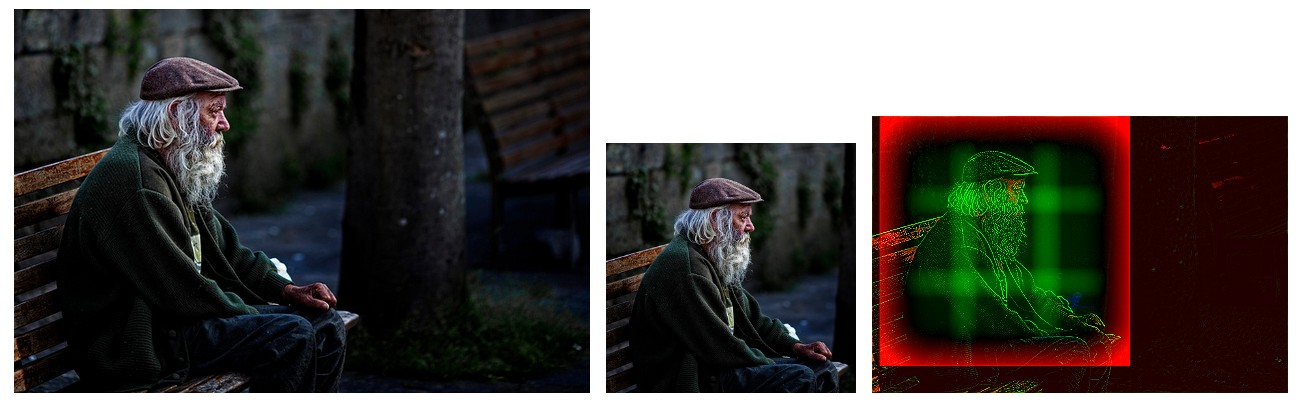 Image: https://www.flickr.com/photos/endogamia/5682480447/ by Leon F. Cabeiro (N. Feans), licensed under CC-BY-2.0
Note
I'm currently working on a more advanced version of smartcrop.js based on machine learning. As part of that I'm looking for a large dataset of manually cropped images. If you know of such a dataset, please let me know.
Demos
Simple Example
// you pass in an image as well as the width & height of the crop you
// want to optimize.
smartcrop.crop(image, { width: 100, height: 100 }).then(function(result) {
  console.log(result);
});
Output:
// smartcrop will output you its best guess for a crop
// you can now use this data to crop the image.
{topCrop: {x: 300, y: 200, height: 200, width: 200}}
Download/ Installation
npm install smartcrop
or just download smartcrop.js from the git repository.
Smarcrop requires support for Promises,
use a polyfill for unsupported browsers or set smartcrop.Promise to your favorite promise implementation
(I recommend bluebird).
Consider avoiding crops using dont-crop
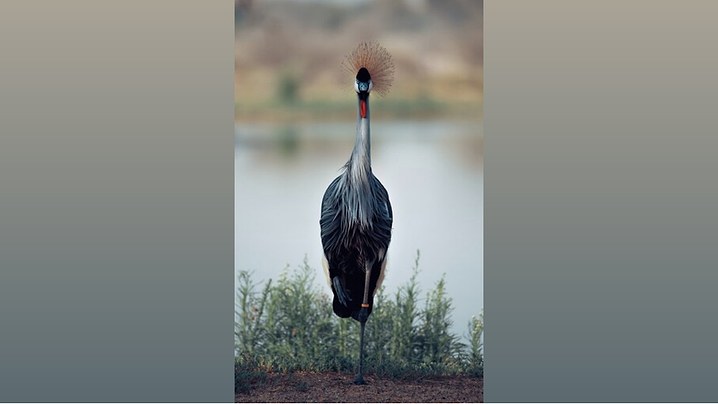
If you are interested in using smartcrop.js to crop your images you should also consider to avoid cropping them by using dont-crop.
Dont-crop gives you matching gradients and colors to pad and complement your images.
Command Line Interface
The smartcrop-cli offers command line interface to smartcrop.js.
Node
You can use smartcrop from nodejs via either smartcrop-gm (which is using image magick via gm) or smartcrop-sharp (which is using libvips via sharp).
The smartcrop-cli can be used as an example of using smartcrop from node.
Stability
While smartcrop.js is a small personal project it is currently being used on high traffic production sites.
It has a basic set of automated tests and a test coverage of close to 100%.
The tests run in all modern browsers thanks to saucelabs.
If in any doubt the code is short enough to perform a quick review yourself.
Algorithm Overview
Smartcrop.js works using fairly dumb image processing. In short:
- Find edges using laplace
- Find regions with a color like skin
- Find regions high in saturation
- Boost regions as specified by options (for example detected faces)
- Generate a set of candidate crops using a sliding window
- Rank them using an importance function to focus the detail in the center
and avoid it in the edges.
- Output the candidate crop with the highest rank
Face detection
The smartcrop algorithm itself is designed to be simple, relatively fast, small and generic.
In many cases it does make sense to add face detection to it to ensure faces get the priority they deserve.
There are multiple javascript libraries which can be easily integrated into smartcrop.js.
You can experiment with all of these in the smartcrop.js testbed
On the client side I would recommend using tracking.js because it's small and simple. Opencv.js is compiled from c++ and very heavy (~7.6MB of javascript + 900kb of data).
jquery.facedetection has dependency on jquery and from my limited experience seems to perform worse than the others.
On the server side node-opencv can be quicker but comes with some annoying issues as well.
It's also worth noting that all of these libraries are based on the now dated viola-jones object detection framework.
It would be interesting to see how more state of the art techniques could be implemented in browser friendly javascript.
- CommonJS
- AMD
- global export / window
Supported Browsers
See caniuse.com/canvas.
A polyfill for
Promises is recommended if you need to support old browsers.
API
smartcrop.crop(image, options)
Find the best crop for image using options.
image: anything ctx.drawImage() accepts, usually HTMLImageElement, HTMLCanvasElement or HTMLVideoElement.
Keep in mind that origin policies apply to the image source.
You may not use cross-domain images without CORS clearance.
options: cropOptions
returns: A promise for a cropResult.
cropOptions
minScale: minimal scale of the crop rect, set to 1.0 to prevent smaller than necessary crops (lowers the risk of chopping things off).
width: width of the crop you want to use.
height: height of the crop you want to use.
boost: optional array of regions whose 'interestingness' you want to boost (for example faces). See boost;
ruleOfThirds: optional boolean if set to false it will turn off the rule of thirds composition weight.
debug (internal): if true, cropResults will contain a debugCanvas and the complete results array.
There are many more (for now undocumented) options available.
Check the source and be advised that they might change in the future.
cropResult
Result of the promise returned by smartcrop.crop.
{
  topCrop: crop;
}
crop
An individual crop.
{
  x: 11, // pixels from the left side
  y: 20, // pixels from the top
  width: 1, // pixels
  height: 1 // pixels
}
boost
Describes a region to boost. A usage example of this is to take
into account faces in the image. See smartcrop-cli for an example on how to integrate face detection.
{
  x: 11, // pixels from the left side
  y: 20, // pixels from the top
  width: 32, // pixels
  height: 32, // pixels
  weight: 1 // in the range [0, 1]
}
Note that the impact the boost has is proportional to it's weight and area.
Tests
You can run the tests using grunt test. Alternatively you can also just run grunt (the default task) and open http://localhost:8000/test/.
Benchmark
There are benchmarks for both the browser (test/benchmark.html) and node (node test/benchmark-node.js [requires node-canvas])
both powered by benchmark.js.
If you just want some rough numbers: It takes < 20 ms to find a square crop of a 640x427px picture on an i7.
In other words, it's fine to run it on one image, it's suboptimal to run it on an entire gallery on page load.
Contributors
Ports, Alternatives
Version history
2.0.5
Fix TS1046: Top-level declarations in .d.ts files must start with either a 'declare' or 'export' modifier..
2.0.4
Typescript type definitions.
2.0.2
In short: It's a lot faster when calculating bigger crops.
The quality of the crops should be comparable but the results
are going to be different so this will be a major release.
1.1.1
Removed useless files from npm package.
1.1
Creating github releases. Added options.input which is getting passed along to iop.open.
1.0
Refactoring/cleanup to make it easier to use with node.js (dropping the node-canvas dependency) and enable support for boosts which can be used to do face detection.
This is a 1.0 in the semantic meaning (denoting backwards incompatible API changes).
It does not denote a finished product.
License
Copyright (c) 2018 Jonas Wagner, licensed under the MIT License (enclosed)

 smartcrop.js 实现了一种算法,可以自动为图片找到合适的裁剪区域,因此你不必手动选择裁剪范围。