17.5K ·GitHub
What is this?
 websocketd is a small command-line tool that wraps an existing command-line program and exposes it as a WebSocket server — like inetd, but for WebSockets. Any script that reads STDIN and writes STDOUT becomes a live, browser-reachable endpoint.
websocketd is a small command-line tool that wraps an existing command-line program and exposes it as a WebSocket server — like inetd, but for WebSockets. Any script that reads STDIN and writes STDOUT becomes a live, browser-reachable endpoint.How does it turn my script into a WebSocket server?On startup it opens a WebSocket server on a port you specify; each incoming connection forks your program, pipes client messages into its STDIN, and sends every newline-terminated STDOUT line back as a WebSocket message. The process dies when the connection closes.
On startup it opens a WebSocket server on a port you specify; each incoming connection forks your program, pipes client messages into its STDIN, and sends every newline-terminated STDOUT line back as a WebSocket message. The process dies when the connection closes.What languages can my server program be written in?Any executable that reads STDIN and writes STDOUT — the README lists Bash, Python, Ruby, Perl, PHP, Java, Go, PowerShell, Haskell, Awk and more. You need no networking libraries at all; websocketd handles the socket side.
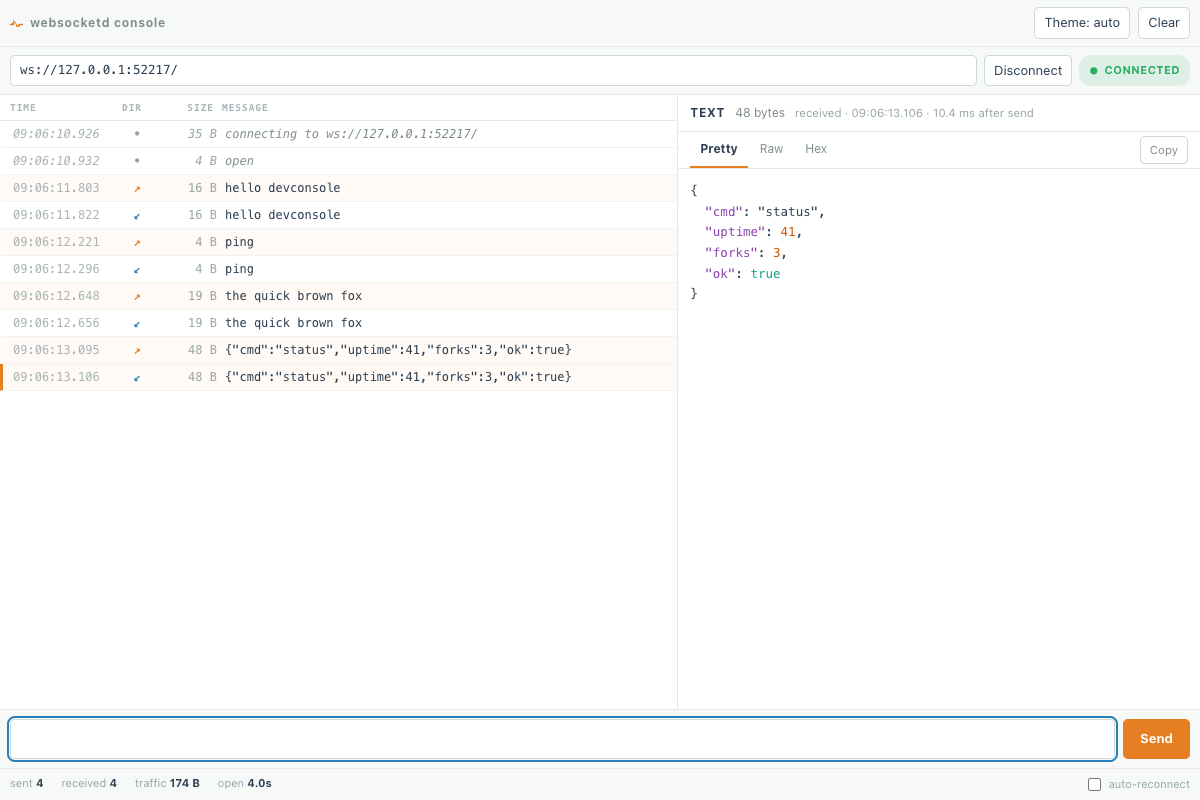
Any executable that reads STDIN and writes STDOUT — the README lists Bash, Python, Ruby, Perl, PHP, Java, Go, PowerShell, Haskell, Awk and more. You need no networking libraries at all; websocketd handles the socket side.How do I try it before writing any frontend code?Run your script straight from the command line first — servers work identically in a terminal and as a WebSocket endpoint. websocketd also ships a built-in developer console (--devconsole) to connect, send frames and read responses with no JavaScript.
Run your script straight from the command line first — servers work identically in a terminal and as a WebSocket endpoint. websocketd also ships a built-in developer console (--devconsole) to connect, send frames and read responses with no JavaScript.What can I actually build with it?The README's example projects include plotting real-time Linux CPU/IO/memory stats to an HTML5 dashboard via vmstat, an arbitrary REPL in the browser, retrieving SQL data with LiveCode, listing files from a folder, and a gamepad event listener that pairs with Android into a gamepad emulator.
The README's example projects include plotting real-time Linux CPU/IO/memory stats to an HTML5 dashboard via vmstat, an arbitrary REPL in the browser, retrieving SQL data with LiveCode, listing files from a folder, and a gamepad event listener that pairs with Android into a gamepad emulator.Can I keep it off the public network interface?Yes — it can listen on a Unix domain socket (--unixsocket) instead of, or alongside, a TCP address, pinning permissions with --socketmode (e.g. 0700). That exposes it only to same-host processes, e.g. behind an SSH-forwarded or reverse-proxied socket.
Yes — it can listen on a Unix domain socket (--unixsocket) instead of, or alongside, a TCP address, pinning permissions with --socketmode (e.g. 0700). That exposes it only to same-host processes, e.g. behind an SSH-forwarded or reverse-proxied socket.Can my script's error output reach the browser while debugging?Optionally: with --passstderr, STDERR is forwarded to WebSocket clients tagged as JSON alongside STDOUT, so the client can tell the two streams apart.
Optionally: with --passstderr, STDERR is forwarded to WebSocket clients tagged as JSON alongside STDOUT, so the client can tell the two streams apart.Which topics is it in?websockets, websocket, real-time, bsd, proxy, command-line, networking, go, command-line-tool, free, terminal, tool
websockets, websocket, real-time, bsd, proxy, command-line, networking, go, command-line-tool, free, terminal, tool