


20.8K ·GitHub
What is this?
 This is a giant curated index of download links for e-books in Chinese, covering classic literature, business, self-help, lifelong learning, career, and technical books, including most books from apps like Fan Shu (formerly Fan Deng Dushu), WeChat Reading, JD Reading, and Ximalaya.
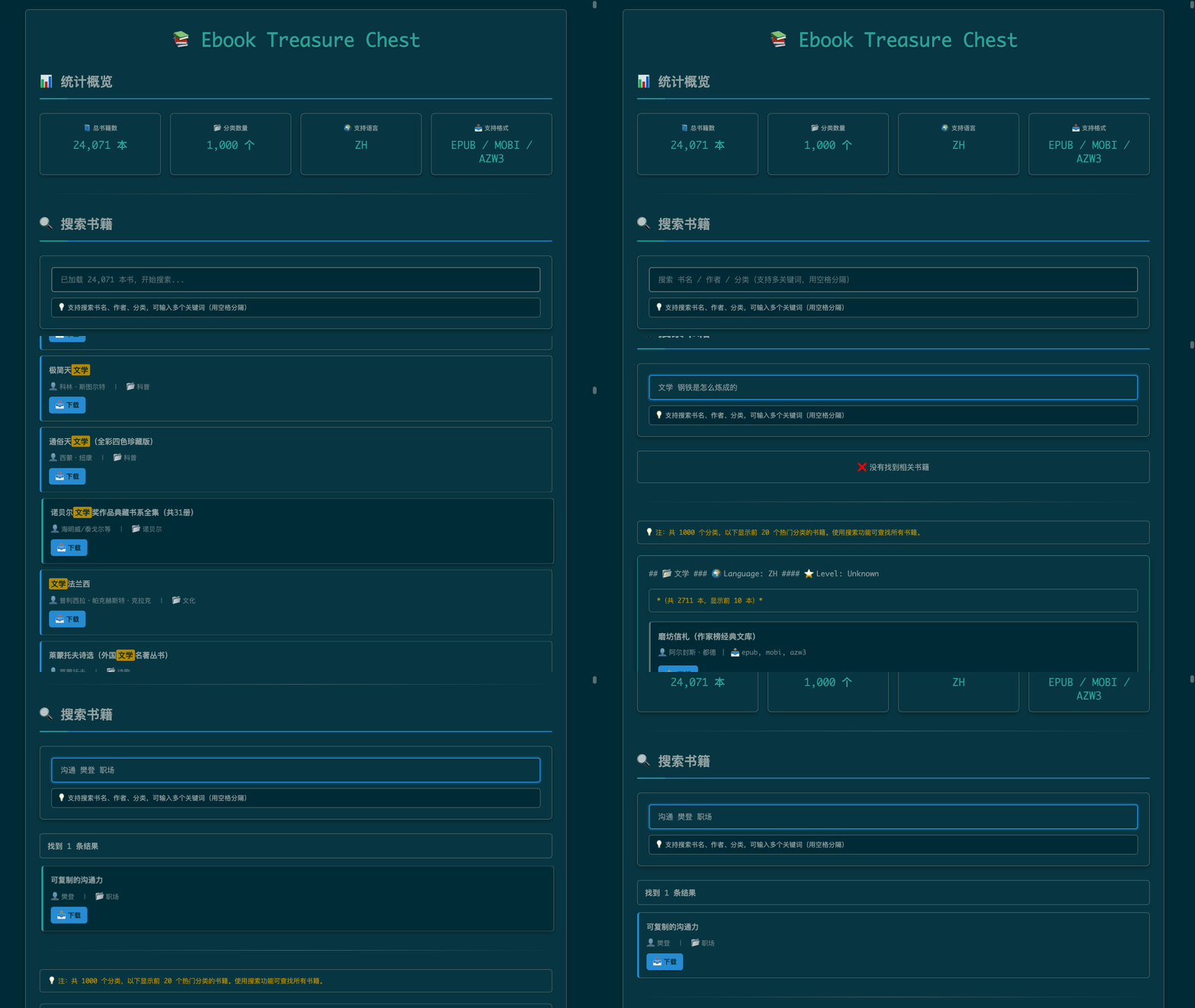
This is a giant curated index of download links for e-books in Chinese, covering classic literature, business, self-help, lifelong learning, career, and technical books, including most books from apps like Fan Shu (formerly Fan Deng Dushu), WeChat Reading, JD Reading, and Ximalaya.Is this a website, a search tool, or just a list of links?It is both: a plain list of categorized download links in the repo, and a GitHub Pages site with a live search engine on top of that list.
It is both: a plain list of categorized download links in the repo, and a GitHub Pages site with a live search engine on top of that list.How do I find a specific book?Use the GitHub Pages live search page to search by title, author, or category with multi-keyword support, or just use Ctrl+F on the README/category pages to search manually.
Use the GitHub Pages live search page to search by title, author, or category with multi-keyword support, or just use Ctrl+F on the README/category pages to search manually.What file formats are the books available in?Every book is offered in three common e-reader formats: epub, mobi, and azw3.
Every book is offered in three common e-reader formats: epub, mobi, and azw3.Is this list still being updated and verified?The project has CI workflows (full-sync, generate-site, incremental-sync) that keep syncing and rebuilding the site, suggesting it's actively maintained, though the README doesn't state how individual links are vetted for working status.
The project has CI workflows (full-sync, generate-site, incremental-sync) that keep syncing and rebuilding the site, suggesting it's actively maintained, though the README doesn't state how individual links are vetted for working status.Do I need to know Chinese to use this?Yes, nearly all book titles, categories, and the interface itself are in Chinese.
Yes, nearly all book titles, categories, and the interface itself are in Chinese.Where should a beginner start browsing?Start from the index/category section and use Ctrl+F or the hot categories list (literature, history, popular science, management, etc.) to jump to a topic of interest.
Start from the index/category section and use Ctrl+F or the hot categories list (literature, history, popular science, management, etc.) to jump to a topic of interest.What is the best way to search across so many books?The GitHub Pages live search page is recommended over manual browsing since it supports instant multi-keyword search across titles, authors, and categories.
The GitHub Pages live search page is recommended over manual browsing since it supports instant multi-keyword search across titles, authors, and categories.Why does the repo mention reading apps like WeChat Reading and Ximalaya?Those are the source reading platforms the collected e-book links originally come from, since the project aggregates download links scraped or gathered from various Chinese e-book/audiobook apps.
Those are the source reading platforms the collected e-book links originally come from, since the project aggregates download links scraped or gathered from various Chinese e-book/audiobook apps.What are similar projects?books, FMHY, ChinaTextbook, awesome-grokbot, free-programming-books-zh_CN, Awesome-GitHub-Repo, HowToLiveBetter, Best-websites-a-programmer-should-visit-zh
books, FMHY, ChinaTextbook, awesome-grokbot, free-programming-books-zh_CN, Awesome-GitHub-Repo, HowToLiveBetter, Best-websites-a-programmer-should-visit-zh