


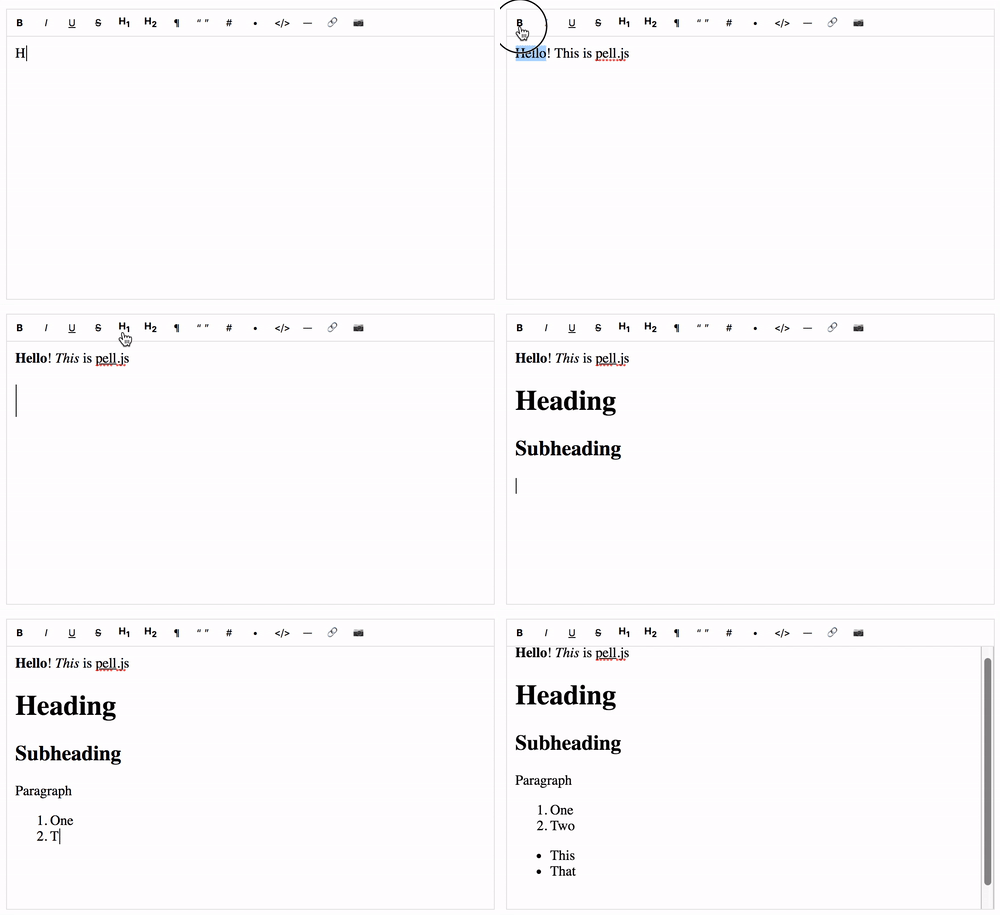

What is this?
 pell is a WYSIWYG rich text editor for the web — the simplest and smallest one around, with zero dependencies. You embed it in a page and users get a toolbar for formatting text.
pell is a WYSIWYG rich text editor for the web — the simplest and smallest one around, with zero dependencies. You embed it in a page and users get a toolbar for formatting text.Is it a ready-made app, or a library I build into my own site?A library: you pull it in via npm or a script tag, attach it to a page element, and drive it through its API. It runs entirely in the browser.
A library: you pull it in via npm or a script tag, attach it to a page element, and drive it through its API. It runs entirely in the browser.How do I add it to a project?Two ways: install the npm package, or include it with a plain HTML script tag — then initialize the editor on an element in a few lines of JavaScript.
Two ways: install the npm package, or include it with a plain HTML script tag — then initialize the editor on an element in a few lines of JavaScript.Do I need jQuery, Bootstrap or React for it to work?No — it is pure JavaScript written in ES6 with no dependencies at all, and the comparison table shows it, unlike most alternatives, requires no jQuery, Bootstrap or React.
No — it is pure JavaScript written in ES6 with no dependencies at all, and the comparison table shows it, unlike most alternatives, requires no jQuery, Bootstrap or React.If it is that tiny, how much formatting does the toolbar actually cover?Minimal by design: 14 built-in actions — bold, italic, underline, strikethrough, headings 1 and 2, paragraph, quote, ordered and unordered lists, code, horizontal rule, link and image. Justify, font size, undo/redo and more are available, plus any custom action.
Minimal by design: 14 built-in actions — bold, italic, underline, strikethrough, headings 1 and 2, paragraph, quote, ordered and unordered lists, code, horizontal rule, link and image. Justify, font size, undo/redo and more are available, plus any custom action.Which browsers does it work in?Very old ones: Chrome 5+, Firefox 4+, Safari 5+, Opera 11.6+ and IE 9+ — though the README itself calls IE support only theoretical ('good luck').
Very old ones: Chrome 5+, Firefox 4+, Safari 5+, Opera 11.6+ and IE 9+ — though the README itself calls IE support only theoretical ('good luck').Why pick pell over editors like Quill or TinyMCE?Size: pell ships at 1.38kB min+gzip, versus 43kB for Quill, 47kB for Trix and 157kB for TinyMCE — and unlike several competitors it requires no jQuery, Bootstrap or React.
Size: pell ships at 1.38kB min+gzip, versus 43kB for Quill, 47kB for Trix and 157kB for TinyMCE — and unlike several competitors it requires no jQuery, Bootstrap or React.How do I make it match my site's design?Restyle it freely: override the CSS directly or customize the bundled sass file, pell.scss.
Restyle it freely: override the CSS directly or customize the bundled sass file, pell.scss.Can I add my own buttons to the toolbar?Yes — you can create any custom action, and even the default action names (bold, link, image and so on) are overwriteable through the API.
Yes — you can create any custom action, and even the default action names (bold, link, image and so on) are overwriteable through the API.Does it play well with React or Vue?The repo includes ready examples for both frameworks, alongside a general demo and a Markdown example.
The repo includes ready examples for both frameworks, alongside a general demo and a Markdown example.What are similar projects?trix, medium-editor, ckeditor5, summernote, draft-js, quill, tinymce, slate
trix, medium-editor, ckeditor5, summernote, draft-js, quill, tinymce, slateWhich topics is it in?contenteditable, wysiwyg-editor, rich-text-editor, wysiwyg, sass, es6, text-editor, no-dependencies, lightweight, editor, javascript-library, ui-components
contenteditable, wysiwyg-editor, rich-text-editor, wysiwyg, sass, es6, text-editor, no-dependencies, lightweight, editor, javascript-library, ui-components