



这是什么?
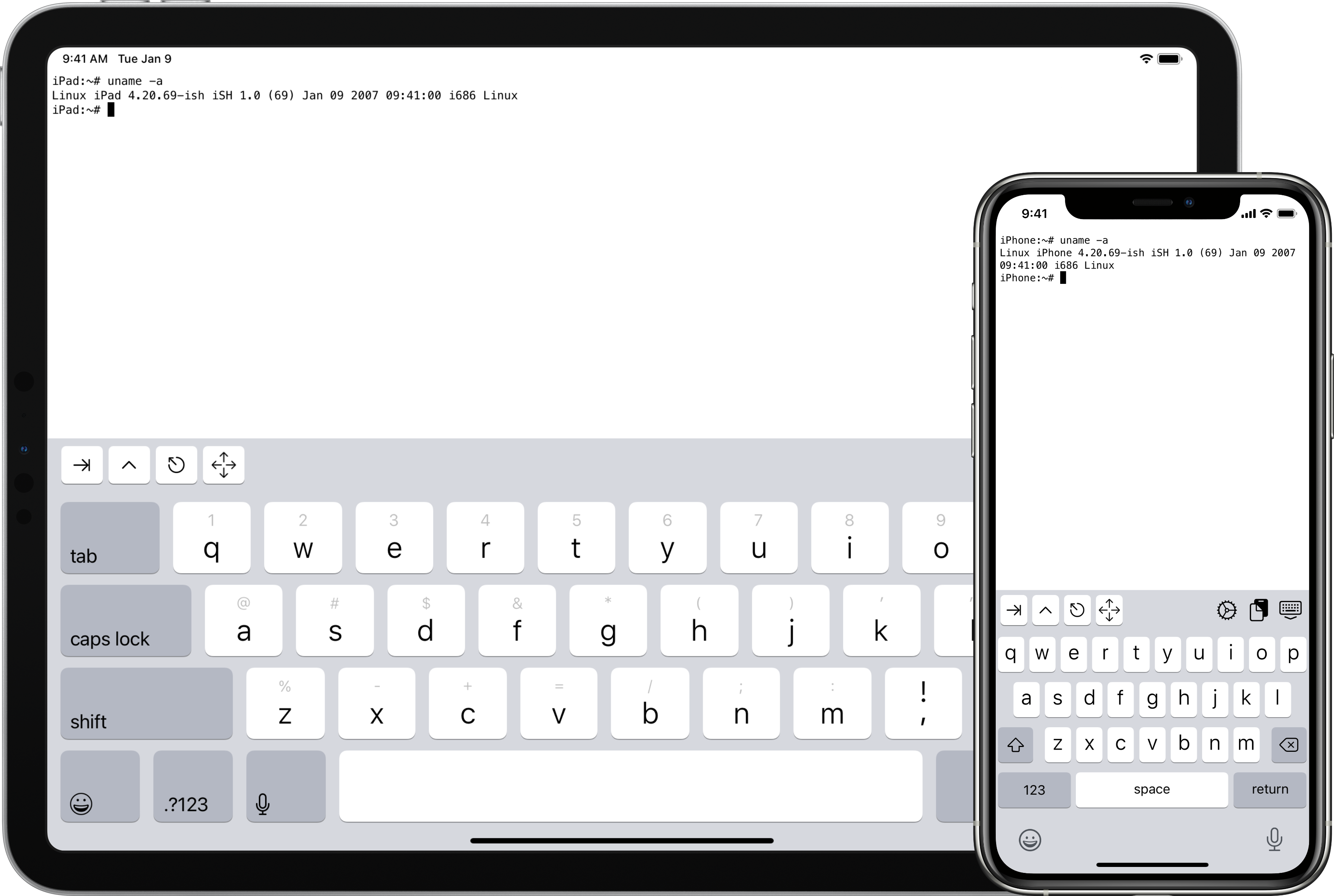
 iSH 是一款开源的 iOS 应用,能在你的 iPhone 或 iPad 上提供 Linux shell。它在用户态模拟 x86 处理器并翻译 Linux 系统调用,因此 Linux 命令行程序可以原样在 iOS 上运行。
iSH 是一款开源的 iOS 应用,能在你的 iPhone 或 iPad 上提供 Linux shell。它在用户态模拟 x86 处理器并翻译 Linux 系统调用,因此 Linux 命令行程序可以原样在 iOS 上运行。这是我装在 iPhone 上的应用,还是在电脑上运行的东西?它是一个普通的 iOS 应用:README 里提供了它的 App Store 页面和一个 TestFlight 测试版的链接,所以不需要越狱。另外还有一个独立的命令行版本,供开发者在 macOS 或 Linux 上编译运行来做测试。
它是一个普通的 iOS 应用:README 里提供了它的 App Store 页面和一个 TestFlight 测试版的链接,所以不需要越狱。另外还有一个独立的命令行版本,供开发者在 macOS 或 Linux 上编译运行来做测试。要构建它,我需要先装好哪些东西?需要 Python 3,以及 Meson、Ninja、Clang 和 LLD、sqlite3 和 libarchive——在 Mac 上就是执行 brew install llvm 加上 brew install libarchive,构建 iOS 版本本身还需要 Xcode。
需要 Python 3,以及 Meson、Ninja、Clang 和 LLD、sqlite3 和 libarchive——在 Mac 上就是执行 brew install llvm 加上 brew install libarchive,构建 iOS 版本本身还需要 Xcode。它是在我手机上运行的完整、真正的 Linux 系统吗?它只工作在用户态:iSH 模拟 x86 指令集并翻译系统调用,所以你得到的是一个 Linux 用户空间环境,而不是一个启动起来的 Linux 内核。关于目前哪些功能可用,README 让你去参考 issues 标签页和提交记录。
它只工作在用户态:iSH 模拟 x86 指令集并翻译系统调用,所以你得到的是一个 Linux 用户空间环境,而不是一个启动起来的 Linux 内核。关于目前哪些功能可用,README 让你去参考 issues 标签页和提交记录。不是开发者也能从这个项目里得到点什么吗,还是只面向玩终端的人?它主要是给想要一个便携 Linux 命令行的开发者和 Unix 爱好者用的,不过项目还链接了一个包含帮助和教程的 wiki,好奇的新手也能摸索着上手。
它主要是给想要一个便携 Linux 命令行的开发者和 Unix 爱好者用的,不过项目还链接了一个包含帮助和教程的 wiki,好奇的新手也能摸索着上手。它在 iPad 上也能用吗,还是只支持 iPhone?iSH 是一款 iOS 应用,所以通过 App Store 或 TestFlight 既能在 iPhone 上运行,也能在 iPad 上运行。唯一的另一种运行方式是命令行测试版本,它可以在 macOS 或 Linux 上编译。
iSH 是一款 iOS 应用,所以通过 App Store 或 TestFlight 既能在 iPhone 上运行,也能在 iPad 上运行。唯一的另一种运行方式是命令行测试版本,它可以在 macOS 或 Linux 上编译。这个模拟在底层到底是怎么实现的?没有用 JIT。iSH 生成一个指向函数的指针数组,这些函数叫 gadget,每个 gadget 结尾都以尾调用跳到下一个——这和一些 Forth 解释器使用的线程化代码技术是同一种。这些 gadget 几乎全部是手写的汇编。
没有用 JIT。iSH 生成一个指向函数的指针数组,这些函数叫 gadget,每个 gadget 结尾都以尾调用跳到下一个——这和一些 Forth 解释器使用的线程化代码技术是同一种。这些 gadget 几乎全部是手写的汇编。我能在 Mac 或 Linux 机器上运行 iSH 来做测试吗?可以。运行 meson build,然后在构建目录里执行 ninja,用 tools/fakefsify 把一个 Alpine minirootfs 压缩包转换成文件系统,再用 ./ish -f alpine /bin/sh 启动它。调试方面有 tools/ptraceomatic,它会在真实进程里单步执行程序并比较寄存器——它要求 64 位的 Linux 4.11 或更高版本。
可以。运行 meson build,然后在构建目录里执行 ninja,用 tools/fakefsify 把一个 Alpine minirootfs 压缩包转换成文件系统,再用 ./ish -f alpine /bin/sh 启动它。调试方面有 tools/ptraceomatic,它会在真实进程里单步执行程序并比较寄存器——它要求 64 位的 Linux 4.11 或更高版本。它实际运行的是哪个 Linux 发行版?它是围绕 Alpine Linux 构建的:你下载 i386 版的 Alpine minirootfs 压缩包,用 tools/fakefsify 把它转换成一个自包含的文件系统目录,shell 就是在这个文件系统里运行的。
它是围绕 Alpine Linux 构建的:你下载 i386 版的 Alpine minirootfs 压缩包,用 tools/fakefsify 把它转换成一个自包含的文件系统目录,shell 就是在这个文件系统里运行的。这份源代码读起来舒服吗?作者本人就劝你别碰:像 ss、s 和 a 这样晦涩的命名,嵌套到匪夷所思程度的汇编宏,而且几乎没有注释。README 里原话写着,长期接触这些代码可能导致精神失常,并做关于 GAS 宏和链接器错误的噩梦。
作者本人就劝你别碰:像 ss、s 和 a 这样晦涩的命名,嵌套到匪夷所思程度的汇编宏,而且几乎没有注释。README 里原话写着,长期接触这些代码可能导致精神失常,并做关于 GAS 宏和链接器错误的噩梦。What are similar projects?lytlnyblOS, ir, cpu-performance-engineering, os-tutorial, Husk, rr, linux-insides, darwin-xnu
lytlnyblOS, ir, cpu-performance-engineering, os-tutorial, Husk, rr, linux-insides, darwin-xnuWhich topics is it in?alpine-linux, terminal-emulator, assembly, x86, ios-app, emulator, unix, low-level, systems-programming, mobile-app, c, command-line
alpine-linux, terminal-emulator, assembly, x86, ios-app, emulator, unix, low-level, systems-programming, mobile-app, c, command-line