



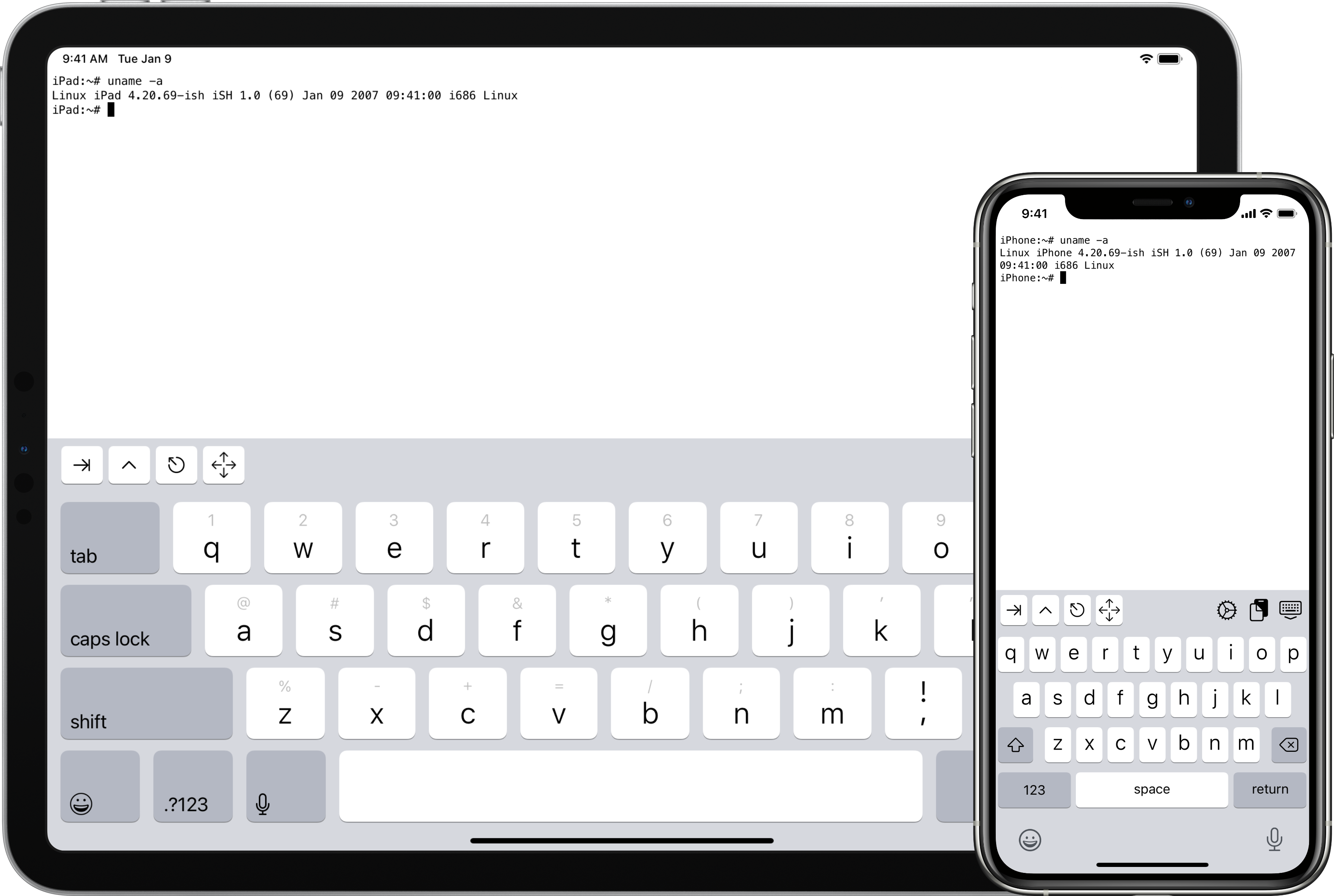
Что это такое?
 iSH — это приложение с открытым исходным кодом для iOS, которое даёт вам Linux-оболочку на iPhone или iPad. Оно эмулирует процессор x86 в пользовательском режиме и транслирует системные вызовы Linux, поэтому программы командной строки Linux работают на iOS как есть.
iSH — это приложение с открытым исходным кодом для iOS, которое даёт вам Linux-оболочку на iPhone или iPad. Оно эмулирует процессор x86 в пользовательском режиме и транслирует системные вызовы Linux, поэтому программы командной строки Linux работают на iOS как есть.Это приложение, которое я устанавливаю на iPhone, или что-то, что запускается на компьютере?Это обычное приложение для iOS: в README есть ссылки на страницу в App Store и на бета-версию в TestFlight, так что джейлбрейк не нужен. Есть ещё отдельная версия для командной строки, которую разработчики собирают и запускают на macOS или Linux для тестирования.
Это обычное приложение для iOS: в README есть ссылки на страницу в App Store и на бета-версию в TestFlight, так что джейлбрейк не нужен. Есть ещё отдельная версия для командной строки, которую разработчики собирают и запускают на macOS или Linux для тестирования.Что нужно установить, чтобы собрать проект?Python 3 с Meson, Ninja, Clang и LLD, а также sqlite3 и libarchive — на Mac это brew install llvm плюс brew install libarchive, а для самой сборки под iOS ещё и Xcode.
Python 3 с Meson, Ninja, Clang и LLD, а также sqlite3 и libarchive — на Mac это brew install llvm плюс brew install libarchive, а для самой сборки под iOS ещё и Xcode.Это настоящая полноценная Linux-система, работающая на моём телефоне?Нет, только пользовательский режим: iSH эмулирует набор инструкций x86 и транслирует системные вызовы, так что вы получаете окружение Linux в пользовательском пространстве, а не загруженное ядро Linux. О том, что сейчас работает, README отсылает к вкладке issues и истории коммитов.
Нет, только пользовательский режим: iSH эмулирует набор инструкций x86 и транслирует системные вызовы, так что вы получаете окружение Linux в пользовательском пространстве, а не загруженное ядро Linux. О том, что сейчас работает, README отсылает к вкладке issues и истории коммитов.Есть ли от этого польза обычному человеку, или это только для тех, кто живёт в терминале?В первую очередь это для разработчиков и любителей Unix, которым нужна переносимая командная строка Linux, но проект ссылается на вики со справкой и обучающими материалами, так что любознательный новичок тоже в нём разберётся.
В первую очередь это для разработчиков и любителей Unix, которым нужна переносимая командная строка Linux, но проект ссылается на вики со справкой и обучающими материалами, так что любознательный новичок тоже в нём разберётся.Работает ли это и на iPad, или только на iPhone?iSH — приложение для iOS, поэтому оно работает и на iPhone, и на iPad через App Store или TestFlight. Единственный другой способ его запустить — тестовая сборка для командной строки, которая компилируется на macOS или Linux.
iSH — приложение для iOS, поэтому оно работает и на iPhone, и на iPad через App Store или TestFlight. Единственный другой способ его запустить — тестовая сборка для командной строки, которая компилируется на macOS или Linux.Как именно устроена эмуляция внутри?Никакого JIT там нет. iSH генерирует массив указателей на функции, которые называются gadget'ами, и каждый gadget завершается хвостовым вызовом (tailcall) следующего — это тот же приём threaded code, который используют некоторые интерпретаторы Forth. Почти все эти gadget'ы написаны на ассемблере вручную.
Никакого JIT там нет. iSH генерирует массив указателей на функции, которые называются gadget'ами, и каждый gadget завершается хвостовым вызовом (tailcall) следующего — это тот же приём threaded code, который используют некоторые интерпретаторы Forth. Почти все эти gadget'ы написаны на ассемблере вручную.Могу ли я запустить iSH на Mac или Linux для тестирования?Да. Выполните meson build, затем ninja внутри каталога сборки, преверите tar-архив Alpine minirootfs в файловую систему с помощью tools/fakefsify и запустите её командой ./ish -f alpine /bin/sh. Для отладки есть tools/ptraceomatic, который пошагово выполняет программу в реальном процессе и сравнивает регистры — ему требуется 64-битный Linux 4.11 или новее.
Да. Выполните meson build, затем ninja внутри каталога сборки, преверите tar-архив Alpine minirootfs в файловую систему с помощью tools/fakefsify и запустите её командой ./ish -f alpine /bin/sh. Для отладки есть tools/ptraceomatic, который пошагово выполняет программу в реальном процессе и сравнивает регистры — ему требуется 64-битный Linux 4.11 или новее.Какой дистрибутив Linux там реально работает?Проект построен вокруг Alpine Linux: вы скачиваете tar-архив Alpine minirootfs для i386 и с помощью tools/fakefsify превращаете его в самодостаточный каталог-файловую систему — именно внутри неё и работает оболочка.
Проект построен вокруг Alpine Linux: вы скачиваете tar-архив Alpine minirootfs для i386 и с помощью tools/fakefsify превращаете его в самодостаточный каталог-файловую систему — именно внутри неё и работает оболочка.Приятно ли работать с исходным кодом?Сам автор отговаривает: малопонятные имена вроде ss, s и a, ассемблерные макросы, вложенные до невозможности, и почти без комментариев. В README прямо сказано, что долгий контакт с этим кодом может привести к потере рассудка и кошмарам о макросах GAS и ошибках линковщика.
Сам автор отговаривает: малопонятные имена вроде ss, s и a, ассемблерные макросы, вложенные до невозможности, и почти без комментариев. В README прямо сказано, что долгий контакт с этим кодом может привести к потере рассудка и кошмарам о макросах GAS и ошибках линковщика.What are similar projects?lytlnyblOS, ir, cpu-performance-engineering, os-tutorial, Husk, rr, linux-insides, darwin-xnu
lytlnyblOS, ir, cpu-performance-engineering, os-tutorial, Husk, rr, linux-insides, darwin-xnuWhich topics is it in?alpine-linux, terminal-emulator, assembly, x86, ios-app, emulator, unix, low-level, systems-programming, mobile-app, c, command-line
alpine-linux, terminal-emulator, assembly, x86, ios-app, emulator, unix, low-level, systems-programming, mobile-app, c, command-line