





What is this?
 A fully customizable framework for building rich text editors in the browser — editors like Medium, Dropbox Paper or Google Docs — built as a pluggable contenteditable on top of React.
A fully customizable framework for building rich text editors in the browser — editors like Medium, Dropbox Paper or Google Docs — built as a pluggable contenteditable on top of React.So it's not a ready-made editor component I can just drop in?It's a framework, not a finished editor: all logic lives in plugins and the core assumes almost nothing about your data schema, so you compose the editing experience you need instead of fighting built-in assumptions.
It's a framework, not a finished editor: all logic lives in plugins and the core assumes almost nothing about your data schema, so you compose the editing experience you need instead of fighting built-in assumptions.How do I add it to a project?Add the slate and slate-react packages to your app, then work through the Getting Started walkthroughs and the Concepts docs to pick up Slate's architecture and mental models.
Add the slate and slate-react packages to your app, then work through the Getting Started walkthroughs and the Concepts docs to pick up Slate's architecture and mental models.Does it lock me into React?Yes — it's built on top of React, and the slate-react package supplies the React components that render the editor, so a React stack is effectively a prerequisite.
Yes — it's built on top of React, and the slate-react package supplies the React components that render the editor, so a React stack is effectively a prerequisite.It's marked beta — how risky is that if I build on it today?The core API is usable now, but some APIs aren't final and can change in breaking ways, and there's no 1.0 release schedule. It's also contributor-driven with no company backing, so fixes for advanced cases may be on you.
The core API is usable now, but some APIs aren't final and can change in breaking ways, and there's no 1.0 release schedule. It's also contributor-driven with no company backing, so fixes for advanced cases may be on you.Why did the author build Slate when Draft.js and ProseMirror already existed?After trying Draft.js, ProseMirror and Quill, he kept hitting the same walls: hardcoded schemas, convoluted programmatic transforms, serialization as an afterthought, custom view layers, and flat document models that made tables and embeds painful.
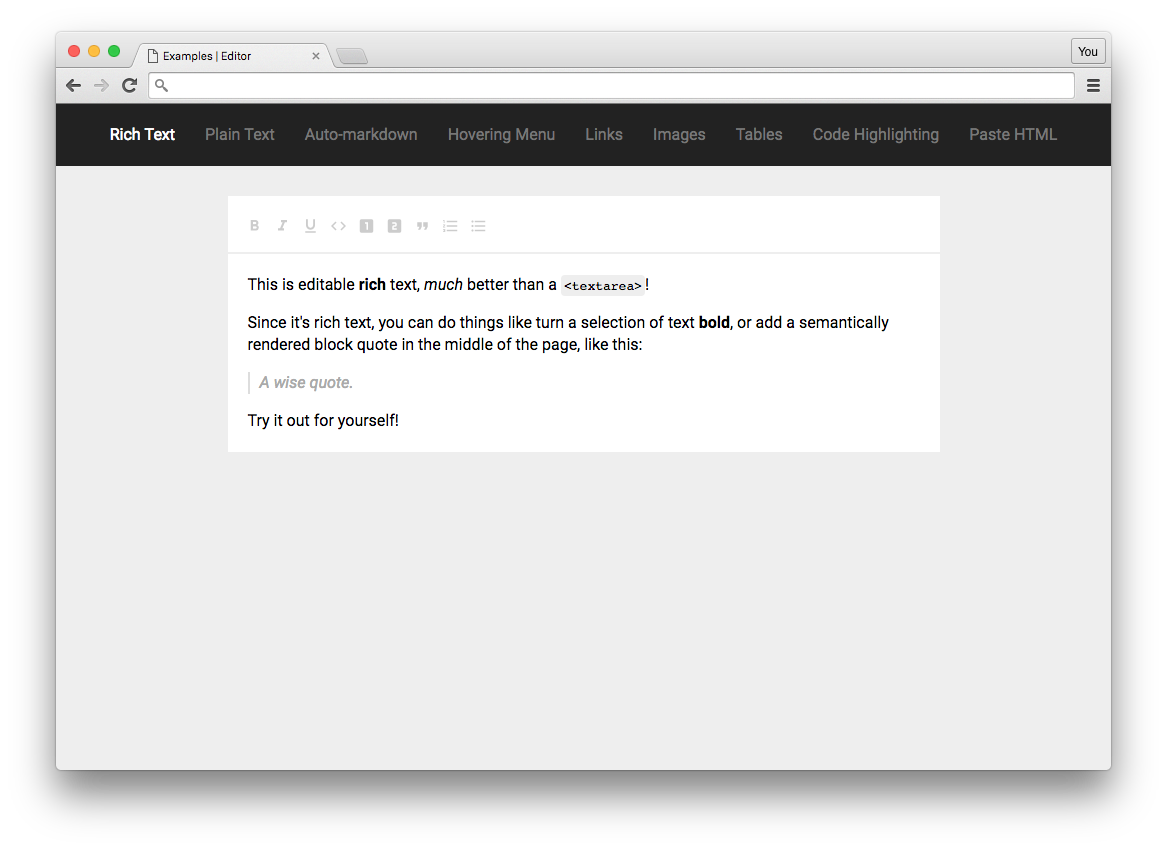
After trying Draft.js, ProseMirror and Quill, he kept hitting the same walls: hardcoded schemas, convoluted programmatic transforms, serialization as an afterthought, custom view layers, and flat document models that made tables and embeds painful.What can the example editors actually do?The repo ships working examples for plain text, rich text, Markdown-style shortcuts, inline nodes, images, a hovering toolbar, tables, pasting HTML through an HTML serializer, and @-mentions — a good menu of what the plugin system covers.
The repo ships working examples for plain text, rich text, Markdown-style shortcuts, inline nodes, images, a hovering toolbar, tables, pasting HTML through an HTML serializer, and @-mentions — a good menu of what the plugin system covers.How are documents modeled under the hood?As a nested, recursive tree that parallels the DOM: it uses selections and ranges and exposes standard event handlers, so complex structures like tables and nested block quotes are first-class. Operations are also designed so collaborative editing can be layered on top.
As a nested, recursive tree that parallels the DOM: it uses selections and ranges and exposes standard event handlers, so complex structures like tables and nested block quotes are first-class. Operations are also designed so collaborative editing can be layered on top.Which packages does the monorepo publish, and what does each do?Four: slate (core data model logic), slate-react (React components for rendering), slate-history (an undo/redo plugin) and slate-hyperscript (a tool for writing Slate documents in JSX).
Four: slate (core data model logic), slate-react (React components for rendering), slate-history (an undo/redo plugin) and slate-hyperscript (a tool for writing Slate documents in JSX).Which topics is it in?contenteditable, rich-text, rich-text-editor, wysiwyg, text-editor, dom, collaboration, plugin-system, monorepo, editor, browser, plugin
contenteditable, rich-text, rich-text-editor, wysiwyg, text-editor, dom, collaboration, plugin-system, monorepo, editor, browser, plugin