A Claude skill that turns vibecoded, AI-looking UI into a designed interface
unslop (heydamir/unslop)
Searching Database…
The project's README from github.com/heydamir/unslop. As one markdown file: README.md.
Created by Damir Sokolovsky (@heydamir), who started the Unslopping series on X.
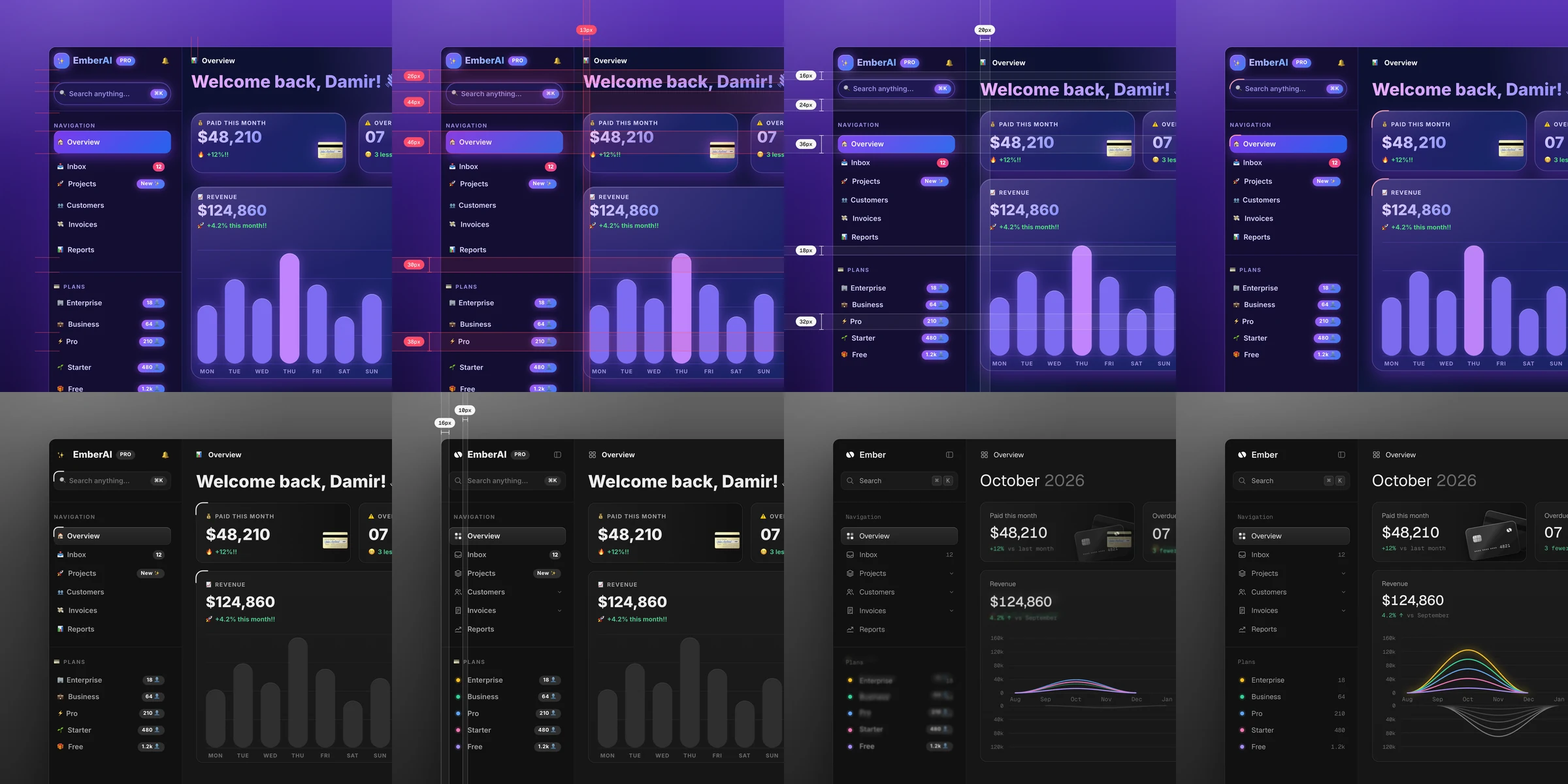
unslop is a skill for Claude that turns vibecoded, AI-looking UI into a designed interface with its own character. It finds the slop first, the purple gradients, glows, emoji labels, shouty copy and uneven spacing, then sets a direction from your product and fixes the screen pass by pass like a designer doing a redline review. It works in whatever your screen is built with, like Next.js, React, Vue, Svelte, Tailwind or plain HTML and CSS, on dashboards, apps and landing pages, and even on a live site when all you have is a link.
For Claude Code, copy the skill into your skills folder.
git clone https://github.com/heydamir/unslop
mkdir -p ~/.claude/skills && cp -r unslop/skills/unslop ~/.claude/skills/
For a single project, copy it into .claude/skills/ inside that project instead.
In Claude Code, type /unslop with what you want, or just ask in your own words and Claude picks the skill up by itself.
/unslop this dashboard
/unslop the hero of https://example.com
/unslop my landing page and make the story video so I can post it
It audits the screen and proposes a direction before it edits anything, so you can steer it early. If the screen is already good, it tells you so and suggests a few small refinements instead of redesigning it.
Try it on the two vibecoded screens in examples.
Would rather have a designer do it? Damir unslops one key screen in 3 days, built in your stack, at heydamir.design/unslop.
CC BY 4.0. Use it, change it and share it, including commercially, as long as you credit Damir Sokolovsky (@heydamir) and link back to this repository.
A Claude skill that turns vibecoded, AI-looking UI into a designed interface