

Introduction
While developing iOS apps, we often run into issues where the iPhone keyboard slides up and covers the UITextField/UITextView. IQKeyboardManager allows you to prevent this issue of keyboard sliding up and covering UITextField/UITextView without needing you to write any code or make any additional setup. To use IQKeyboardManager you simply need to add source files to your project.
Key Features
- One Line of Code - Just enable and it works
- Works Automatically - No manual setup required
- No More UIScrollView - Automatically handles scroll views
- No More Subclasses - Works with standard UIKit components
- No More Manual Work - Handles all edge cases automatically
- Modular Architecture - Include only what you need via subspecs
What's Included
- ✅ Automatic keyboard avoidance for UITextField/UITextView
- ✅ Support for UIScrollView, UITableView, UICollectionView
- ✅ All interface orientations
- ✅ Configurable keyboard distance
- ✅ Class-level enable/disable control
Optional Features (via Subspecs)
- 📦 Toolbar with Previous/Next/Done buttons
- 📦 Return key handling customization
- 📦 Tap-to-resign keyboard
- 📦 Keyboard appearance configuration
- 📦 UITextView with placeholder supportv
Subspecs
Now IQKeyboardManagerSwift uses a modular architecture with subspecs.
By default, all subspecs are included, but you can include only what you need:
Available Subspecs
- Core (always included): Basic keyboard distance management
- Appearance: Keyboard appearance configuration
- IQKeyboardReturnManager: Return key handling
- IQKeyboardToolbarManager: Toolbar functionality (Previous/Next/Done buttons)
- IQTextView: UITextView with placeholder support
- Resign: Tap-to-resign keyboard functionality
Including Specific Subspecs
# Include toolbar example
pod 'IQKeyboardManagerSwift/IQKeyboardToolbarManager'
Screenshot
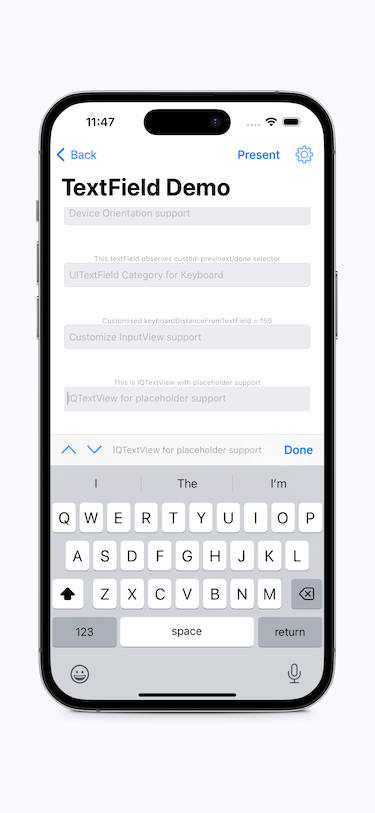
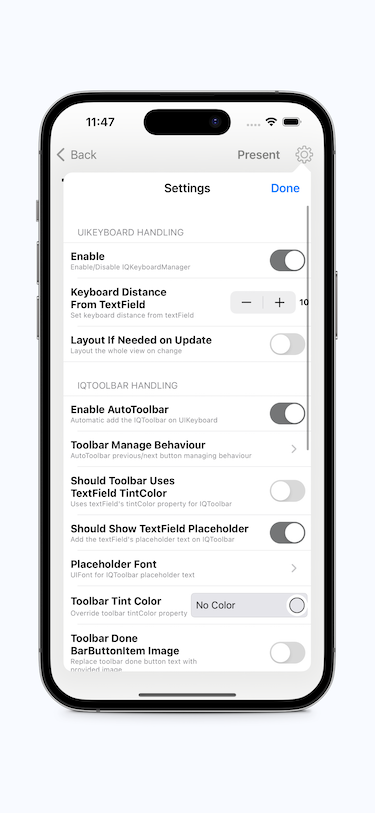
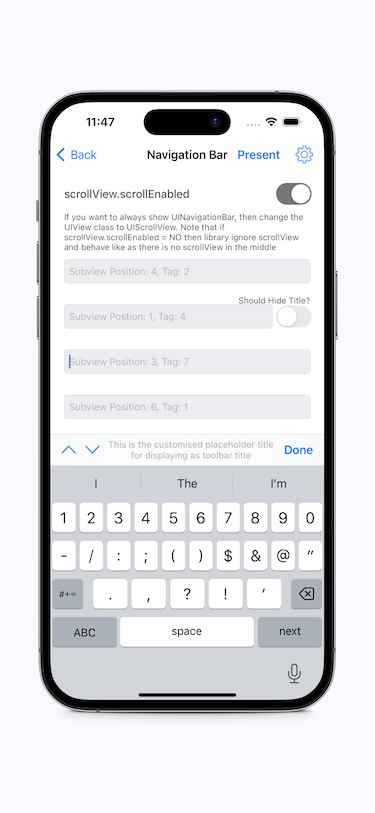
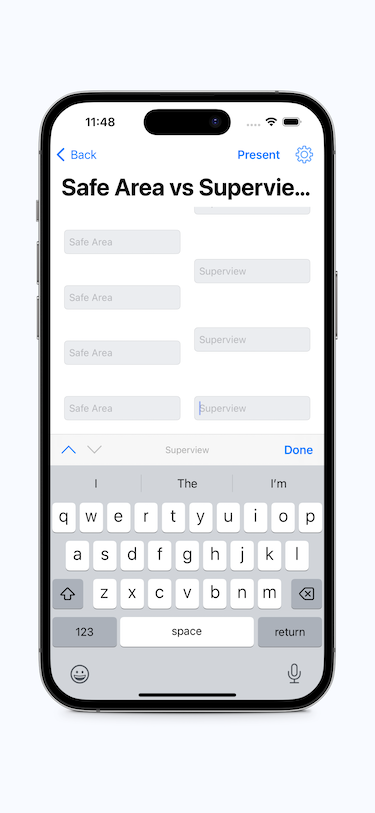
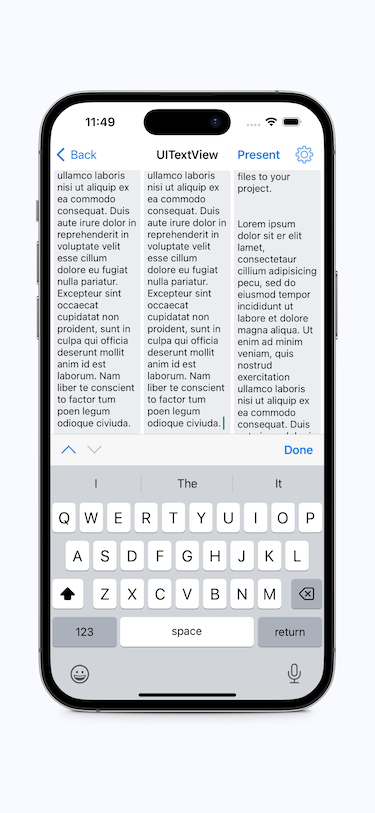
GIF animation
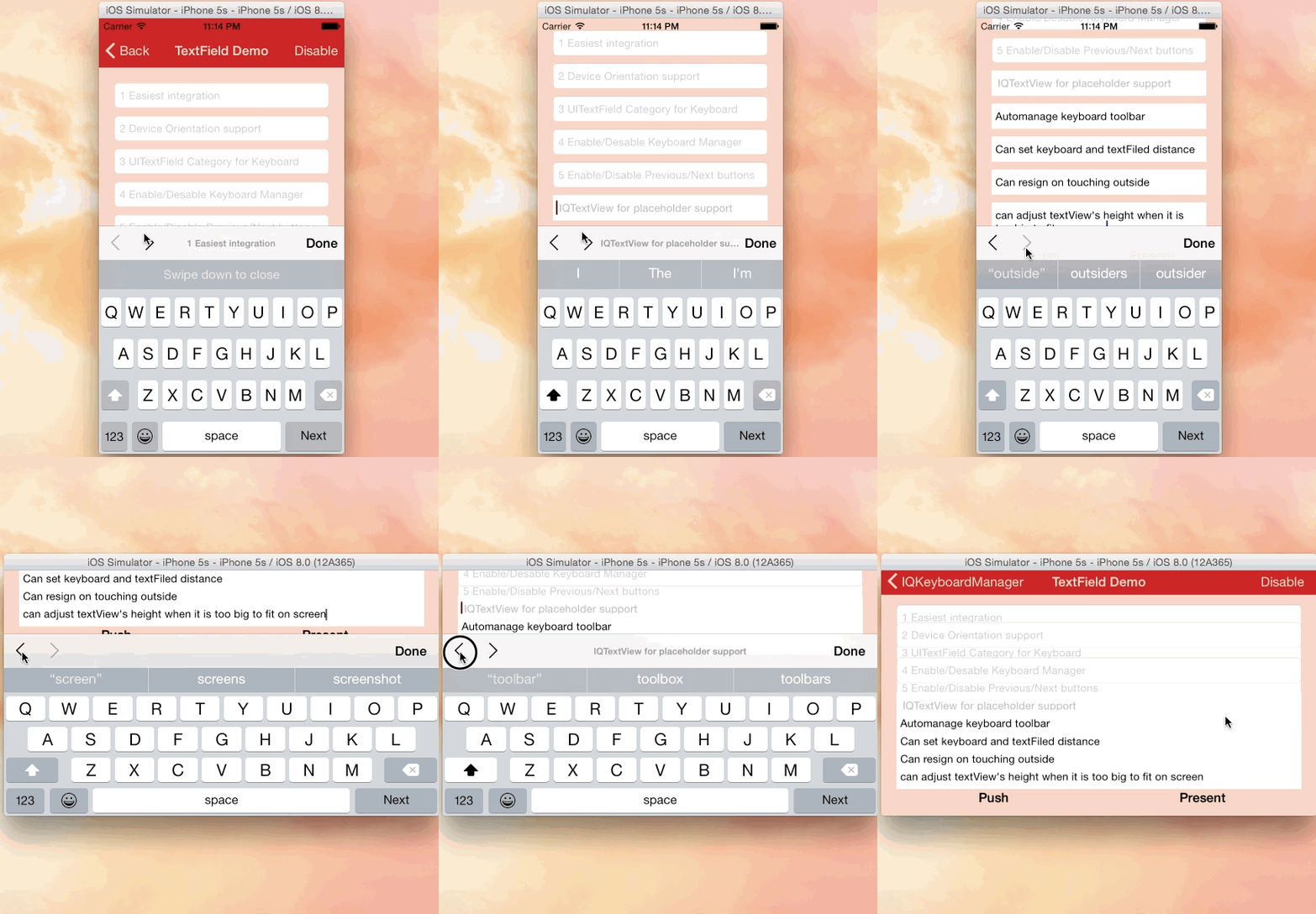
Video
Tutorial video by @rebeloper (#1135)
@rebeloper demonstrated two videos on how to implement IQKeyboardManager at it's core:

https://www.youtube.com/playlist?list=PL_csAAO9PQ8aTL87XnueOXi3RpWE2m_8v
Warning
- If you're planning to build SDK/library/framework and want to handle UITextField/UITextView with IQKeyboardManager then you're totally going the wrong way. I would never suggest to add IQKeyboardManager as dependency/adding/shipping with any third-party library. Instead of adding IQKeyboardManager you should implement your own solution to achieve same kind of results. IQKeyboardManager is totally designed for projects to help developers for their convenience, it's not designed for adding/dependency/shipping with any third-party library, because doing this could block adoption by other developers for their projects as well (who are not using IQKeyboardManager and have implemented their custom solution to handle UITextField/UITextView in the project).
- If IQKeyboardManager conflicts with other third-party library, then it's developer responsibility to enable/disable IQKeyboardManager when presenting/dismissing third-party library UI. Third-party libraries are not responsible to handle IQKeyboardManager.
Requirements
|
Minimum iOS Target |
Minimum Xcode Version |
| IQKeyboardManagerSwift |
iOS 13.0 |
Xcode 13 |
| Demo Project |
|
Xcode 15 |
Swift versions support
| Swift |
Xcode |
IQKeyboardManagerSwift |
| 5.9, 5.8, 5.7 |
16 |
>= 7.0.0 |
| 5.9, 5.8, 5.7, 5.6 |
15 |
>= 7.0.0 |
| 5.5, 5.4, 5.3, 5.2, 5.1, 5.0, 4.2 |
11 |
>= 6.5.7 |
| 5.1, 5.0, 4.2, 4.0, 3.2, 3.0 |
11 |
>= 6.5.0 |
| 5.0,4.2, 4.0, 3.2, 3.0 |
10.2 |
>= 6.2.1 |
| 4.2, 4.0, 3.2, 3.0 |
10.0 |
>= 6.0.4 |
| 4.0, 3.2, 3.0 |
9.0 |
5.0.0 |
Installation
CocoaPods
To install it, simply add the following line to your Podfile: (#236)
pod 'IQKeyboardManagerSwift'
Or you can choose the version you need based on Swift support table from Requirements
pod 'IQKeyboardManagerSwift', '8.0.0'
Carthage
To integrate IQKeyboardManger or IQKeyboardManagerSwift into your Xcode project using Carthage, add the following line to your Cartfile:
github "hackiftekhar/IQKeyboardManager"
Run carthage update --use-xcframeworks to build the frameworks and drag IQKeyboardManagerSwift.xcframework into your Xcode project based on your need. Make sure to add only one framework, not both.
Swift Package Manager (SPM)
To install IQKeyboardManagerSwift package via Xcode
Source Code
IQKeyboardManagerSwift: Source code installation is not supported (since 7.2.0) because now the library depends on some other independent libraries. Due to this you may face compilation issues.
Basic Usage
Minimal Setup (Core Only)
In AppDelegate.swift, import and enable IQKeyboardManager:
import IQKeyboardManagerSwift

@UIApplicationMain
class AppDelegate: UIResponder, UIApplicationDelegate {

    var window: UIWindow?

    func application(_ application: UIApplication,
                     didFinishLaunchingWithOptions launchOptions: [UIApplication.LaunchOptionsKey: Any]?) -> Bool {

        // Enable keyboard management
        IQKeyboardManager.shared.isEnabled = true

        return true
    }
}
That's it! The keyboard will now automatically adjust to avoid covering text fields.
import IQKeyboardManagerSwift

func application(_ application: UIApplication,
                 didFinishLaunchingWithOptions launchOptions: [UIApplication.LaunchOptionsKey: Any]?) -> Bool {

    // Enable keyboard management
    IQKeyboardManager.shared.isEnabled = true

    // Enable toolbar (@Deprecated: Please use IQKeyboardToolbarManager pod independently)
    IQKeyboardManager.shared.enableAutoToolbar = true

    return true
}
With All Features
import IQKeyboardManagerSwift

func application(_ application: UIApplication,
                 didFinishLaunchingWithOptions launchOptions: [UIApplication.LaunchOptionsKey: Any]?) -> Bool {

    // Core functionality
    IQKeyboardManager.shared.isEnabled = true
    IQKeyboardManager.shared.keyboardDistance = 20.0

    // Toolbar (if using IQKeyboardToolbarManager subspec)
    IQKeyboardManager.shared.enableAutoToolbar = true

    // Tap to resign (if using Resign subspec)
    IQKeyboardManager.shared.resignOnTouchOutside = true

    // Appearance (if using Appearance subspec)
    IQKeyboardManager.shared.keyboardConfiguration.overrideKeyboardAppearance = true
    IQKeyboardManager.shared.keyboardConfiguration.keyboardAppearance = .dark

    return true
}
Migration Guide
Other Links
Dependency Diagram
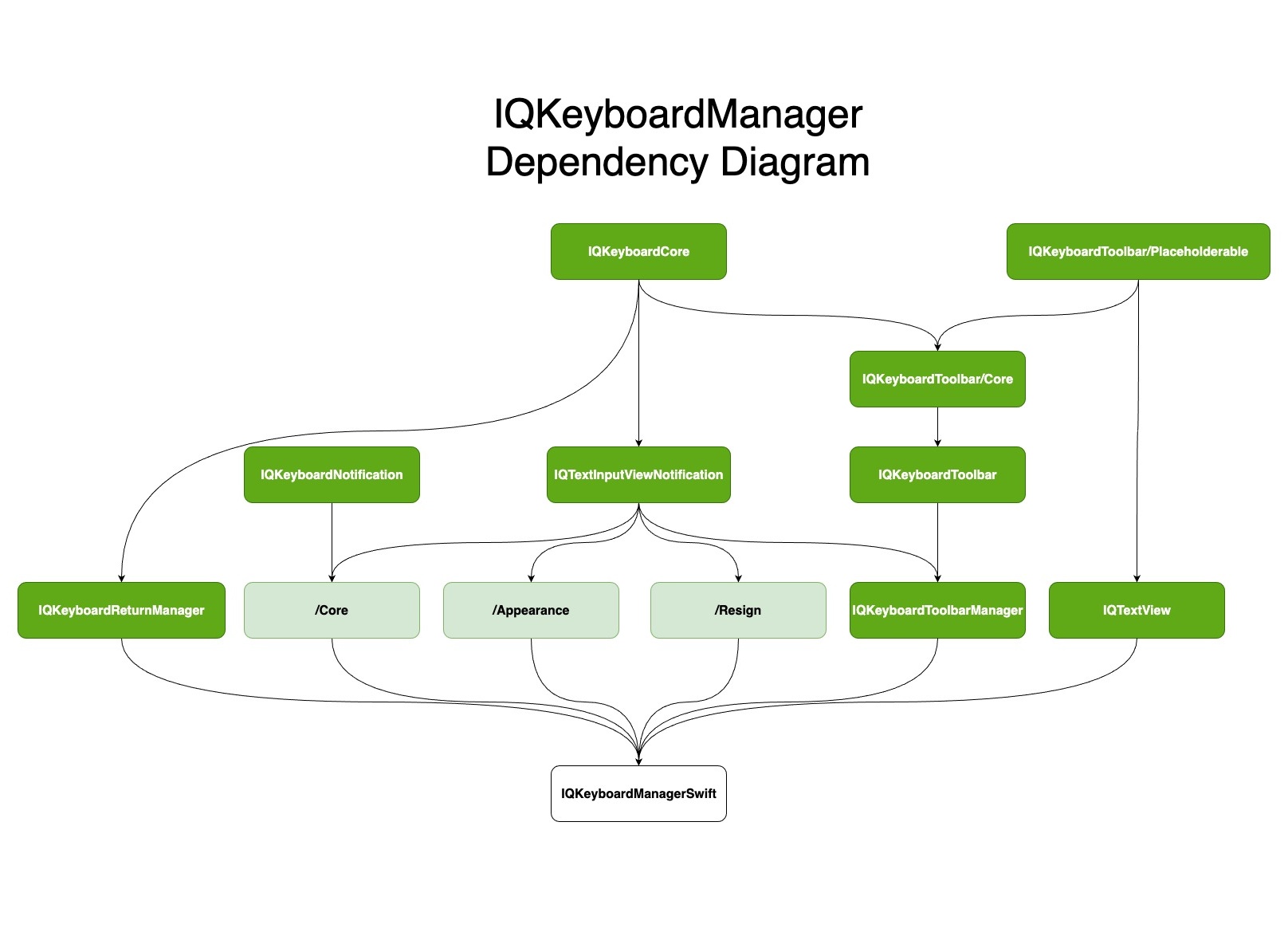
LICENSE
Distributed under the MIT License.
Contributions
Any contribution is more than welcome! You can contribute through pull requests and issues on GitHub.
Author
If you wish to contact me, email at: [email protected]

 IQKeyboardManager 是一个即插即用的 iOS 库,能自动防止键盘弹起后遮挡 UITextField 或 UITextView,无需编写代码,也无需手动设置。