852 ·GitHub
这是什么?
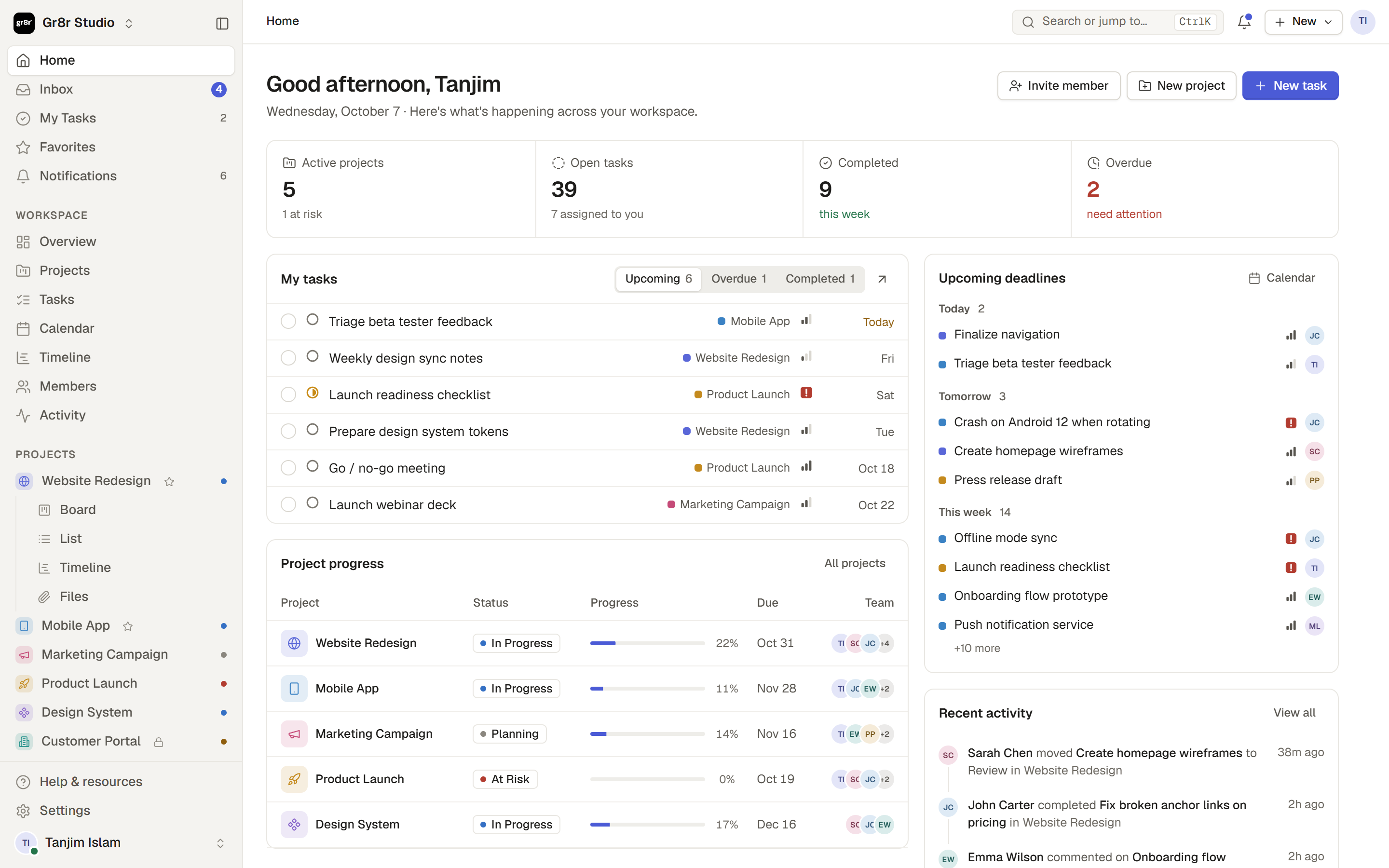
 Gr8r Studio 是一个清爽有序的项目管理工作区,包含首页仪表盘、收件箱、我的任务、项目(提供看板、列表、表格、日历、时间线和文件视图),还有成员、团队、动态和设置。
Gr8r Studio 是一个清爽有序的项目管理工作区,包含首页仪表盘、收件箱、我的任务、项目(提供看板、列表、表格、日历、时间线和文件视图),还有成员、团队、动态和设置。它是基于 React 或 Vue 这类 UI 框架构建的,还是更轻量的方案?它用原生 JavaScript ES 模块和 CSS 构建,由 Vite 打包。没有 UI 框架(没有 React/Vue),也完全没有运行时依赖。
它用原生 JavaScript ES 模块和 CSS 构建,由 Vite 打包。没有 UI 框架(没有 React/Vue),也完全没有运行时依赖。怎么在本地让它跑起来?你需要 Node.js 18 或更新版本(项目的 .nvmrc 锁定版本 22),然后运行 Vite 的 dev/build 脚本来开发或产出应用。
你需要 Node.js 18 或更新版本(项目的 .nvmrc 锁定版本 22),然后运行 Vite 的 dev/build 脚本来开发或产出应用。我需要什么 npm 包,还是只需要 Node?只需要 Node.js 来跑 Vite 构建工具——应用本身不带任何运行时依赖,也没有 UI 框架。
只需要 Node.js 来跑 Vite 构建工具——应用本身不带任何运行时依赖,也没有 UI 框架。它有自己的后端或数据库吗?README 中没有说明——README 只描述了前端架构(core/data、ui/shell/pages、actions 各层)以及 Vercel 部署如何伺服构建出的 dist/ 文件夹,没有提到任何服务器或数据库。
README 中没有说明——README 只描述了前端架构(core/data、ui/shell/pages、actions 各层)以及 Vercel 部署如何伺服构建出的 dist/ 文件夹,没有提到任何服务器或数据库。它实际运行在哪里——是在浏览器里打开吗?是的,它是一个基于浏览器的单页应用;vercel.json 用 Vite 构建它并伺服生成的 dist/ 文件夹。
是的,它是一个基于浏览器的单页应用;vercel.json 用 Vite 构建它并伺服生成的 dist/ 文件夹。渲染和状态管理内部是怎么实现的?每个页面或视图都是一个函数,返回由共享 store(S)构建的 HTML 字符串。render() 重建外壳时会保留焦点和滚动位置,各操作通过共享操作表(A)修改状态,模块在加载时自行注册到这张表。
每个页面或视图都是一个函数,返回由共享 store(S)构建的 HTML 字符串。render() 重建外壳时会保留焦点和滚动位置,各操作通过共享操作表(A)修改状态,模块在加载时自行注册到这张表。没有框架的情况下,点击和输入是怎么接线的?元素声明一个 data-a 属性来指明操作,actions/events.js 把点击委托给共享操作表上对应的处理器;输入用 data-in,失焦处理器用 data-blur。
元素声明一个 data-a 属性来指明操作,actions/events.js 把点击委托给共享操作表上对应的处理器;输入用 data-in,失焦处理器用 data-blur。图标是怎么处理的?调用 ic(name) 时传入任意 Lucide 图标名,virtual:icons 这个 Vite 插件只打包源代码中实际引用的图标,保持包体积精简。
调用 ic(name) 时传入任意 Lucide 图标名,virtual:icons 这个 Vite 插件只打包源代码中实际引用的图标,保持包体积精简。有 CI 检查代码质量吗?有,每次 push 和 pull request 都会通过 GitHub Actions 工作流(.github/workflows/ci.yml)运行 lint、格式检查和生产构建。
有,每次 push 和 pull request 都会通过 GitHub Actions 工作流(.github/workflows/ci.yml)运行 lint、格式检查和生产构建。What are similar projects?openproject, wekan, planka, everything, plane, leantime, blueprint, focalboard
openproject, wekan, planka, everything, plane, leantime, blueprint, focalboardWhich topics is it in?timeline, table, single-page-app, esm, kanban, calendar, project-management, vanilla-javascript, task-management, icons, vercel, ci-cd
timeline, table, single-page-app, esm, kanban, calendar, project-management, vanilla-javascript, task-management, icons, vercel, ci-cd