Google I/O Android App (ARCHIVED)
2023 Update
This repository has been archived. The Google I/O app has guided online and in-person visitors through the Google I/O conference for 10 years since 2009. It has also helped thousands of developers as an open-source sample.
To follow Modern Android Development best practices, check out the Now in Android repository, which replaces iosched as our real-world sample.
2021 Update
Due to global events, Google I/O 2020 was canceled and Google I/O 2021 is an online-only event, so
the companion app hasn't been updated since 2019. However, the iosched team has continued
adding several architecture improvements to its codebase.
The general look and feel of the app is unchanged, and the app
still uses the data from Google I/O 2019.
Major improvements implemented in 2021:
- Migration from LiveData to Kotlin Flows to observe data.
- Support for large screens and other form factors.
- Migration from SharedPreferences to Jetpack DataStore.
- (Experimental) Partial migration to Jetpack Compose
(in the
compose branch)
Description
Google I/O is a developer conference with several days of deep
technical content featuring technical sessions and hundreds of demonstrations
from developers showcasing their technologies.
This project is the Android app for the conference.
Running the app
The project contains a staging variant that replaces some modules at compile time so they
don't depend on remote services such as Firebase. This allows you to try out and test the app
without the API keys.
Features
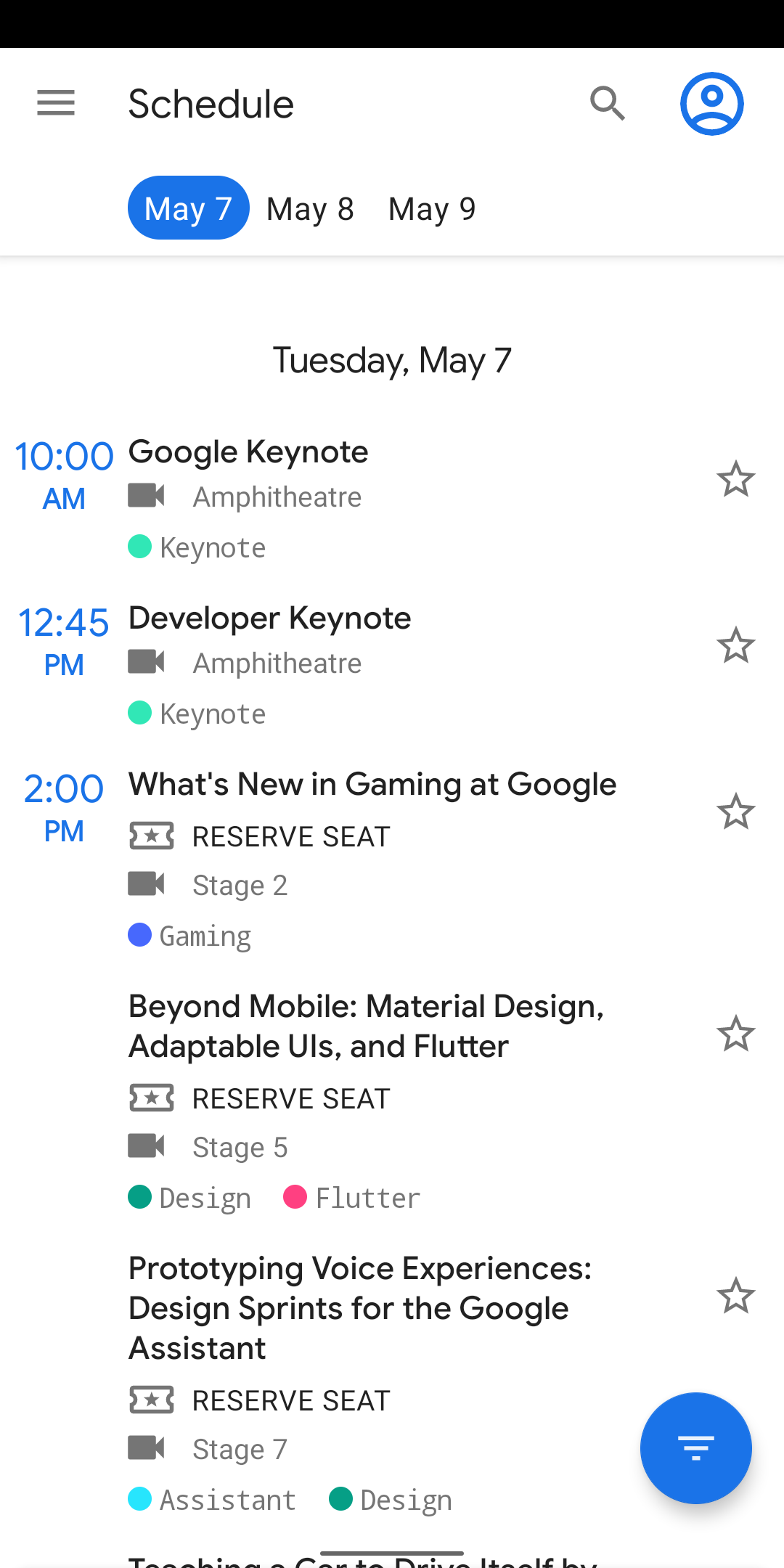
The app displays a list of conference events - sessions, office hours, app
reviews, codelabs, etc. - and allows the user to filter these events by event
types and by topics (Android, Firebase, etc.). Users can see details about
events, and they can star events that interest them. Conference attendees can
reserve events to guarantee a seat.
Other features include a Map of the venue, informational pages to
guide attendees during the conference in Info, and time-relevant information
during the conference in Home.
Development Environment
The app is written entirely in Kotlin and uses the Gradle build system.
To build the app, use the gradlew build command or use "Import Project" in
Android Studio. Android Studio Arctic Fox or newer is required and may be downloaded
here.
Architecture
The architecture is built around
Android Architecture Components
and follows the recommendations laid out in the
Guide to App Architecture. Logic is kept away
from Activities and Fragments and moved to
ViewModels.
Data is observed using
Kotlin Flows
and the Data Binding Library
binds UI components in layouts to the app's data sources.
The Repository layer handles data operations. IOSched's data comes
from a few different sources - user data is stored in
Cloud Firestore
(either remotely or in
a local cache for offline use), user preferences and settings are stored in
DataStore, conference data is stored remotely and is fetched and stored
in memory for the app to use, etc. - and the repository modules
are responsible for handling all data operations and abstracting the data sources
from the rest of the app.
A lightweight domain layer sits between the data layer
and the presentation layer, and handles discrete pieces of business logic off
the UI thread. See the .\*UseCase.kt files under shared/domain for
examples.
The Navigation component is used
to implement navigation in the app, handling Fragment transactions and providing a consistent
user experience.
Room is used
for Full Text Search using Fts4
to search for a session, speaker, or codelab.
UI tests are written with Espresso
and unit tests use Junit4 with
Mockito when necessary.
The Jetpack Benchmark library
makes it easy to benchmark your code from within Android Studio.
The library handles warmup, measures your code performance, and outputs benchmarking
results to the Android Studio console. We added a few benchmark tests around
critical paths during app startup - in particular, the parsing of the bootstrap
data. This enables us to automate measuring and monitoring initial startup time.
Here is an example from a benchmark run:
Started running tests

Connected to process 30763 on device 'google-pixel_3'.
benchmark:
benchmark:    76,076,101 ns BootstrapConferenceDataSourceBenchmark.benchmark_json_parsing
Tests ran to completion.
Dependency Injection is implemented with
Hilt. For more details
on migrating from dagger-android to Hilt, read the
(migration article.
ViewPager2 offers enhanced functionality over the
original ViewPager library, such as right-to-left and vertical orientation support.
For more details on migrating from ViewPager to ViewPager2, please see this
migration guide.
Firebase
The app makes considerable use of the following Firebase components:
- Cloud Firestore is our source
for all user data (events starred or reserved by a user). Firestore gave us
automatic sync and also seamlessly managed offline functionality
for us.
- Firebase Cloud Functions
allowed us to run backend code. The reservations feature heavily depended on Cloud
Functions working in conjuction with Firestore.
- Firebase Cloud Messaging
let us inform the app about changes to conference data on our server.
- Remote Config helped us
manage in-app constants.
For 2020, the implementation was migrated to the Firebase Kotlin extension (KTX) libraries to
write more idiomatic Kotlin code when calling Firebase APIs. To learn more,
read this
Firebase blog article
on the Firebase KTX libraries.
Kotlin
The app is entirely written in Kotlin and uses Jetpack's
Android Ktx extensions.
Asynchronous tasks are handled with
coroutines. Coroutines allow for simple
and safe management of one-shot operations as well as building and consuming streams of data using
Kotlin Flows.
All build scripts are written with the
Kotlin DSL.
Copyright
Copyright 2014 Google Inc. All rights reserved.

Licensed under the Apache License, Version 2.0 (the "License");
you may not use this file except in compliance with the License.
You may obtain a copy of the License at

    http://www.apache.org/licenses/LICENSE-2.0

Unless required by applicable law or agreed to in writing, software
distributed under the License is distributed on an "AS IS" BASIS,
WITHOUT WARRANTIES OR CONDITIONS OF ANY KIND, either express or implied.
See the License for the specific language governing permissions and
limitations under the License.

 这是 Google I/O 开发者大会的官方配套 Android 应用:包含会议日程、codelab、会场地图,以及参会者的个人日程。代码已开源,仓库在 2023 年被归档。