
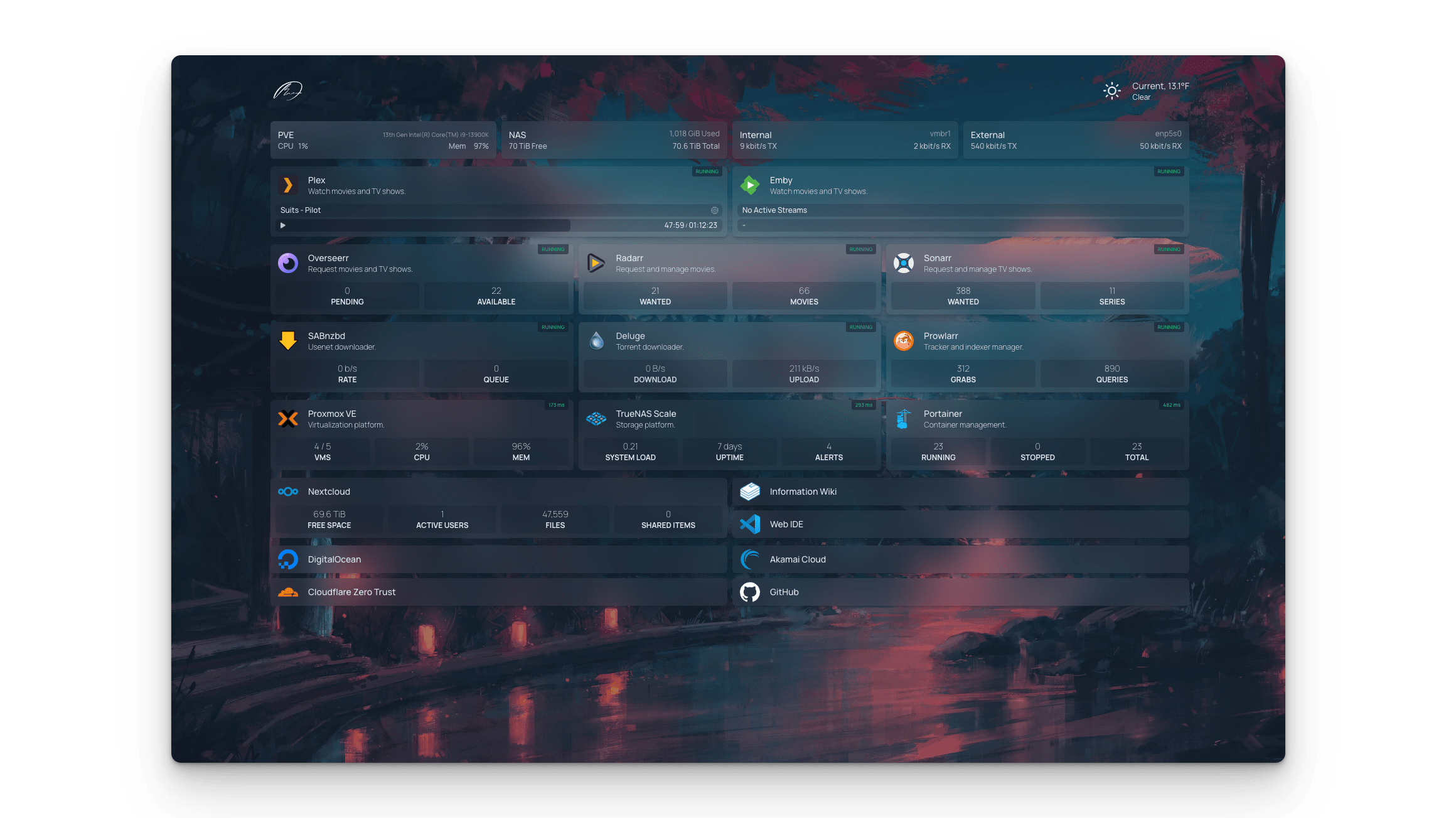





What is this?
 Homepage is a fully static, highly customizable application dashboard (startpage) that aggregates service widgets, Docker container stats, bookmarks, and information widgets like weather and search in one place.
Homepage is a fully static, highly customizable application dashboard (startpage) that aggregates service widgets, Docker container stats, bookmarks, and information widgets like weather and search in one place.Is this a desktop app or something I host myself?It's a self-hosted web app you run yourself (via Docker or from source as a Next.js app) and access through a browser; it's statically generated for speed.
It's a self-hosted web app you run yourself (via Docker or from source as a Next.js app) and access through a browser; it's statically generated for speed.How do I get it running?Easiest way is Docker Compose or `docker run`. Alternatively clone the repo, install dependencies with pnpm, copy `src/skeleton` to `config/` for example configs, build, and run in production mode.
Easiest way is Docker Compose or `docker run`. Alternatively clone the repo, install dependencies with pnpm, copy `src/skeleton` to `config/` for example configs, build, and run in production mode.Do I need anything special before installing it?If running from source you need pnpm and Node.js (it's a Next.js app); for Docker it just needs a Docker host. No other accounts are required.
If running from source you need pnpm and Node.js (it's a Next.js app); for Docker it just needs a Docker host. No other accounts are required.Is it safe to expose this on my network?If reachable from an untrusted network, it must sit behind a reverse proxy/VPN enforcing authentication and TLS, or you can enable the built-in OIDC or password login as a basic guard.
If reachable from an untrusted network, it must sit behind a reverse proxy/VPN enforcing authentication and TLS, or you can enable the built-in OIDC or password login as a basic guard.Who is this really built for?It's aimed at homelab and self-hosting enthusiasts who run multiple services (media servers, download clients, *arr apps) and want one dashboard to see and link them all.
It's aimed at homelab and self-hosting enthusiasts who run multiple services (media servers, download clients, *arr apps) and want one dashboard to see and link them all.What CPU architectures does it support?Official Docker images are built for AMD64 and ARM64.
Official Docker images are built for AMD64 and ARM64.Does it handle any sensitive personal data?Yes — widgets can pull personal information, for example from your home automation system, so it warns you to secure access carefully.
Yes — widgets can pull personal information, for example from your home automation system, so it warns you to secure access carefully.How does Homepage talk to my Docker containers?It integrates directly with the Docker API and can automatically discover and add services to the dashboard based on container labels, also showing container status and stats.
It integrates directly with the Docker API and can automatically discover and add services to the dashboard based on container labels, also showing container status and stats.Which self-hosted apps does it have built-in widgets for?Over 100 service integrations are supported, including popular *arr apps and self-hosted tools like Radarr, Sonarr, Plex, Jellyfin, Transmission, qBittorrent, and more.
Over 100 service integrations are supported, including popular *arr apps and self-hosted tools like Radarr, Sonarr, Plex, Jellyfin, Transmission, qBittorrent, and more.How do I configure the dashboard layout and services?Everything is configured through YAML files (or automatically via Docker label discovery), covering services, bookmarks, widgets, and custom layout/theme settings.
Everything is configured through YAML files (or automatically via Docker label discovery), covering services, bookmarks, widgets, and custom layout/theme settings.Does it support languages other than English?Yes, Homepage has full i18n support with translations into over 40 languages.
Yes, Homepage has full i18n support with translations into over 40 languages.What are similar projects?dashy, glance, neko-master, Termix, seerr, github-release-monitor, dockhand, nginx-proxy-manager
dashy, glance, neko-master, Termix, seerr, github-release-monitor, dockhand, nginx-proxy-managerWhich topics is it in?oidc, homelab, yaml, reverse-proxy, node, i18n, nextjs, customization, dashboard, monitoring, productivity, gui
oidc, homelab, yaml, reverse-proxy, node, i18n, nextjs, customization, dashboard, monitoring, productivity, gui