




这是什么?
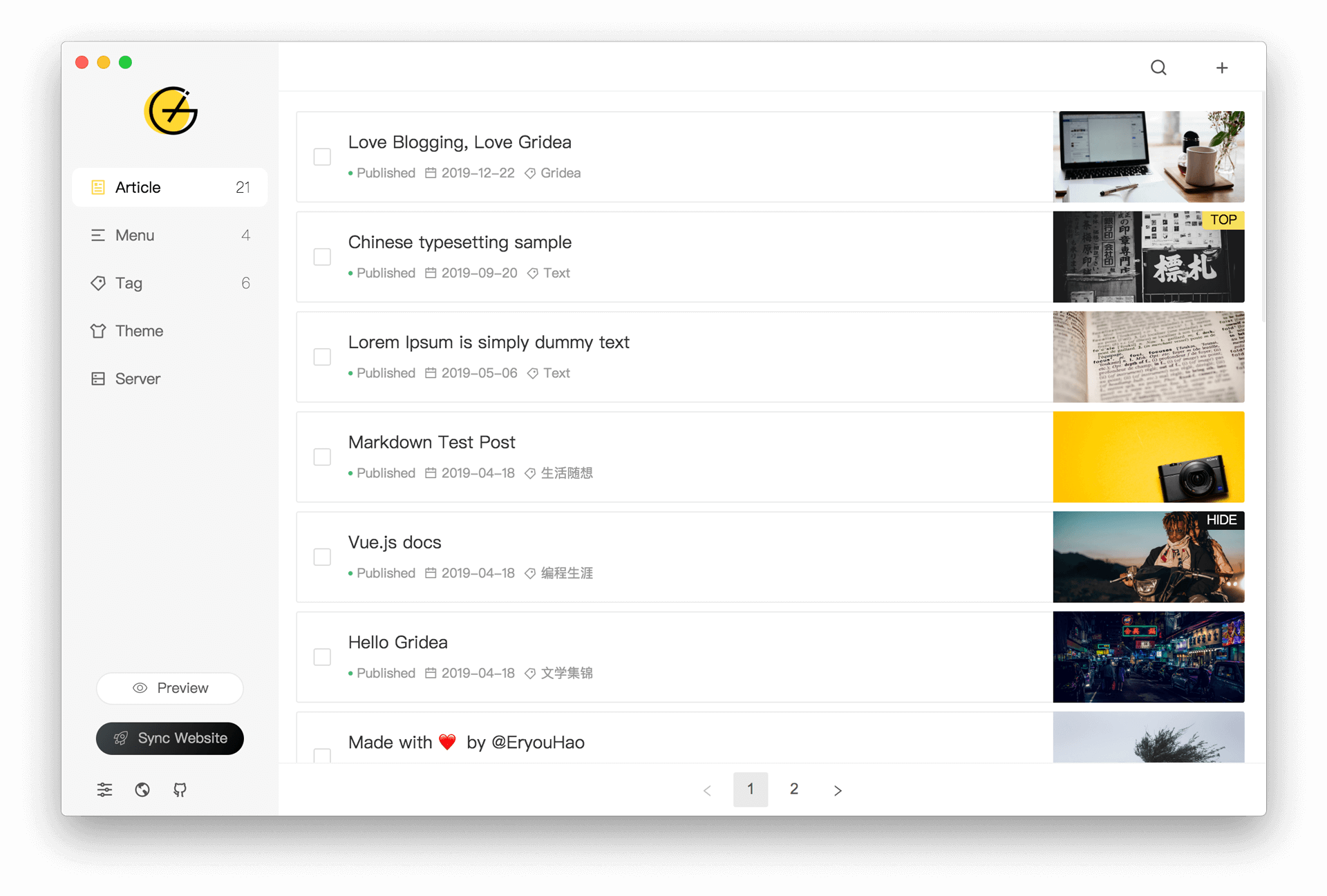
 Gridea 是一个静态博客写作客户端:一款桌面应用,你用 Markdown 写文章,然后发布成静态博客——主打用来记录生活、心情、知识、笔记和想法。
Gridea 是一个静态博客写作客户端:一款桌面应用,你用 Markdown 写文章,然后发布成静态博客——主打用来记录生活、心情、知识、笔记和想法。那这是需要登录的网站,还是装在电脑上的程序?它是基于 Electron 开发的桌面程序,可以安装在 Windows、macOS 或 Linux 上。你的博客本身会生成为静态网站,托管在 Github Pages 或 Coding Pages 上。
它是基于 Electron 开发的桌面程序,可以安装在 Windows、macOS 或 Linux 上。你的博客本身会生成为静态网站,托管在 Github Pages 或 Coding Pages 上。我该怎么开始使用?从项目主页下载适合你系统的安装包并运行——不需要用命令行。你在内置的 Markdown 编辑器里写文章,然后在应用里连接 Github Pages 或 Coding Pages 就能发布。
从项目主页下载适合你系统的安装包并运行——不需要用命令行。你在内置的 Markdown 编辑器里写文章,然后在应用里连接 Github Pages 或 Coding Pages 就能发布。要让博客上线,我还需要准备别的东西吗?需要——你得有一个 Github Pages 或 Coding Pages 站点用来发布,因为 Gridea 生成静态网站后会把内容推送上去。README 提到以后会支持更多托管平台。
需要——你得有一个 Github Pages 或 Coding Pages 站点用来发布,因为 Gridea 生成静态网站后会把内容推送上去。README 提到以后会支持更多托管平台。上手之前有什么需要知道的坑吗?作者坦言 Gridea 还很年轻,存在不少不足。目前发布只支持 Github Pages 和 Coding Pages,其他平台承诺以后会支持。
作者坦言 Gridea 还很年轻,存在不少不足。目前发布只支持 Github Pages 和 Coding Pages,其他平台承诺以后会支持。除了纯文本,文章里还能放什么?你可以在文章的任意位置插入图片和文章封面图,给文章打标签和分类,还可以自定义博客的菜单——包括纯粹指向外部链接的菜单。
你可以在文章的任意位置插入图片和文章封面图,给文章打标签和分类,还可以自定义博客的菜单——包括纯粹指向外部链接的菜单。读者能在我的文章下面留言评论吗?可以。Gridea 支持 Gitalk 和 DisqusJS 评论系统,在应用里简单配置一下就能接上。
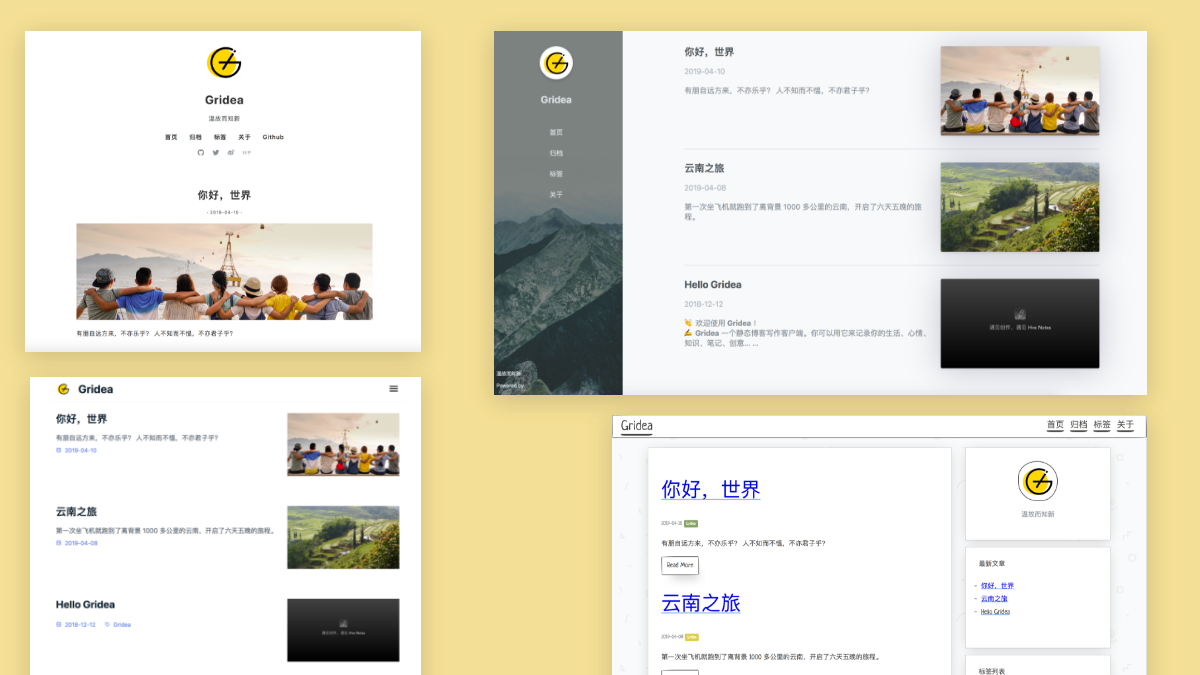
可以。Gridea 支持 Gitalk 和 DisqusJS 评论系统,在应用里简单配置一下就能接上。我能改变博客的外观吗?可以——可以用应用内置的任意默认主题,选用第三方主题,或者免费自定义主题。
可以——可以用应用内置的任意默认主题,选用第三方主题,或者免费自定义主题。我在多台电脑上写作——怎么让文章保持同步?把 Gridea 的源文件夹指向一个自定义文件夹,然后用 OneDrive、iCloud、Dropbox 之类的服务在多台设备之间同步这个文件夹。
把 Gridea 的源文件夹指向一个自定义文件夹,然后用 OneDrive、iCloud、Dropbox 之类的服务在多台设备之间同步这个文件夹。What are similar projects?marktext, beautiful-jekyll, hugo, zola, Zettlr, buildawesome, tailwind-nextjs-starter-blog, hexo
marktext, beautiful-jekyll, hugo, zola, Zettlr, buildawesome, tailwind-nextjs-starter-blog, hexoWhich topics is it in?blogging, electronjs, blog-engine, jamstack, vue2, markdown-editor, github-pages, static-site, blog, cms, sync, writing
blogging, electronjs, blog-engine, jamstack, vue2, markdown-editor, github-pages, static-site, blog, cms, sync, writing