




What is this?
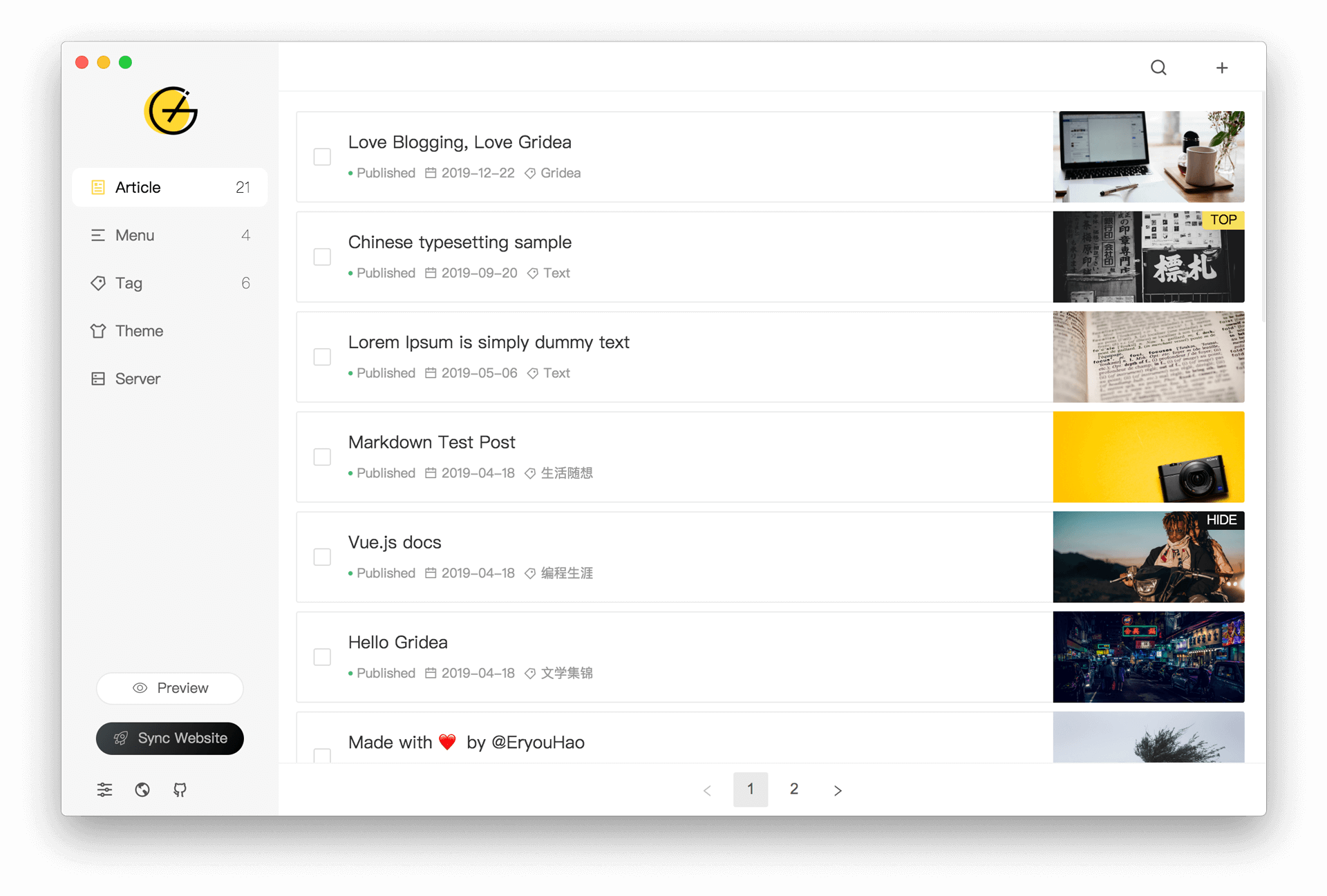
 Gridea is a static blog writing client: a desktop app where you write posts in Markdown and publish them as a static blog — pitched for recording your life, mood, knowledge, notes and ideas.
Gridea is a static blog writing client: a desktop app where you write posts in Markdown and publish them as a static blog — pitched for recording your life, mood, knowledge, notes and ideas.So is this a website I log into, or a program I install on my computer?It's a desktop program built on Electron that you install on Windows, macOS or Linux. Your blog itself is generated as a static site, hosted on Github Pages or Coding Pages.
It's a desktop program built on Electron that you install on Windows, macOS or Linux. Your blog itself is generated as a static site, hosted on Github Pages or Coding Pages.How do I get started with it?Download the installer for your system from the project homepage and run it — no command line needed. You write in the built-in Markdown editor, then connect Github Pages or Coding Pages in the app to publish.
Download the installer for your system from the project homepage and run it — no command line needed. You write in the built-in Markdown editor, then connect Github Pages or Coding Pages in the app to publish.Do I need anything else to get my blog online?Yes — a Github Pages or Coding Pages site to publish to, since Gridea generates a static site and pushes it there. The README says more hosting platforms will be supported in the future.
Yes — a Github Pages or Coding Pages site to publish to, since Gridea generates a static site and pushes it there. The README says more hosting platforms will be supported in the future.Are there any catches I should know about before diving in?The author admits Gridea is still young and has many shortcomings. Publishing currently supports only Github Pages and Coding Pages; other platforms are promised later.
The author admits Gridea is still young and has many shortcomings. Publishing currently supports only Github Pages and Coding Pages; other platforms are promised later.What can I put into posts besides plain text?You can insert pictures and article cover images anywhere in a post, label and group articles, and customize your blog's menus — including menus that are just external links.
You can insert pictures and article cover images anywhere in a post, label and group articles, and customize your blog's menus — including menus that are just external links.Can readers leave comments under my posts?Yes. Gridea supports the Gitalk and DisqusJS comment systems, and connecting one takes just a simple configuration in the app.
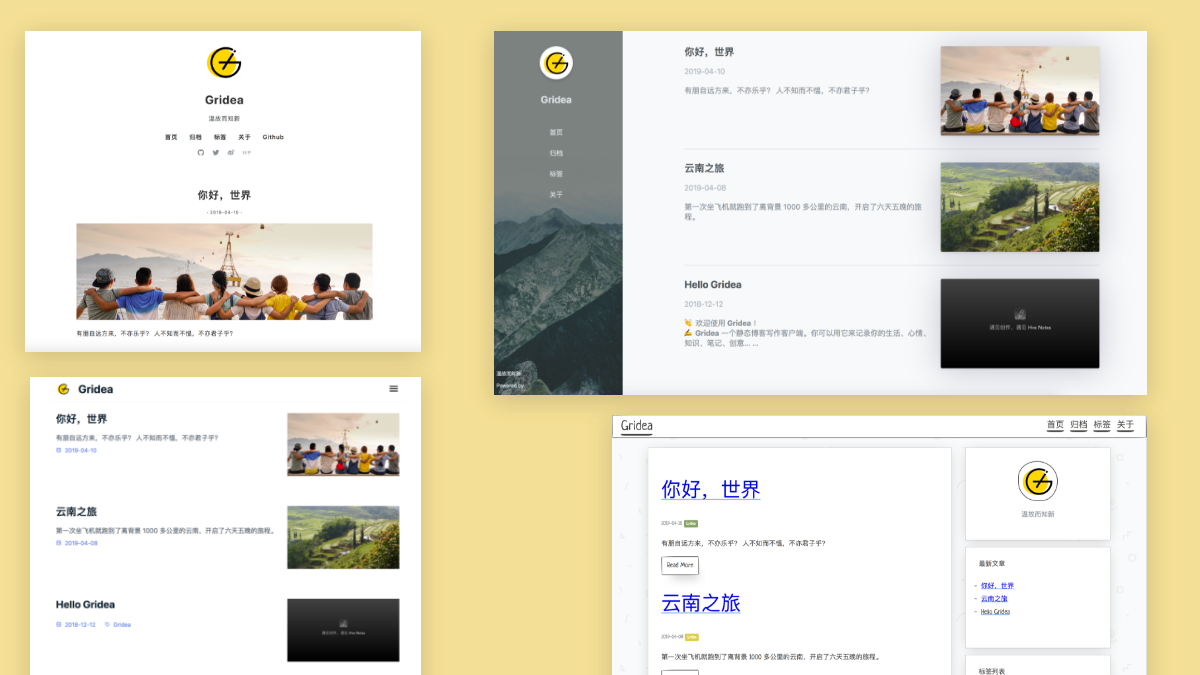
Yes. Gridea supports the Gitalk and DisqusJS comment systems, and connecting one takes just a simple configuration in the app.Can I change how my blog looks?Yes — use any of the default themes built into the app, pick a third-party theme, or customize a theme for free.
Yes — use any of the default themes built into the app, pick a third-party theme, or customize a theme for free.I write on more than one computer — how do I keep posts in sync?Point Gridea at a custom source folder and keep that folder in sync across devices with OneDrive, iCloud, Dropbox or similar services.
Point Gridea at a custom source folder and keep that folder in sync across devices with OneDrive, iCloud, Dropbox or similar services.What are similar projects?marktext, beautiful-jekyll, hugo, zola, Zettlr, buildawesome, tailwind-nextjs-starter-blog, hexo
marktext, beautiful-jekyll, hugo, zola, Zettlr, buildawesome, tailwind-nextjs-starter-blog, hexoWhich topics is it in?blogging, electronjs, blog-engine, jamstack, vue2, markdown-editor, github-pages, static-site, blog, cms, sync, writing
blogging, electronjs, blog-engine, jamstack, vue2, markdown-editor, github-pages, static-site, blog, cms, sync, writing