



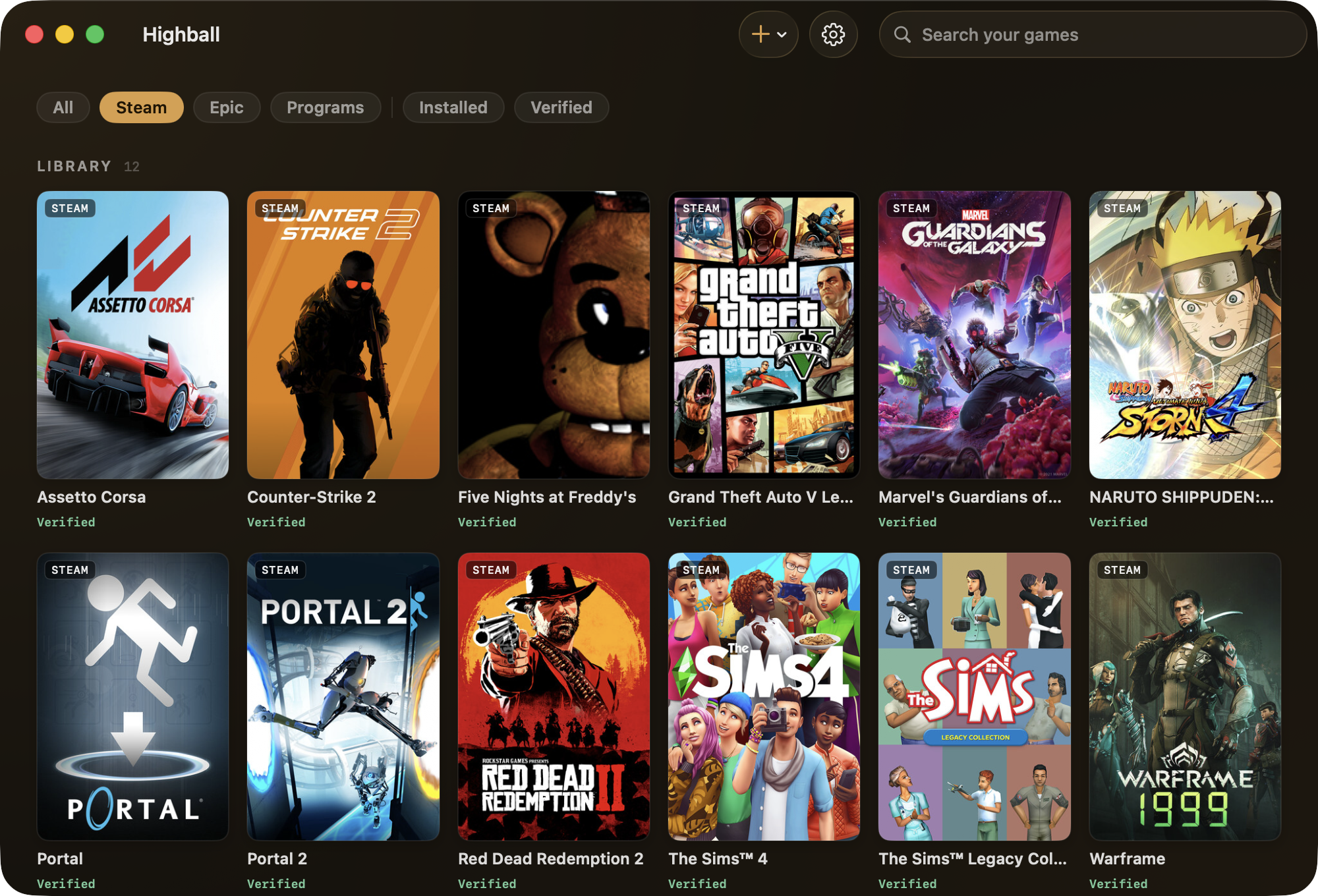
What is this?
 Highball is a native macOS app (with a companion CLI) that sets up Wine, DXMT, D3DMetal and DXVK so you can run Windows games on Apple Silicon, backed by an open compatibility database that tells you what actually works.
Highball is a native macOS app (with a companion CLI) that sets up Wine, DXMT, D3DMetal and DXVK so you can run Windows games on Apple Silicon, backed by an open compatibility database that tells you what actually works.Is this a GUI app, or is there a CLI too?Both: the macOS app and the 'highball' CLI are thin views over a shared engine called HighballKit, so the CLI can do everything the app does.
Both: the macOS app and the 'highball' CLI are thin views over a shared engine called HighballKit, so the CLI can do everything the app does.How do I install Highball and get a game running?Download the notarized .dmg (or install via Homebrew), drag it to Applications, open it and press Get started — it installs Rosetta if needed, downloads the Wine engine, prepares a Windows environment, then asks where your games are (Steam, Epic, or a Windows program).
Download the notarized .dmg (or install via Homebrew), drag it to Applications, open it and press Get started — it installs Rosetta if needed, downloads the Wine engine, prepares a Windows environment, then asks where your games are (Steam, Epic, or a Windows program).What hardware and macOS version do I need?An Apple Silicon Mac on macOS 14 or later; Rosetta 2 is installed automatically on first run if it's missing.
An Apple Silicon Mac on macOS 14 or later; Rosetta 2 is installed automatically on first run if it's missing.Will every game actually run?No — check the open compatibility database first. Several launchers with embedded Chromium UI don't render, Rockstar is blocked, Ubisoft Connect and GOG Galaxy can't show a usable login window, Battle.net and the EA app are flaky, and kernel-anti-cheat titles are flagged as impossible before you download them.
No — check the open compatibility database first. Several launchers with embedded Chromium UI don't render, Rockstar is blocked, Ubisoft Connect and GOG Galaxy can't show a usable login window, Battle.net and the EA app are flaky, and kernel-anti-cheat titles are flagged as impossible before you download them.What's the licensing like?The app, CLI and HighballKit are GPL-3.0; the compatibility recipes and database are separately licensed CC0-1.0 so anyone can reuse them freely.
The app, CLI and HighballKit are GPL-3.0; the compatibility recipes and database are separately licensed CC0-1.0 so anyone can reuse them freely.Why build another Wine wrapper instead of using Whisky or CrossOver?Whisky was archived in 2025, and Highball is designed to avoid the ways these tools die: engines are assembled from pinned, SHA-256-verified upstream builds instead of custom patches, and the compatibility database itself is the product, published as open CC0 data.
Whisky was archived in 2025, and Highball is designed to avoid the ways these tools die: engines are assembled from pinned, SHA-256-verified upstream builds instead of custom patches, and the compatibility database itself is the product, published as open CC0 data.How trustworthy are the compatibility verdicts in the database?Every entry is labeled by source — verified runs, community reports, or machine-derived predictions — with provenance and a lastVerified field (engine, macOS version, chip), so you know exactly how solid a given verdict is.
Every entry is labeled by source — verified runs, community reports, or machine-derived predictions — with provenance and a lastVerified field (engine, macOS version, chip), so you know exactly how solid a given verdict is.Can I check if a game works before installing anything?Yes, the CC0 compatibility database is browsable online at gethighball.com/database, so you can look up a game's renderer verdict and reported frame rate before downloading.
Yes, the CC0 compatibility database is browsable online at gethighball.com/database, so you can look up a game's renderer verdict and reported frame rate before downloading.What are similar projects?Whisky, NotProton, OpenEmu, Proton, recall, sharpemu, TheSimpsonsGameRecomp, WallpaperMachine
Whisky, NotProton, OpenEmu, Proton, recall, sharpemu, TheSimpsonsGameRecomp, WallpaperMachine