













































































56.4K ·GitHub
Что это такое?
 Это репозиторий-учебник для новичков, который шаг за шагом проведёт вас через первый вклад в проект с открытым исходным кодом.
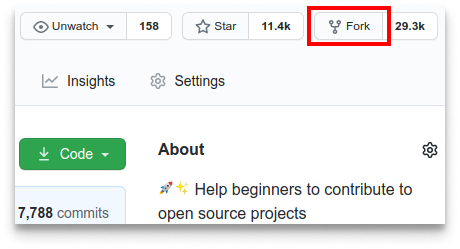
Это репозиторий-учебник для новичков, который шаг за шагом проведёт вас через первый вклад в проект с открытым исходным кодом.Это инструмент или просто руководство?Это чисто практический учебный репозиторий: вы делаете его форк, редактируете файл и открываете pull request, чтобы отработать настоящий процесс работы на GitHub. Ничего устанавливать не нужно.
Это чисто практический учебный репозиторий: вы делаете его форк, редактируете файл и открываете pull request, чтобы отработать настоящий процесс работы на GitHub. Ничего устанавливать не нужно.Нужно ли установить Git перед началом?Да, на вашем компьютере должен быть Git. Если его нет, в README есть ссылка на инструкцию по установке. Также там предложен вариант с графическим инструментом для тех, кому неудобно работать в командной строке.
Да, на вашем компьютере должен быть Git. Если его нет, в README есть ссылка на инструкцию по установке. Также там предложен вариант с графическим инструментом для тех, кому неудобно работать в командной строке.С какой самой частой проблемой сталкиваются люди?Команда git push может завершаться ошибкой аутентификации по паролю, так как GitHub отключил вход по паролю в августе 2021 года. Поэтому вместо пароля нужен персональный токен доступа.
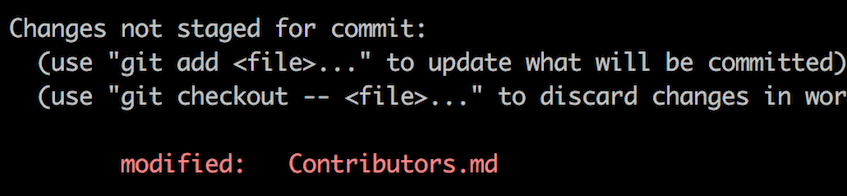
Команда git push может завершаться ошибкой аутентификации по паролю, так как GitHub отключил вход по паролю в августе 2021 года. Поэтому вместо пароля нужен персональный токен доступа.Что именно нужно изменить в репозитории?Вы открываете файл Contributors.md и добавляете своё имя где-нибудь в середине файла (не в начале и не в конце), после чего сохраняете это единственное изменение коммитом.
Вы открываете файл Contributors.md и добавляете своё имя где-нибудь в середине файла (не в начале и не в конце), после чего сохраняете это единственное изменение коммитом.Можно ли сделать это без командной строки?Да, в README есть ссылки на руководства по внесению изменений с помощью графических инструментов Git, если вам неудобно работать в терминале.
Да, в README есть ссылки на руководства по внесению изменений с помощью графических инструментов Git, если вам неудобно работать в терминале.Есть ли это на языках, отличных от английского?Да, в README указано, что его можно читать на других языках, а ссылки на переводы приведены в верхней части файла.
Да, в README указано, что его можно читать на других языках, а ссылки на переводы приведены в верхней части файла.What are similar projects?Project-Ideas-And-Resources, awesome-for-beginners, opensource.guide, Spoon-Knife, git-github-learning-quest, GitTutorial, introduction-to-github, cognee
Project-Ideas-And-Resources, awesome-for-beginners, opensource.guide, Spoon-Knife, git-github-learning-quest, GitTutorial, introduction-to-github, cogneeWhich topics is it in?contributions-welcome, good-first-issue, beginner, community, collaboration, github, git, beginner-friendly, guide, learning, tutorial, education
contributions-welcome, good-first-issue, beginner, community, collaboration, github, git, beginner-friendly, guide, learning, tutorial, education