













































































56.4K ·GitHub
What is this?
 A beginner-friendly tutorial repository that walks newcomers through making their very first open source contribution, step by step.
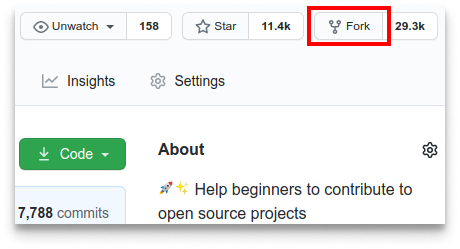
A beginner-friendly tutorial repository that walks newcomers through making their very first open source contribution, step by step.Is this a tool or just a guide?It is purely a hands-on tutorial/practice repo: you fork it, edit a file, and open a pull request to practice the real GitHub workflow, not software you install.
It is purely a hands-on tutorial/practice repo: you fork it, edit a file, and open a pull request to practice the real GitHub workflow, not software you install.Do I need Git installed before starting?Yes, you need Git on your machine; the README links an install guide if you don't have it, and also offers a GUI-tool alternative for those uncomfortable with the command line.
Yes, you need Git on your machine; the README links an install guide if you don't have it, and also offers a GUI-tool alternative for those uncomfortable with the command line.What's the most common snag people hit?Git push can fail with a password authentication error since GitHub removed password auth in August 2021, so you need a personal access token instead.
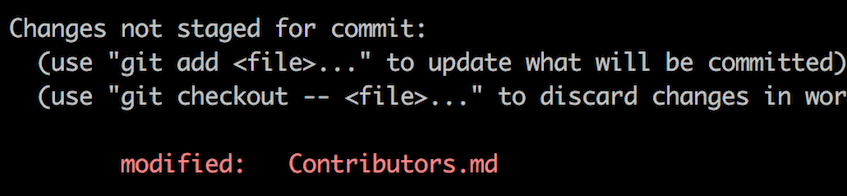
Git push can fail with a password authentication error since GitHub removed password auth in August 2021, so you need a personal access token instead.What exactly do I change in the repo?You open Contributors.md and add your name anywhere in the middle of the file (not at the start or end), then commit that single change.
You open Contributors.md and add your name anywhere in the middle of the file (not at the start or end), then commit that single change.Is there a non-command-line way to do this?Yes, the README links tutorials for making the contribution using GUI git tools if you're not comfortable with the terminal.
Yes, the README links tutorials for making the contribution using GUI git tools if you're not comfortable with the terminal.Is this available in languages other than English?Yes, the README notes it can be read in other languages, with translated versions linked at the top.
Yes, the README notes it can be read in other languages, with translated versions linked at the top.What are similar projects?Project-Ideas-And-Resources, awesome-for-beginners, opensource.guide, Spoon-Knife, git-github-learning-quest, GitTutorial, introduction-to-github, cognee
Project-Ideas-And-Resources, awesome-for-beginners, opensource.guide, Spoon-Knife, git-github-learning-quest, GitTutorial, introduction-to-github, cogneeWhich topics is it in?contributions-welcome, good-first-issue, beginner, community, collaboration, github, git, beginner-friendly, guide, learning, tutorial, education
contributions-welcome, good-first-issue, beginner, community, collaboration, github, git, beginner-friendly, guide, learning, tutorial, education